Authenticity beats polish. Every single time. You can hire a production crew, light everything perfectly, script the whole thing, and still get testimonials nobody believes. Or you can let customers record 30 seconds on their phone and get something that actually converts.
Audio testimonial software works when it makes recording stupid easy. The moment you add friction, you lose people. Let’s talk about how to collect audio testimonials that feel real because getting them matters way more than perfecting them.
Why Authenticity Beats Production Quality
Professional production makes testimonials feel like ads. Perfect lighting, scripted delivery, edited to remove every pause. Looks great, converts terribly.
According to Spiel Creative research, authentic customer testimonials with imperfect production convert 3x better than polished professional videos. Audio is the same. Raw phone recording with some background noise beats studio-quality recording that sounds rehearsed.
People trust imperfection. They know real customers don’t have professional setups. When testimonials look and sound too good, alarm bells go off. Audio feedback tools that prioritize ease over quality get you authentic responses.
Read more: The Power of Audio Testimonials
Best Moments to Ask for Audio Feedback
Timing destroys or creates testimonials. Ask too early, and customers don’t have the experience to share. Ask too late, and they’ve forgotten or moved on.
Sweet spots for requesting audio:
- Right after a win (completed project, hit milestone, solved problem)
- Following a positive support interaction
- 30 days after purchase (enough experience, still engaged)
- Post-renewal (proved value enough to continue)
UseTrust found that requests sent within 48 hours of positive experiences get 4x higher response rates. Strike while emotion is fresh. Customer voice recording works best when people are already thinking about their success with your product.
Read more: How to ask for a Testimonial?
Prompts That Spark Natural Responses
“Tell us what you think” gets garbage. Too vague. People freeze, don’t know what to say, give generic responses or skip it entirely.
Good prompts get specific stories:
- “What problem were you dealing with before using our product?”
- “What moment made you realize this was working?”
- “What would you tell someone who’s on the fence about trying this?”
Reducing Friction with One-Click Audio Recording
Every extra step kills responses. Create account? Lost half your people. Download an app? Lost more. Complex interface? Forget it.
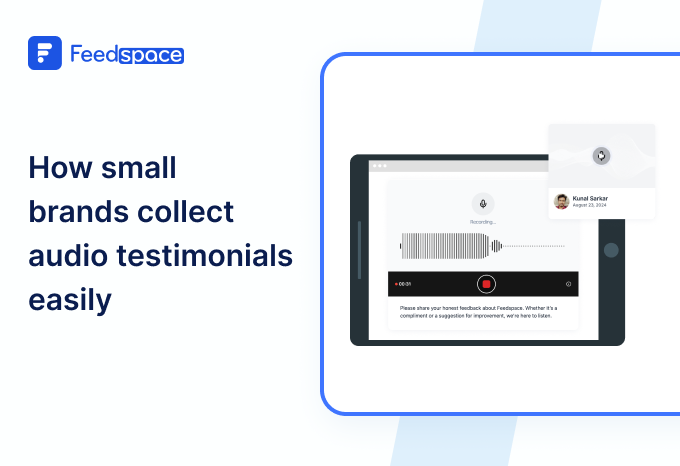
The best audio feedback tools work like this: the customer gets a link, clicks record, talks and clicks submit. Done. No login, no download, no tutorial needed.
Mobile recording especially needs to be brain-dead simple. One tap to start, a visual indicator it’s recording and one tap to stop. If someone has to think about how to use it, they won’t.
Mobile-First Collection Strategies
Most people will record on phones. Design for that or fail. Mobile-first means a large, obvious record button, visual feedback that recording is happening, the ability to re-record if they mess up, a preview before submitting, and works on all devices without apps.
Customer voice recording happens wherever customers are, which is mostly phones. Desktop-only collection misses 70% of potential testimonials, according to VocalVideo.
Common Mistakes Brands Make
Biggest mistakes killing audio testimonial collection:
- Asking for too much. “Record a 5-minute testimonial” gets ignored. Ask for 30-60 seconds max.
- No examples. People don’t know what good testimonials sound like. Show examples before they record.
- Complicated tech. If recording takes more than 30 seconds to figure out, you’ll lose people. Test with someone’s grandma. If she can’t do it, it’s too complex.
- Generic requests. Mass emailing “leave us a testimonial” to everyone gets terrible response rates. Personalize requests and reference specific experiences.
- Ignoring mobile. Desktop-first tools miss most potential respondents. Build for phones.
Read more: What NOT to ask while taking user Feedback
Conclusion
Audio testimonial software only works if people actually use it. Doesn’t matter how many features it has if the experience makes customers bail.
What gets testimonials recorded:
- Professional polish vs. making a recording, dead simple on phones
- Asking everyone randomly vs. asking right after they win
- Vague “tell us what you think” vs. specific prompts about real experiences
- Multi-step process vs. click-record-submit simplicity
Collect audio testimonials by removing every possible barrier. Easy beats perfect. Fast beats polished. Convenient beats comprehensive.
Audio feedback tools succeed when customers can record testimonials in under a minute without thinking. Customer voice recording happens when you make it effortless, or it doesn’t happen at all. Make it easy, or it won’t happen. Try Feedspace Today!