Introduction
Videos are one of the best ways to grab people’s attention. They help visitors learn about your business, products, or services in a simple and engaging way.
If you already use Wistia to host your videos, you can make them work even harder by displaying them on your website. Whether it’s customer testimonials, product demos, tutorials, or success stories, showing videos on your site helps build trust with your visitors.
With Feedspace, you can import your Wistia videos, organize them in one place, and display them using a beautiful Wall of Love. In this guide, we’ll show you exactly how to do it.
Use Feedspace to Add Wistia Videos to Your Website
Feedspace is an AI-powered testimonial and review management platform that helps you collect, import, manage, and showcase videos, reviews, and testimonials.
Instead of uploading videos one by one, you can import your Wistia videos into Feedspace in just a few clicks. Once they’re imported, you can organize them into a Wall of Love and embed that wall anywhere on your website.
With Feedspace, you can:
- Import Wistia videos in minutes.
- Keep all your videos in one dashboard.
- Create a beautiful Wall of Love.
- Customize the design to match your brand.
- Embed the wall on any page of your website.
- Update your video collection anytime.
Everything is simple, fast, and beginner-friendly.
How to Import Wistia Videos
Follow these simple steps to import your Wistia videos into Feedspace.
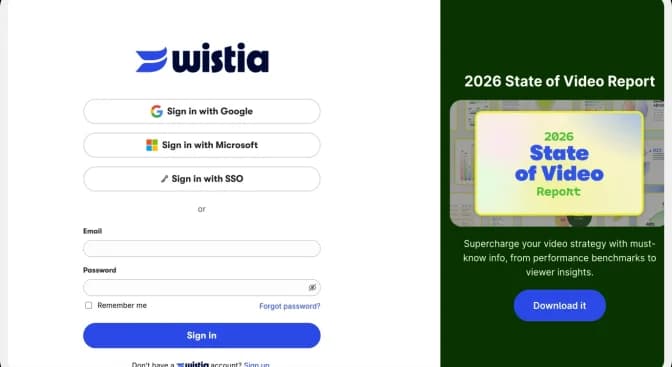
Step 1: Open Your Wistia Video
Log in to your Wistia account.
Go to the project where your video is stored and open the video you want to display on your website.
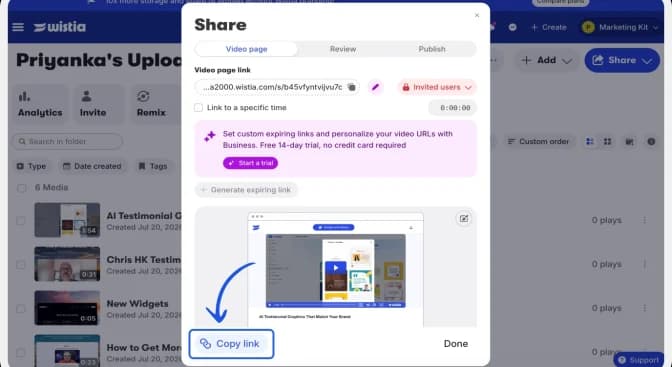
Step 2: Copy the Wistia Video URL
Once your video is open, copy its URL from your browser’s address bar.
This is the link Feedspace will use to import your video.
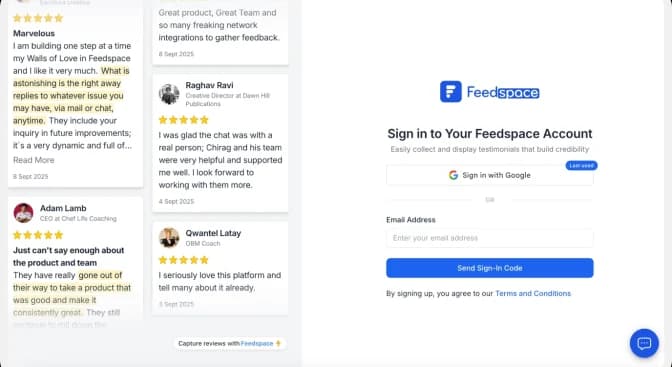
Step 3: Log In to Feedspace
Now open your Feedspace account.
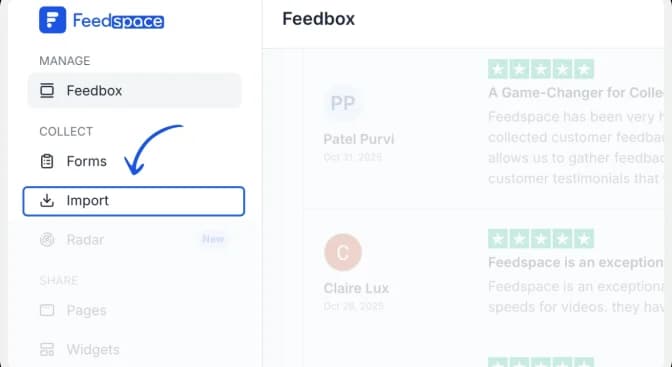
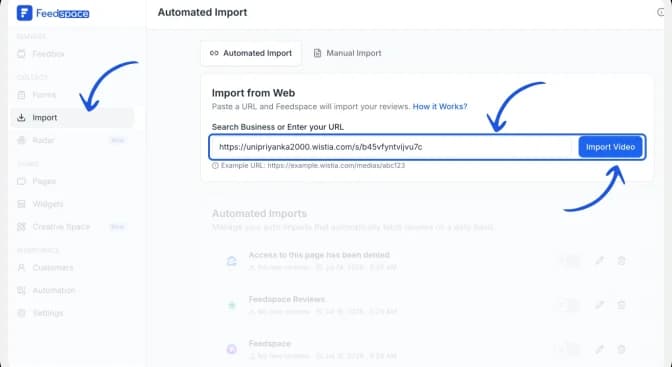
From the dashboard, click Import.
Step 4: Import Videos
On the left side panel of your admin home page, locate Import and click on it.
Paste the Wistia video URL into the input box.
Then click Import Video.
Feedspace will automatically import your video.
This usually takes only a few seconds.
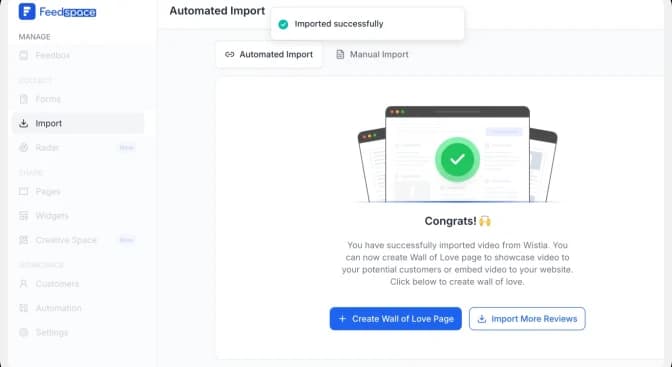
After clicking Import Video, the user will see a snackbar message saying, “Imported successfully.
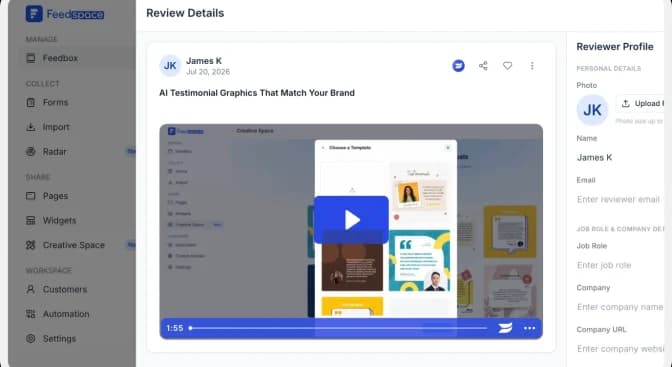
Step 6: Create a Wall of Love
Just after you import, you can create the Wall of Love for the imported videos by clicking on the +Wall of Love page.
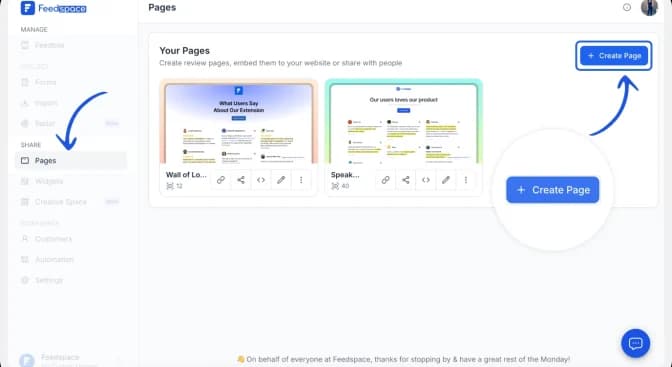
Then click on Create Page. And in a few seconds, you can see the preview of your Wall of Love. And you can select the videos you want to display from the left side of the preview page.
Once selected, click on Save and Next.
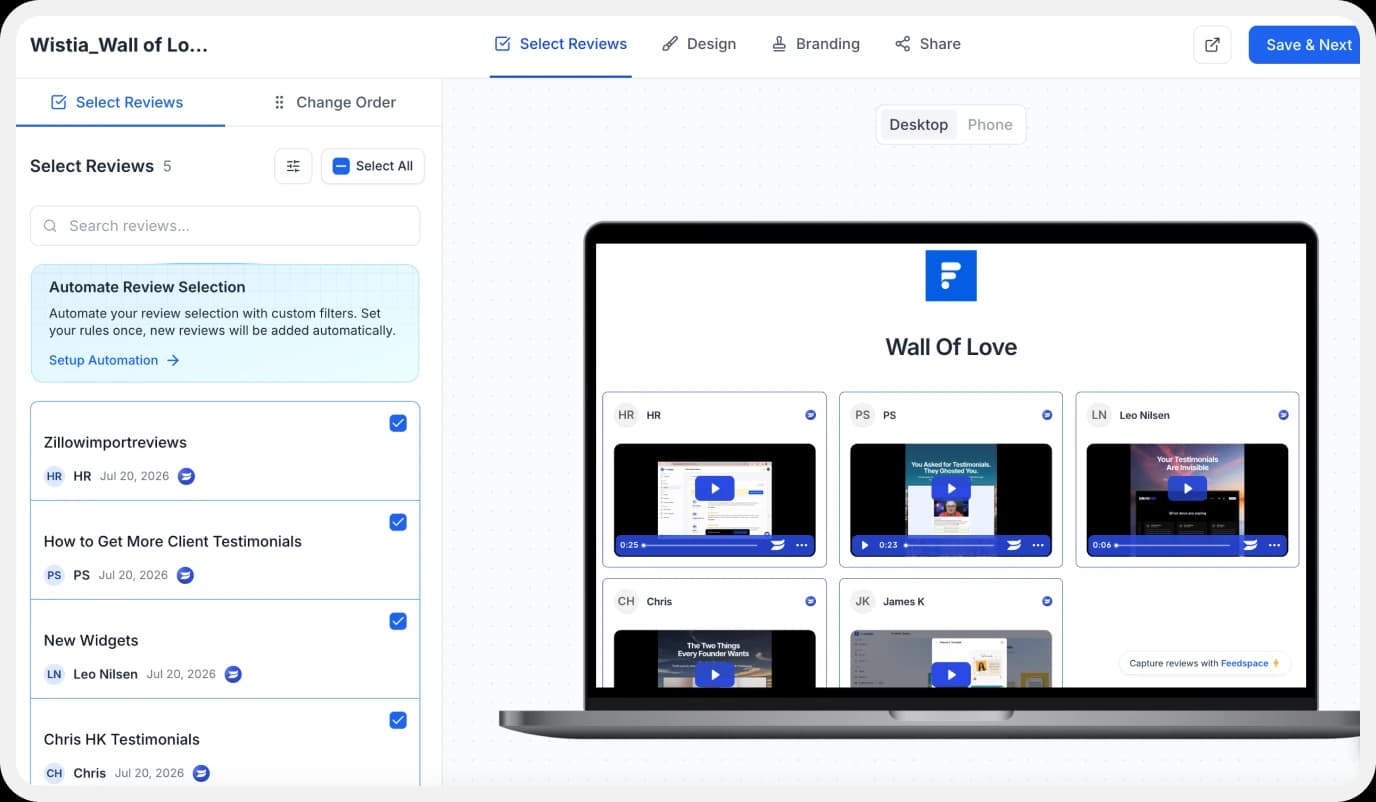
Your Wall of Love is now ready.
Step 7: Customize Your Wall
You can now make the wall match your website.
Feedspace lets you:
- Change colors.
- Add your logo.
- Choose different layouts.
- Rearrange videos.
- Add a title and description.
- Customize according to your choice and share it publicly.
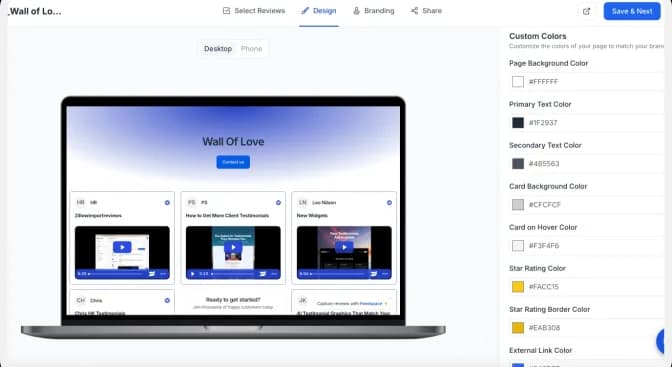
This helps your testimonial wall look professional.
How to Embed Wistia Videos on Your Website
Before sharing, check your Wall of Love to make sure it looks the way you want.
Step 1: Click on the share button.
Click the Share button to share or embed it on your website.
This will open different sharing options for your wall.
Step 2: Copy the Embed Code
From the Share menu, copy the embed code.
Paste the code into the section of your website where you want to display your Wall of Love.
Save and publish your changes.
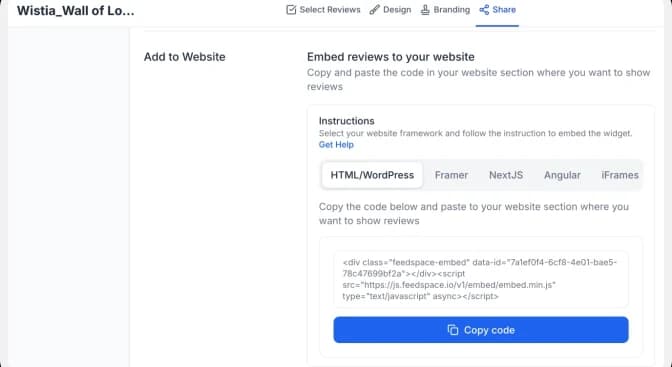
Your Wistia videos will now appear beautifully on your website for visitors to see.
Benefits of Adding Wistia Videos to Your Website
Build Trust with Visitors
People trust real videos more than plain text. Customer stories and testimonials make your business feel more authentic.
Keep Visitors Engaged
Videos encourage people to stay on your website longer. The longer they stay, the more likely they are to explore your products or services.
Showcase Your Best Content
Instead of hiding your videos in different places, you can display them together on one organized wall.
Make Your Website Look Professional
A clean video wall makes your website look modern and polished. It also makes it easier for visitors to find the content they’re looking for.
Save Time
You only need to import your videos once. After that, you can manage everything from your Feedspace dashboard.
Update Your Videos Anytime
Whenever you add new videos, you can update your Wall of Love without rebuilding your website.
Conclusion
Adding Wistia videos to your website is a simple way to make your pages more engaging and trustworthy.
With Feedspace, you can import your Wistia videos, organize them into a beautiful Wall of Love, and embed them anywhere on your website without any complicated setup.
Whether you’re showcasing customer testimonials, product demos, case studies, or tutorials, Feedspace helps you display your best videos in a clean and professional way.
In just a few simple steps, you can turn your Wistia videos into a powerful social proof section that builds trust and helps convert more visitors into customers.