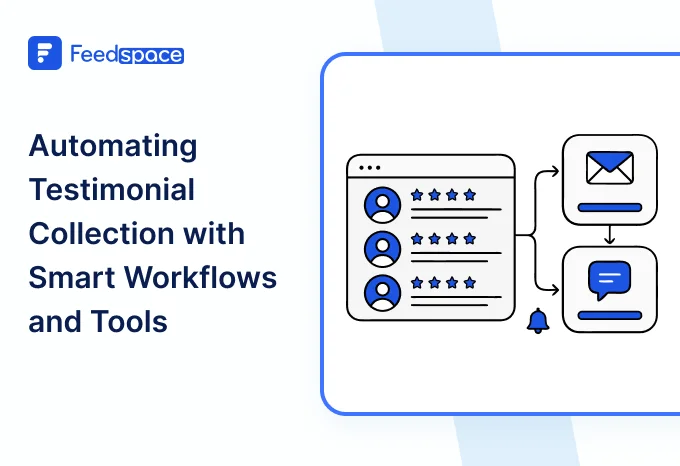
Teams love the idea of collecting testimonials. The problem is everything that happens around it. Someone sends a link. Someone else forgets to follow up. A reviewer gets stuck waiting for approval. Marketing wants updates. Sales wants a specific quote. Before you know it, your social proof ends up in random folders and old chats.
Positive testimonial management solves this by giving you a clear workflow from intake to publishing. Think of it like building a smooth lane for testimonials to travel through, so nothing gets lost and every team knows where things stand.
Standardized Intake
Everything starts with intake. This is where your testimonial collection software matters. Instead of chasing customers with custom requests each time, you use consistent forms or templates so the process always starts the same way. A simple form with a few guiding prompts makes the experience easier for customers and gives you cleaner responses. Standardization also helps your team. When submissions arrive in the same format, reviewing them becomes a whole lot faster.
Automation Rules
Once intake is set, automation keeps the machine moving. This is where review automation quietly saves hours. Your system can send reminder emails, nudge customers who started but never finished, or notify the team when a new testimonial arrives.
You only set the rules once. After that, your workflow runs without constant checking. This avoids the classic problem where testimonial collection only happens during launches or last-minute pushes.
Approval Routing
After a testimonial comes in, the approval stage starts. A clean workflow routes each submission to the right people. Sometimes it is a simple one-person check. Other times, you need multi-level review, especially if the customer is from a major logo or the quote will be used in a large campaign.
Having defined approval workflows prevents delays. Everyone knows their part. Everyone sees the status. And customers get their edits or confirmations done faster because nothing is floating around in someone’s inbox.
Editing and Enhancement
Raw testimonials are rarely ready to publish. Some need trimming. Some need formatting. Video clips may need a quick cut so they feel tighter. This stage is all about enhancing the content without changing the customer’s message.
Think of it as fixing small things so the story reads smoothly and feels professional. Your testimonial publishing process becomes stronger when the content is clean long before it reaches your landing page or sales deck.
Tagging and Categorisation
Once a testimonial is approved and polished, you organise it. Tag by industry, persona, use case, feature, result, region, or any category your team relies on. This is the backbone of good testimonial management. Without structure, you spend more time hunting for the right quote than actually using it.
A unified tagging system keeps everyone on track. It also stops situations where a team member asks the same customer for feedback again, simply because the original testimonial got lost.
Publishing Pipeline
After everything is organised, the testimonial moves into the publishing stage. This is where you use it across your website, email campaigns, sales decks, onboarding steps, and ads. A solid pipeline makes it easy to choose placements quickly. You can also update or swap testimonials without rebuilding pages from scratch. Your social proof operations feel smoother when publishing is treated as a predictable step, not a scramble.
Cross-Team Collaboration
Testimonials touch multiple teams. Marketing uses them for campaigns. Sales needs them for proof during calls. Product teams look for insights.
That’s why your setup needs simple roles and permissions, so each person can do their part without overwriting someone else’s work or slowing things down. A simple shared workspace helps everyone get what they need without creating new bottlenecks.
Performance and Audit Logs
Tracking actually matters more than most people think. You want a clear view of who touched what, when something was approved, and where a testimonial is being used. Simple audit logs make it easy to answer those questions without guessing.
Then there’s performance. Good analytics show you which testimonials people interact with, which ones help conversions, and which ones barely get noticed. It’s the only way to know what’s actually working. This helps you spot which stories deserve more exposure and which ones should be replaced.
Final Thoughts
When you build a clean end-to-end workflow, testimonials stop feeling like scattered pieces of content and start functioning like a real asset. Intake, automation, approval, editing, tagging, publishing, collaboration, and tracking. Each stage keeps your testimonial management system moving forward. And if you want this whole flow to feel easier, platforms like Feedspace help teams create a smooth testimonial pipeline without turning it into another complex project. Try Feedspace now.