

Feedspace Home Dashboard

How to Import Reviews from Edmunds into Feedspace

Last updated on May 25, 2026

Overview

Feedspace lets you import reviews from Edmunds directly into your Feedbox. Edmunds is a leading automotive marketplace, and its expert and consumer reviews are among the most trusted in the car-buying process. Edmunds uses a secure, request-based import process — once you submit your request, the Feedspace team will manually retrieve your reviews and notify you when they are ready in your account.

Step 1 – Log In to Feedspace

  1. Go to Feedspace and log in to your account.
  2. Click on Import in the left sidebar to open the import panel.

Step 2 – Enter Your Edmunds URL

  1. Navigate to your dealership or vehicle reviews page on Edmunds (e.g., edmunds.com/dealer/your-dealership-name/reviews or edmunds.com/make/model/year/review).
  2. Copy the URL from your browser’s address bar.
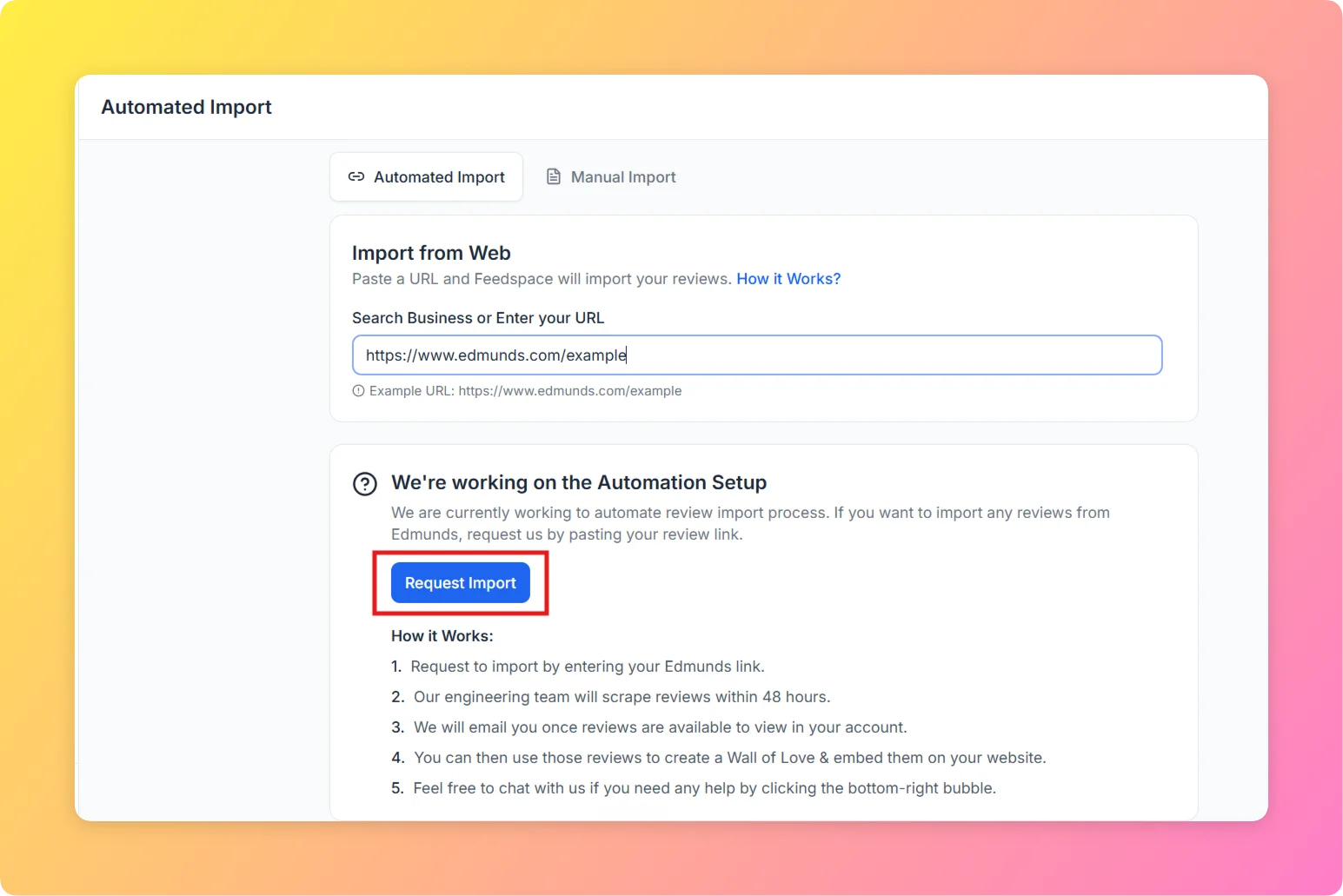
  3. Paste the copied URL into the URL input field and press Enter.
Enter Edmunds URL in Feedspace import URL input field

Step 3 – Select Import Reviews

  1. In the import options panel, select Import Reviews.
  2. Feedspace will display the available import settings for your Edmunds URL.

Step 4 – Click Request Import

  1. Click the Request Import button to submit your request.
  2. A confirmation popup will appear with the details of your import request.

Step 5 – View Your Imported Reviews

  1. Once the Feedspace team processes your request, your reviews from Edmunds will appear in your Feedbox.
  2. You can now use them in widgets, pages, or any other Feedspace feature to showcase them to your audience.

Why Import Reviews from Edmunds?

  1. Build Dealership Trust: Showcase verified Edmunds customer reviews to attract more car buyers to your dealership.
  2. Highlight Vehicle Quality: Import vehicle-specific Edmunds reviews to support your product pages with authentic consumer feedback.
  3. Centralize Automotive Reviews: Combine your Edmunds reviews with CarGurus, DealerRater, and other auto platform reviews in one Feedspace Feedbox.

That’s it! Your Edmunds reviews are now inside Feedspace and ready to use as testimonials, in widgets, or on your pages.

You might also find helpful

How to Import Reviews from AutoScout24 into Feedspace

Overview Feedspace enables businesses to showcase customer feedback by importing reviews from AutoScout24. AutoScout24 is Europe’s largest online car marketplace where dealerships receive verified customer reviews. By integrating AutoScout24 reviews into your Feedspace dashboard, you can display authentic customer experiences on your website, build credibility, and attract more customers. Step...

How to Import Reviews from Sitejabber into Feedspace

Overview Feedspace enables businesses to showcase customer feedback by importing reviews from Sitejabber. Sitejabber is a consumer review platform that helps shoppers discover and evaluate online businesses. By integrating Sitejabber reviews into your Feedspace dashboard, you can display authentic customer experiences on your website, build credibility, and attract more customers....

How to Import Reviews from Bark into Feedspace

Overview Feedspace enables businesses to showcase customer feedback by importing reviews from Bark. Bark is a UK-based marketplace connecting businesses with customers looking for local services and professionals. By integrating Bark reviews into your Feedspace dashboard, you can display authentic customer experiences on your website, build credibility, and attract more...