

Feedspace Home Dashboard

How to Import Reviews from Indeed into Feedspace

Last updated on May 25, 2026

Overview

Feedspace lets you import reviews from Indeed directly into your Feedbox. Indeed employer reviews are valuable social proof for attracting talent and building your employer brand. Indeed uses a secure, request-based import process — once you submit your request, the Feedspace team will manually retrieve your reviews and notify you when they are ready in your account.

Step 1 – Log In to Feedspace

  1. Go to Feedspace and log in to your account.
  2. Click on Import in the left sidebar to open the import panel.

Step 2 – Enter Your Indeed URL

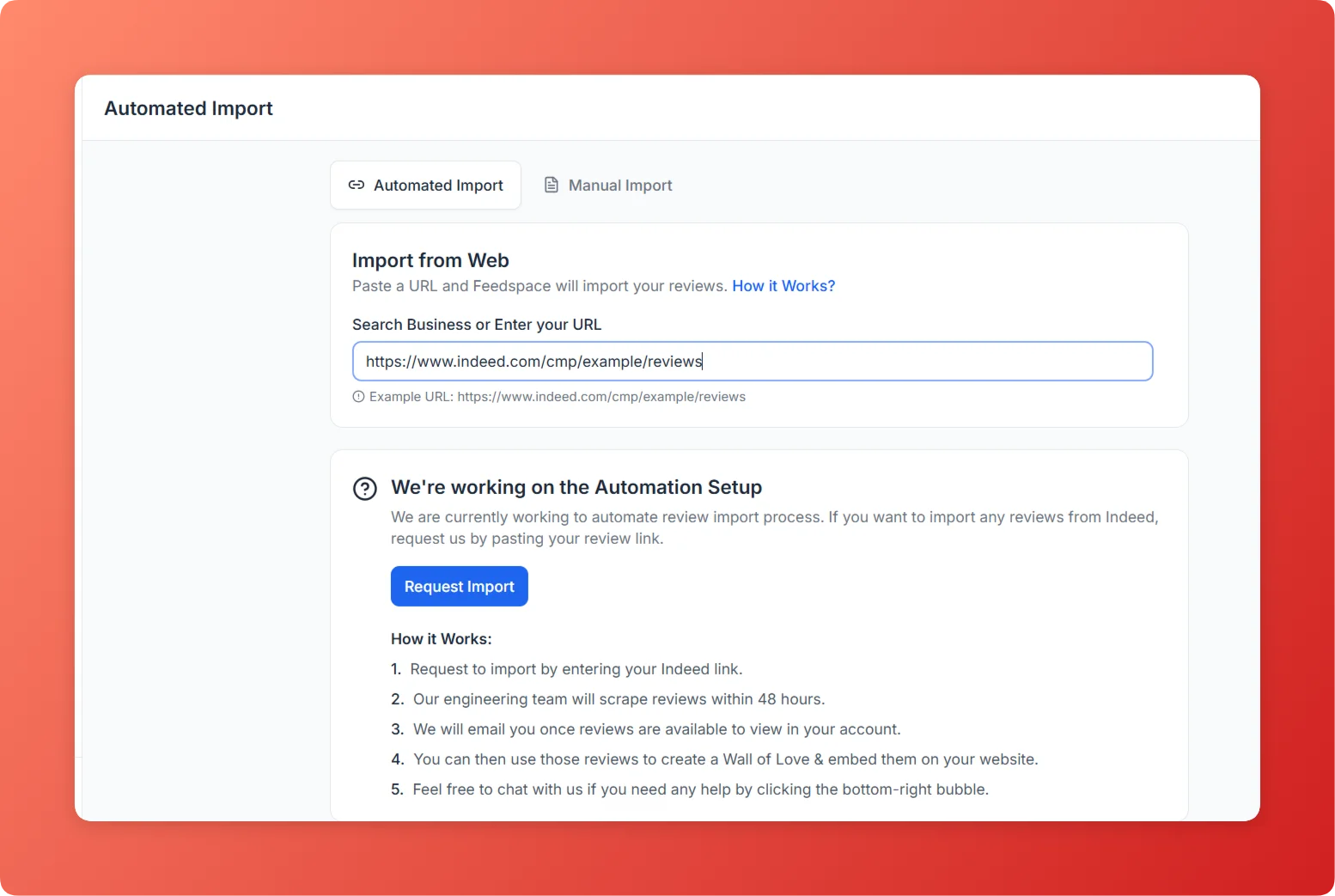
  1. Navigate to your company’s Indeed reviews page. The URL should follow the format indeed.com/cmp/your-company-name/reviews.
  2. Copy the URL from your browser’s address bar.
  3. Paste the copied URL into the URL input field and press Enter.
Enter Indeed URL in Feedspace import URL input field

Step 3 – Select Import Reviews

  1. In the import options panel, select Import Reviews.
  2. Feedspace will display the available import settings for your Indeed URL.

Step 4 – Click Request Import

  1. Click the Request Import button to submit your request.
  2. A confirmation popup will appear with the details of your import request.

Step 5 – View Your Imported Reviews

  1. Once the Feedspace team processes your request, your reviews from Indeed will appear in your Feedbox.
  2. You can now use them in widgets, pages, or any other Feedspace feature to showcase them to your audience.

Why Import Reviews from Indeed?

  1. Strengthen Your Employer Brand: Showcase positive Indeed reviews on your careers page to attract top candidates.
  2. Build Trust with Job Seekers: Authentic employee reviews from Indeed carry strong credibility for prospective hires.
  3. Consolidate Employer Feedback: Keep your Indeed, Glassdoor, and LinkedIn recommendations in one central Feedspace Feedbox.

That’s it! Your Indeed reviews are now inside Feedspace and ready to use as testimonials, in widgets, or on your pages.

You might also find helpful

How to Import LinkedIn Recommendations into Feedspace

Overview Feedspace enables professionals and businesses to showcase their credibility by importing LinkedIn Recommendations. LinkedIn is a professional networking platform where colleagues and clients leave written recommendations. By integrating your LinkedIn Recommendations into Feedspace, you can display professional endorsements on your website, build trust, and attract more clients. Step 1...

How to Import Reviews from PeoplePerHour Profile into Feedspace

Overview Feedspace enables businesses to showcase customer feedback by importing reviews from PeoplePerHour Profile. PeoplePerHour Profile is a freelance marketplace where businesses hire skilled freelancers and leave verified project reviews. By integrating PeoplePerHour Profile reviews into your Feedspace dashboard, you can display authentic customer experiences on your website, build credibility,...

How to Import Reviews from Glassdoor into Feedspace

Overview Feedspace lets you import reviews from Glassdoor directly into your Feedbox. Glassdoor reviews are among the most trusted sources of employer reputation data, making them powerful testimonials for your hiring page. Glassdoor uses a secure, request-based import process — once you submit your request, the Feedspace team will manually...