

Feedspace Home Dashboard

How to Embed Wall Of Love in Bubble

Last updated on October 3, 2025

Overview

Feedspace Wall of Love embed code can be easily added to any Bubble page. This simple process helps you showcase customer trust directly on your Bubble app. By following the steps below, you can embed the code in minutes.

Step 1 – Log in to Your Bubble Account

Go to Bubble and log in with your account credentials.

Step 2 – Open Your Bubble App Page

From your Bubble dashboard, select the app and open the page where you want to embed the code, or create a new page.

Step 3 – Add an HTML Element

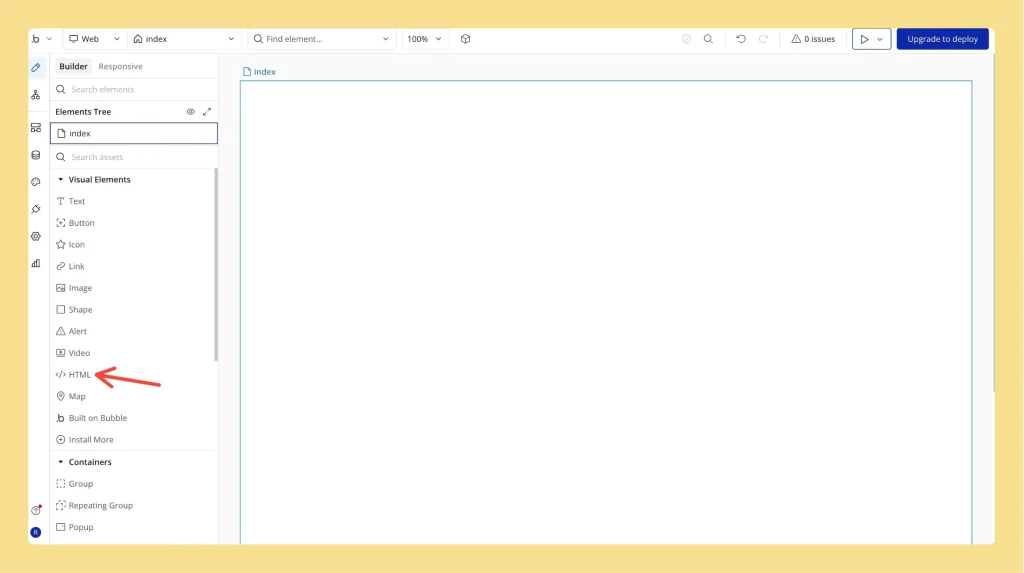
  • In the Bubble page editor, open the “Visual Elements” panel.
  • Drag and drop the “HTML element” to your desired section on the page.
Bubble editor showing Visual Elements panel with HTML element being added

Step 4 – Paste Your Embed Code

  • Click on the HTML element you just added.
  • A settings box will appear, paste your Feedspace Wall of Love embed code.
  • Click “Save” to confirm.
Bubble settings panel with Feedspace Wall of Love embed code pasted

Step 5 – Resize and Position the Element

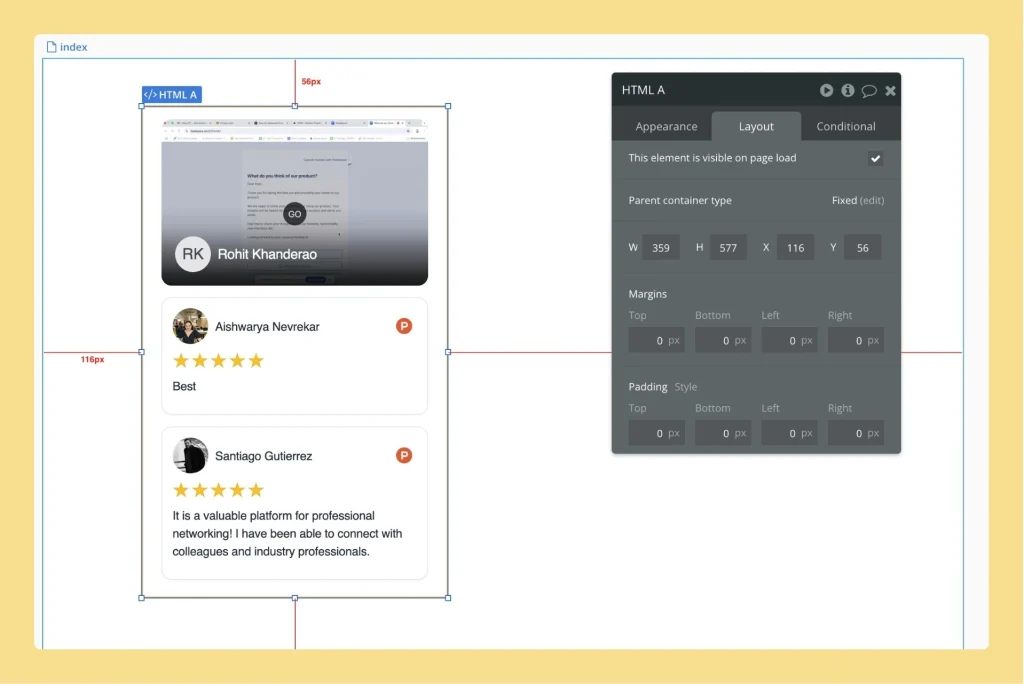
  • Move it around the page to place it exactly where you want it.
  • Adjust the HTML element’s size to properly display the Wall of Love.

Step 6 – Preview and Publish Your App

  • Click “Preview” to see how the Wall of Love looks on your Bubble page.
  • Once ready, click “Deploy” to publish the changes.

Your Bubble app now displays the Feedspace Wall of Love, showcasing customer trust effectively.

Bubble page preview displaying the embedded Feedspace Wall of Love

You might also find helpful

How to Embed Widget in Bubble

Overview Feedspace widgets can be easily embedded into any Bubble page. This quick process lets you display testimonials or feedback directly in your Bubble app. Step 1 – Log in to Your Bubble Account Head over to Bubble and sign in with your account details. Step 2 – Open Your...

How to Embed Wall Of Love in Webflow

Overview Feedspace Wall of Love embed code can be easily added to any Webflow page. This simple process helps you showcase customer trust directly on your Webflow site. By following the steps below, you can embed the code in minutes. Step 1 – Log in to Your Webflow Account Go...

How to Embed Widget in Webflow

Overview You can easily embed Feedspace widgets in any Webflow project. This lets you highlight customer testimonials and social proof on your Webflow site. Step 1 – Sign In to Webflow Go to Webflow and log in to your account. Step 2 – Open Your Project Select the project you...