Using the Social Media Wall of Love Feature to Enhance Your Website
Overview With Feedspace’s Wall of Love, you can showcase real feedback right on your website – creating what we call a Wall of Love. Why It Works:

Embedding your Wall of Love on your website is an effective way to showcase positive customer feedback and testimonials. Displaying real reviews helps build trust with new visitors and highlights the value of your product or service.
Follow these simple steps to add your Wall of Love:
Sign in to your Feedspace account
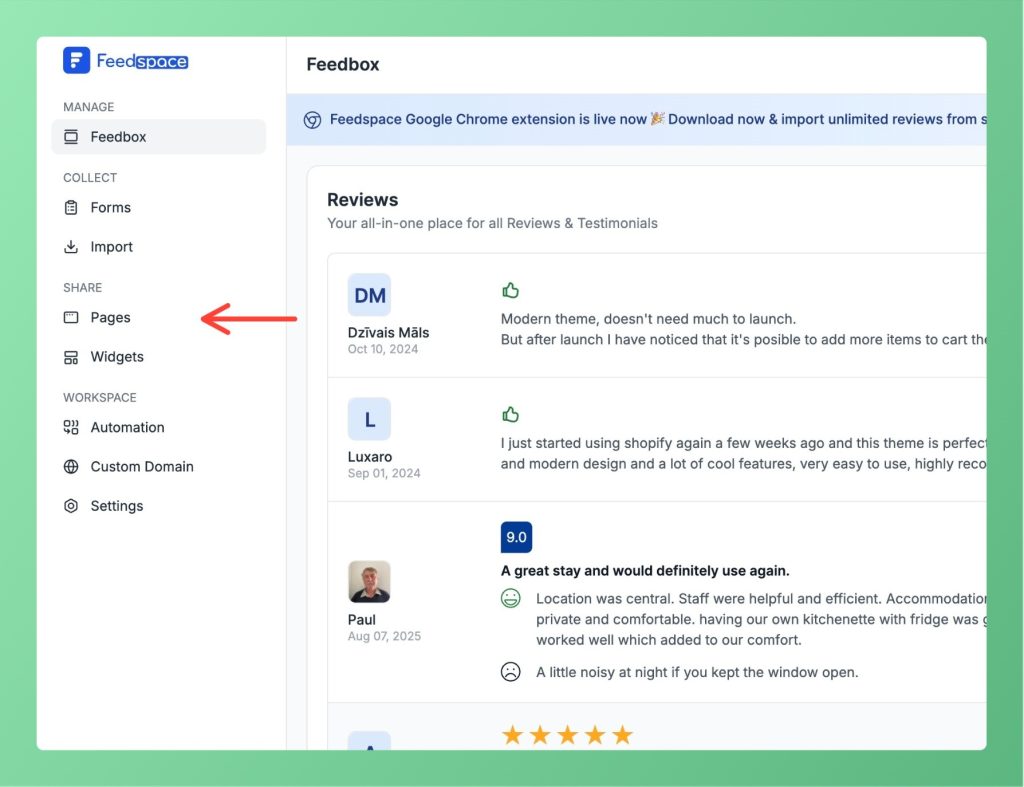
From the left panel, click on pages as shown in the screenshot
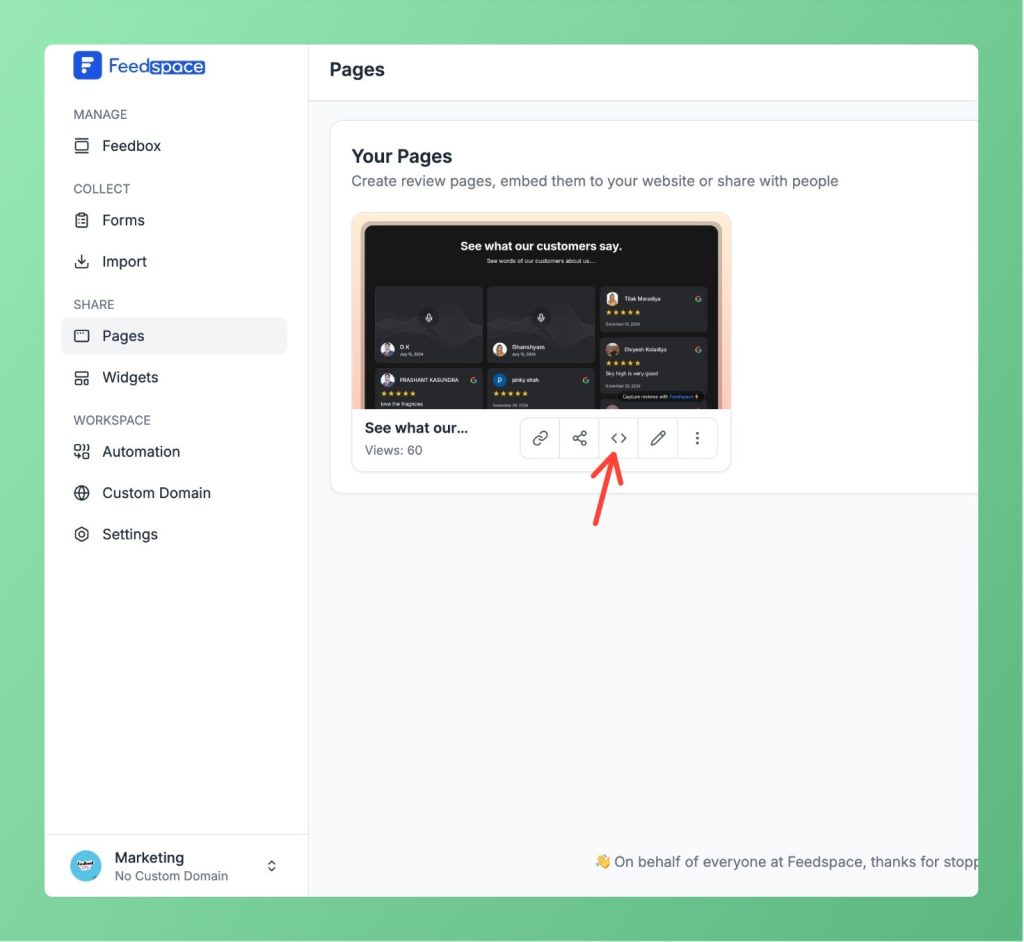
Click on the < > button located next to the share icon.
In the Add Page to Website section, select the HTML/WordPress tab and click Copy Code. Paste this code into the appropriate section of your website.
If you would rather not add the JavaScript snippet, the Share tab includes an iFrames option. In the Add Page to Website section, click the iFrames tab to see your Wall of Love public URL, then click Copy Link. Paste that URL into an iframe element on your site to display the same Wall of Love without any script.
Yes. Every Wall of Love has its own public link. On the Share tab, copy the Review Page Link and share it directly, or use the social and QR code options in the same section. The link opens the full Wall of Love on its own page, so you can send it without touching your website code.
If you’re unsure about embedding the Wall of Love or need additional guidance, you can book a demo with our expert for a personalized walkthrough.
Feedspace is always looking for ways to help you grow. Whether you have a bug to report, a feature suggestion, or feedback for us, you can share it here. Together, we can shape the future of creative collaboration!
Overview With Feedspace’s Wall of Love, you can showcase real feedback right on your website – creating what we call a Wall of Love. Why It Works:
Overview Feedspace makes it easy to share audio, video, and text forms across your network. To integrate your review form into your website, follow these steps: Step 1: Log into Feedspace Start by logging into your Feedspace account. Step 2: Go to the Forms Page Navigate to the Forms page on Feedspace. Step 3:...
Overview When showcasing customer reviews and testimonials in Feedspace, two popular display options are Wall of Love and Masonry Widget. At first glance, they may look similar in design, but they serve different purposes. Let’s break down the differences so you can choose the right option for your needs. 1....