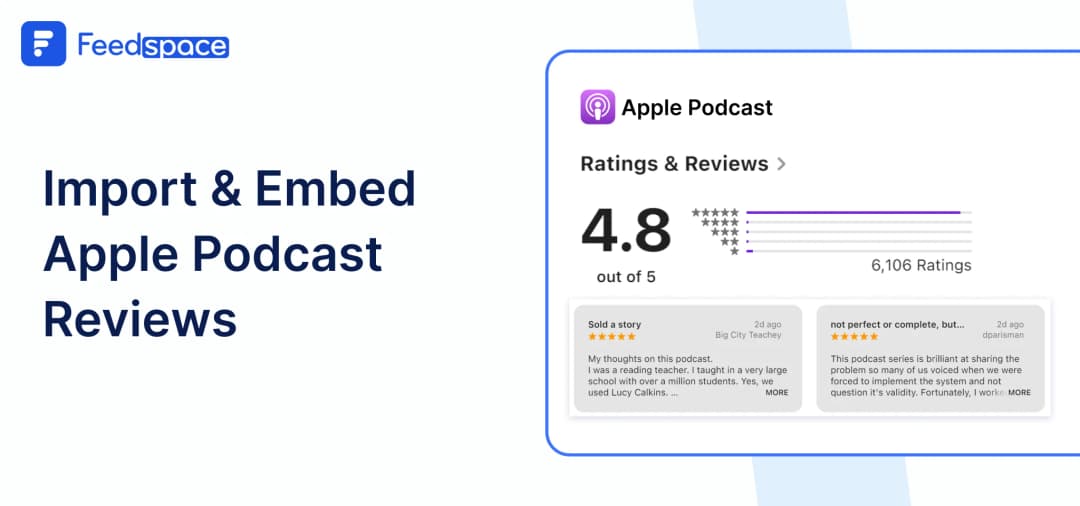
If you wish your podcast should reach to more listeners, one of the intresting ways to do that is by showcasing off the love your fans in the form of reviews your podcast have got. We all know that first impressions matter everywhere, especially in the world of podcast. That’s where reviews can do magic! They highlight how much your current listeners enjoy your show and help new ones decide if they want to give it a shot.
Just think about it someone visits your website and sees a cool display of glowing reviews from your audience. It could be the reason they hit that “play” button! Using Feedspace, you can easily import and embed Apple Podcast reviews directly on your website. It’s quite simple and only takes a few quick steps.
And you’ll have a cool place that shines a spotlight on all the great feedback you’ve received. So, let’s get started and find out how to make your podcast stand out!
Add Apple Podcast Reviews on Your Website Using Feedspace
Feedspace is a tool that allows you to collect and display reviews from different platforms like Zomato, Ola, including Apple Podcasts, and much more. It is very simple to use and you need not to have any tech skills. You can quickly Import and embed Apple Podcast reviews on your website.
Ready to showcase those amazing reviews? Let’s go!
Import Apple Podcast Reviews into Feedspace
Importing reviews from Apple Podcasts is quite easy with Feedspace! Just follow these simple steps, and you’ll have those reviews ready to be showcased.
Step 1: Create A Feedspace Account
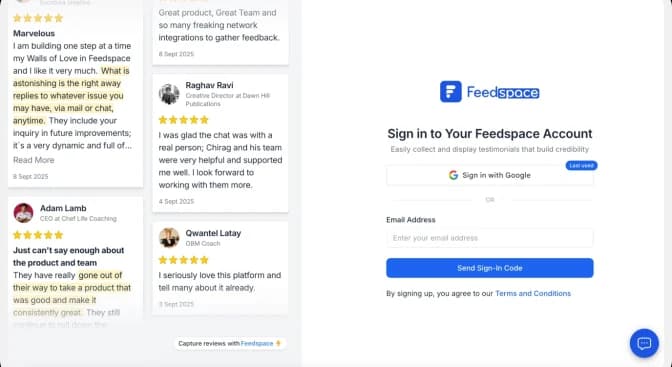
First things first! Start by signing up for a free Feedspace account, or log in if you’re already on board. Once you are in let’s begin the import process
Step 2: Start to Import Apple Podcast Reviews
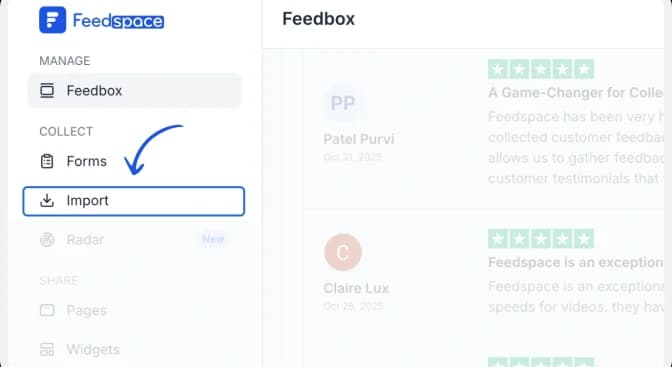
From the Feedspace dashboard, click Import in the left sidebar. Keep Automated Import selected.
Step 3: Paste the Apple Podcasts URL and fetch reviews
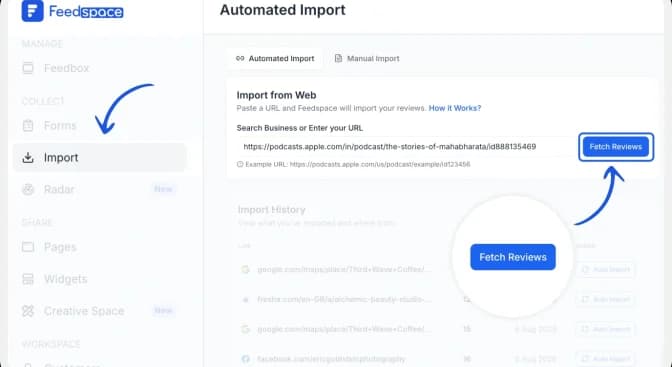
Paste the Apple Podcasts show URL into the Search Business or Enter your URL field. Click Fetch Reviews and wait for Feedspace to retrieve the public reviews from the show page.
Step 4: Import the Apple Podcasts reviews
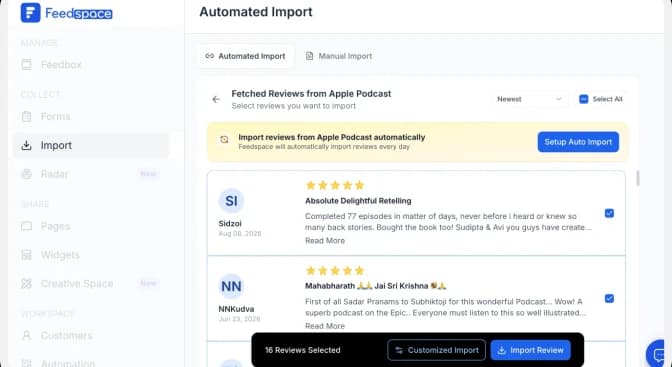
After Feedspace fetches the reviews, click Import Review to add them to your Feedspace account.
Step 5: Start Building A Wall Of Love
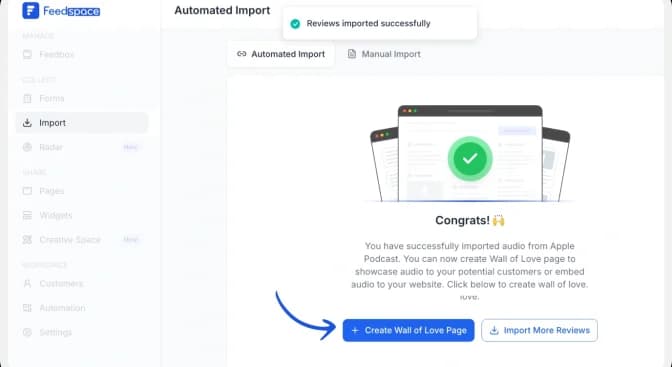
Once the import is complete, click Create Wall of Love Page. You can also open Pages from the sidebar and click Create Page.
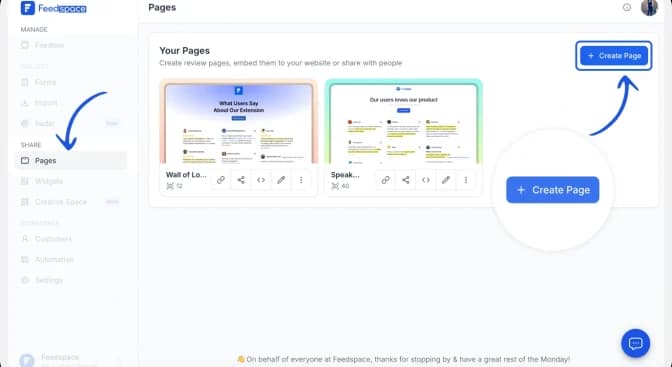
Step 6: Select the Imported Apple Podcast Reviews
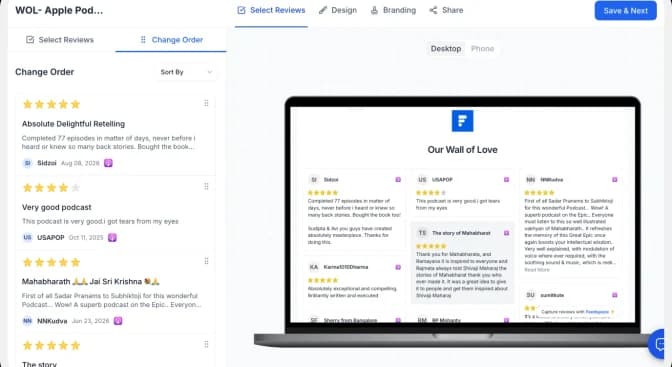
Choose the imported Apple Podcasts reviews you want to show. Use Select All to include every review or select individual reviews manually. You can change their order or use automated selection, then click Save & Next.
Step 7: Customize Your Wall Of Love
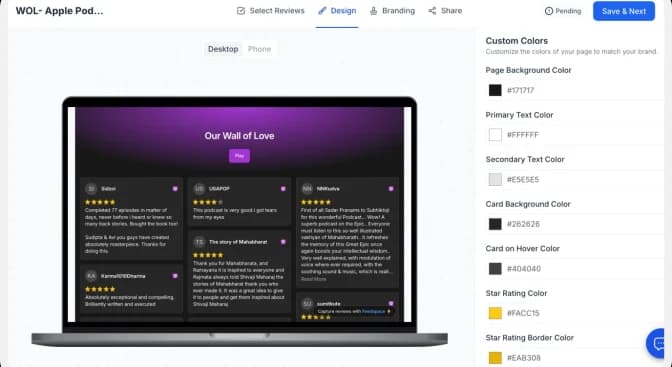
Use the Design tab to adjust the page background, text, review cards and link colours. Check the desktop and mobile previews as you work. Use the Branding tab to update the page title, description, logo and other brand details.
| Conversion tip: Match the Wall of Love to your website, keep the review cards easy to scan, and use a specific CTA such as “Listen now” or “Follow the show” instead of a generic “Learn more.” |
You did it! Your Apple Podcast Wall Of Love is ready! By clicking Save & Share, you’ll get a link to share with anyone, anywhere on the internet. Show off those great reviews!
How to Embed Apple Podcast Reviews on Your Website?
Once your Wall Of Love is created, embedding it on your website is a breeze! Here’s how to do it from your Feedspace dashboard.
Step 1: Copy the embed code
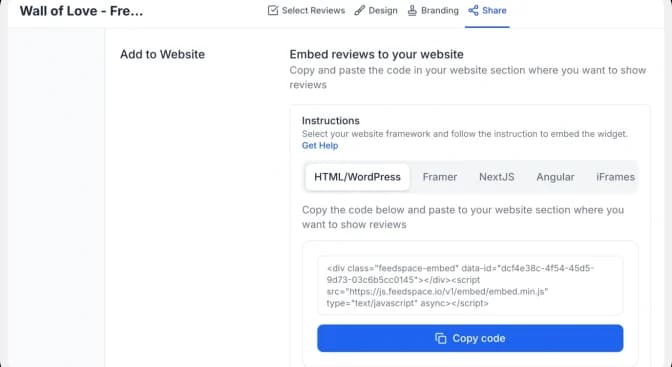
Open the Share tab and choose the framework used by your website: HTML/WordPress, Framer, Next.js, Angular or iFrames. Click Copy code.
Step 2: Paste the code into your website
Open the page where you want the reviews to appear and add an HTML, embed or custom-code block. Paste the complete Feedspace code into the block, preview the page, and publish it when the layout looks correct on desktop and mobile.
| Important: Paste the complete snippet exactly as copied. If your website builder strips scripts, use the iFrame option or follow that platform’s custom-code instructions. |
Step 3: Preview the finished Wall of Love
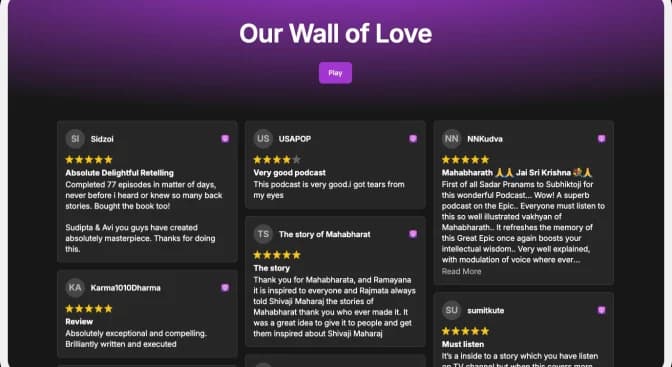
Confirm that the review cards, profile details, links and CTA display correctly. Check both desktop and mobile layouts before making the page live.
Note: Feedspace’s Wall of Love is fully customizable, you can change the description, branding colours, light/dark them and more.
Why Embed Apple Podcast Reviews to Your Website?
When you add apple podcast reviews to your website using a Wall of Love, you create a sense of authenticity among your potential customers that ultimately helps in conversion. Here some more benefits of showcasing your reviews on website.
1. Build Trust
When people see real reviews from happy listeners, it helps them trust your podcast more. If visitors see that others love your podcast, there are high chances they will watch. It’s like getting a recommendation from a experienced one!
2. Grow Your Community
Showing off reviews makes your listeners feel special and part of your podcast family. When they see their feedback up there, it encourages them to share their thoughts too. It’s a great way to get everyone chatting and connected!
3. Attract More Listeners
When you highlight awesome reviews, it gets more people curious about your podcast. If someone reads a glowing review, they might want to check out an episode. More interest means more downloads and subscribers, which is what every podcaster wants!
Conclusion
And there you have it! Importing and embedding Apple Podcast reviews on your website is easy with Feedspace. Also sharing those interesting reviews can help you build trust, connect with your audience, and improve your SEO. So why not start showcasing those awesome reviews today? Let your podcast shine and attract even more listeners. If you have questions or need help, remember, Feedspace is here for you. Happy podcasting!