Introduction
Starting a business or a SaaS startup? Let’s be real, there are tons of choices, tonnes of risks, and some moves just don’t work out. But one thing’s always top of mind: getting users signed up and turning them into paying customers.
There are lot of platforms that promise attention for your product. AppSumo stands out because their community is all about lifetime software deals. If you list your SaaS on AppSumo, there’s a good shot at getting rave reviews from founders and the tech crowd, and when they love your app, they actually leave feedback.
So, why waste those good AppSumo reviews? Put them to work.
Add AppSumo Reviews to Your Website
This is where Feedspace comes in. With Feedspace, you can embed AppSumo reviews on your website right on your Wall of Love. It’s super easy:
- Collect new ratings and reviews, users actually want to share their experience.
- Import your current AppSumo reviews straight from your listing page.
- Bring every review together under one roof and manage it all.
- And last, use these reviews as marketing power, showing off real stories to visitors.
Import AppSumo Reviews into Feedspace
To start importing your AppSumo reviews, you need to first make sure your listing is active and has received reviews on AppSumo. Then, copy and keep ready the URL to your product page.
Step 1: Create A Feedspace Account
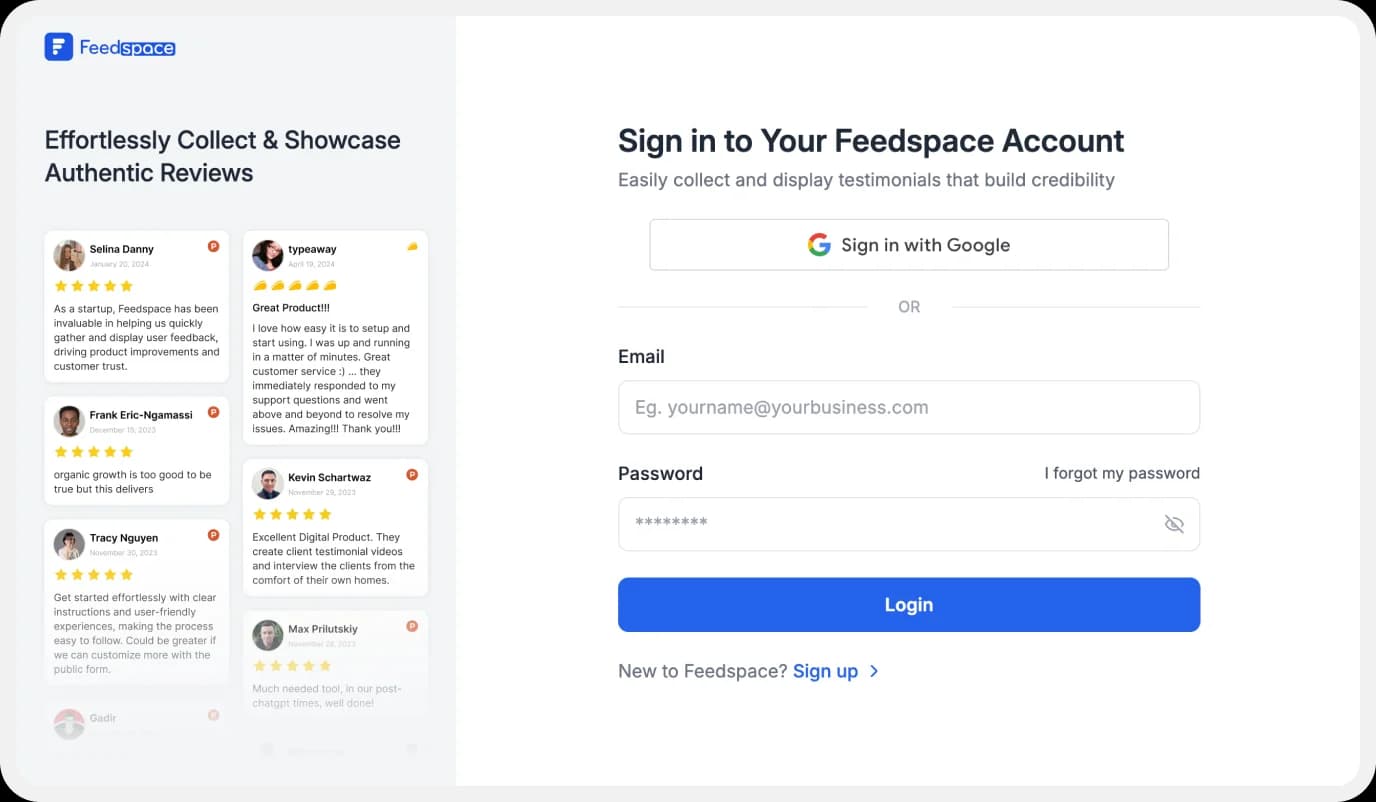
Set up a brand new account with us or log in if you have already tried us out before.
Step 2: Start to Import AppSumo Reviews
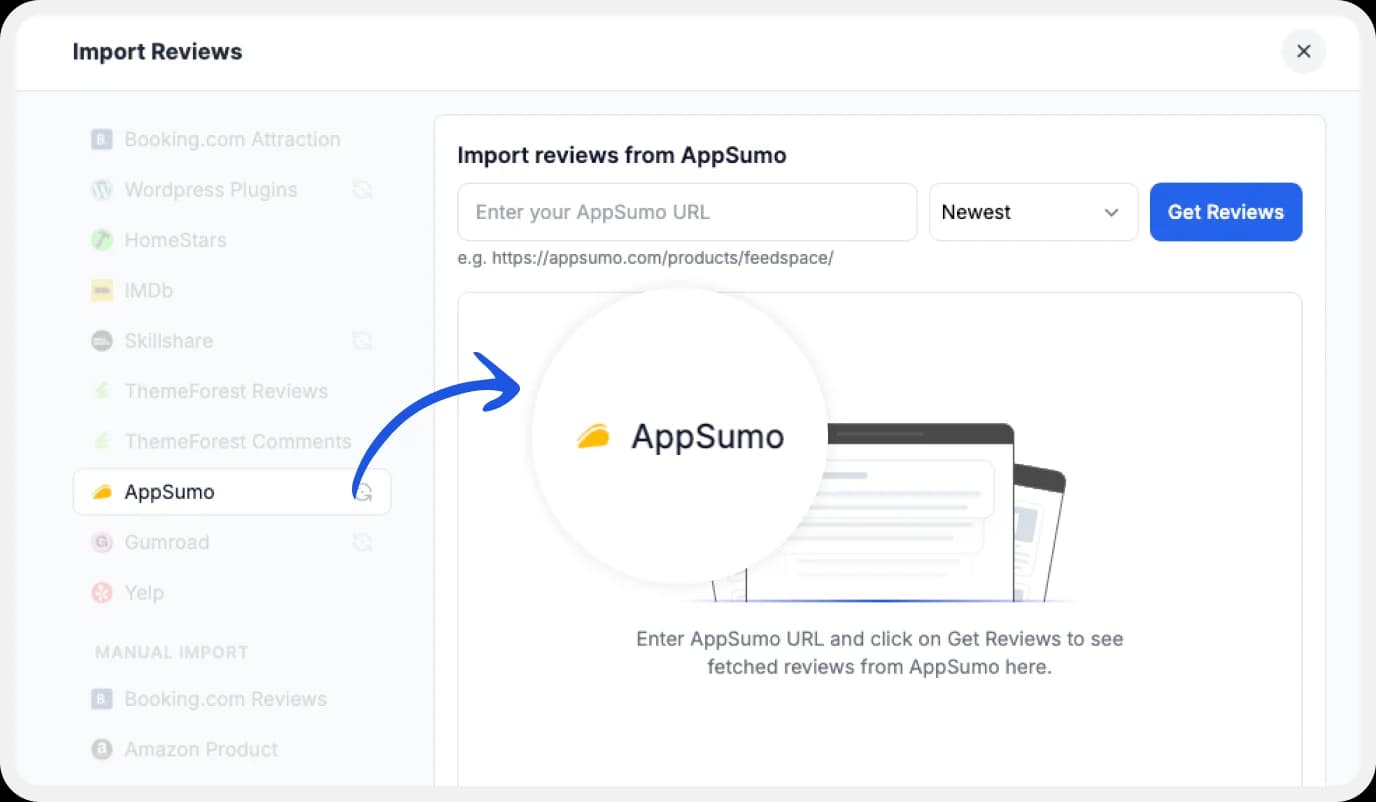
In your Feedspace dashboard, go to the “Import” section. Select AppSumo from the list, enter your AppSumo URL and hit Get Reviews.
Step 3: Finish Importing
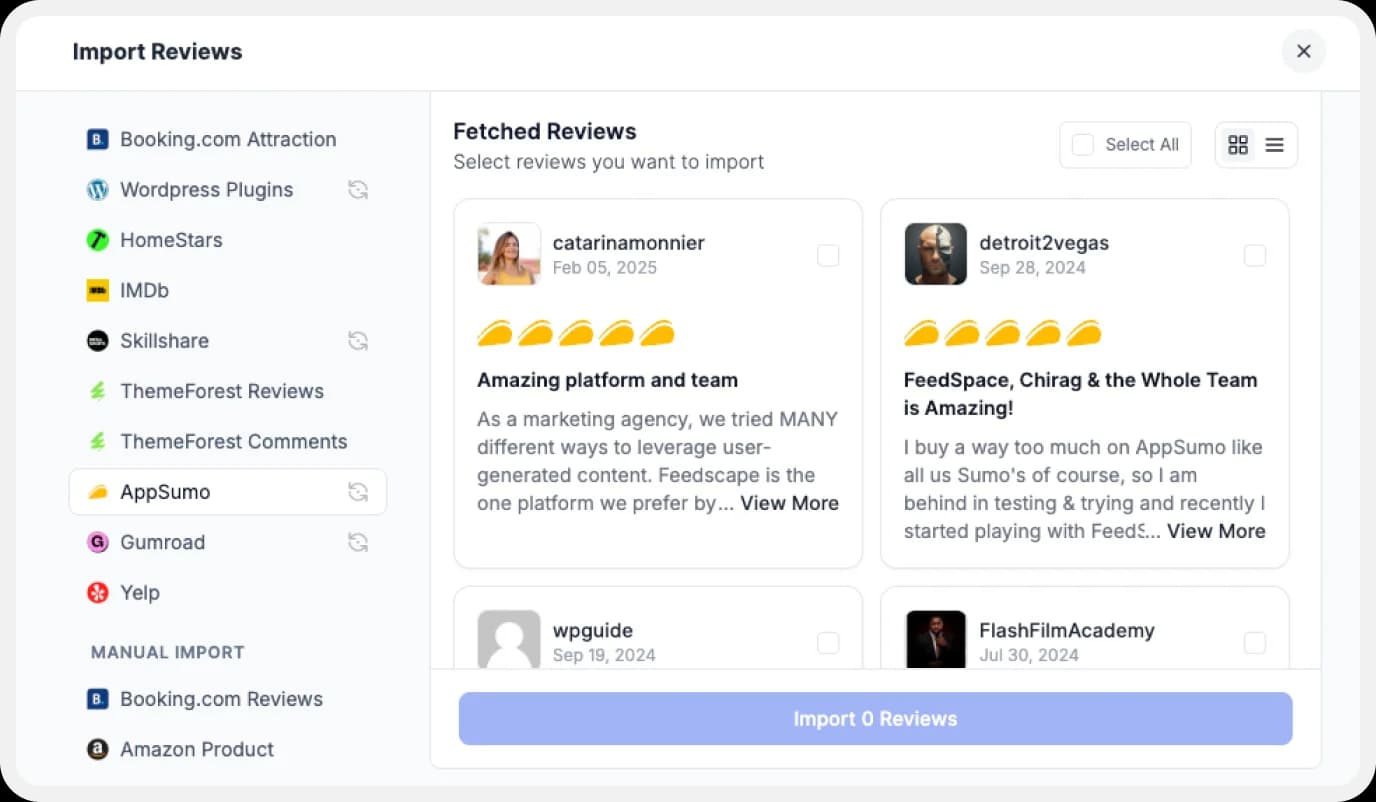
You’ll see all the reviews you can choose from. Pick them all or just select what you want!
Step 4: Pick Your Favorite Imported AppSumo Reviews
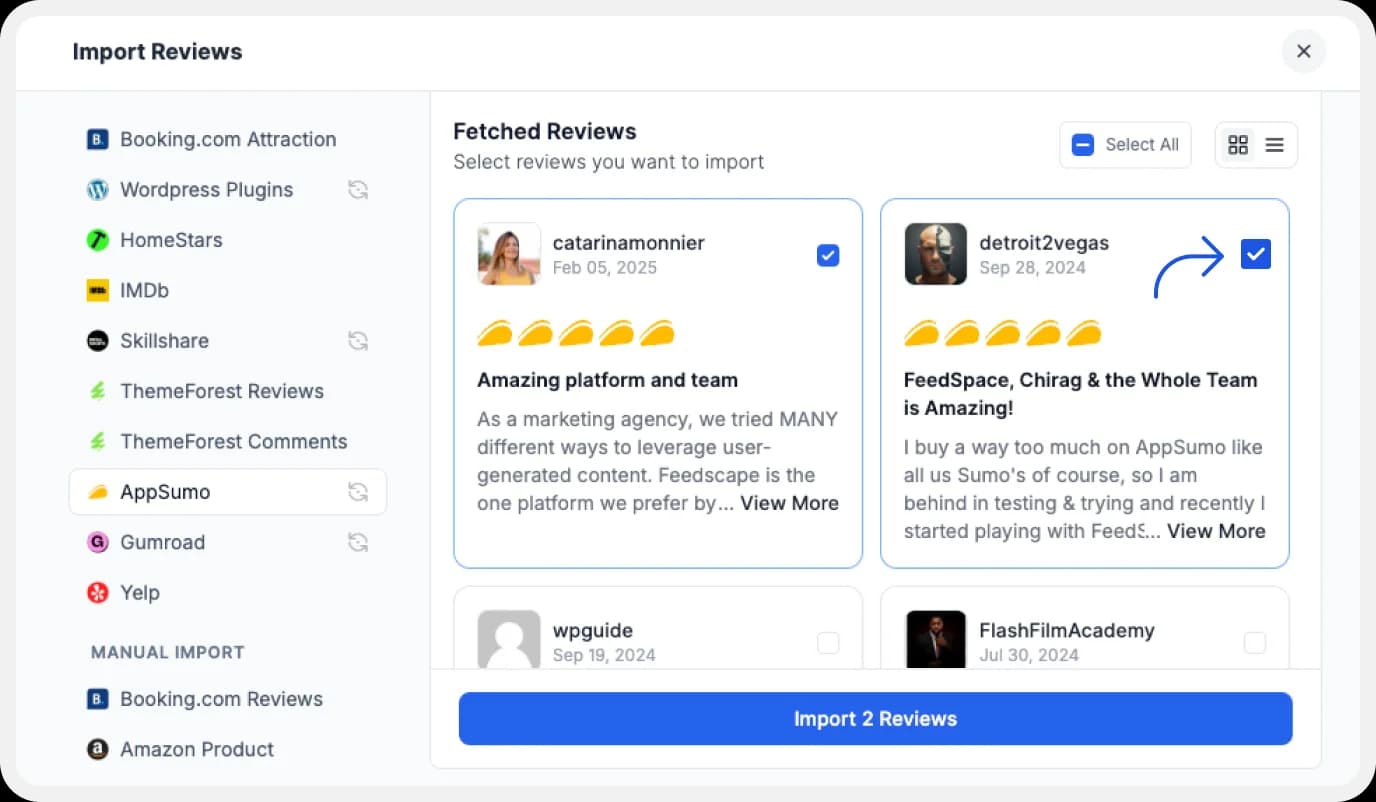
If you have imported a lot of reviews into Feedspace. Pick some favorites to narrow down the list of AppSumo reviews you would like to focus on.
After you’ve shortlisted your favorite reviews, you’re ready to build a Wall of Love. Let’s look at this in the next few steps.
Step 5: Start Building A Wall of Love
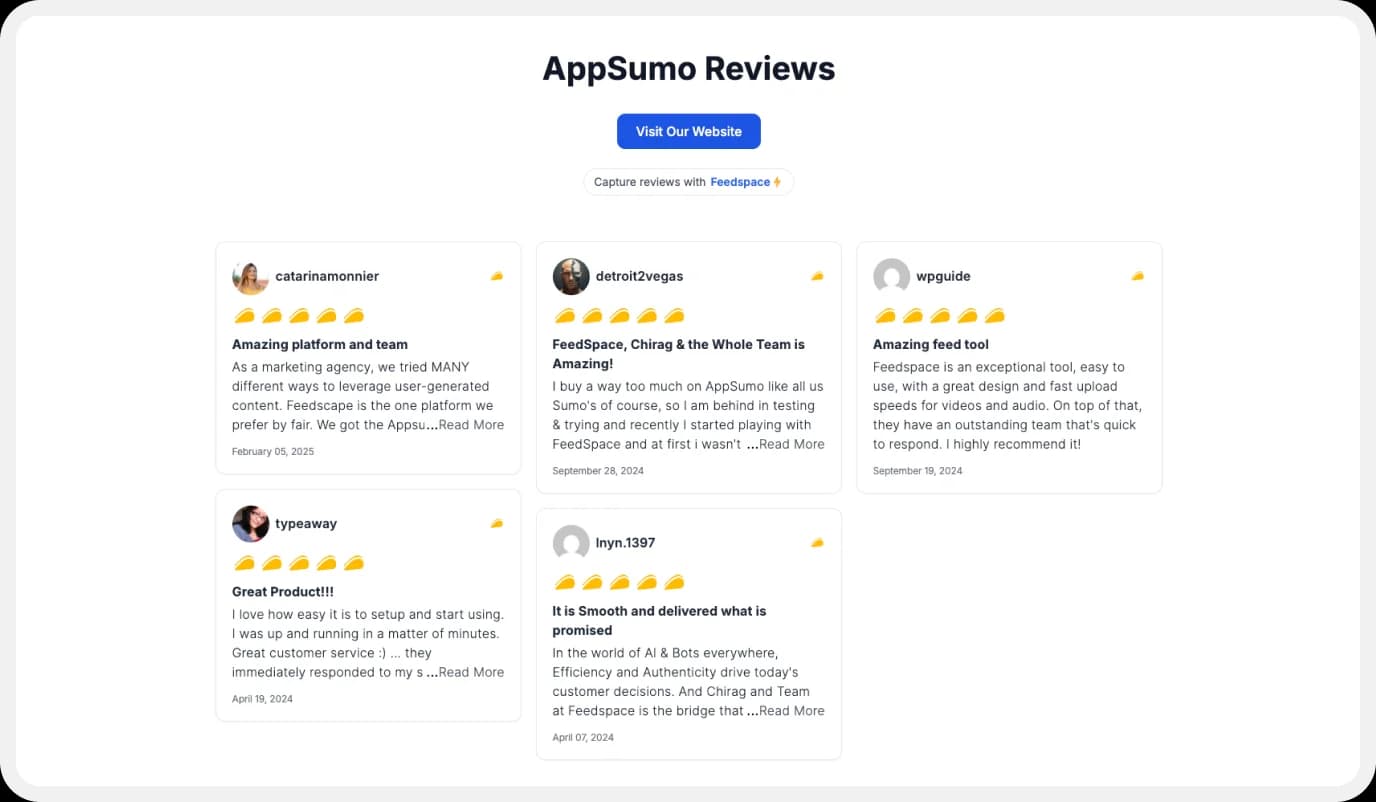
Now comes the fun part! Go to the “Pages” section in your Feedspace dashboard, click on “Create Page”, and start creating your Wall of Love. Give it a catchy name—something like “What Our Users Are Saying!”
Step 6: Select AppSumo Reviews to Show

Pick the reviews you would like to highlight from all the ones you have imported.
Step 7: Beautify Your Wall of Love
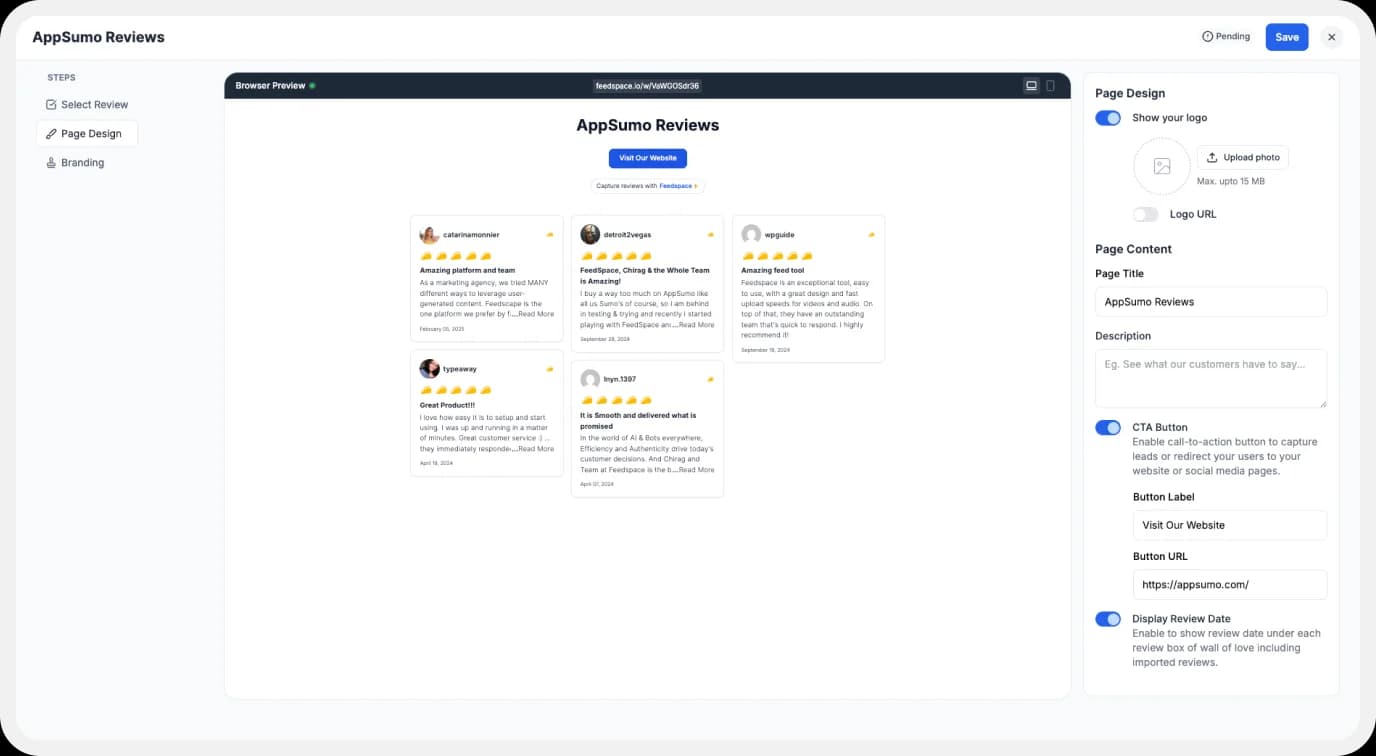
Make your Wall of Testimonial interesting with:
- Page Logo: Upload your brand logo.
- Page Title & Message: Write a catchy title and message for your Wall of Love.
- Button: To redirect to other webpages.
Step 8: Save And Share!
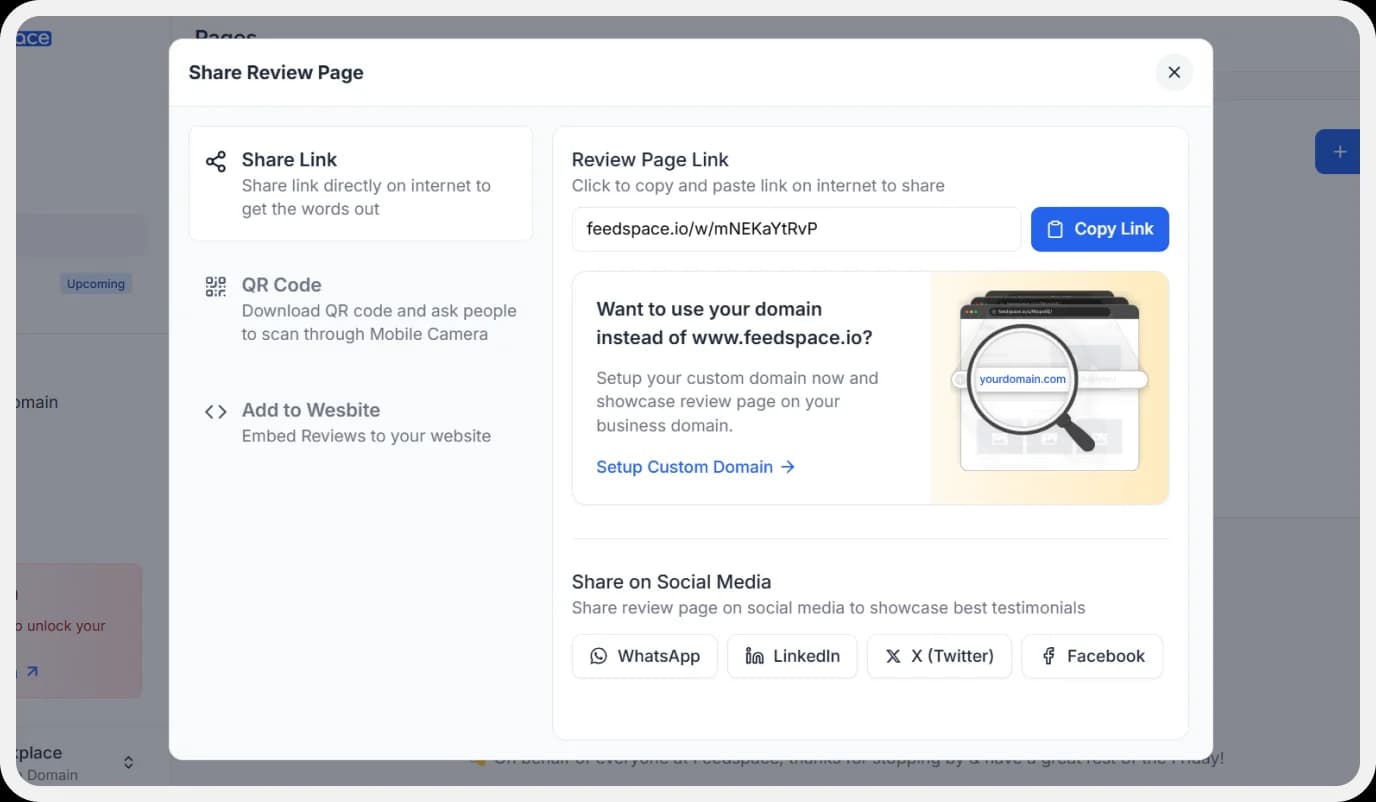
You’re all done. All that is left to do is to save the Wall Of Love and share it with your audience.
How to Embed AppSumo Reviews on Your Website?
Let us now learn how we can embed the Wall Of Love we’ve just created.
Step 1: Head to the Pages Section
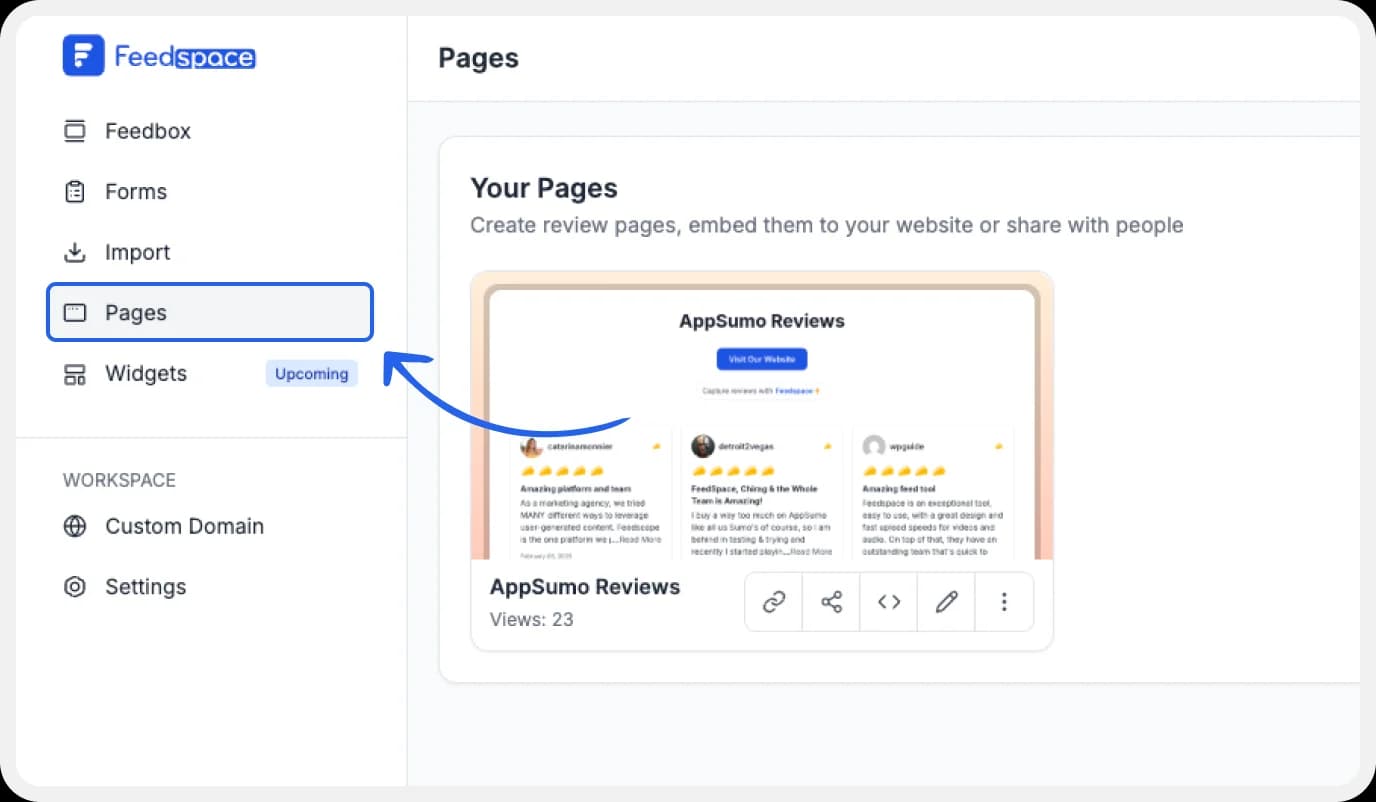
Return to the “Pages” section in your Feedspace dashboard.
Step 2: Find Your Wall of Love
Find the Wall of Love you want to embed on your website.
Step 3: Generate the Embed Code

Click the button to generate the embed code for your Wall of Love.
Step 4: Copy and Paste the Code
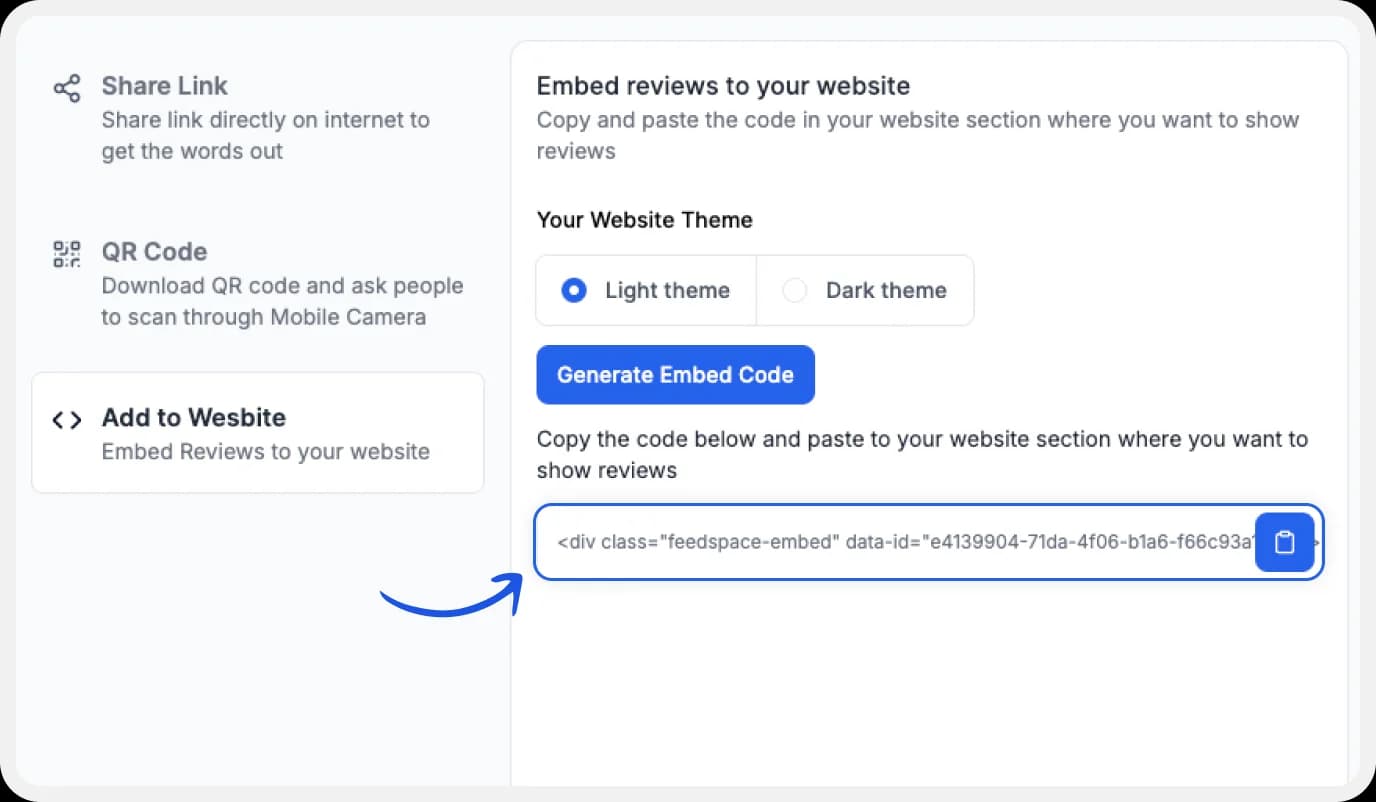
You can pick a light or dark theme as per your website and click on “Generate Embed Code”.
Copy the code provided, then paste it into your website’s section where you want to embed AppSumo reviews.
Why Embed AppSumo Reviews?
Makes buying decisions faster
AppSumo deals move quick. When people see reviews under your software deal, it cuts hesitation and nudges them to buy, right when they’re most likely to act.
Builds a real community
When your site shows names and brands from AppSumo as reviewers, visitors feel part of something. They want in. That’s how you start real customer participation.
Case study and content gold
Display reviews, and you’ve got instant ammo for case studies, testimonials, and social updates. It’s legit content you can re-use anywhere, building your proof and expanding outreach.
Conclusion
Don’t just collect reviews. Use them for storytelling, for drawing new signups in and turning them into loyal fans. Engagement goes way up when people spot genuine reviews, and Feedspace makes it easy and free.
Ready to see the difference? Sign up, embed AppSumo reviews using Feedspace, and let your Wall of Love do the talking!