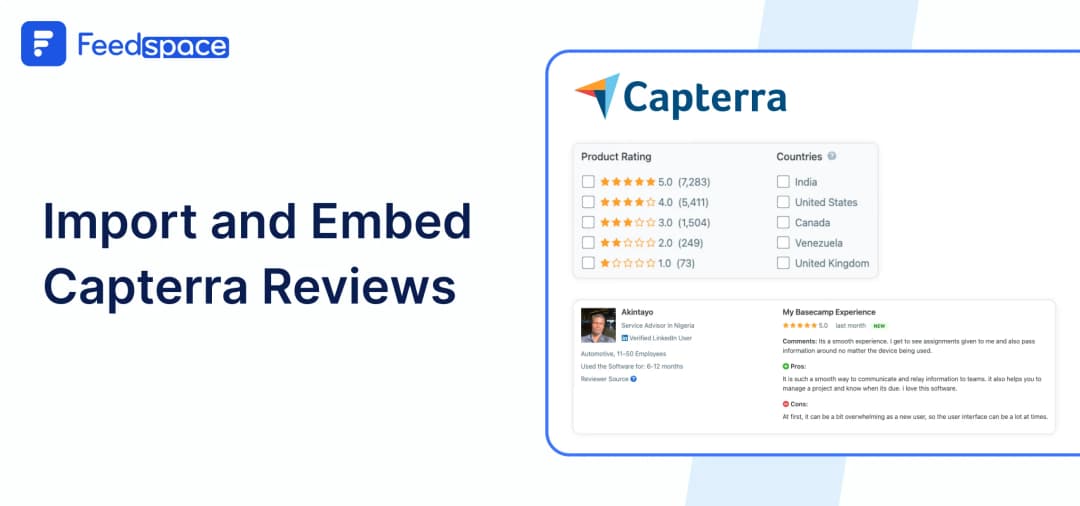
People go to Capterra to find the best software solutions for their business. They evaluate options based on price, features, and ratings from verified users. When potential customers visit your offering, they’re not just looking at features; they’re looking for credibility. Real user reviews are one of the most powerful ways to establish that credibility.
Apart from Capterra, if you want to know where your customers check for reviews before making a purchase decision, check out these industry-specific 55+ customer review sites. Now, if you’re listed on Capterra, chances are you already have amazing feedback on your page. It’s high time you showed it where it matters the most on your website.
As a testimonial collection software, Feedspace helps you import public reviews directly from your Capterra product listing and display them aesthetically on your site or landing pages. It’s a quick and simple way to turn reviews into revenue-driving proof.
Add Capterra Reviews Using Feedspace
If you’re looking for a quick and no-fuss way to import and show Capterra reviews on your site, Feedspace makes it super easy. Within minutes, you’ll have a dynamic review wall that can instantly boost your credibility.
| Quick answer: Copy your public Capterra product URL, import its reviews into Feedspace, create a Wall of Love, customize it, and paste the generated embed code into your website. |
Here’s how it works in steps:
Import Reviews into Feedspace
Step 1: Create a Feedspace Account
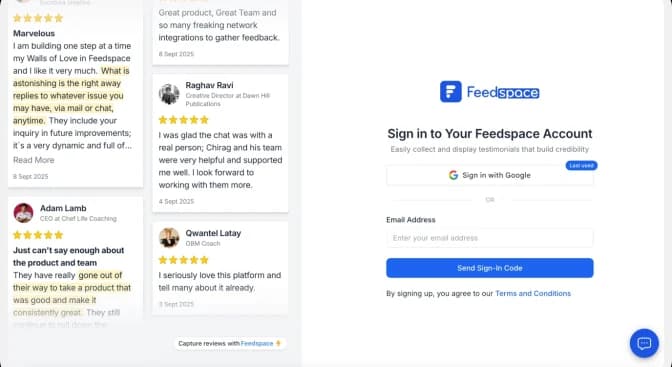
Sign up on Feedspace with Google, or enter your email address and click Send Sign-In Code.
Step 2: Import Capterra Reviews
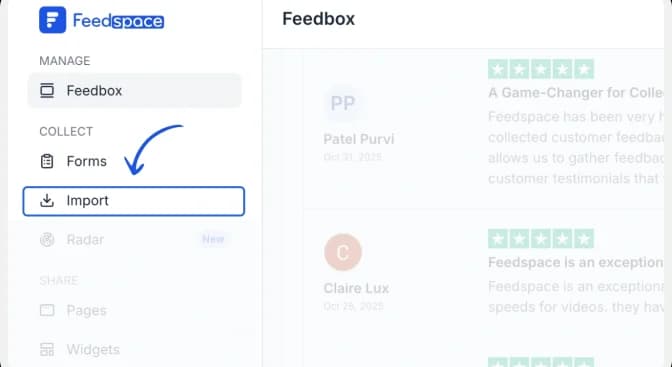
In your Feedspace dashboard, navigate to the ‘Import’ section on the left. Keep Automated Import selected.
Step 3: Paste the Capterra URL and fetch reviews
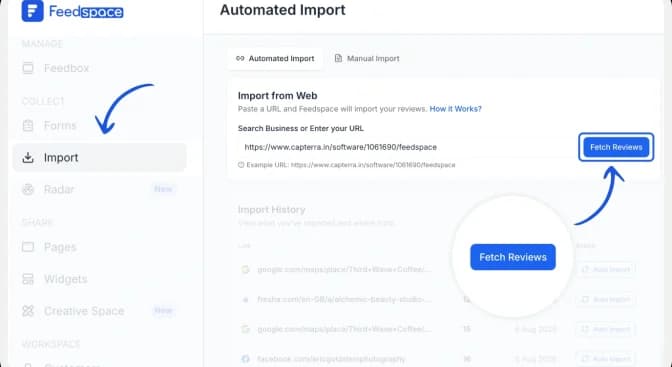
Paste the Capterra product URL into the Search Business or Enter your URL field. Click Fetch Reviews and wait for Feedspace to retrieve the public reviews from your listing.
Step 4: Import the Capterra reviews
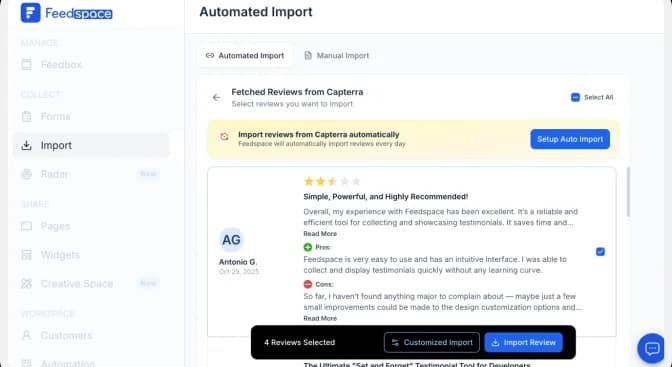
After Feedspace fetches the reviews, click Import Review to add them to your Feedspace account.
Optional: Use Setup Auto Import if you want Feedspace to check for and import new Capterra reviews automatically.
Step 5: Create a Wall of Love
Once the import is complete, click Create Wall of Love Page. You can also open Pages from the sidebar and click Create Page.
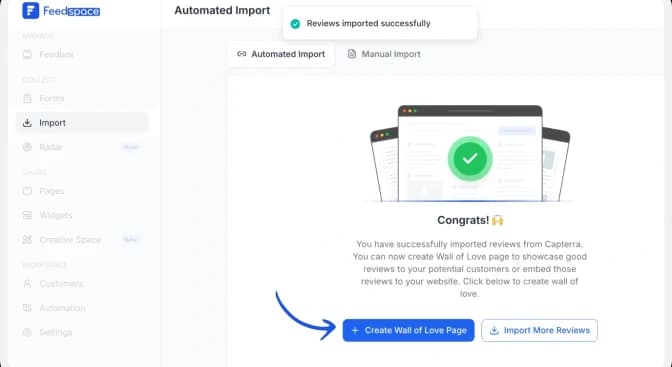
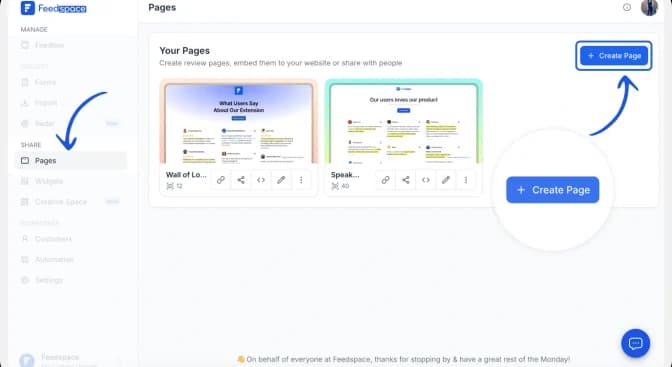
Alternatively, open Pages and click Create Page.
How to build and customize your Capterra Wall of Love
Step 6: Select the reviews to display
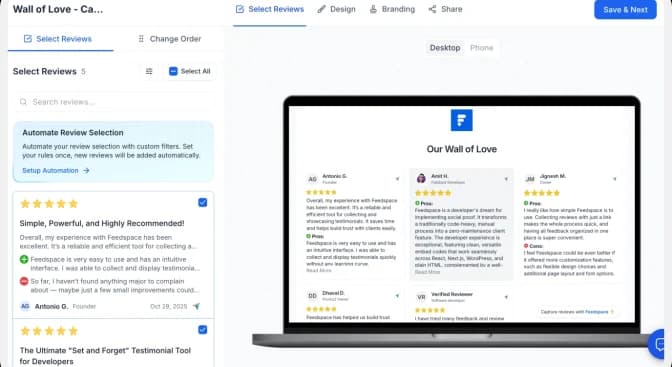
Choose the imported Capterra reviews you want to show. Use Select All to include every review or select individual reviews manually. You can change their order or use automated review selection, then click Save & Next.
Step 7: Customize the Wall of Love
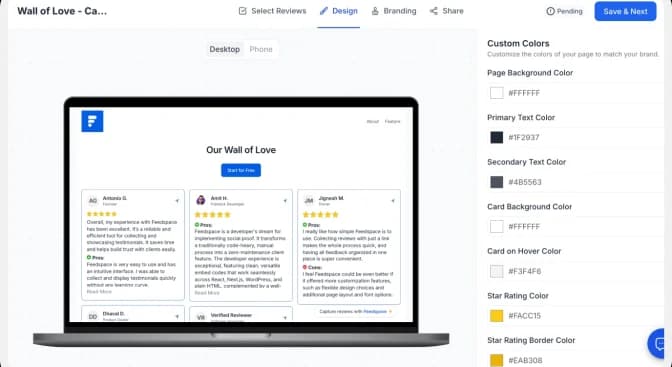
Use the Design tab to adjust the page background, text, review cards, star ratings and link colours. Check the desktop and mobile previews as you work. Use the Branding tab to update the page title, description, logo and other brand details, then click Save & Next.
| Conversion tip: Match the Wall of Love to your website, keep the review cards easy to scan, and use a specific CTA such as “Start free trial” or “Book a demo” instead of a generic “Learn more.” |
Feedspace is free forever.🔥
Try Now!
How to Embed Capterra Reviews on Your Website
Now that your Wall of Love is ready, it’s time to bring it to your site.
Step 1: Copy the embed code
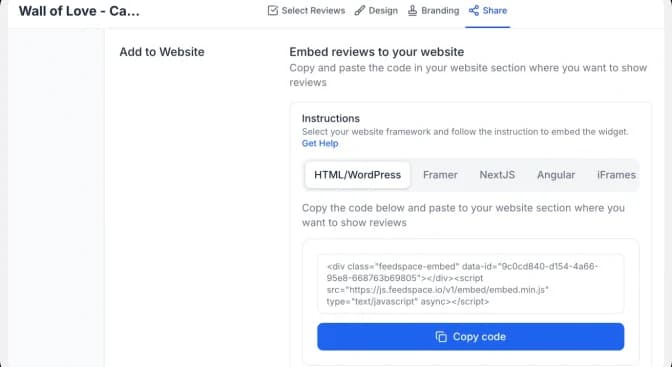
Open the Share tab and choose the framework used by your website: HTML/WordPress, Framer, Next.js, Angular or iFrames. Click Copy code.
Step 2: Paste the code into your website
Open the page where you want the reviews to appear and add an HTML, embed or custom-code block. Paste the complete Feedspace code into the block, preview the page, and publish it when the layout looks correct on desktop and mobile.
| Important: Paste the complete snippet exactly as copied. If your website builder strips scripts, use the iFrame option or follow that platform’s custom-code instructions. |
Step 3: Preview the finished Wall of Love
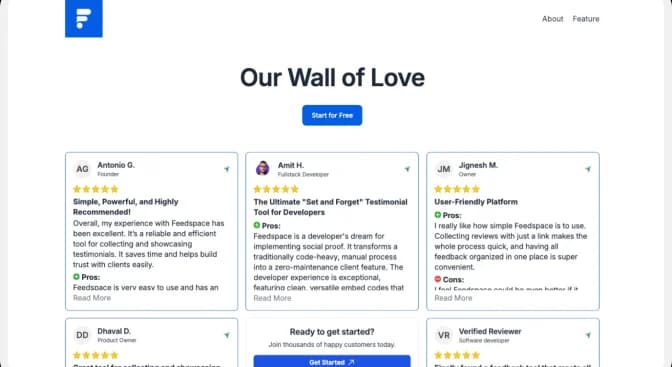
Confirm that the review cards, star ratings, links and CTA display correctly. Check both desktop and mobile layouts before making the page live.
Pro Tip: You can always update your wall of love or re-style it anytime from the Feedspace dashboard.
Why Embed Capterra Reviews?
Build Instant Trust
Showing authentic reviews from a trusted platform like Capterra gives your brand the credibility it deserves right away.
Enhance SEO
Fresh, user-generated content improves engagement and signals relevance to search engines, helping your SEO efforts.
Drive More Conversions
When potential buyers see what real users say, they’re more likely to convert. It’s social proof, but smarter and strategic.
Conclusion
Capterra reviews are gold, but they’re often hidden on a single platform. With Feedspace, you can put those reviews to work right where people are deciding to buy.
Use our testimonial software to import your Capterra reviews and display them proudly with a beautiful, embeddable Wall of Love. It’s fast, effective, and built for growth. Try Feedspace now!