Italki is a simple online language learning platform that connects people who want to learn a new language with teachers for live, one-on-one lessons. There are over a thousand tutors offering lessons in over 100 languages. The lessons are even tailored to individual. And range from structured courses to conversational practice, depending on the learner’s goals.
Each tutor also has a tutor profile where potential students can read reviews they have gotten before using their service. Feedspace now even supports to import and embed italki reviews on your website Let’s check out how to do this.
Add Italki Reviews on Your Website Using Feedspace
Feedspace is very easy to use. Managing reviews is made easy because of the following features.
- Feedspace imports or collects reviews for you from Italki or through customized forms which you can create if you have a Feedspace account.
- Under one roof you can access and view all your different reviews — good or bad.
- Finally, you can build a Wall of Love using these reviews to show them off to the rest of the world.
Import Italki Reviews into Feedspace
In just a few steps you can Import Italki reviews in your Feedspace account.
Step 1: Create A Feedspace Account
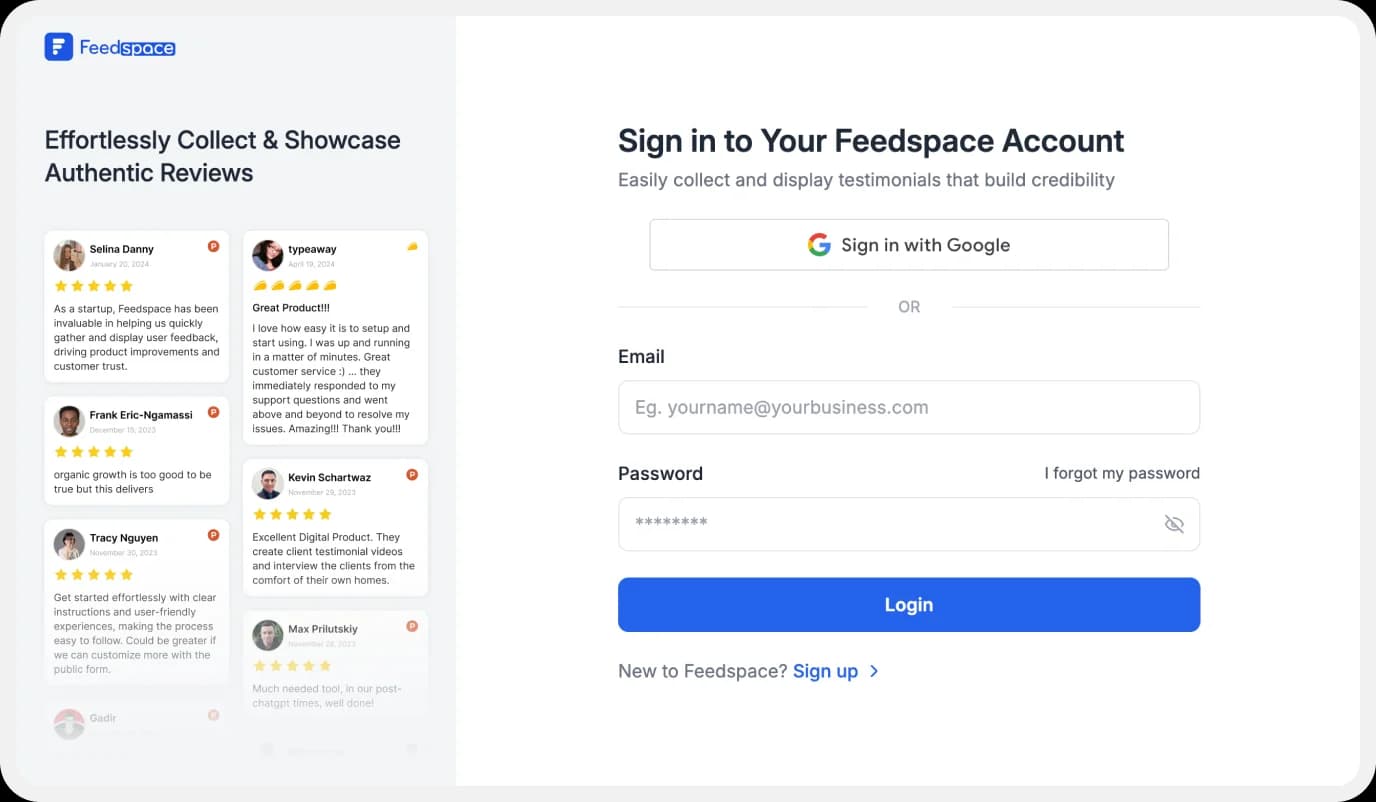
Use your Google credentials to create a new account with Feedspace or log into an existing one.
Step 2: Import Italki Reviews
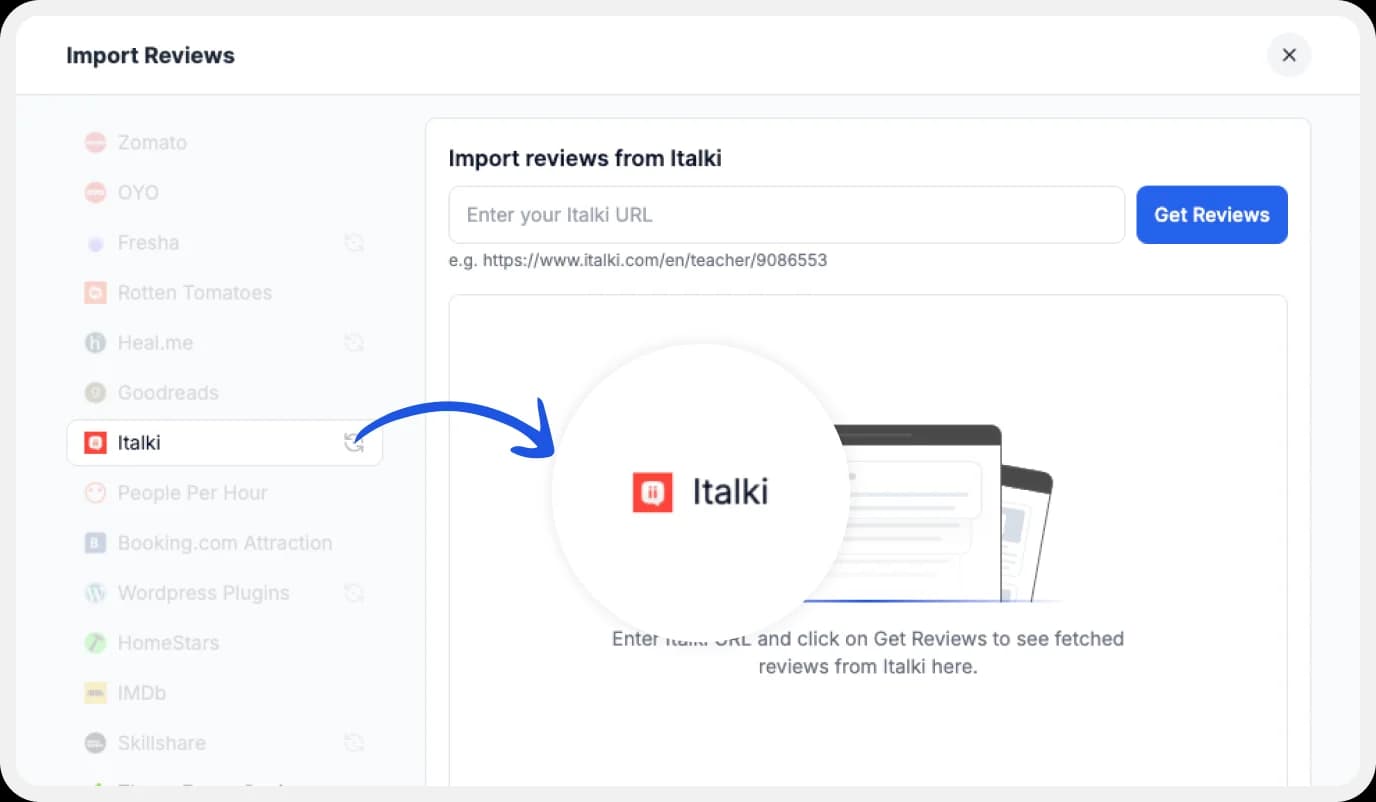
On the left side panel of your admin home page, locate ‘Import’ and click on it. From the list, select Italki Reviews. In the search bar, put in your business URL.
Select your business’ name and finally click on ‘Get Reviews’
Step 3: Importing
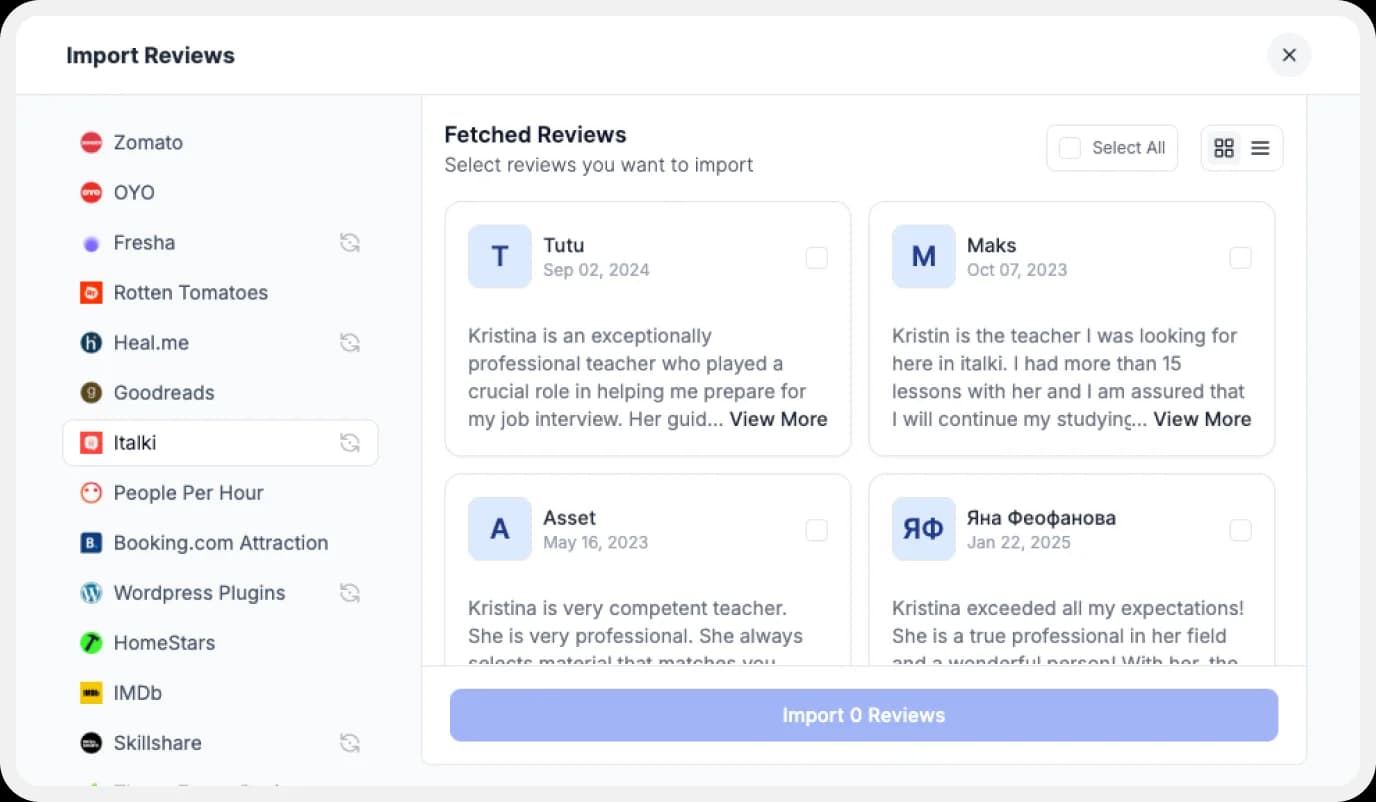
Feedspace will show you a preview of the reviews that can be imported.
Step 4: Pick Your Favourites
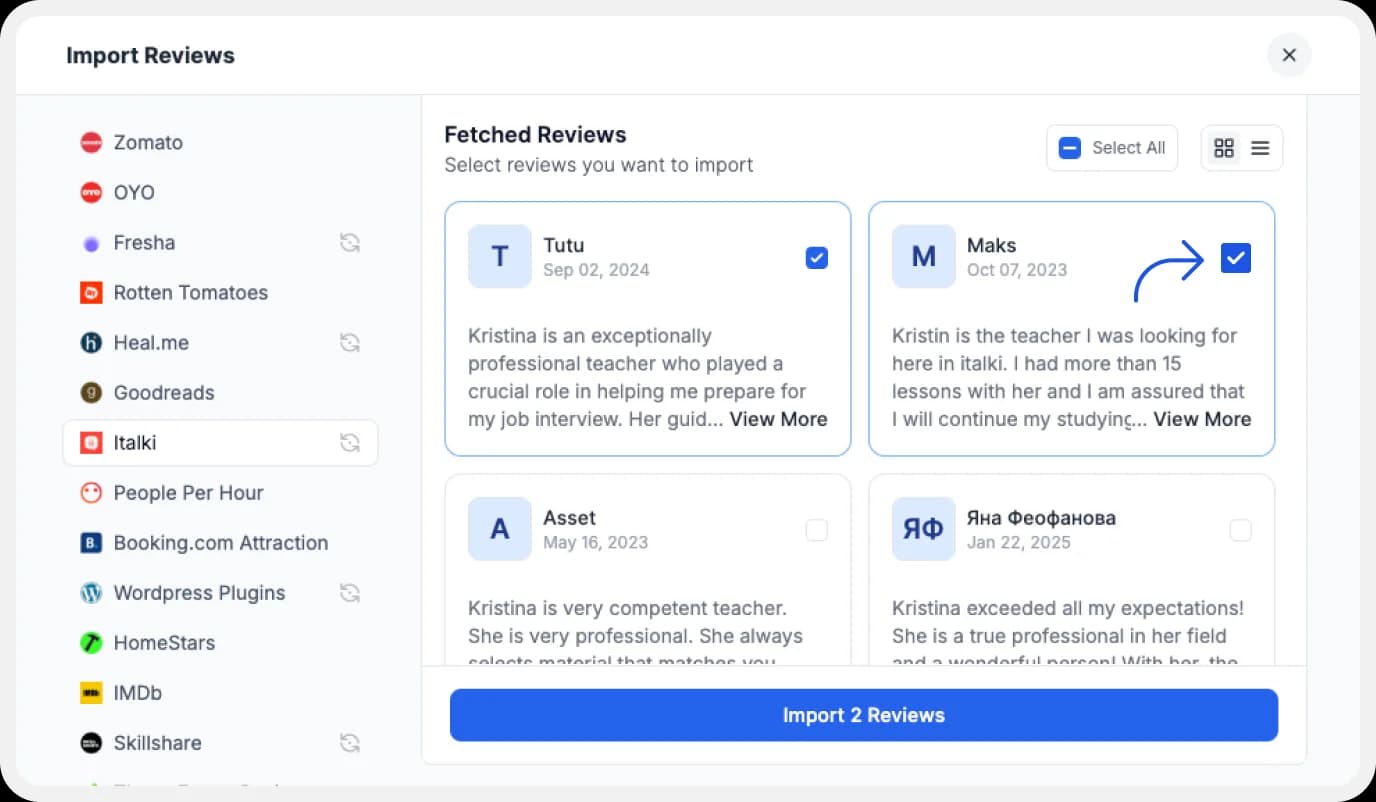
Select the reviews you want to import. You can directly click on ‘Select All’ button on the right to import all reviews at once. You can share the imported reviews your very own Wall of Love.
But what’s a Wall of Love? Let’s check out below.
Step 5: Start Building A Wall of Love
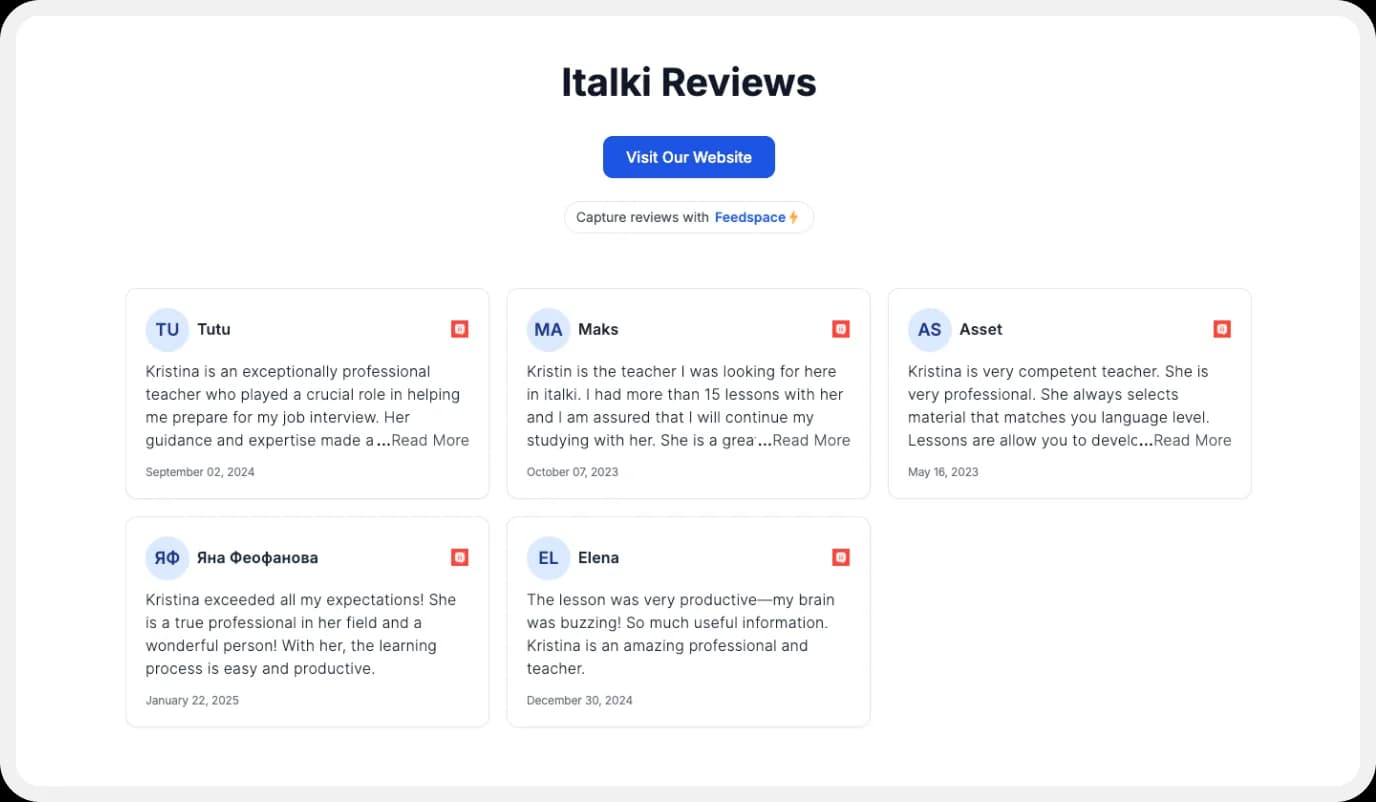
Go to the ‘pages’ tab on the left side panel. Here you can begin building a new ‘Wall of Love’. Create a new WOL and name your page.
Step 6: Select reviews to add to Wall of Love
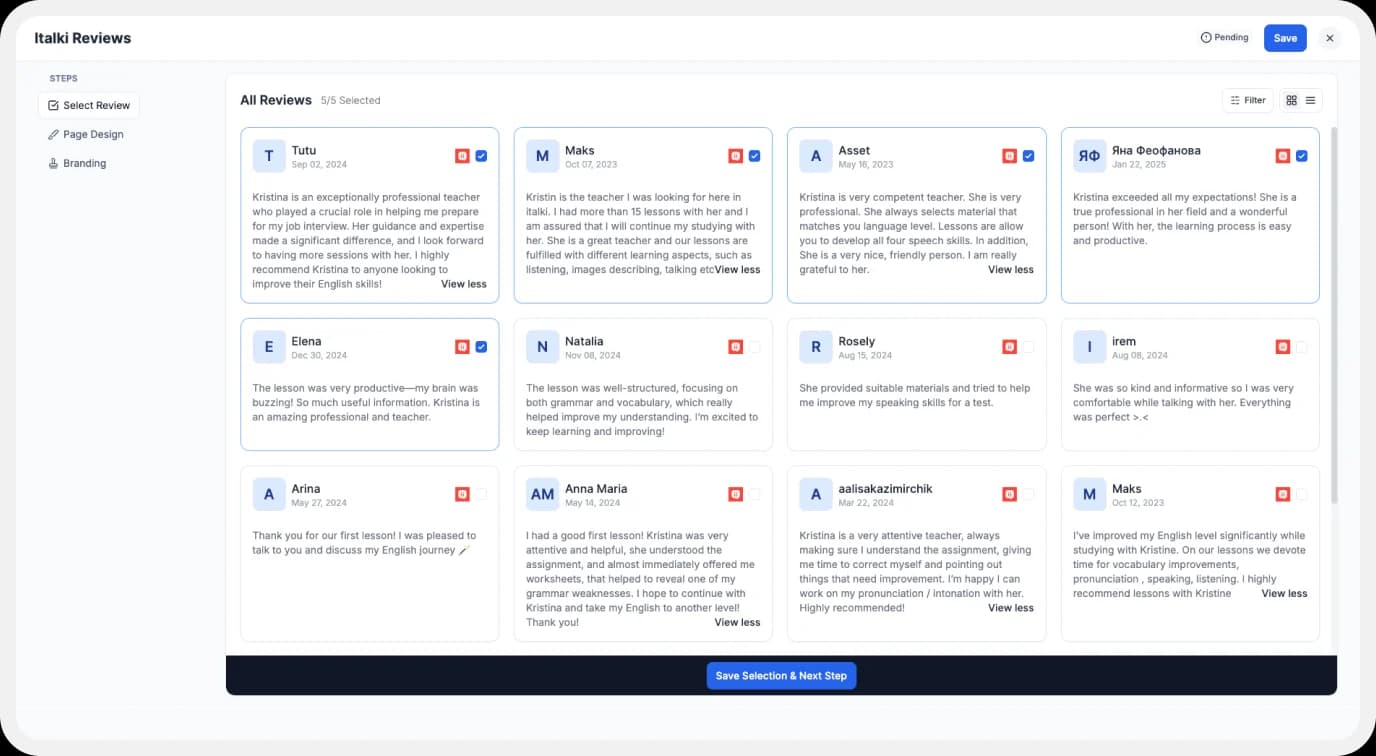
Select the imported reviews you want to display on your Wall of Love.
Step 7: Beautify Your Wall of Love
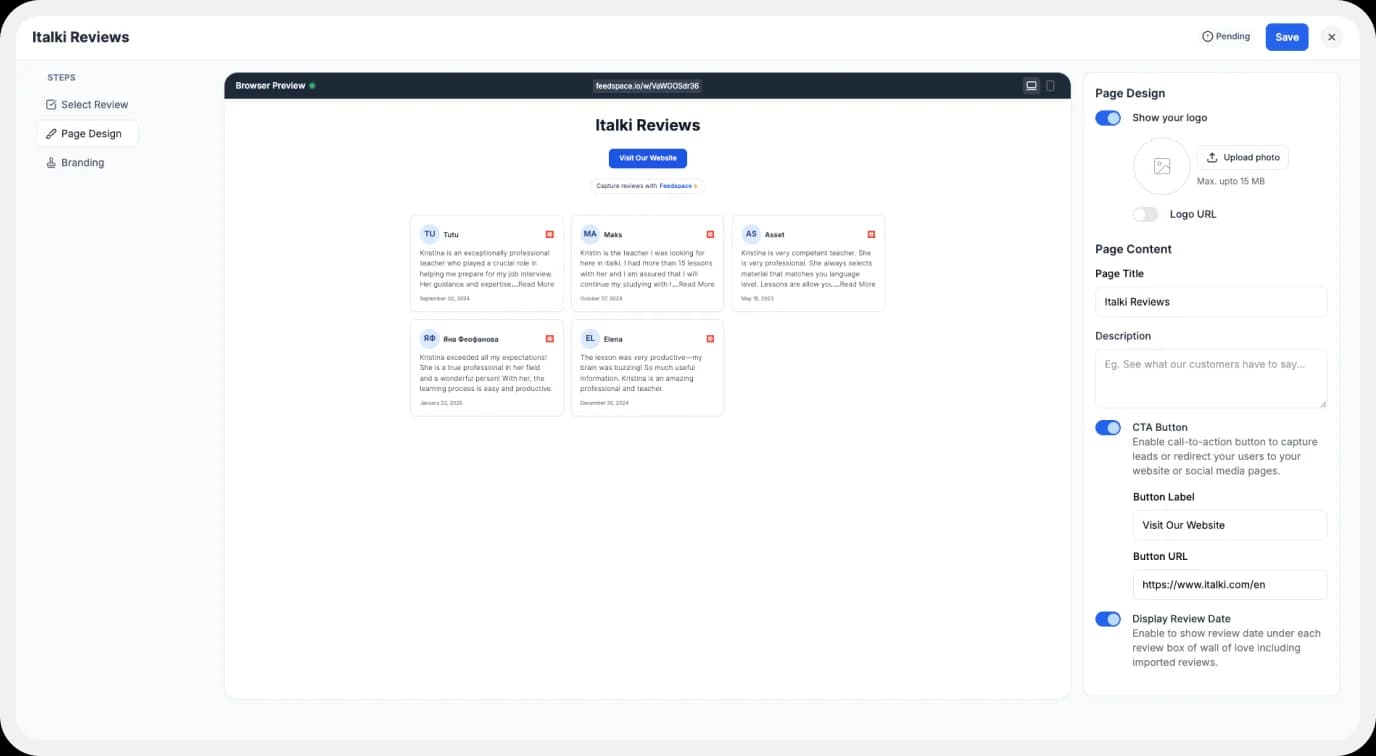
Add different details to your Testimonial Wall of Love like:
- Page Logo
- Page Title & Message
- Enabling/Disabling CTA (users will be redirected to your preferred website page)
- Enable/Disable review date
Additionally, you can also customize the branding on the Wall of Love page. You can opt to use your personal domain and even remove the Feedspace branding.
Step 8: Save and Share!
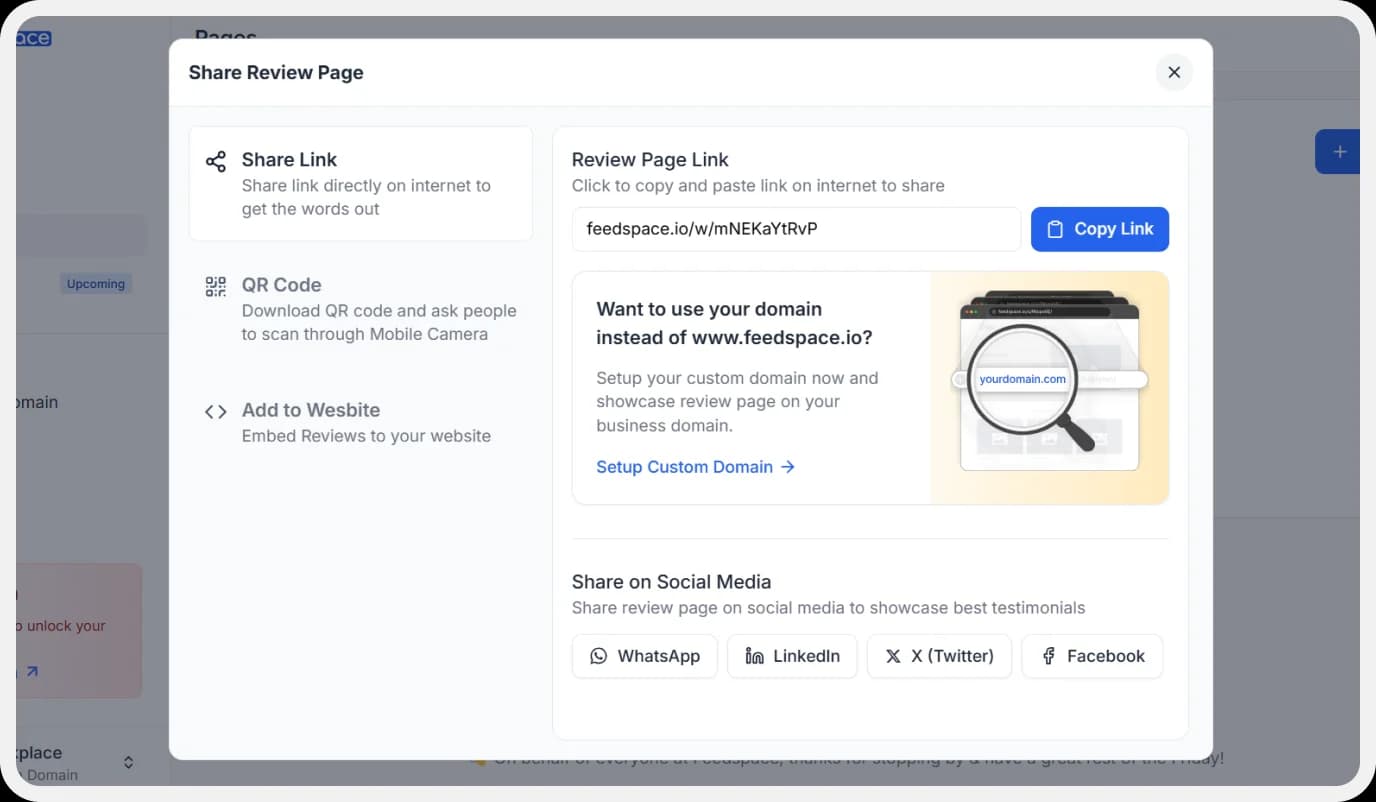
Finally, click ‘Save’ button on the top right.
There you have it! You have now built your first Wall of Love. Don’t forget to share it with the world!
How to Embed Italki Reviews on Website?
To add Italki Reviews to your website, you are going to need Wall of Love embed code . Let us understand how and where to find this code.
Step 1: ‘Pages’
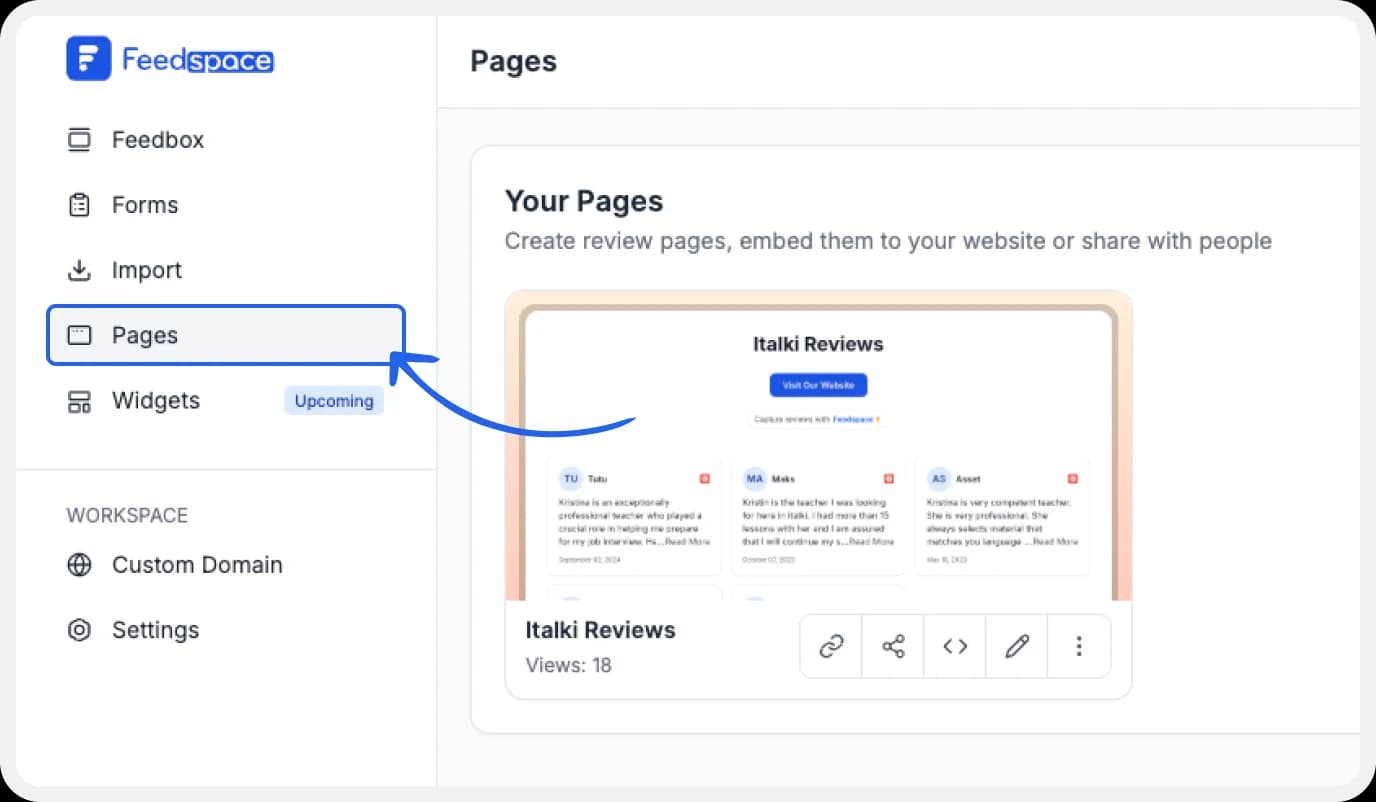
On your screen, locate the ‘Pages’ tab on the left side panel.
Step 2: Select Page
Find the Wall of Love you want to embed on your website. Click on the ‘<>’ button to generate an embed code for your wall of love.
Step 3: Generate Embed Code
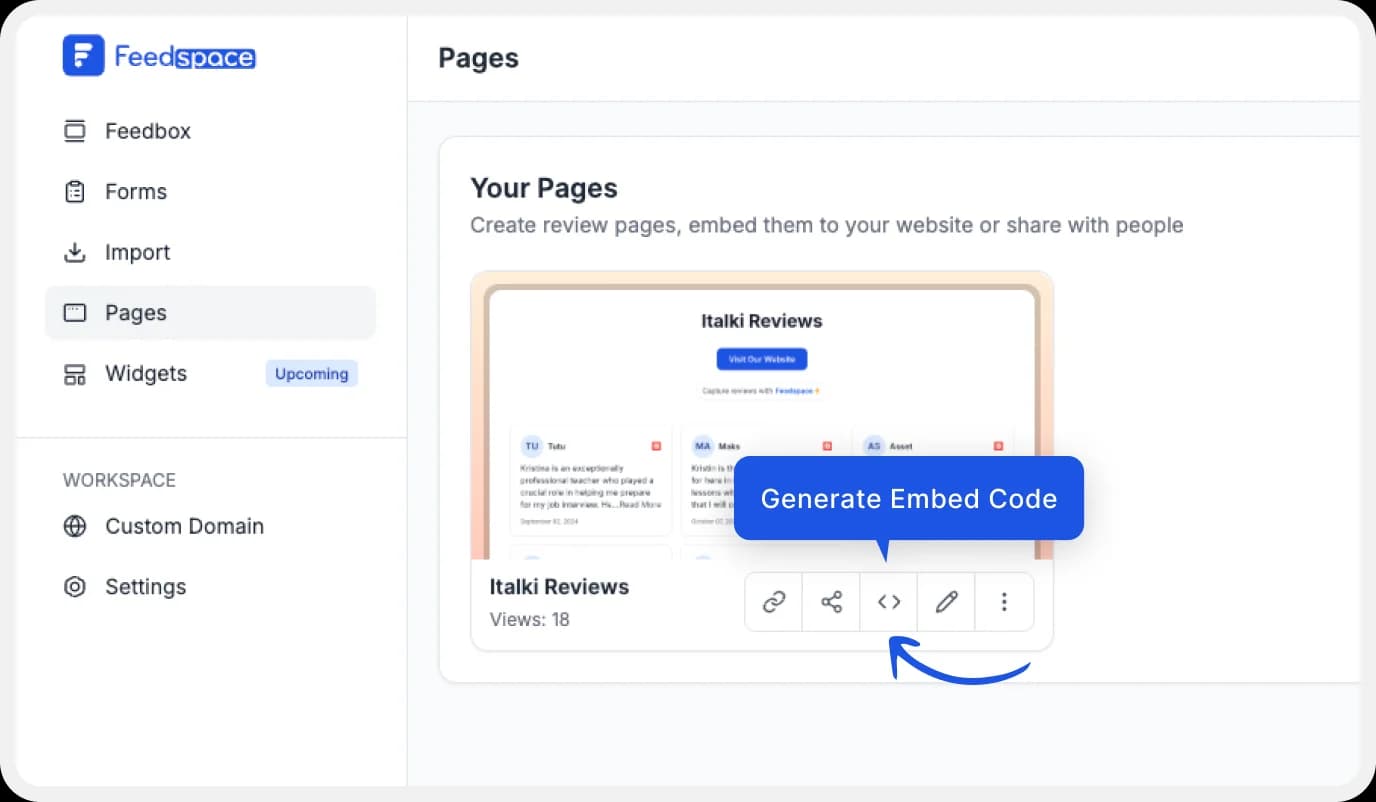
A window will open up. Here, you can select a light theme or a dark theme to match your Wall of Love with your website’s branding. Once Selected, click on ‘Generate Embed Code’ button.
Step 4: Copy and Paste the Code
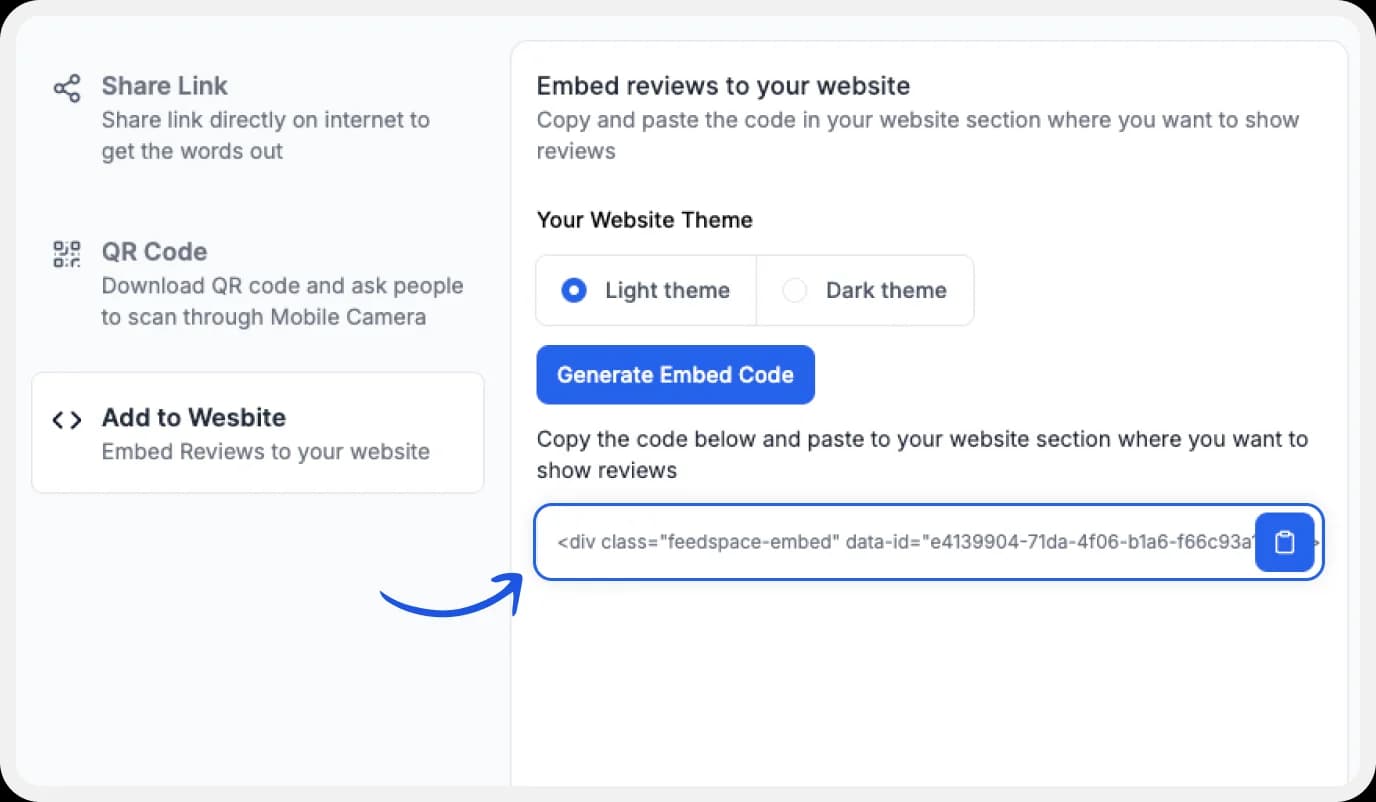
Copy the code provided, then paste it into the section of your website where you want to embed Italki Reviews.
Note: Feedspace’s Wall of Love is fully customizable, you can change the description, branding colours, light/dark them and more.
Why Embed Italki Reviews on Your Website?
Demonstrates Success
Reviews which talk about a student’s learning journey (e.g., “I went from beginner to conversational in Spanish in six months!”) provide proof of the tutors effectiveness as a teacher.
Highlights Teaching Quality
Reviews that mention the teaching styles of specific Italki tutors can reassure prospective students of their high-quality instruction methods.
Increases Engagement
The reviewers can be invited to join a community on platforms like Slack or Discord where you can further engage with them and market the different language learning materials you provide.
Conclusion
Hundreds of Italki teachers have signed up with Feedspace to both collect Italki reviews and claim the ones they have on Italki. Don’t risk losing your reviews! Italki could delete or move them anytime. Sign up for free with Feedspace and import them today!