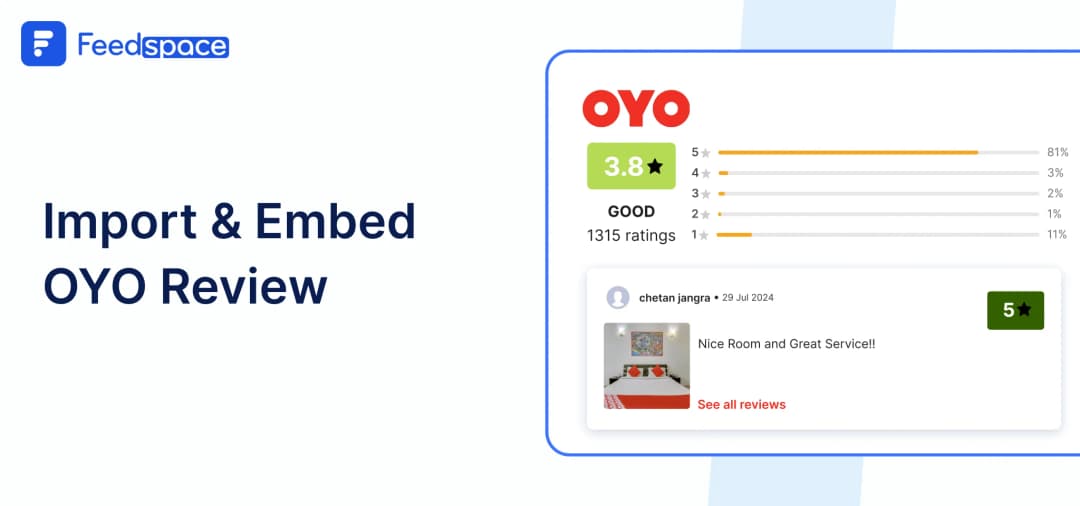
Visitors to your website are always curious to know what other people think about staying at your OYO property. Genuine reviews make it more reliable and help visitors feel more confident about booking with you. With positive reviews, your site can seem interesting and more welcoming, and visitors can get a real sense of your service quality.
But how can you pull in these reviews from OYO and make them a part of your site? That’s where Feedspace comes in. Feedspace is a cool tool that lets you import reviews from various platforms and lets you display them on your site in just a few steps. Consider it a one-stop solution where you can gather and display reviews. Let’s find out how you can use Feedspace to Import and embed OYO reviews on your website and display them using beautiful Wall of Love.
Add OYO Reviews on Your Website using Feedspace
Feedspace is all about helping you showcase customer love. You can Import reviews from OYO, choose the ones you found most interesting, and then you can display them on your website in the form of Wall of Love. It is quite quick and easy, but it also helps your website feel genuine and trustworthy.
Import OYO Reviews into Feedspace
Importing reviews from OYO to Feedspace is super straightforward. Once imported, you can put them up in your very own Wall of Love. Here are the steps to import the reviews:
Step 1: Create A Feedspace Account
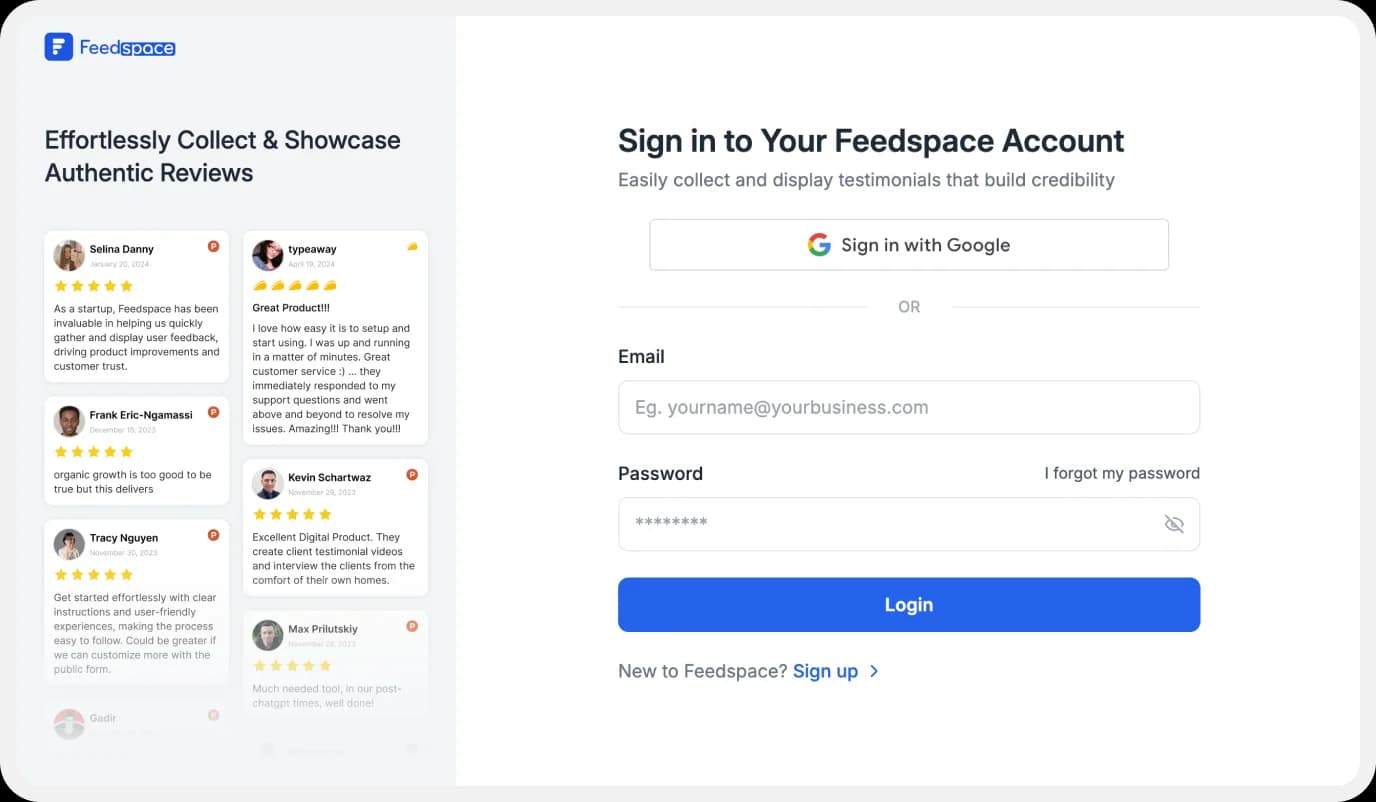
Sign up for a free Feedspace account, or log in if you already have the account.
Step 2: Start to Import OYO Reviews
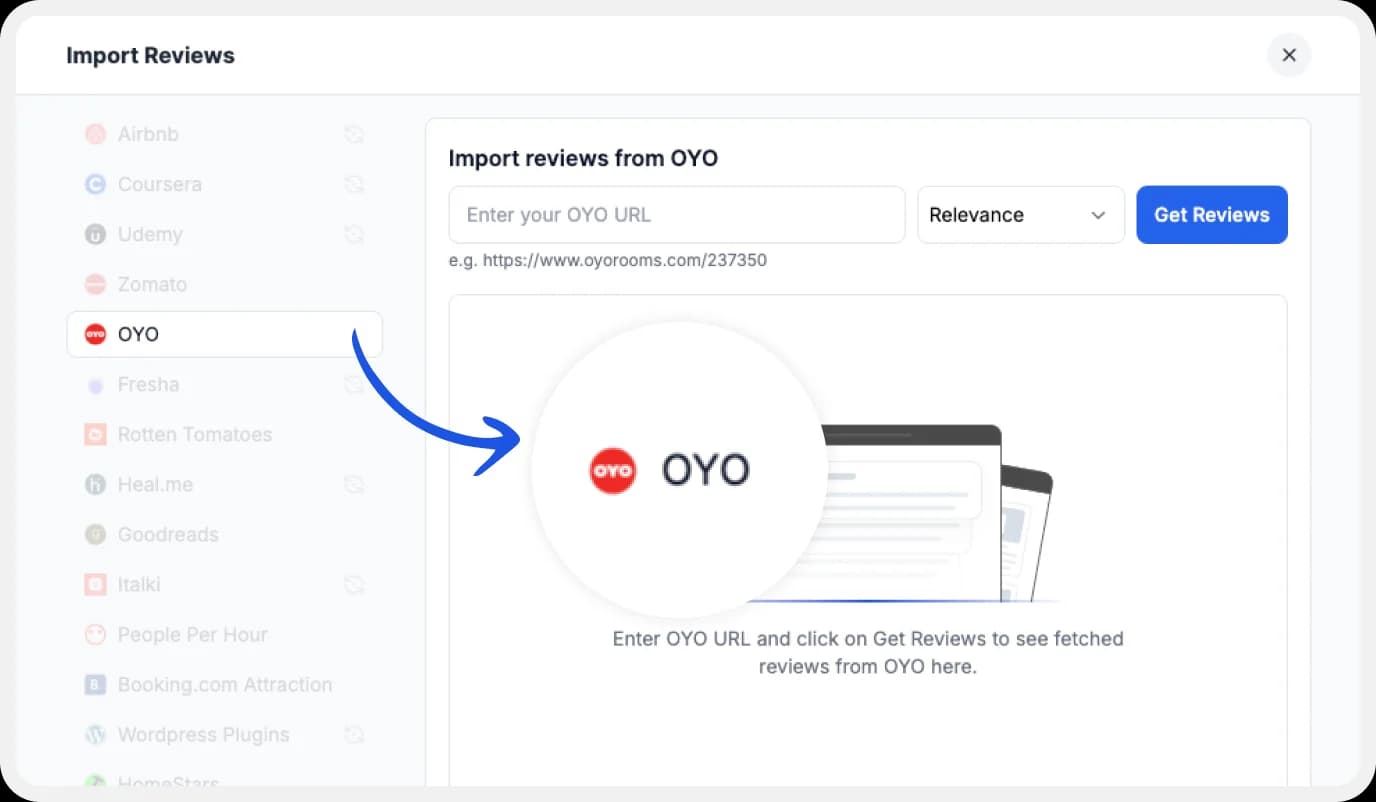
In your Feedspace dashboard, go to the “Import” section. Select OYO from the list, enter your OYO URL and hit Get Reviews.
Step 3: Finish Importing
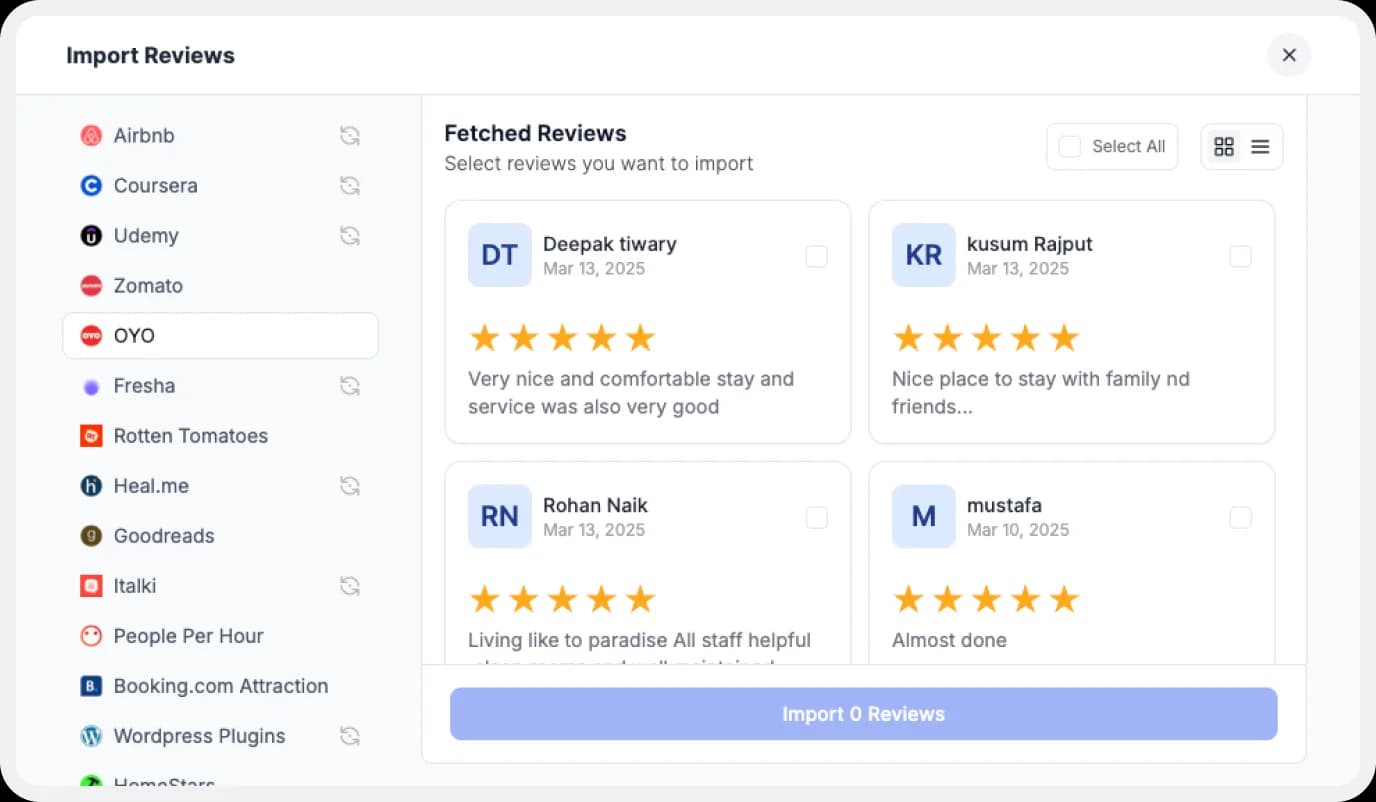
When your reviews load, preview them, and select which ones you want to import. Now your OYO reviews are all set and ready to use!
Step 4: Select Your Favorite Imported OYO Reviews
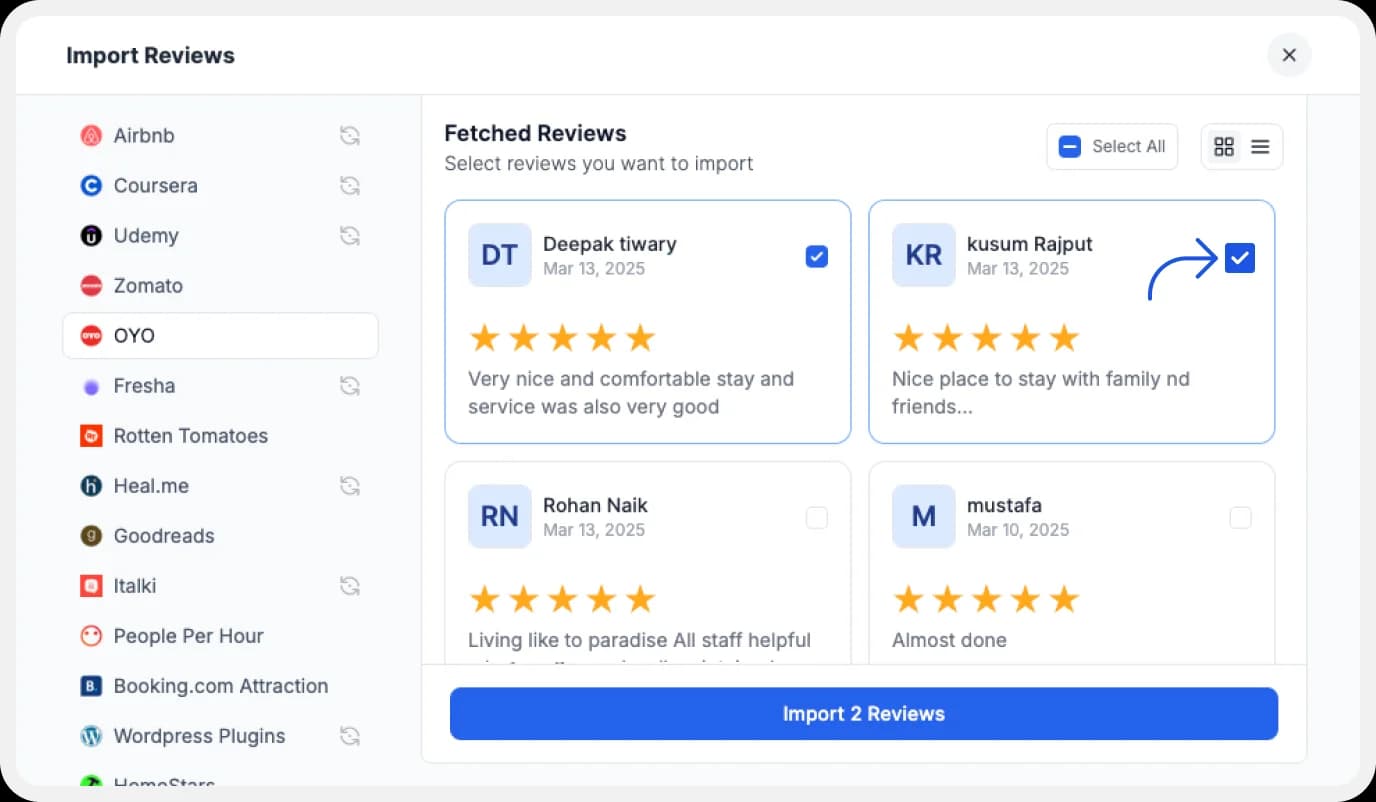
If you have imported a lot of reviews into Feedspace. Pick some favorites to narrow down the list of OYO reviews you would like to focus on.
After you’ve shortlisted your favorite reviews, you’re ready to build a Wall of Love. Let’s look at this in the next few steps.
Step 5: Build Your Wall of Love
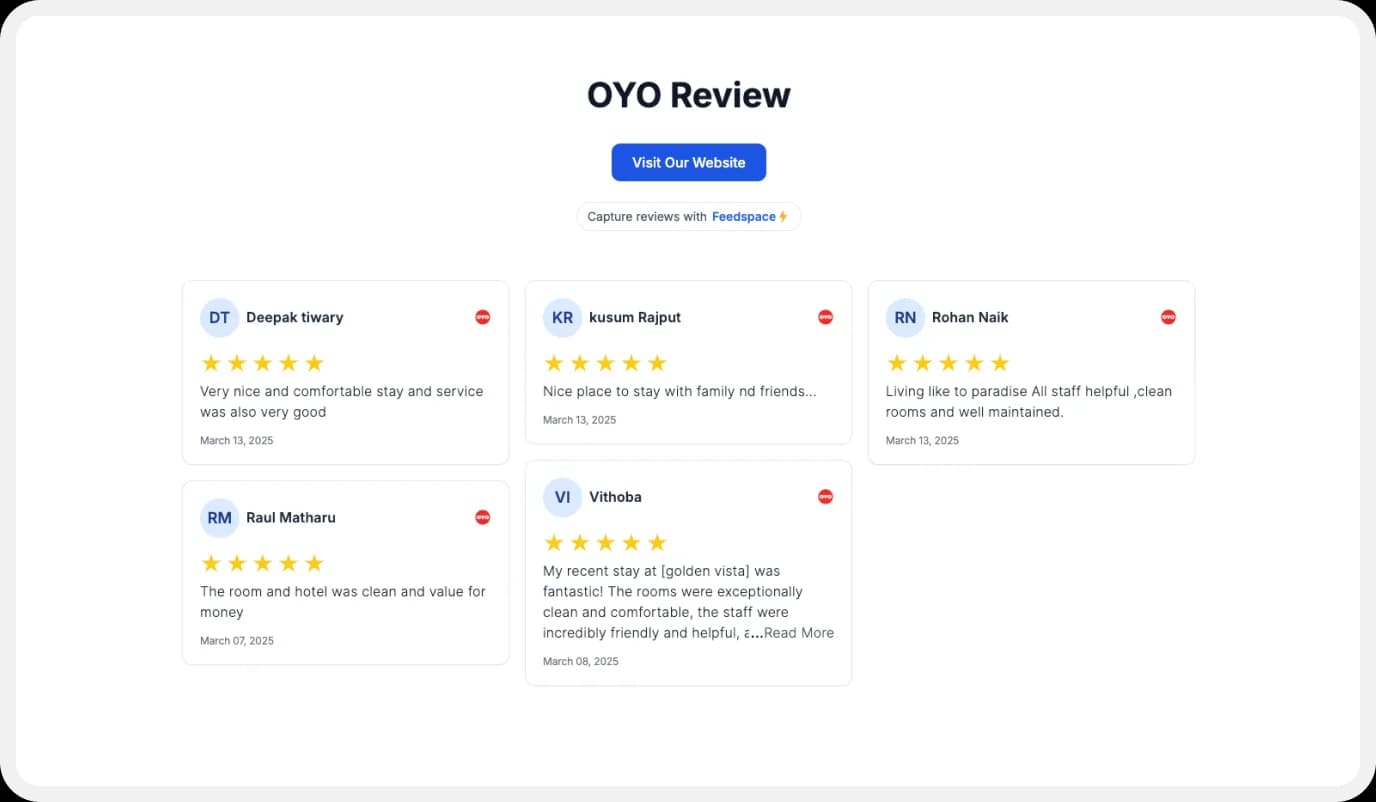
Now comes the fun part! Go to the “Pages” section in your Feedspace dashboard, click on “Create Page”, and start creating your Wall of Love. Give it a catchy name—something like “What Our Users Are Saying!”
Step 6: Select OYO Reviews to Display
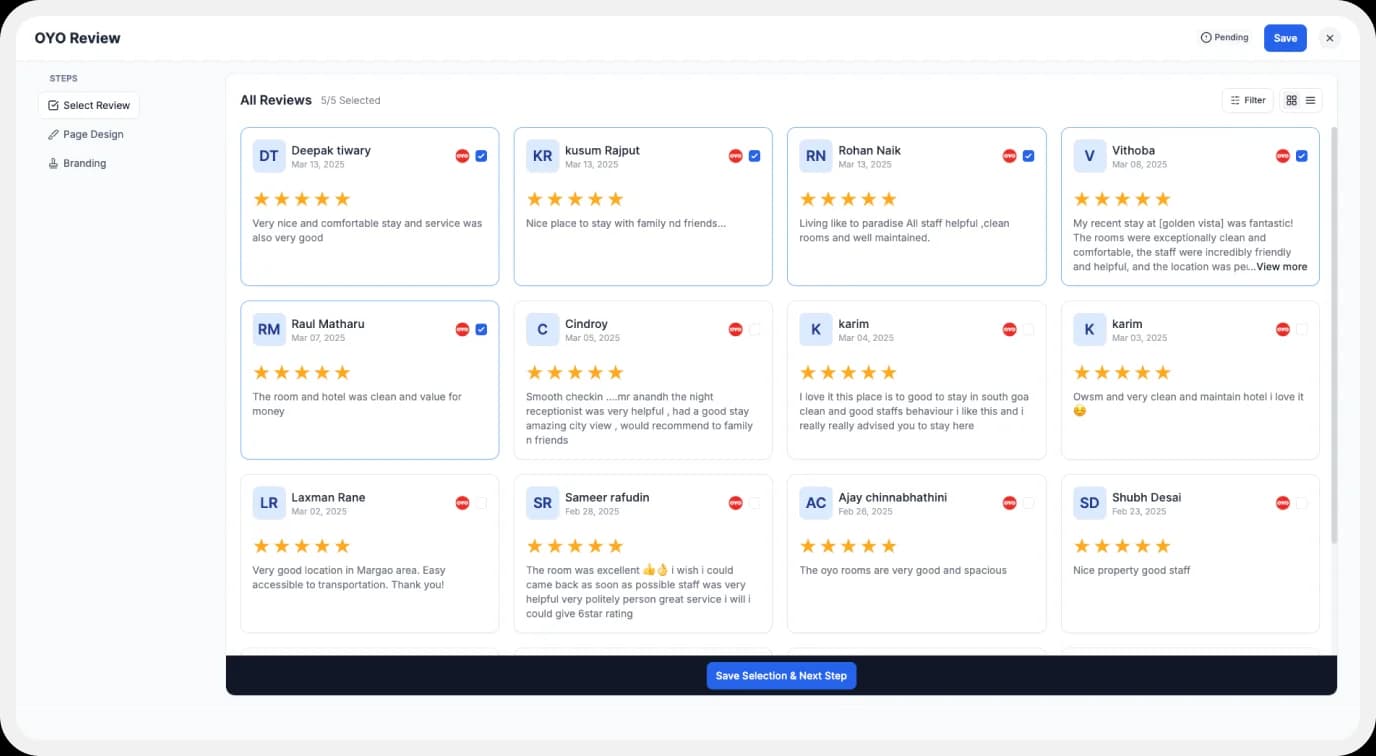
Pick the reviews you would like to highlight from all the ones you have imported.
Step 7: Customize Your Wall of Love
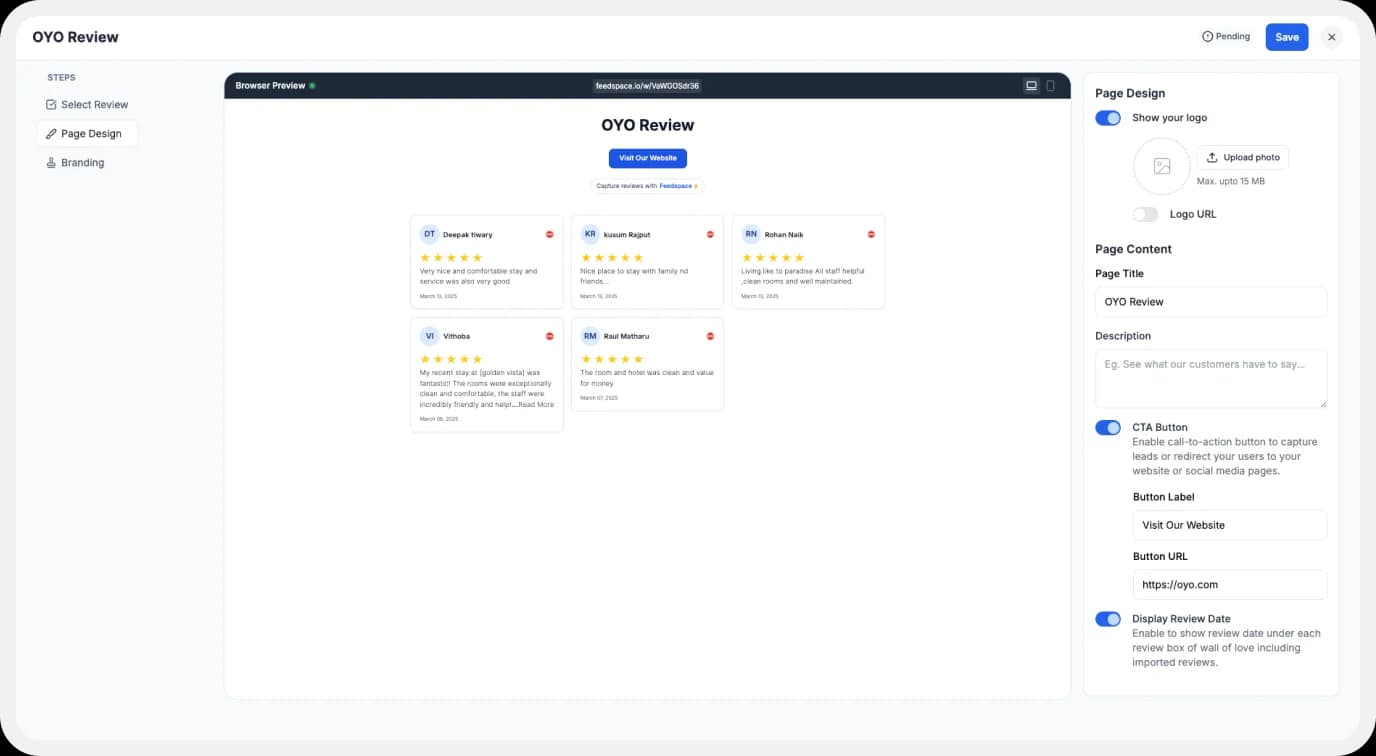
Make your Wall of Testimonial interesting with:
- Page Logo: Upload your brand logo.
- Page Title & Message: Write a catchy title and message for your Wall of Love.
- Button: To redirect to other webpages.
Step 8: Save and Share!
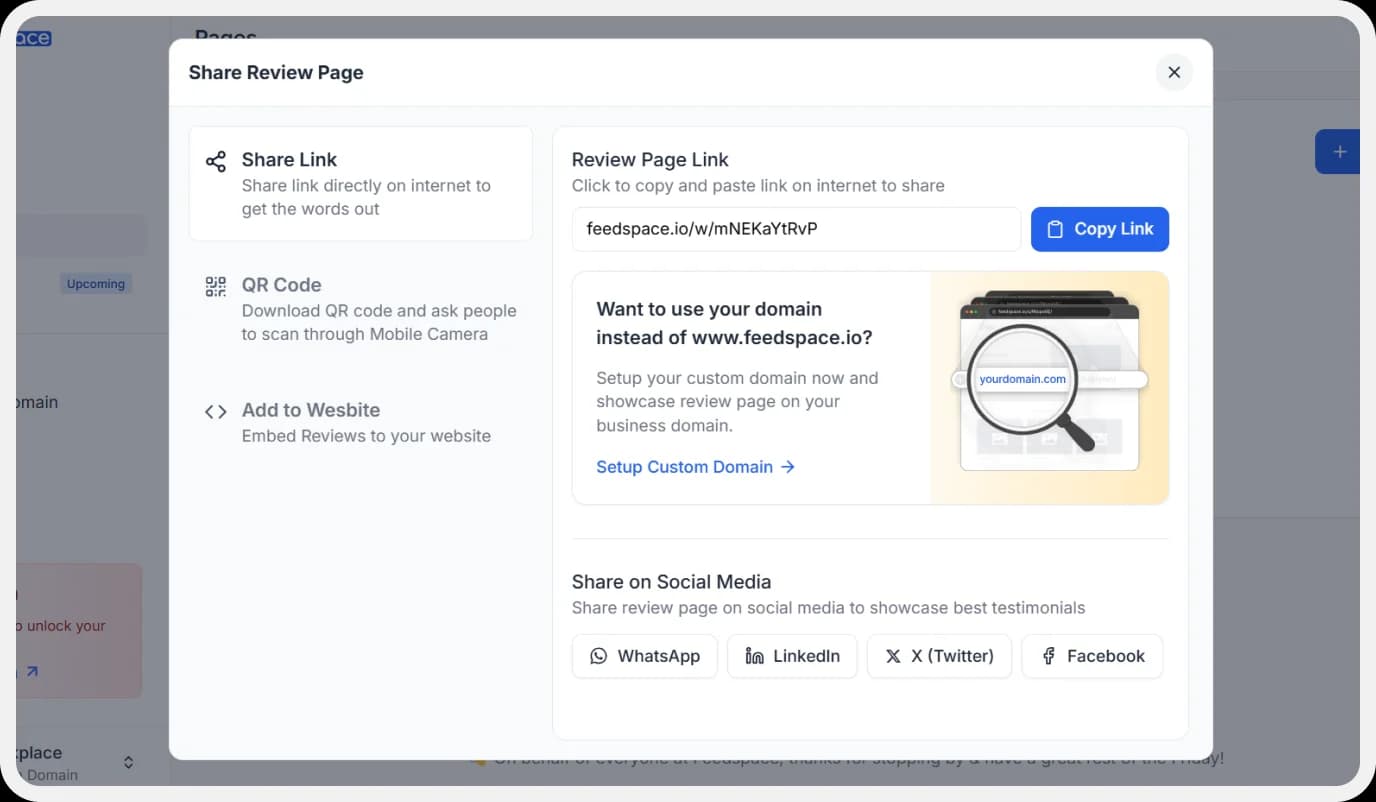
Your Wall of Love is ready! Click Save & Share to get a shareable link for social media, emails, or anywhere else.
How to Embed OYO Reviews on Your Website?
You can add OYO reviews to your website using Feedspace’s wall of love and showcase them beautifully. Here is how you can do it.
Step 1: Head to the Pages Section
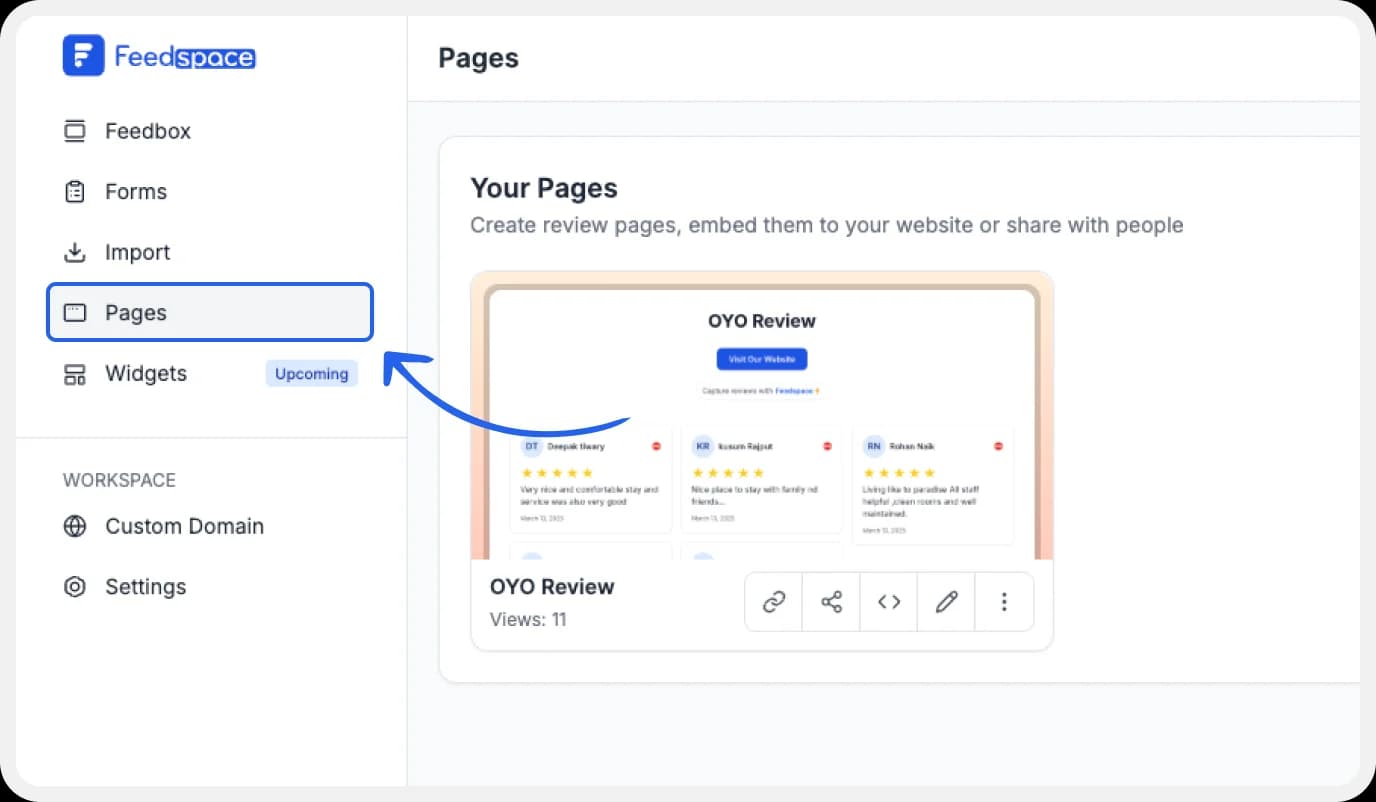
Return to the “Pages” section in your Feedspace dashboard.
Step 2: Find Your Wall of Love
Find the Wall of Love you want to embed on your website.
Step 3: Generate the Embed Code
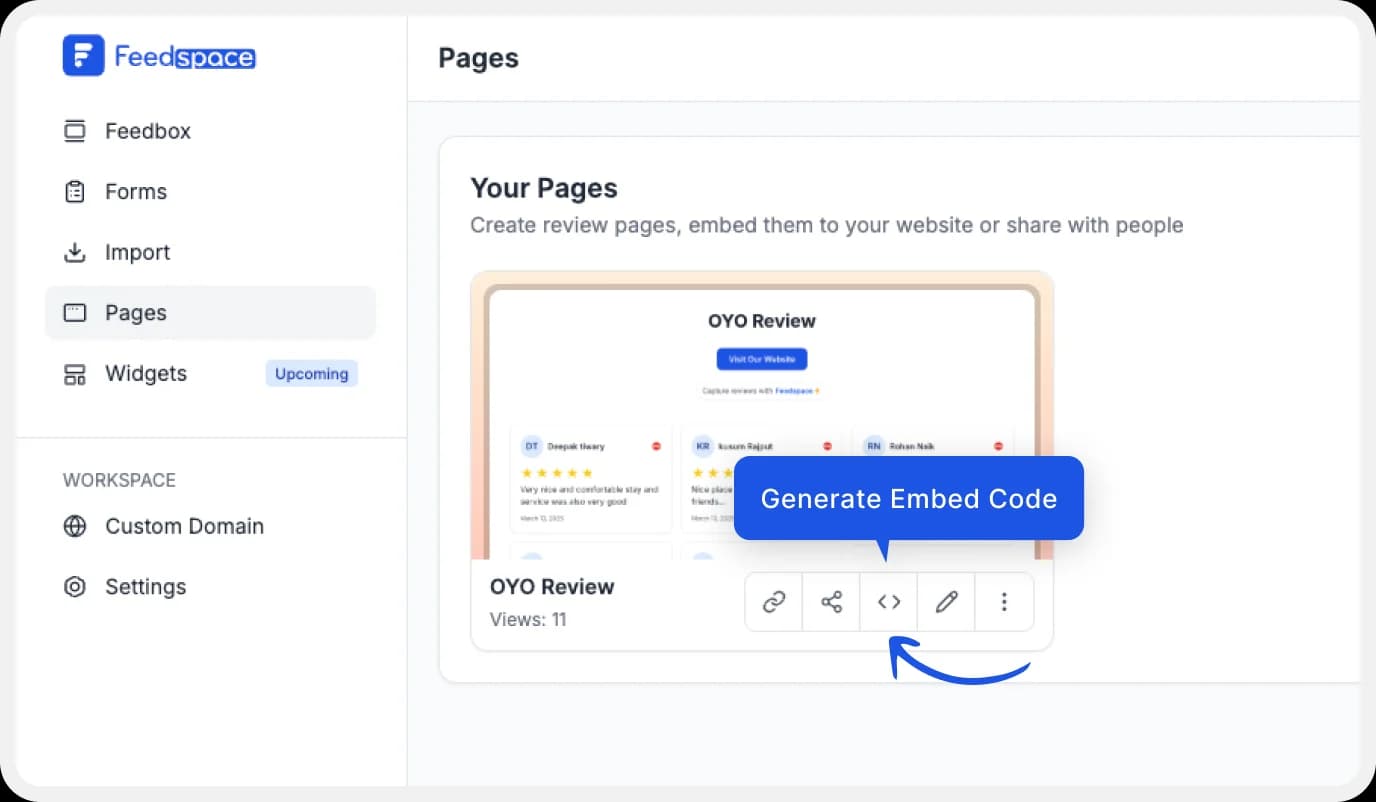
Click the button to generate the embed code for your Wall of Love.
Step 4: Copy and Paste the Code
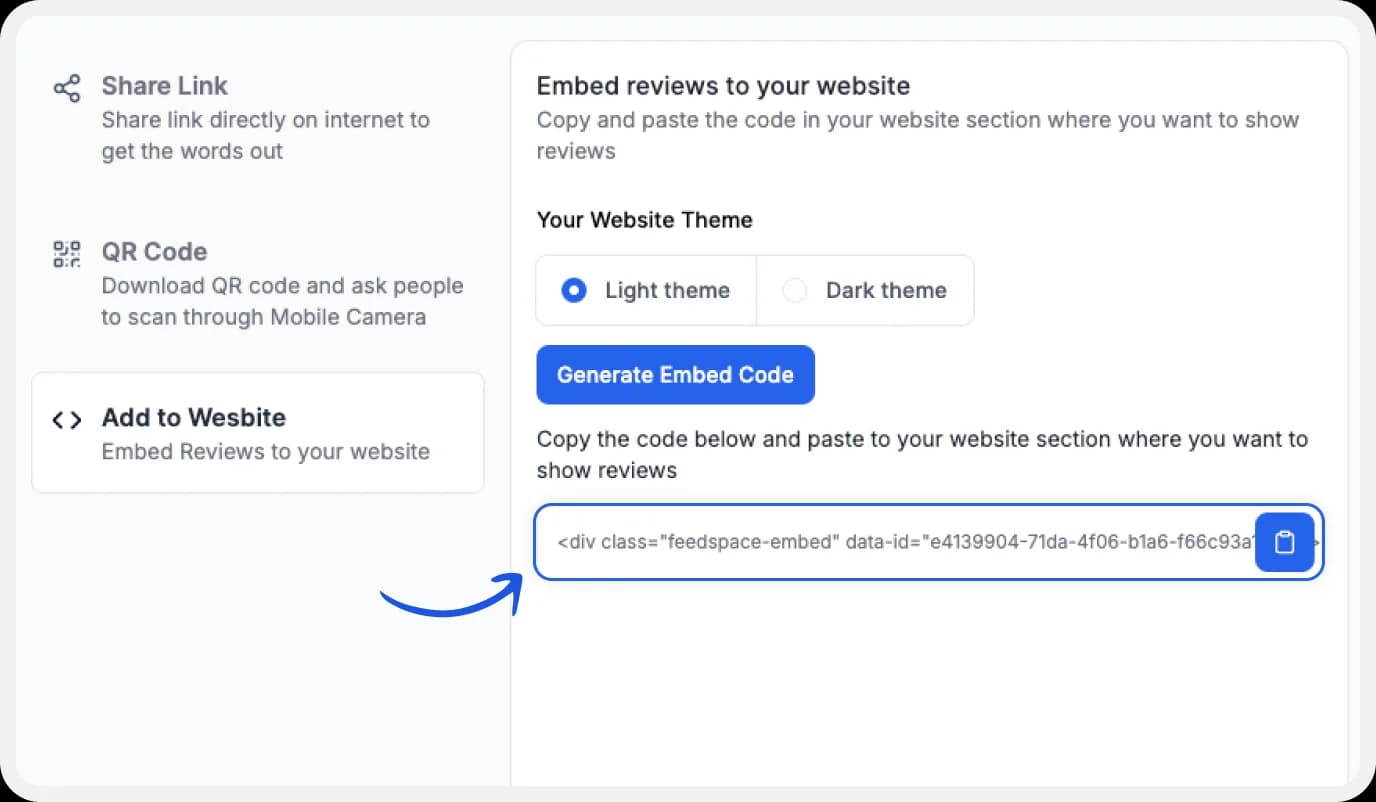
You can pick a light or dark theme as per your website and click on “Generate Embed Code”.
Copy the code provided, then paste it into your website’s section where you want to embed OYO reviews.
Note: Feedspace’s Wall of Love is fully customizable, you can change the description, branding colours, light/dark them and more.
Why Embed OYO Reviews to Your Website?
Displaying OYO reviews on your site does more than just look nice. Here are some real benefits:
1. Builds Trust with New Visitors
Seeing real guest reviews helps potential customers feel confident in booking with you.
2. Improves Your Website’s Credibility
When your site has a Wall of Love, it shows you value feedback and customer experiences.
3. Increases Conversion Rates
Good OYO reviews can motivate more people to book or inquire, directly boosting conversions.
Conclusion
Adding OYO reviews to your site with Feedspace is easy and engaging and boosts your credibility. Not only do reviews create a sense of trust, but they also bring a unique and personal touch to your website. Try creating your Wall of Love today and let customer love be your website’s best-selling feature!