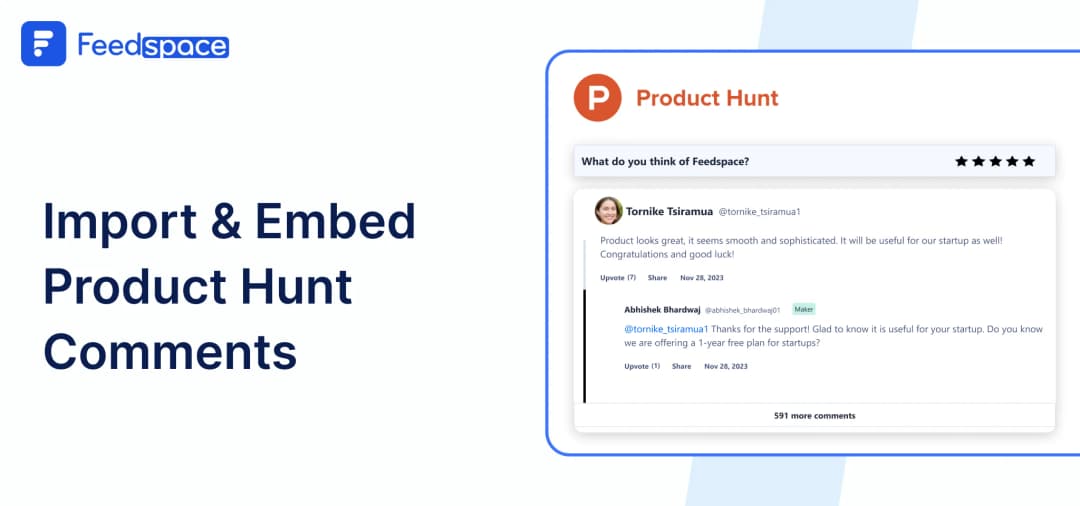
Launching a product on Product Hunt is an exciting achievement! The love you get there n the form of comments and reviews can be incredibly valuable. These comments from users are not just feedback they’re actual, honest reactions that help new audiences understand what clients love about your product.
But what if you could take those comments and make them a interesting section of your website?
With Feedspace, you can!
Feedspace makes it easy to import and embed Product Hunt comments directly to your website. With Feedspace’s Wall of Love feature, you can show these comments in a beautiful way, making your product look trustworthy and appealing. Let’s see how to do it!
Add Product Hunt Comments on Your Website Using Feedspace
Feedspace is a tool for collecting and displaying feedback from different platforms, like Product Hunt. Using Feedspace , you can fetch, select, and display these comments on your website in just a few clicks.
Here are steps to import ProductHunt Comments:
Import Product Hunt Comments into Feedspace
Importing Product Hunt comments is easy. Just follow these steps:
Step 1: Signup to Feedspace

Sign up for a free Feedspace account, or log in if you already have the account.
Step 2: Start to Import Product Hunt Comments
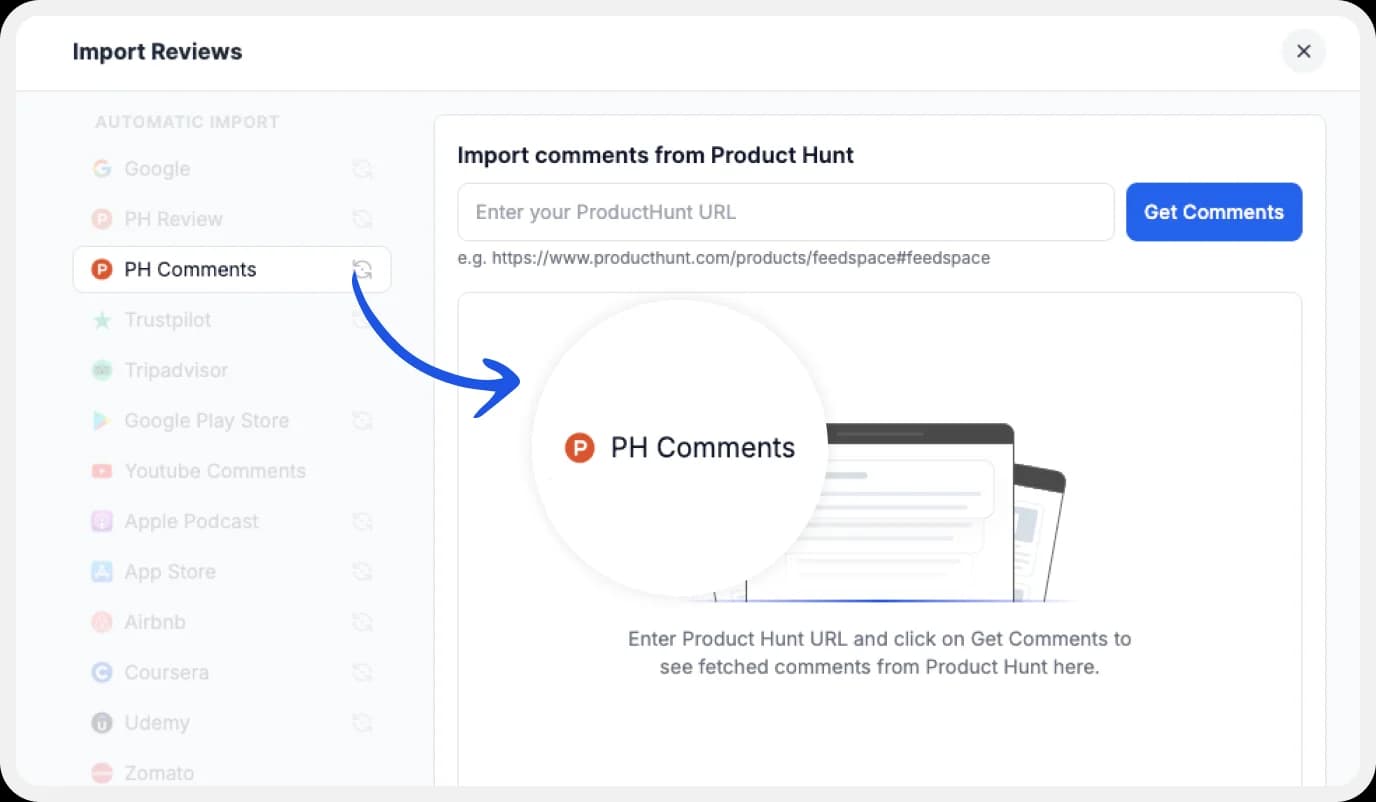
In your Feedspace dashboard, go to the “Import” section. Select Product Hunt from the list, enter your page URL and hit Get Comments.
Step 3: Finish Importing

Once your comments load in the preview, choose the ones you want to keep. Now, they’re saved in Feedspace and ready to go!
Step 4: Pick Favorite Imported Product Hunt Comments

If you have imported a lot of reviews into Feedspace. Pick some favorites to narrow down the list of Product Hunt comments you would like to focus on.
After you’ve shortlisted your favorite reviews, you’re ready to build a Wall of Love. Let’s look at this in the next few steps.
Step 5: Start Building a Wall of Love
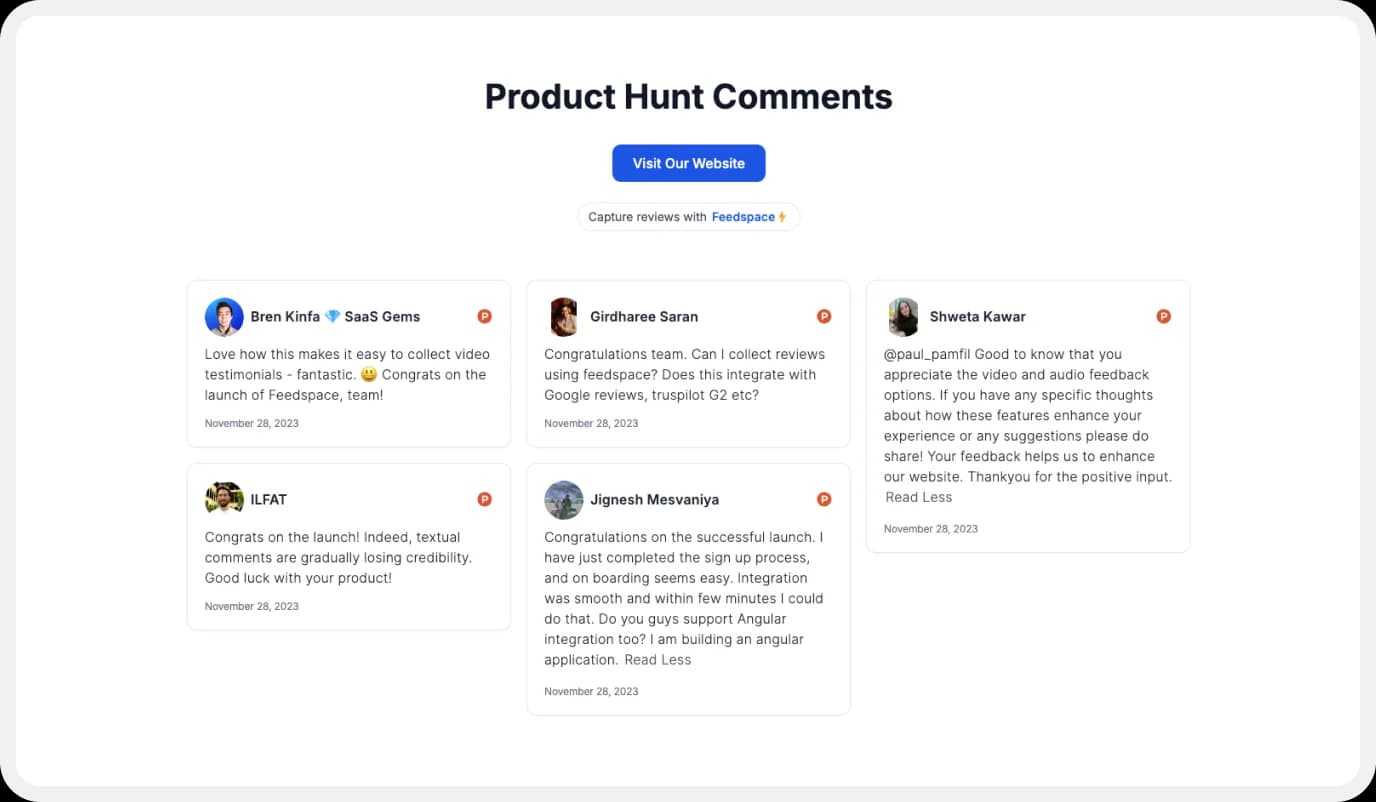
Now comes the fun part! Go to the “Pages” section in your Feedspace dashboard, click on “Create Page”, and start creating your Wall of Love. Give it a catchy name—something like “What Our Users Are Saying!”
Step 6: Select Product Hunt Comments to Display

Choose which Product Hunt comments you want to show on your Wall of Love. Pick all of them or just your favorites!
Step 7: Beautify Your Wall of Love
.webp)
Make your Wall of Testimonial interesting with:
- Page Logo : Upload your brand logo.
- Page Title & Message: Write a catchy title and message for your Wall of Love.
- Button: To redirect to other webpages.
Step 8: Save and Share!
.webp)
You’ve created your Product Hunt Wall of Love! Click “Save & Share” to get a link. Share it anywhere online to show off your comments.
How to Embed Product Hunt Comments on Your Website?
Embedding the Wall of Love on your website is simple once it’s created. Here’s how:
Step 1: Head to the Pages Section
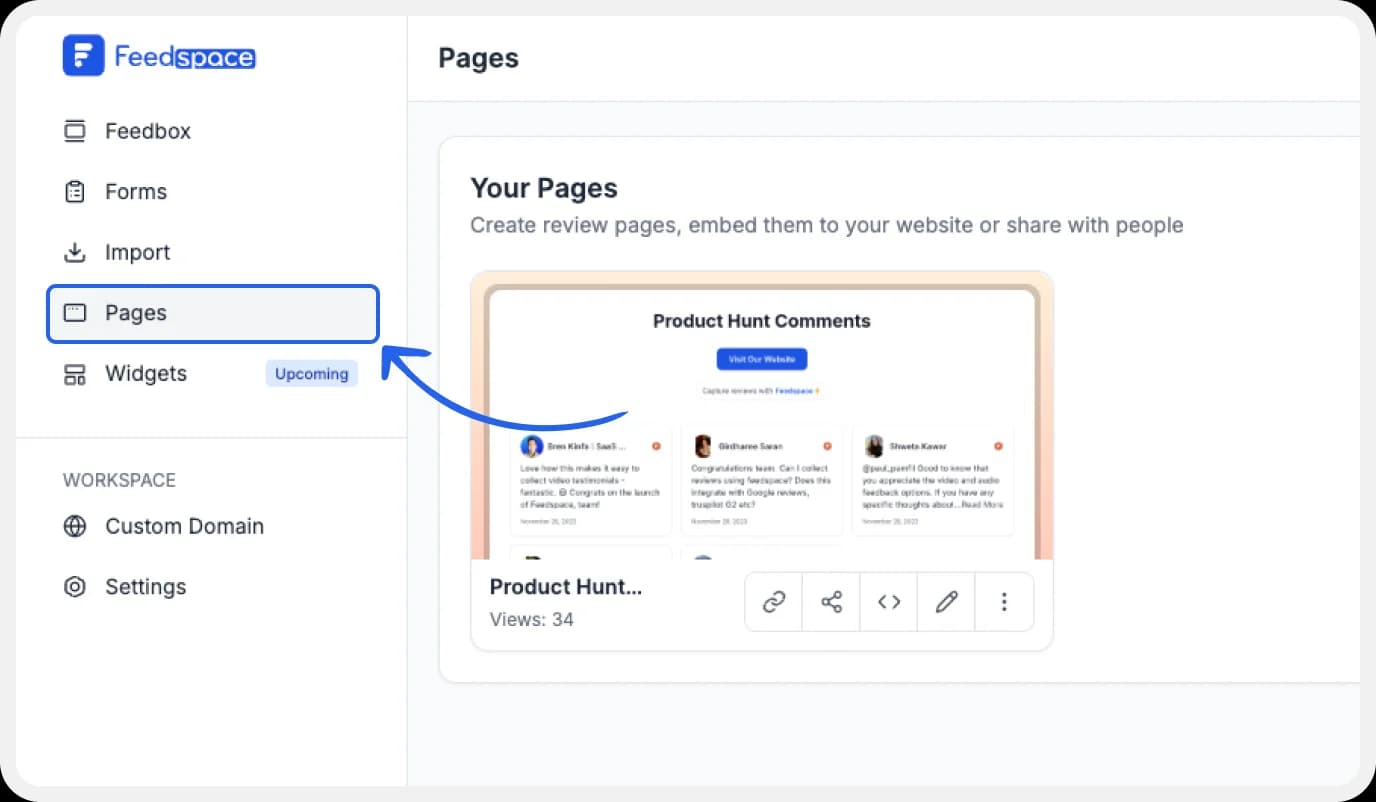
Return to the “Pages” section in your Feedspace dashboard.
Step 2: Find Your Wall of Love
Find the Wall of Love you want to embed on your website.
Step 3: Generate the Embed Code
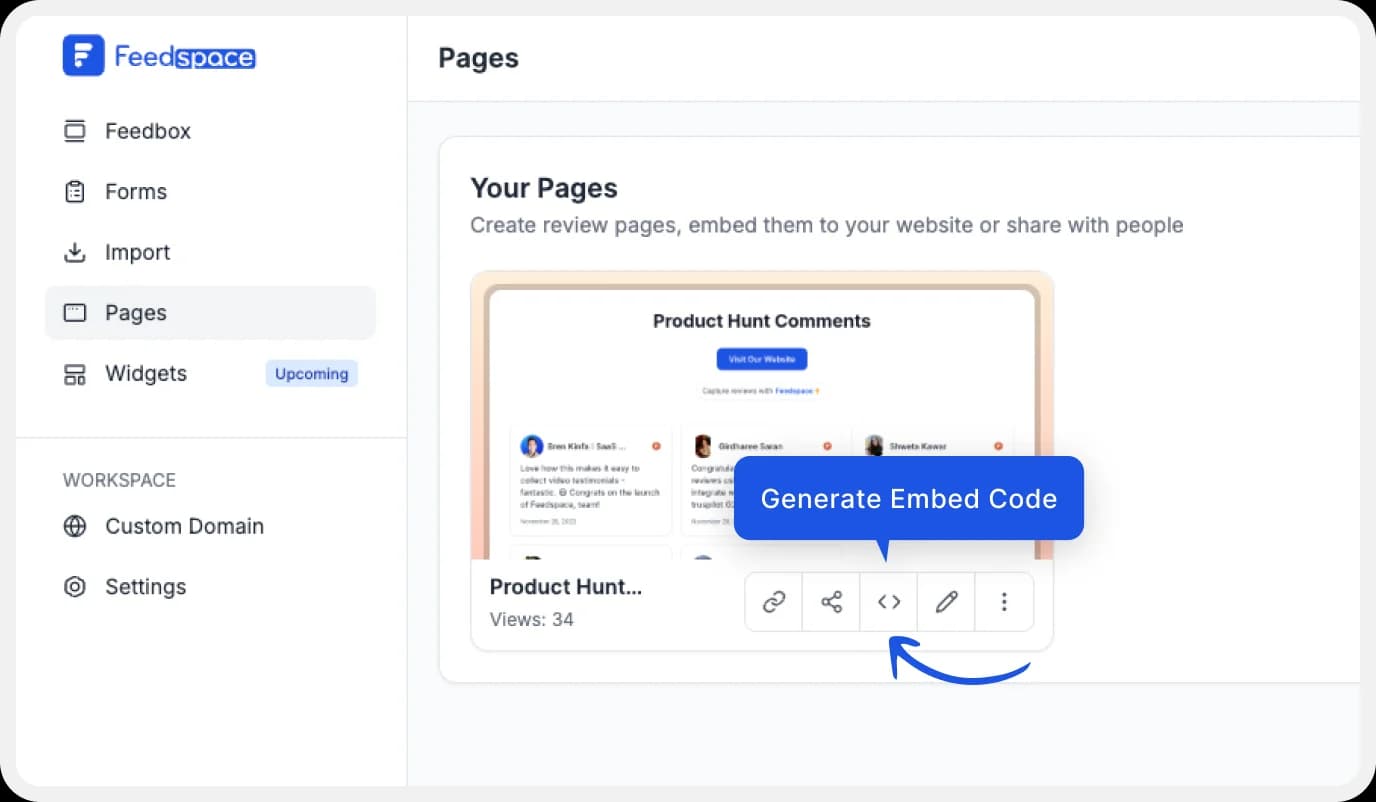
Click the button to generate the embed code for your Wall of Love.
Step 4: Finally Copy and Paste the Code
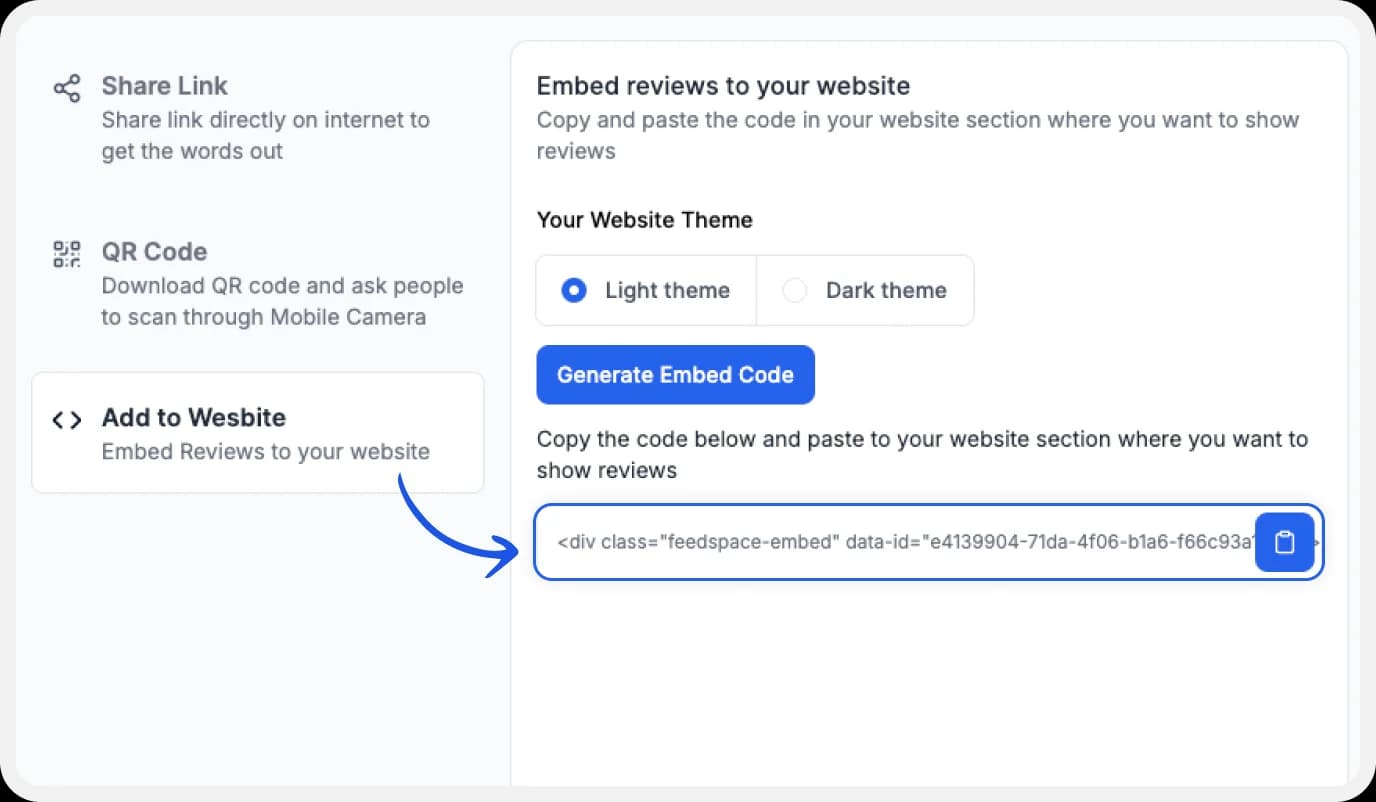
You can pick a light or dark theme as per your website and click on “Generate Embed Code”.
Copy the code provided, then paste it into your website’s section where you want to embed Product Hunt comments.
Note: Feedspace’s Wall of Love is fully customizable, you can change the description, branding colours, light/dark them and more.
Why Embed Product Hunt Comments to Your Website?
Adding Product Hunt comments on website will help you in many ways. Here’s why:
Build Trust with Real User Feedback
Seeing real comments from Product Hunt gives your product credibility and makes new visitors feel more confident in it.
Help People Decide to Try Your Product
User feedback is powerful! Seeing positive comments from other users can encourage new visitors to try your product.
Keep Your Website Fresh
With Feedspace, you can update the product hunt comments whenever you like, keeping your Wall of Love relevant and interesting for visitors.
Conclusion
With Feedspace, when you add Product Hunt comments to your website you take a smart move that can make a big difference. These comments do more than just show feedback they create trust, encourage new users, and help visitors connect with your product on a personal level. Feedspace makes the entire process easy, from importing product Hunt comments to adding them with a simple link or code.
With just a few clicks, you can import and embed product Hunt comments and create a wall of love that’s unique to your product. It’s a simple way to show off your best reviews, keep your site fresh, and make your brand feel open and authentic.
Give Feedspace a try and let your happy users do the talking right on your website. It’s never been easier to turn comments into lasting connections!