Introduction
YouTube is one of the biggest video platforms in the world. Every day, millions of people watch videos and leave comments. These comments show what people think about your content and help build a strong community.
If your videos receive positive comments, don’t let them stay only on YouTube. You can display them on your website to build trust and show real feedback from your audience.
With Feedspace, you can import your YouTube comments, organize them in one place, and display them using a beautiful Wall of Love. In this guide, we’ll show you exactly how to do it.
Use Feedspace to Add YouTube Comments to Your Website
Feedspace is an AI-powered testimonial and review management platform that helps you collect, import, manage, and showcase reviews, comments, videos, and testimonials.
Instead of taking screenshots or copying comments one by one, you can import your YouTube comments into Feedspace in just a few clicks. Once they’re imported, you can organize them into a Wall of Love and embed that wall anywhere on your website.
With Feedspace, you can:
- Import YouTube comments in minutes.
- Keep all your comments in one dashboard.
- Create a beautiful Wall of Love.
- Customize the design to match your brand.
- Embed the wall on any page of your website.
- Update your comments anytime.
Everything is simple, fast, and beginner-friendly.
How to Import YouTube Comments
Follow these simple steps to import your YouTube comments into Feedspace.
Step 1: Open the YouTube Video
Open the YouTube video that contains the comments you want to display on your website.
Step 2: Copy the YouTube Video URL
Copy the video URL from your browser’s address bar.
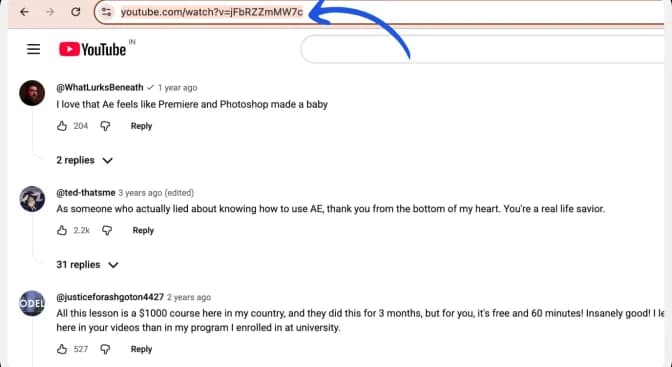
This is the link Feedspace will use to import your comments.
Step 3: Log In to Feedspace
Now open your Feedspace account.
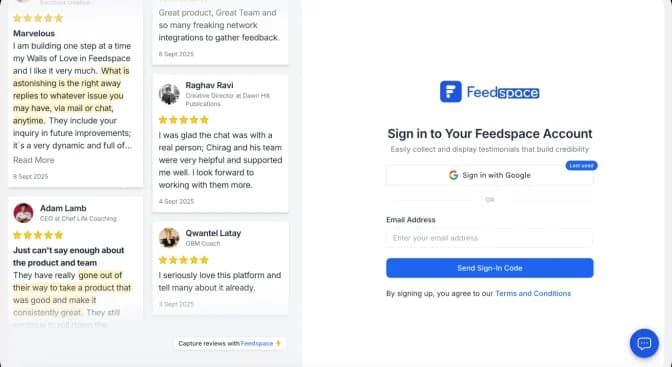
From the dashboard, click Import.
Step 4: Import Reviews
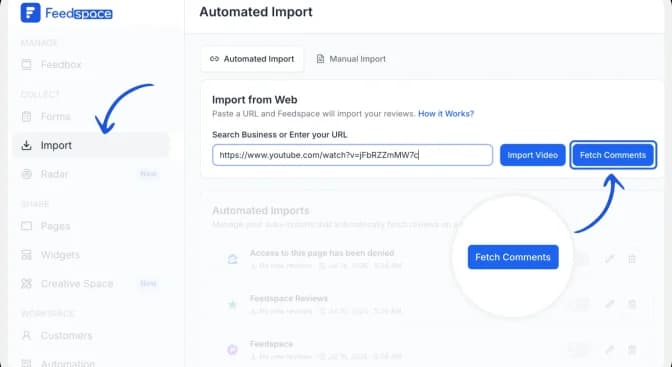
On the left side panel of your admin home page, locate Import and click on it.
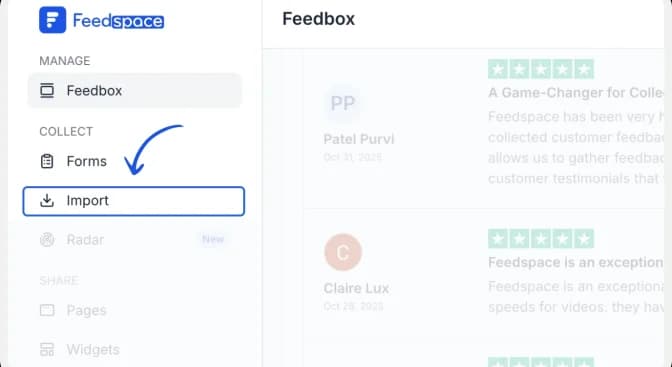
Paste the YouTube video URL into the input box.
Then click Fetch Comments.
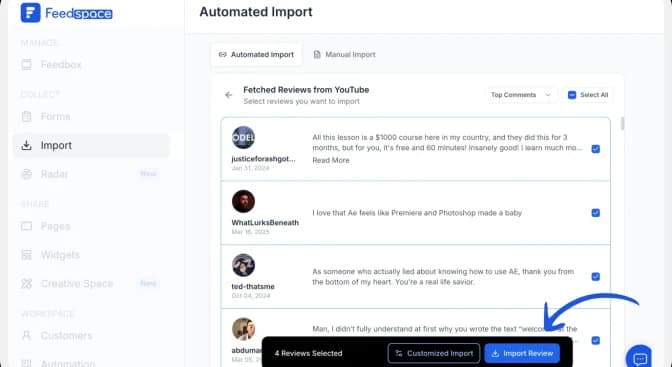
Then you will get the comments you received under the video, and you can select the ones you wish to import
After clicking “Import review,” the user will see a snackbar message saying, “Reviews imported successfully.”
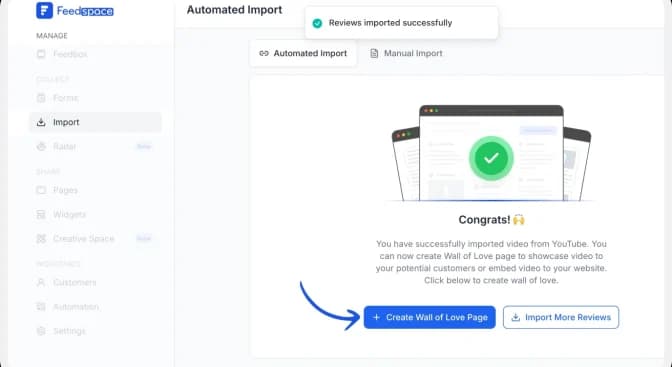
Now your comments are ready to use.
Step 6: Create a Wall of Love
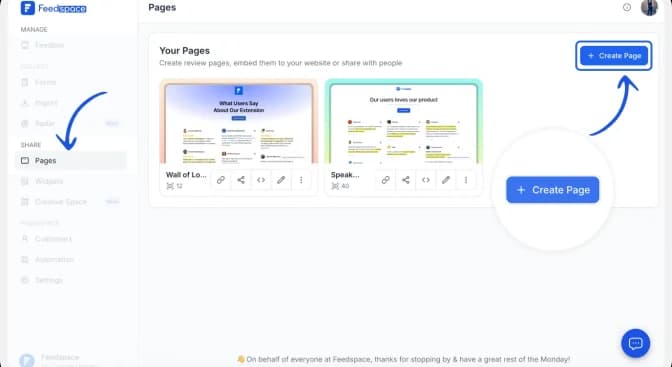
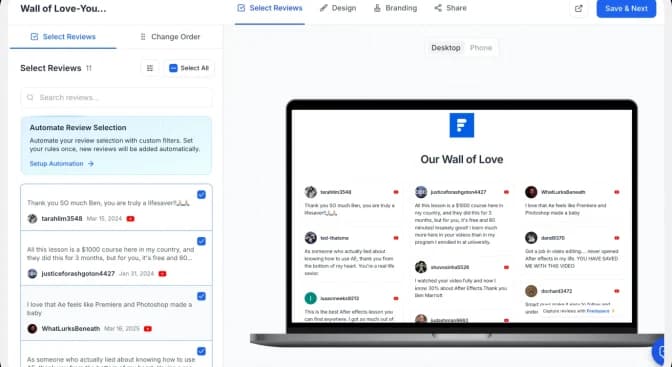
Just after you import, you can create the Wall of Love for the imported comments by clicking on the +Wall of Love page.
Then click on Create Page. And in a few seconds, you can see the preview of your Wall of Love. And you can select the review you want to display from the left side of the preview page.
Once selected, click on Save and Next.
Step 7: Customize Your Wall
You can now make the wall match your website.
Feedspace lets you:
- Change colors.
- Add your logo.
- Choose different layouts.
- Rearrange videos.
- Add a title and description.
- Customize according to your choice and share it publicly.
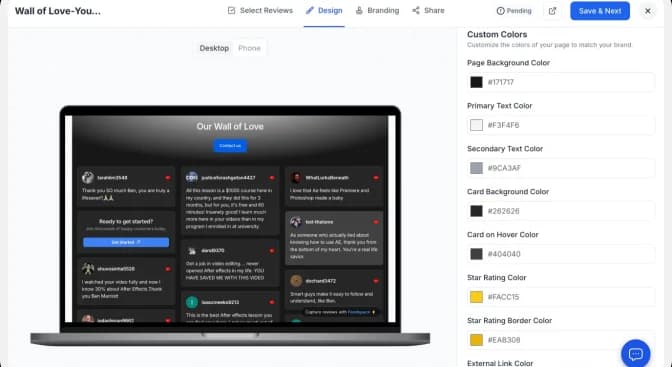
This helps your testimonial wall look professional.
How to Embed YouTube Comments on Your Website
Now it’s time to add your Wall of Love to your website.
Before sharing, check your Wall of Love to make sure it looks the way you want.
Step 1: Click on the share button.
Click the Share button to share or embed it on your website.
This will open different sharing options for your wall.
Step 2: Copy the Embed Code
From the Share menu, copy the embed code.
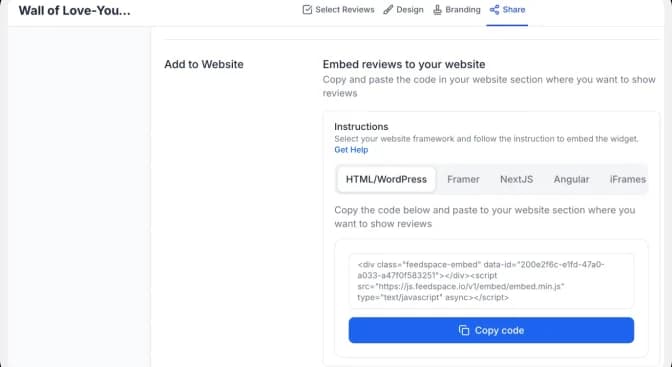
Paste the code into the section of your website where you want to display your Wall of Love.
Save and publish your changes.
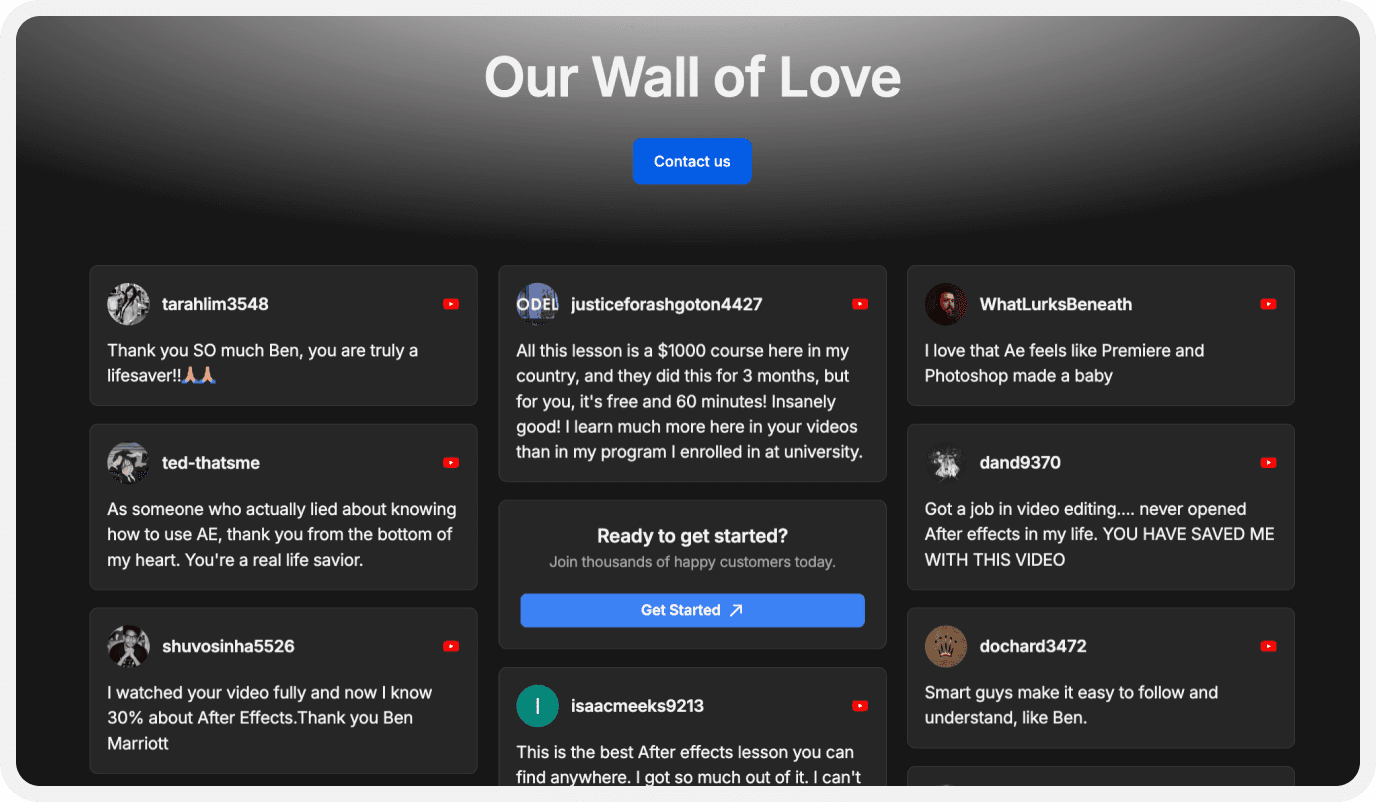
Your YouTube comments will now appear beautifully on your website for visitors to see.
Benefits of Adding YouTube Comments to Your Website
Build Trust with Visitors
Real comments from YouTube show that people enjoy your content. This helps new visitors trust your brand.
Increase Engagement
Displaying YouTube comments on your website encourages visitors to check out your YouTube channel and join the conversation.
Showcase Your Community
Positive comments show that your audience is active and engaged. This helps your brand feel more authentic and welcoming.
Make Your Website More Engaging
Adding real conversations from YouTube makes your website more interesting and keeps visitors reading longer.
Save Time
You only need to import your comments once. After that, you can manage everything from your Feedspace dashboard.
Update Your Comments Anytime
Whenever your videos receive new comments, you can update your Wall of Love to keep your website fresh.
Conclusion
Adding YouTube comments to your website is a simple way to make your pages more engaging and trustworthy.
With Feedspace, you can import your YouTube comments, organize them into a beautiful Wall of Love, and embed them anywhere on your website without any complicated setup.
Whether you’re highlighting audience feedback, community discussions, or positive comments from your viewers, Feedspace helps you display them in a clean and professional way.
In just a few simple steps, you can turn your YouTube comments into a powerful social proof section that builds trust and encourages more people to engage with your content.