Tons of people use Zillow daily to explore homes, research neighbourhoods, and connect with real estate folks. When selecting an agent or service, potential customers often rely on reviews before purchasing. You need to understand fundamental psychology if you know how, what, and where to showcase your reviews; the higher your trust and credibility will be perceived.
Just collecting reviews isn’t enough. To truly build your brand presence and attract more clients, you need to showcase reviews strategically. That’s where Feedspace comes in.
Feedspace helps real estate folks like you collect, manage, and embed Zillow reviews across your website and social media channels. You can highlight and show your satisfied client experiences, build social proof, and turn this into a powerful marketing channel.
Add Zillow Reviews on Your Website Using Feedspace
If you are trying to find a quick and easy tool to add your Zillow reviews to your website, then Feedspace is for you. It has a user-friendly interface that lets you import Zillow reviews and embed them onto your website. Let’s see how Feedspace does this in minutes.
Step 1: Create a Feedspace Account
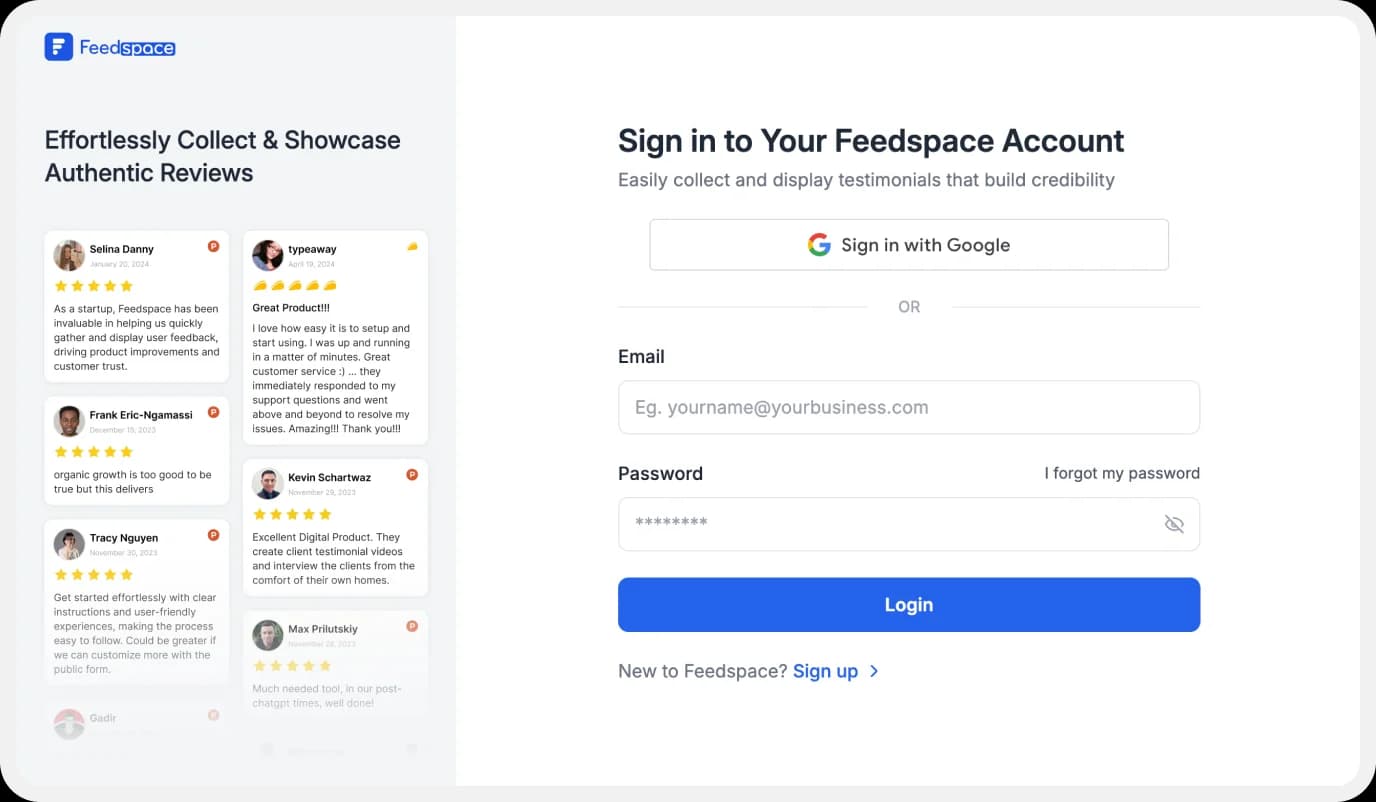
Use your Email credentials to create a new account with Feedspace or log into an existing one.
Step 2: Import Zillow Reviews
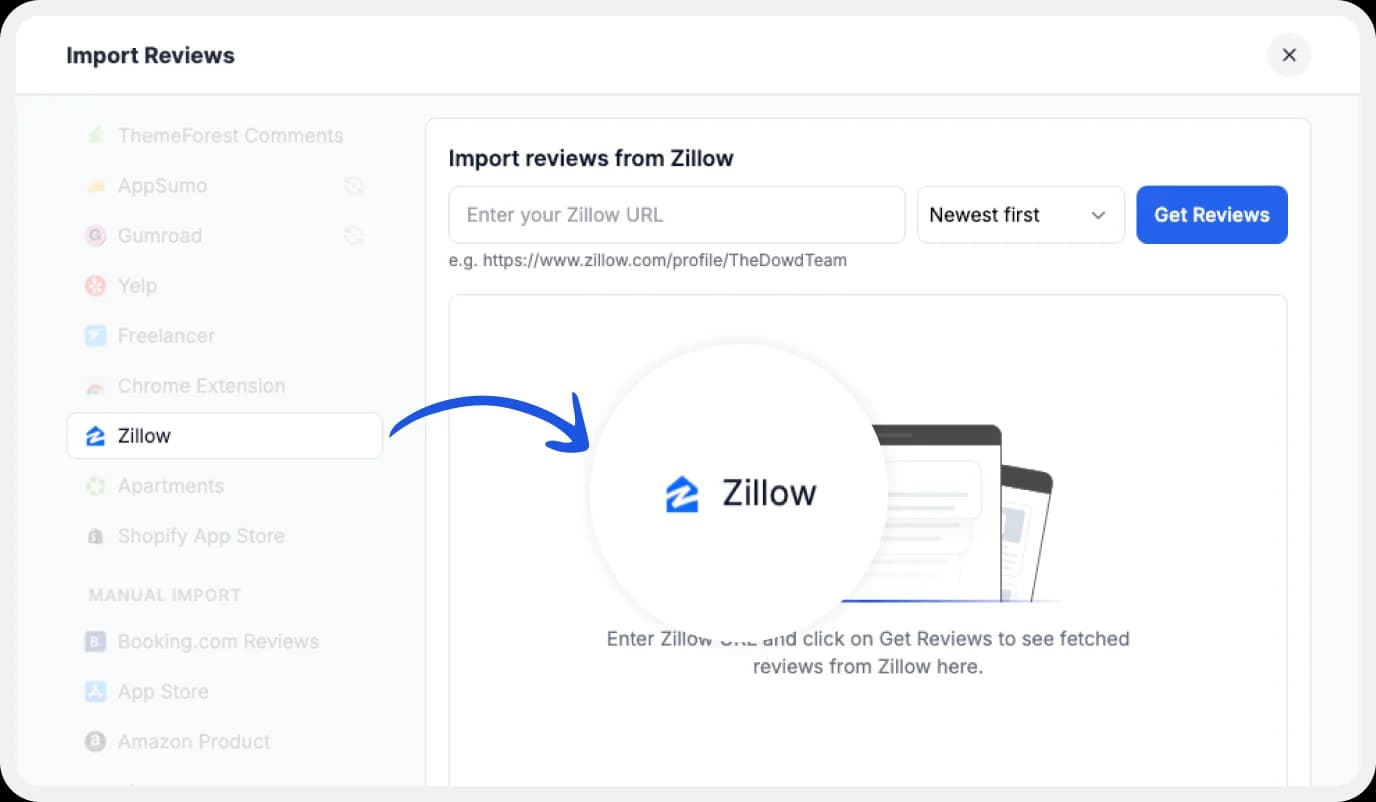
On the left side of your dashboard, find ‘Import’ and click on it. From the list, select Zillow, which you can find halfway through the available options.
Enter your Zillow page URL, and select the parameter below for your import preference. Click ‘Get Reviews’.
Step 3: Start importing
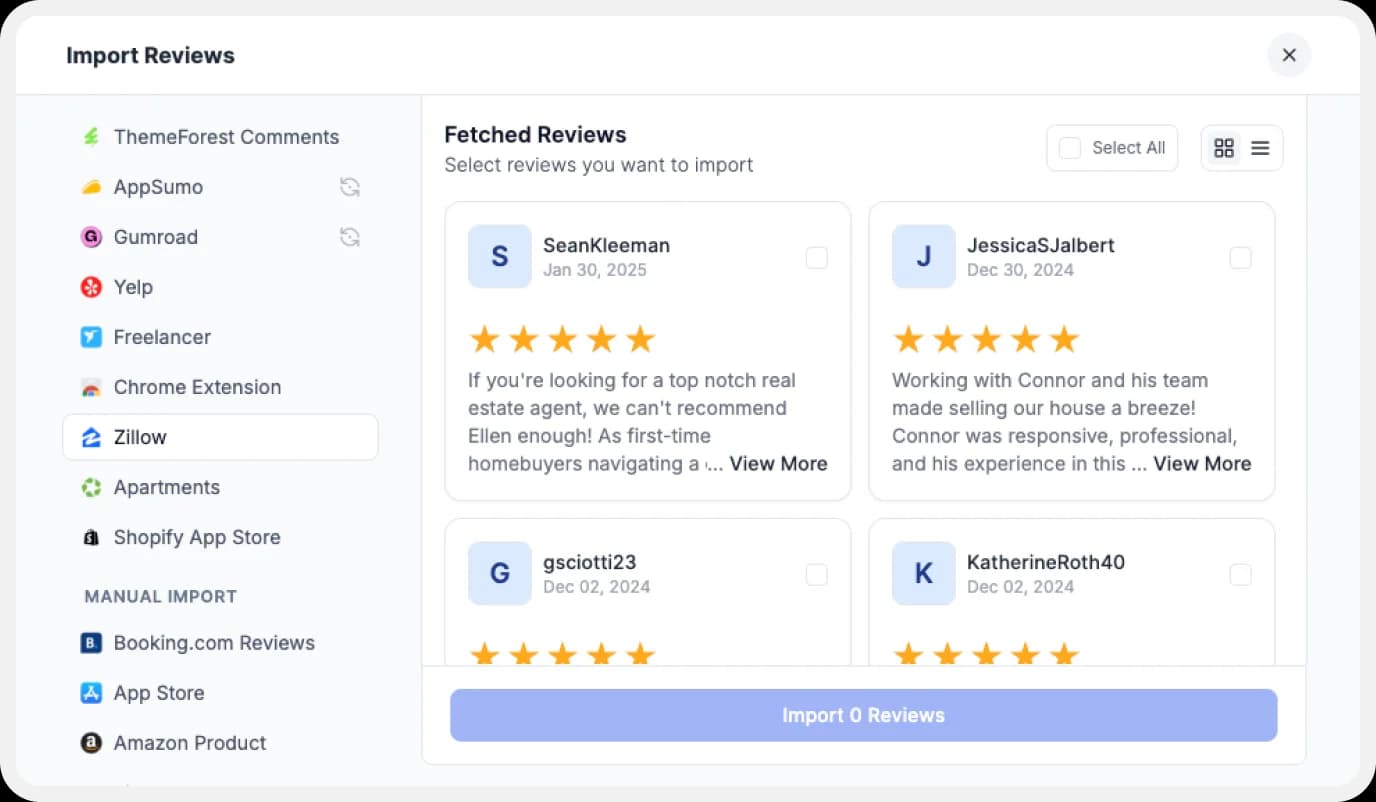
Feedspace will collect and show you a preview of the reviews that can be imported.
Step 4: Pick What You Want
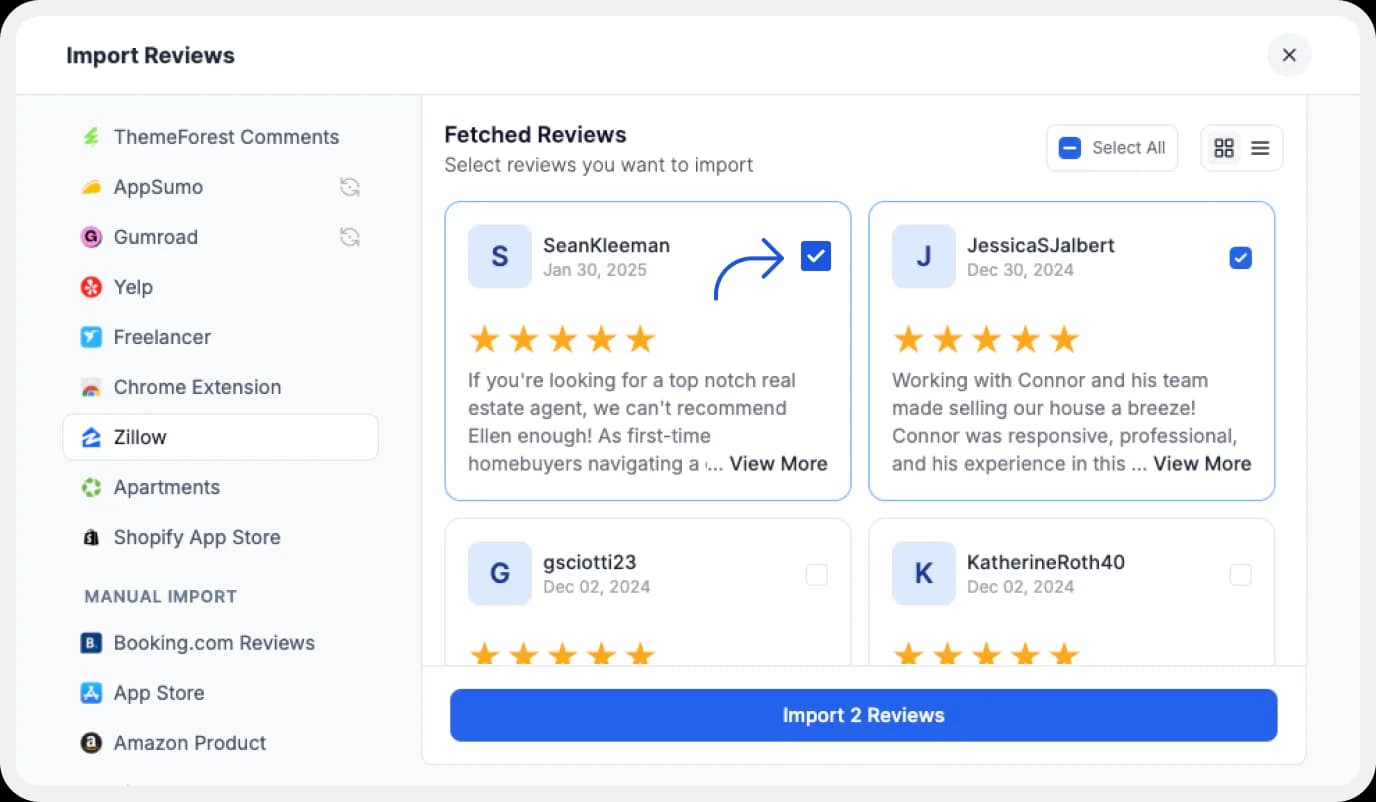
You can select the ones you like from the reviews showcased, or you can directly click on the ‘Select All’ button on the right to import all at once.
You can share the imported reviews on your very own Wall of Love. But, what’s the Wall of Love? Let’s understand below.
Step 5: Build Your Wall of Love

To start building your Wall of Love , you can go to the ‘Pages’ section on the left side of your dashboard. You can either create a new page or select a pre-existing one to edit (if you have created one already).
Step 6: Select Your Zillow Reviews
Select the Zillow reviews that you want to display on your Wall of Love.
Step 7: Beautify Your Wall of Love
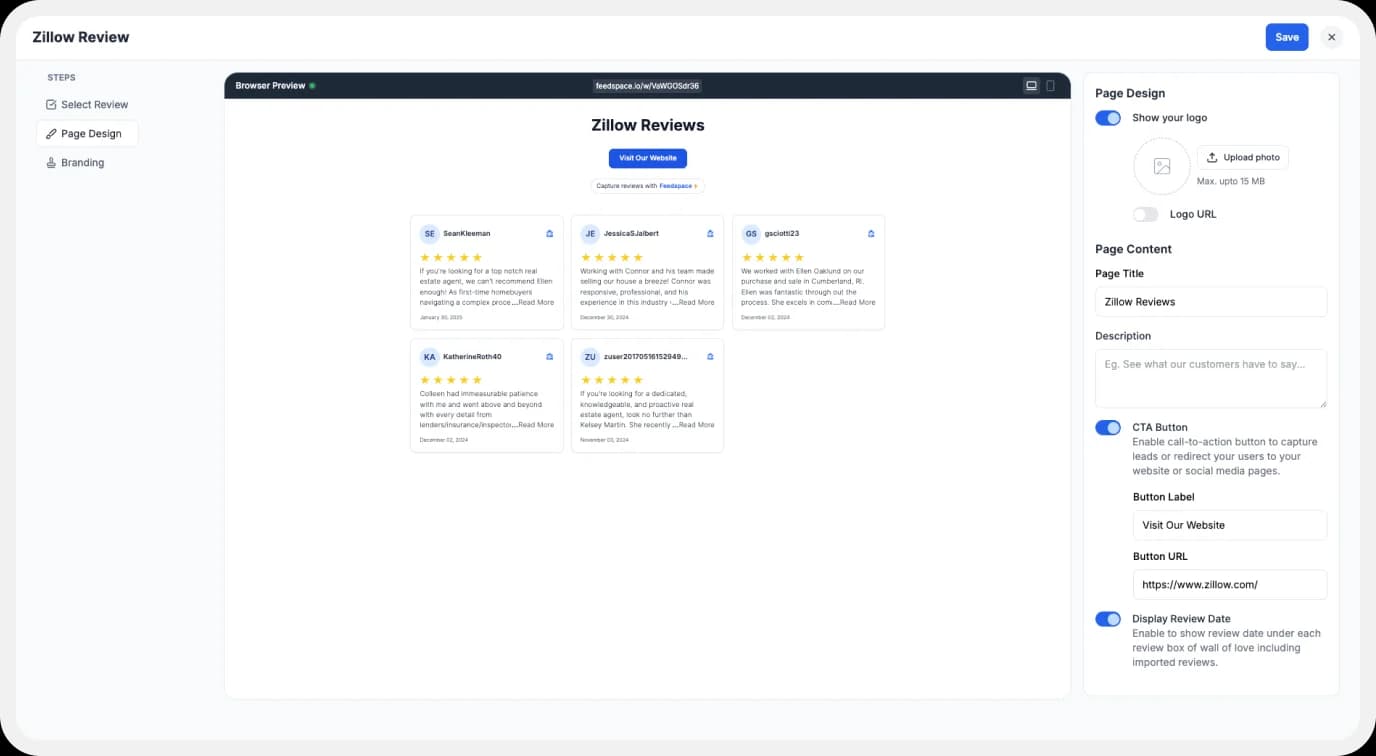
Once you have selected the reviews, you can customize different aspects to personalise it further, such as:
- Page Logo
- Page Title & Description
- Enabling/Disabling CTA (users will be redirected to your preferred website page)
- Enable/Disable review date
Also, you can customize the branding on your Wall of Testimonial . You can opt to use your domain and also remove the Feedspace branding.
Step 8: Save and Share!
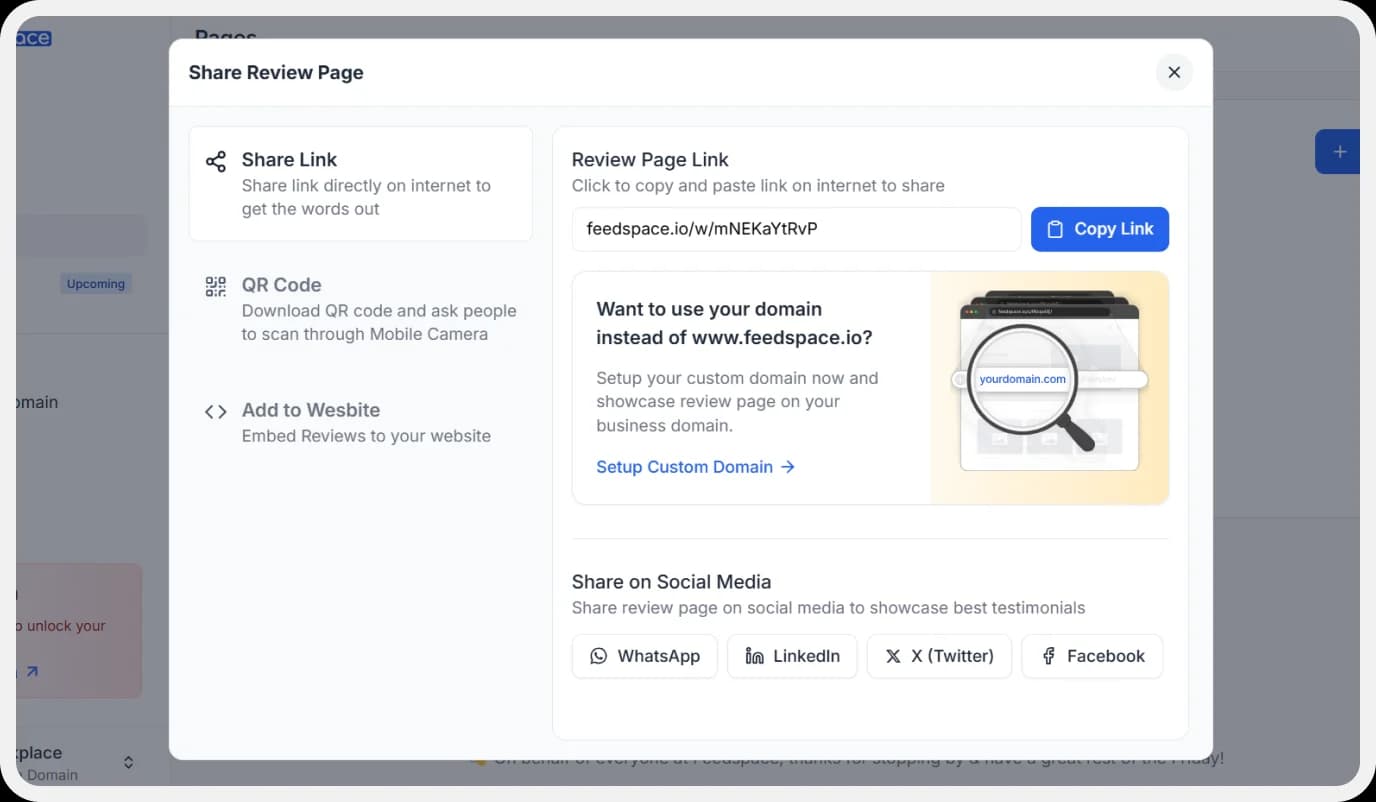
Once you are satisfied with the customization, click the ‘Save & Share’ button on the top right.
That’s it! There you have it! You’ve built your first Wall of Love. Don’t forget to share it with the world!
How to Embed Zillow Reviews on a Website?
Now, how can you add Zillow reviews to your website? You are going to need an embed Wall of Love code. Let us understand in easy steps, how and where to find this code.
Step 1: Find ‘Pages’
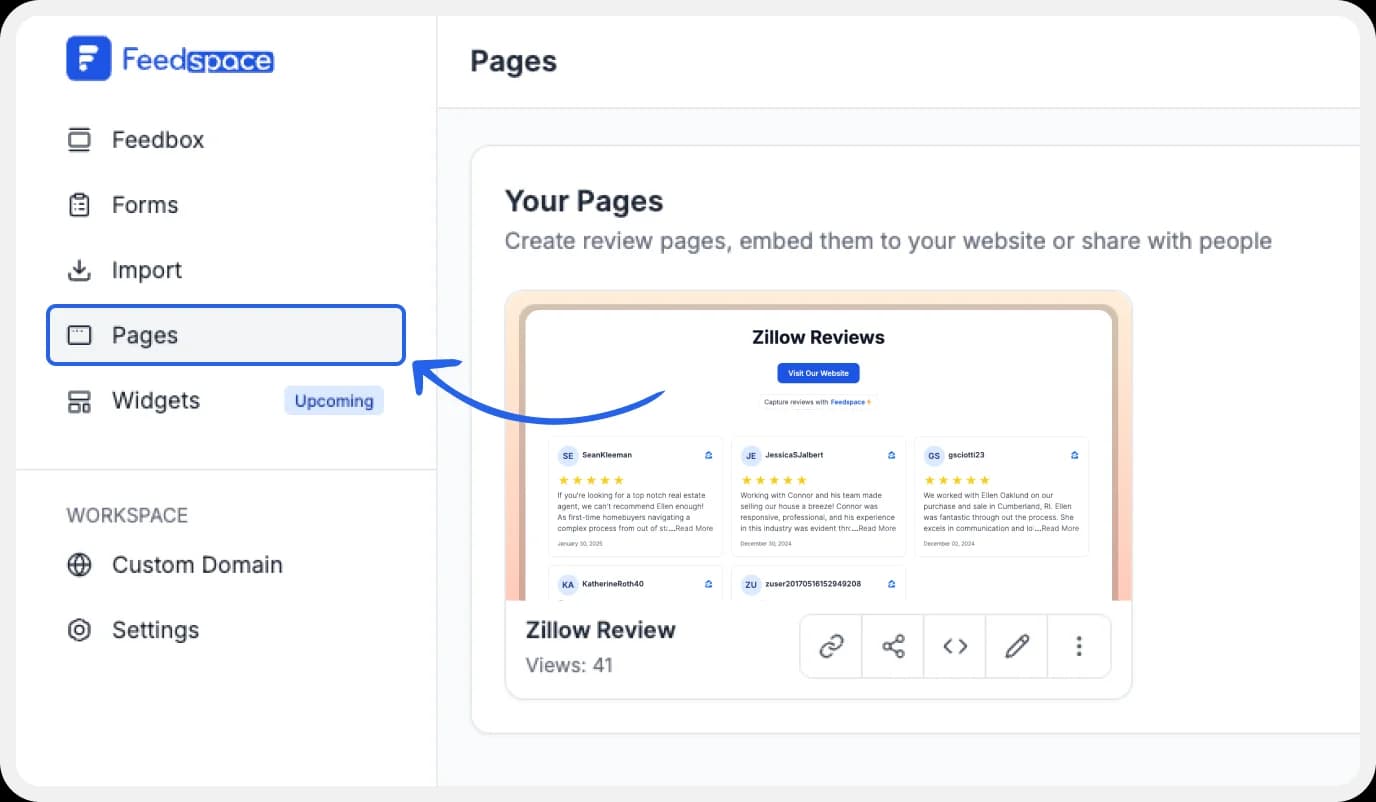
On your dashboard, locate the ‘Pages’ tab on the left side panel. Click on it.
Step 2: Select Your Wall of Love
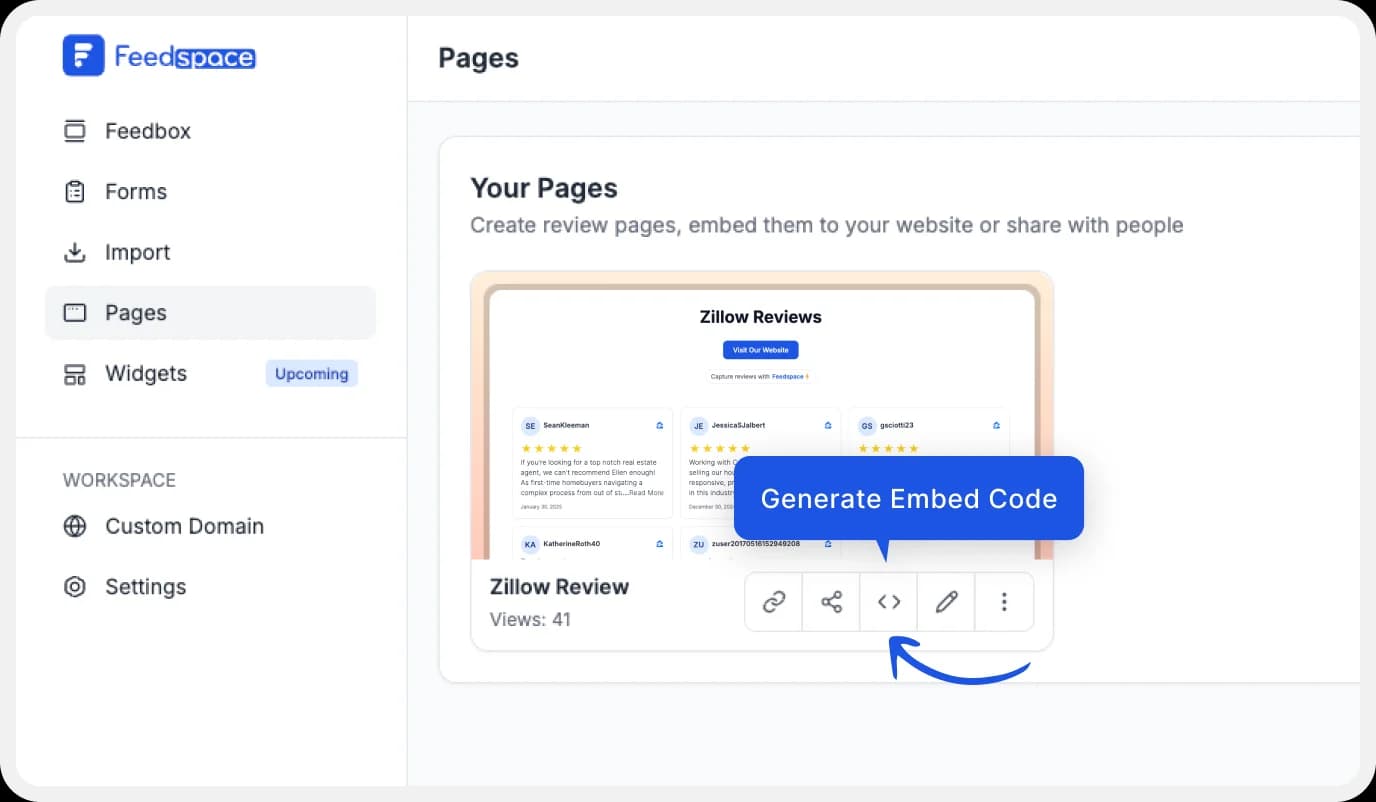
Find the Wall of Love you want to embed on your website. Click on the ‘<>’ button to generate the embed code of your wall of love.
Step 3: Generate Embed Code

A window will open up when you click ‘<>’. Here, you can select a light theme or a dark theme to match the Wall of Love with your website’s branding. Once selected, click on the ‘Generate Embed Code’ button.
Step 4: Copy and Paste the Code
Copy the generated code, then paste it into the section of your website where you want to embed Zillow reviews.
Note: Feedspace’s Wall of Love is easily customizable. You can change the description branding colours, light/dark theme, and more. To create a new wall of love, go to the ‘pages’ tab on the dashboard. Click on ‘+Create Page’ and get creative.
Why Embed Zillow Reviews on Your Website?
Build Social Proof
Zillow is one of the best trusted platforms for homebuyers, sellers, and renters. Having your positive Zillow reviews on your website adds instant credibility by showing the real impact you’ve had on your clients’ real estate journeys.
Boost Your SEO
Search engines love and crave authentic, user-generated content . Embedding Zillow reviews on your site adds fresh, organic content that can help to improve your rankings, leading to clients finding you easily online.
Conclusion
Your online presence is crucial for growing your real estate business. Highlighting and showcasing client feedback from Zillow helps you build trust, generate better leads, and set yourself apart in a highly competitive market.
Feedspace makes it effortless to collect, manage, embed, and showcase Zillow reviews across your website and social media. You can now let your clients’ voices speak for your brand. Try Feedspace for free and turn trust into traction!