If you are concerned that your Feedspace account may be active on a device you no longer control, or if you simply want to sign out of all browsers and devices at once, you can use the Log Out All Devices option in My Profile.
How to log out of all devices
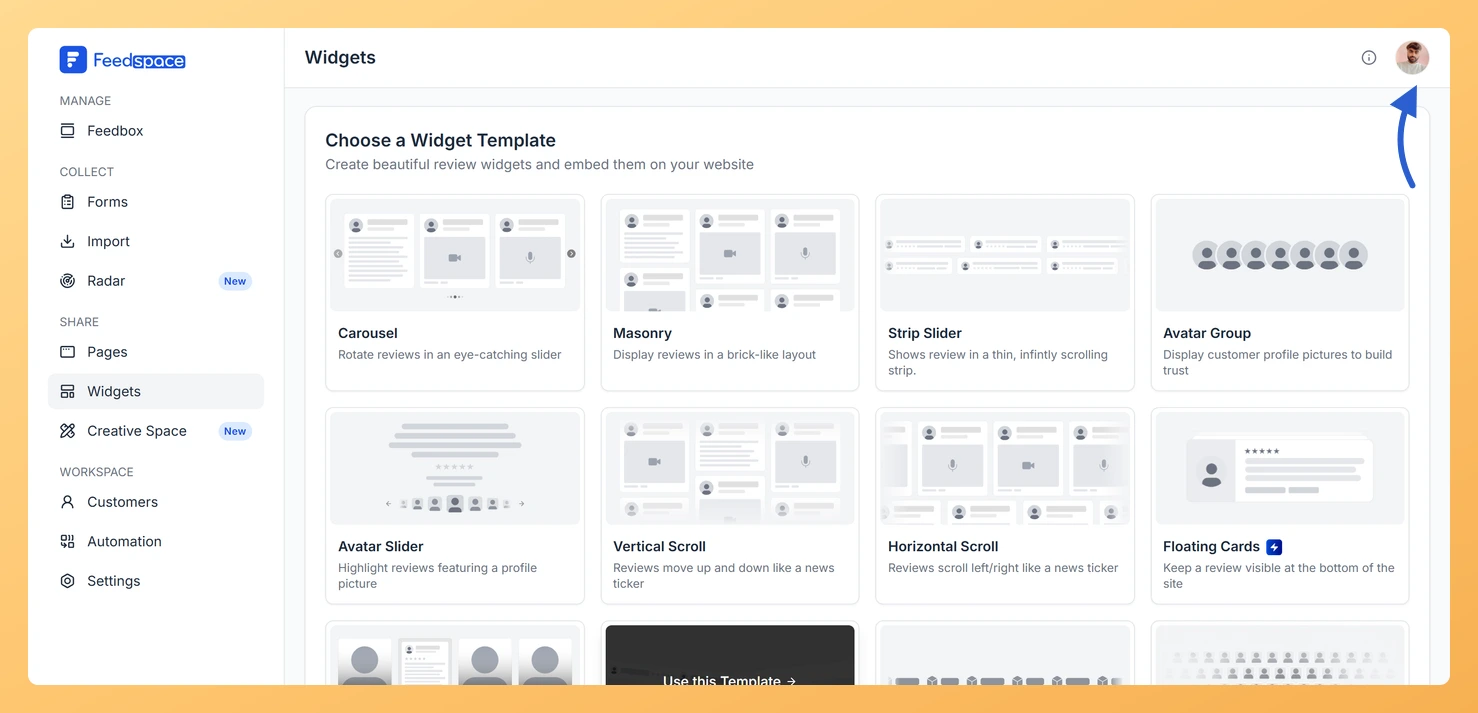
Step 1: Open the account menu
Click the avatar button at the top-right of the header.
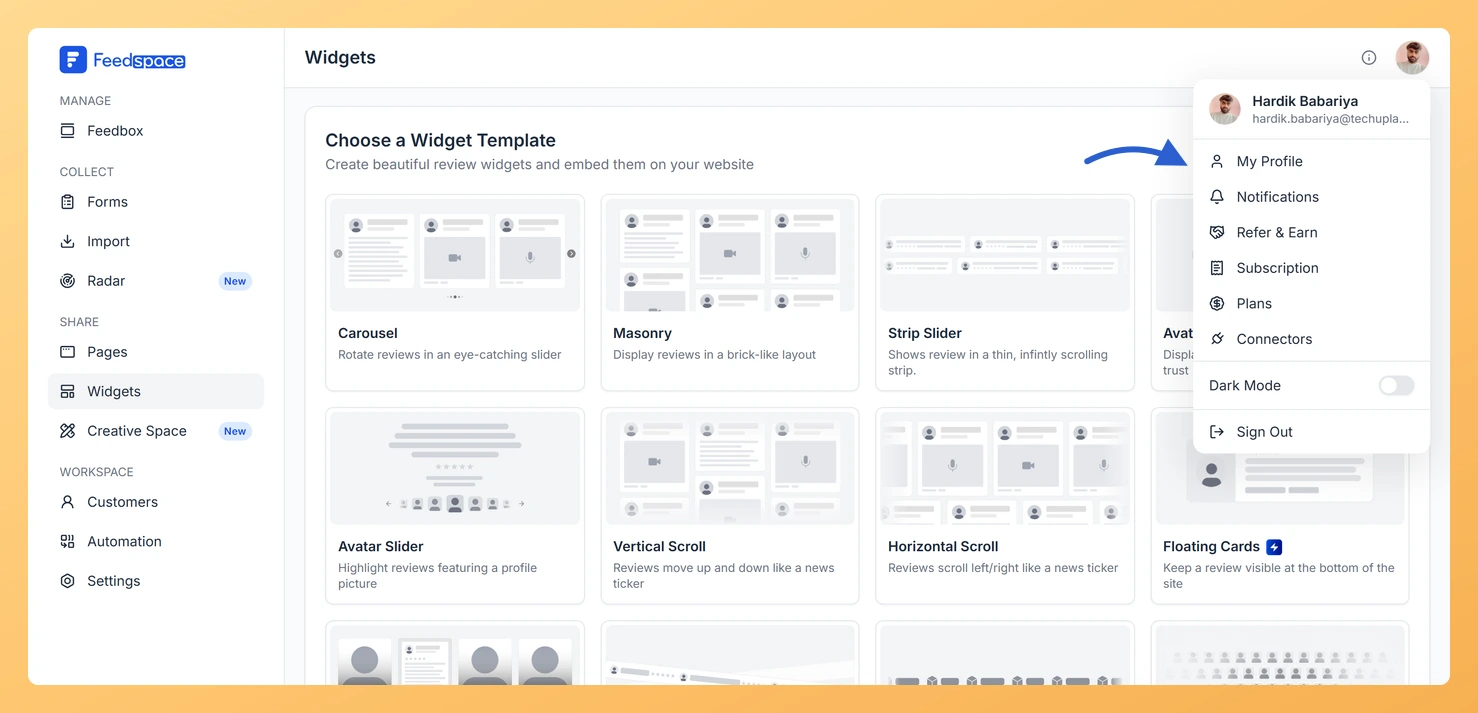
Step 2: Open My Profile
Click My Profile to open the My Account modal.
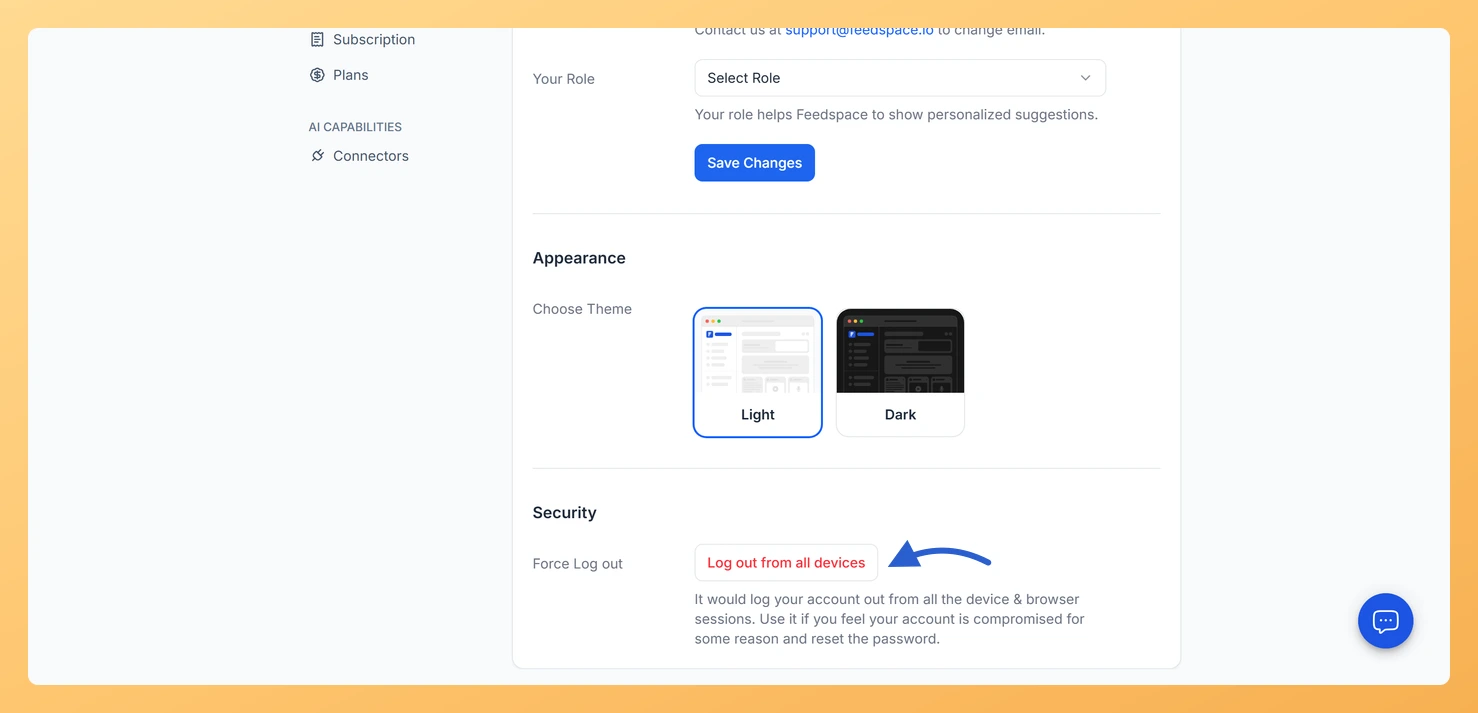
Step 3: Scroll to the Security section
Scroll down to the Security section.
Step 4: Click Log out from all devices
Click Log out from all devices under Force Log out.
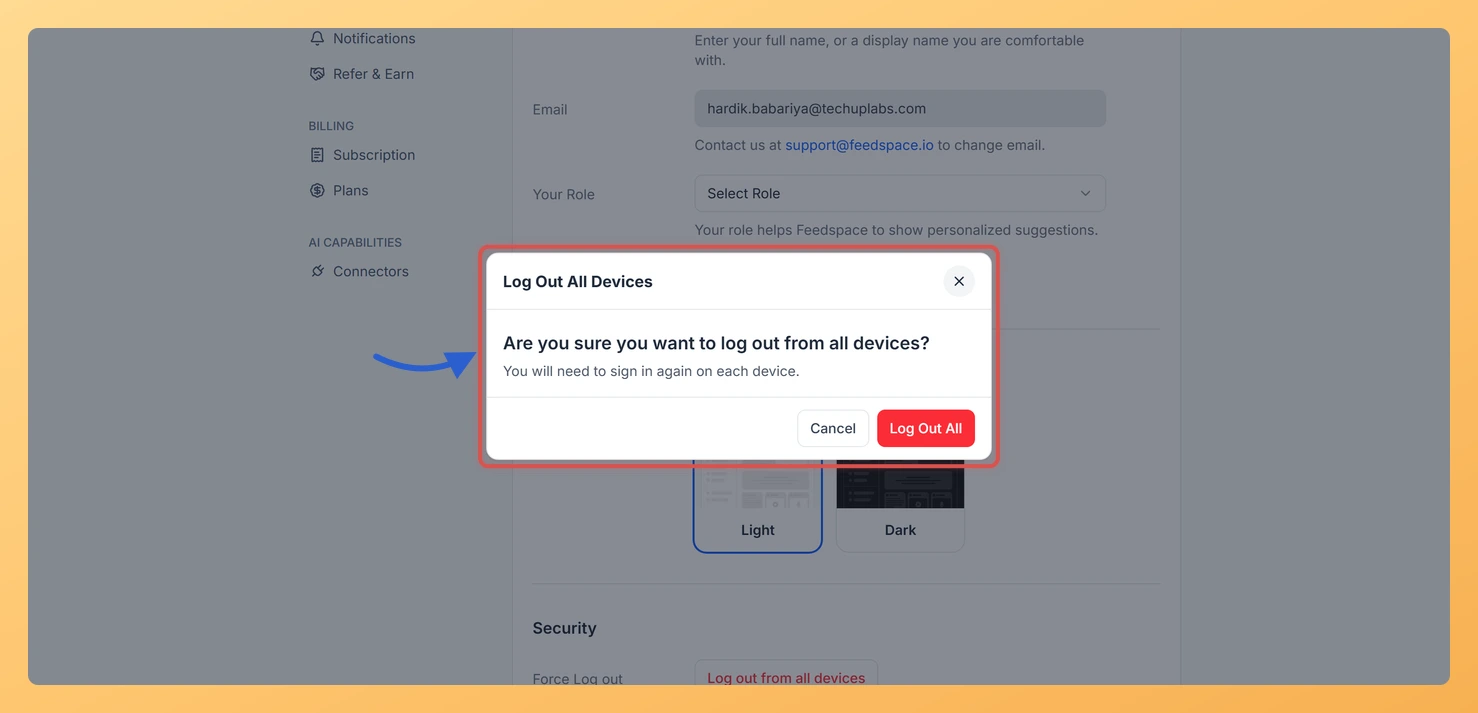
Step 5: Confirm in the dialog
A confirmation dialog appears. Read the warning, then click Log Out All to confirm.
All active sessions are terminated immediately, including your current session. You are redirected to the Feedspace sign-in page.
When should I use this?
You shared a device with someone and forgot to sign out.
You notice unfamiliar activity in your account.
You have old sessions open on devices you no longer use.
You are handing over or selling a device and want to ensure no active sessions remain.
Common questions
Will this delete my account or data?
No. Log Out All Devices only ends active login sessions. Your workspaces, review forms, collected reviews, and all other data remain completely intact. You can sign back in at any time using your normal login method.
Can I stay signed in on my current device after using this?
No. Log Out All Devices terminates every session, including the one you are currently using. You will need to sign in again after confirming.
What you can do next
Sign back in using Google or a sign-in code sent to your email.
Update your profile details or review your notification settings after signing in.
You might also find helpful
How to Update Your Profile in Feedspace
Overview Updating your profile on Feedspace ensures your information is accurate and personalized. Follow the steps below to manage your profile. Step 1: Go to My Account Once logged into your dashboard, click on your profile icon (top right corner) and select My Account from the menu. Step 2: Open...
Why Can’t I Edit My Email in Feedspace?
Why the Email Field Is Disabled In Feedspace, your email address is used to identify your account and is linked to your login method (Google, LinkedIn, Twitter, or sign-in code). For this reason, the email field in My Profile is read-only and cannot be edited directly from the interface. Allowing...
Can I Set the Login Password to My Feedspace Account?
Overview Feedspace does not support password-based login. Instead, you can log in to your Feedspace account using your Google account or a sign-in code sent to your email. Available login methods Need help? If you need further assistance or a more detailed walkthrough, the Feedspace team is ready to help....