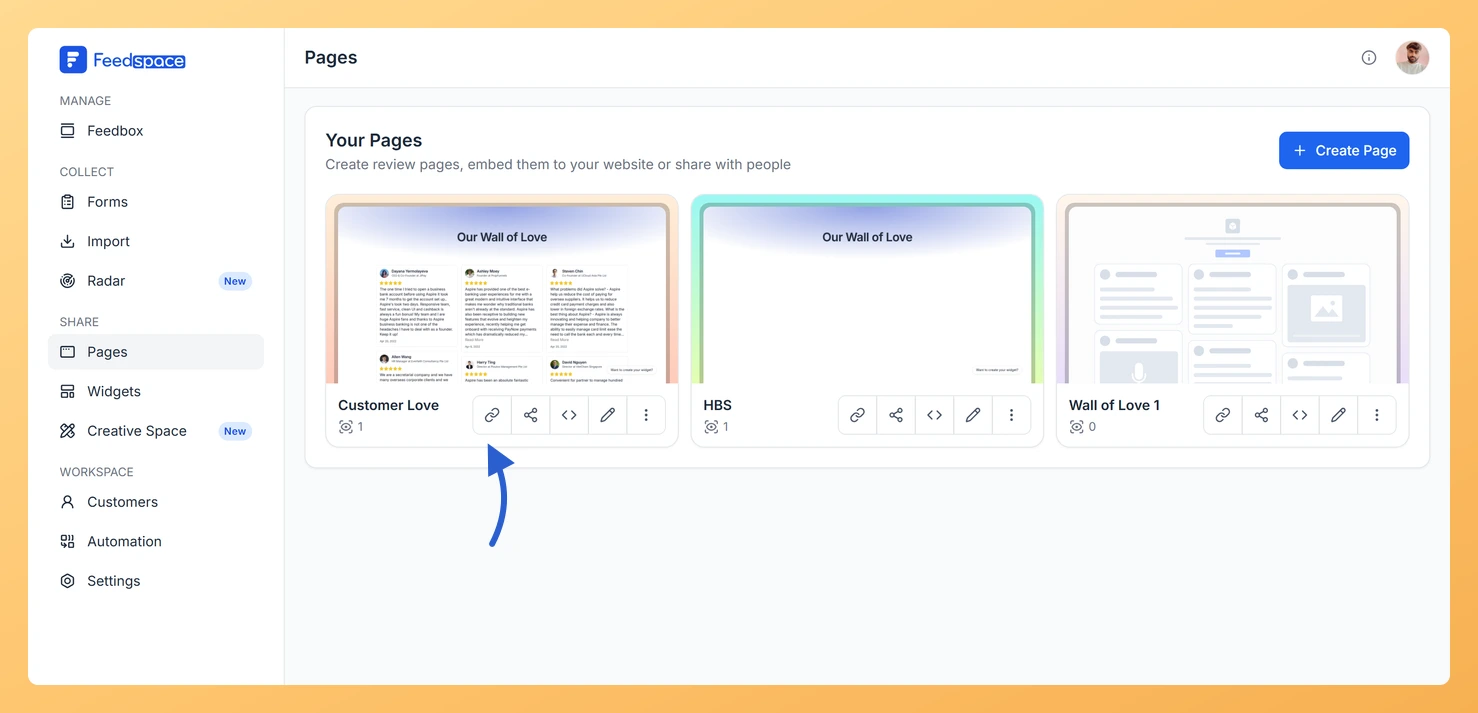
Your Wall of Love page is a live, shareable URL, which means you can place it anywhere a regular link works. This article walks you through exactly how to grab your page link and where you can use it to drive more visitors to your social proof.
Where the link can go
Your Wall of Love page has a dedicated public URL that works just like any other webpage link. Once you copy it from Feedspace, you can paste it into email signatures, social media bios, link-in-bio tools, and more, with no technical setup required.
Step 1: Copy your Wall of Love page URL
Open your Wall of Love editor in Feedspace and go to the Share tab. Your public page URL is displayed there. Click to copy it.
Step 2: Paste it where your audience will see it
You can use this link in a wide range of places:
Email signature: Add the link below your name so every email you send points recipients to your customer reviews.
Instagram or LinkedIn bio: Paste the URL directly into the website field in your profile settings.
Link-in-bio tools: Services like Linktree let you list multiple links. Add your Wall of Love page as one of the entries.
Twitter/X profile: Add it to the website field in your profile so followers can explore your reviews with one click.
Step 3: Use a custom domain
If you want the link to look polished in bios and signatures, connect a custom domain so your Wall of Love page URL reads as something like reviews.yourbrand.com instead of the default Feedspace subdomain. This reinforces your brand and builds trust before visitors even click the link.
Step 4: Label the link clearly
When adding the link to a signature or bio, give it a clear, descriptive label so visitors know what to expect. Good examples include:
“Read customer reviews”
“See what our customers say”
“Customer testimonials”
A clear label improves click-through rates and sets the right expectation for your audience.
What’s next
Go to the Share tab in your Wall of Love editor and copy your public page URL right now.
Add the link to your email signature with a label like “See what our customers say” to turn every email into a trust signal.
Set up a custom domain so your Wall of Love URL reflects your brand (for example, reviews.yourbrand.com) for a more professional appearance.
Include the link in a link-in-bio tool such as Linktree to reach your social media audience alongside your other important pages.
Common questions
Does the link change if I rename the page?
No. Renaming changes the title people read, not the address, so a link already in your signature keeps working.
You might also find helpful
How to Share Your Wall of Love (Page)
Step-by-Step Instructions Log into Feedspace Sign in with your account credentials. Go to Pages From the left sidebar, click Pages. Sharing Options You can share the Wall of Love page in two ways: Copy Link or Share Review Page. Copy Link When you click Copy Link, a popup will confirm...
What Is a Wall of Love Page in Feedspace?
Overview A Wall of Love page is a dedicated, standalone web page in Feedspace that collects and displays your customer reviews in one beautiful, shareable location. Unlike embedding reviews inside a website page, a Wall of Love page exists on its own unique URL that you can share with anyone,...
How to Add a Custom Domain in Feedspace
Overview Adding your own custom domain to Feedspace helps reinforce your brand and may improve traffic. Below is a simple, step-by-step walkthrough to get your custom domain up and running. Before you start A custom domain is available on plans that include it. If your current plan does not, Feedspace...