Apple Podcasts is one of the most popular platforms for sharing podcasts. Importing reviews from Apple Podcasts into Feedspace lets you highlight listener feedback directly on your website. This can help showcase audience opinions, build trust with new listeners, and make your podcast more engaging.
Feedspace provides a simple and straightforward way to import Apple Podcast reviews and display them in a clear and attractive format.
Steps to import reviews from Apple Podcasts
Step 1: Log into Feedspace
Sign in to your Feedspace account using your registered email and OTP. This ensures secure access to your account.
Step 2: Navigate to the import page
After that, click Import from the left sidebar. This is where you can start importing Apple Podcast reviews.
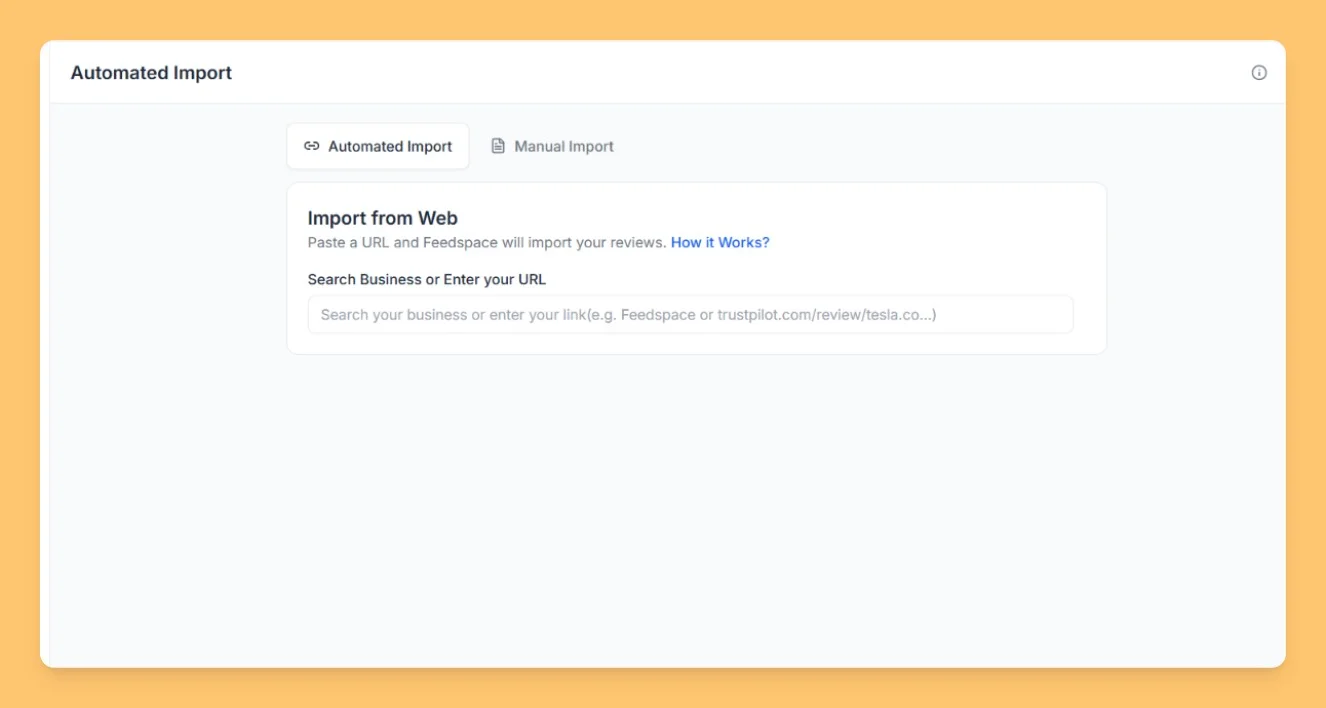
Step 3: Enter your Apple Podcast URL
Paste your Apple Podcast URL in the search input field to start importing your reviews.
Step 4: Import reviews
After entering the podcast URL, click Fetch Reviews. Feedspace fetches the available reviews from the Apple Podcast and shows them in a list. Select the reviews you want, then click Import Review in the footer bar to add them to your workspace.
You might also find helpful
How to import reviews of App Store into Feedspace
Overview The App Store is a widely used platform where users share reviews for mobile apps. Importing these reviews into Feedspace allows you to showcase genuine feedback directly on your website, helping to build trust and increase user engagement. Whether you’re promoting your app or service, displaying App Store reviews...
How Do I Import Reviews from Google Play Store into Feedspace?
Overview Feedspace can import the reviews people leave on your Android app’s Google Play Store listing. You paste the app’s Play Store link, fetch its reviews, and choose which ones to bring into your workspace. A typical use: a fitness app team pulls its five-star Play Store reviews into Feedspace...
How to Import Reviews from YouTube Comments
Overview The Feedspace Chrome Extension makes it simple to import YouTube comments as testimonials or reviews directly into your Feedspace workspace. Follow the steps below to get started: Step 1 – Select the YouTube Comment Open the YouTube video containing the comment you want to import. Highlight or select the...