You can easily import customer reviews from your Facebook business page into Feedspace. This allows you to display genuine client feedback directly on your website, widgets, or Wall of Love, helping build trust and social proof for your brand.
Steps to import reviews from Facebook
Step 1: Log into Feedspace
Begin by logging into your Feedspace account using your email and OTP. This ensures secure access to your account for importing reviews.
Step 2: Navigate to the import page
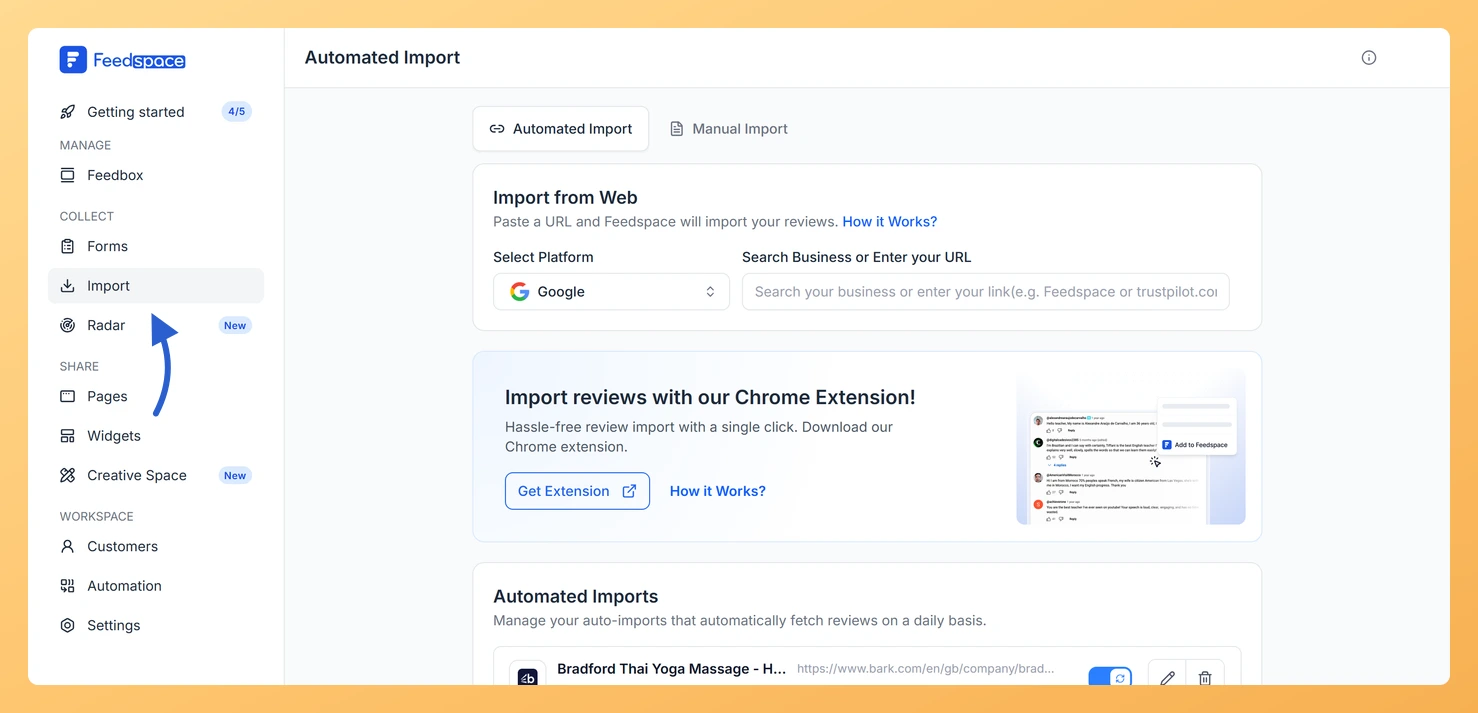
In the left sidebar of your Feedspace dashboard, click Import to start the review import process. Open the Automated Import tab. You’ll see a Select Platform dropdown (Google is selected by default) above the URL input field.
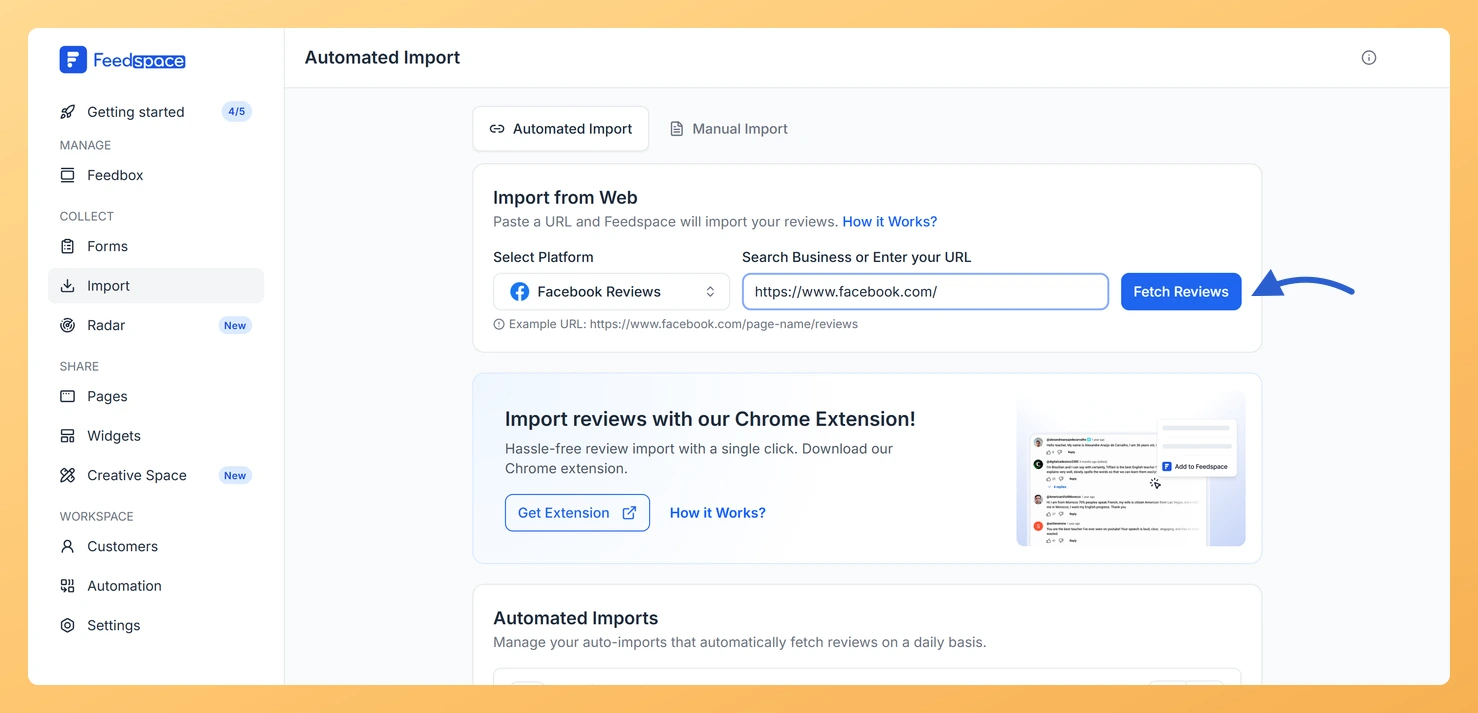
Step 3: Enter your Facebook reviews URL
Copy the URL of your Facebook business page where reviews are listed.
Feedspace pulls in the available reviews from your Facebook page.
Step 5: Select and import
Select the reviews you want to keep by clicking each one, or use Select All.
Click Import Review in the footer bar to add them to your Feedspace account.
If the import does not work
Your Facebook page must be public, and you need to paste the reviews URL in the format shown in Step 3, for example https://www.facebook.com/profile.php?id=61570261195976&sk=reviews. If the page is private or set to a different visibility, the reviews cannot be imported. Open the URL in a private browser window to confirm the reviews load without logging in.
If a fetch fails, returns only some of your reviews, or seems stuck, wait a few minutes and try again. If the problem continues, email support@feedspace.io with the page URL you are importing so the team can look into it.
What’s next
Once your Facebook reviews are imported, you can showcase them by building a Wall of Love or embedding a widget on your site. Reviews from other sources, such as Instagram, Google, and LinkedIn, each have their own dedicated import guides in the import reviews section.
Common questions
Why does my Facebook URL show as not recognized?
This usually means the page is private or the URL is not the reviews URL. Use the ...&sk=reviews format from Step 3 and make sure the page is public so Feedspace can read the reviews.
Can I import reviews from other platforms too?
Yes. Instagram, Google, LinkedIn, and other sources each have a dedicated guide in the import reviews section of the Help Center.
You might also find helpful
How Do I Import Instagram Posts into Feedspace?
Overview Feedspace lets you import posts and reels from Instagram and display them as testimonials on your website. You can use this to showcase real customer mentions, product posts, and brand stories without asking customers to submit anything manually. For example, if a customer posts a reel showing your product...
How to Import Reviews from LinkedIn Posts
Overview The Feedspace Chrome Extension makes it easy to capture testimonials from LinkedIn posts directly into your Feedspace workspace. Perfect for preserving praise, posts, or comments from LinkedIn without copying manually. Step 1 – Open the LinkedIn Post Go to the LinkedIn post you want to import as a testimonial or...
How to Import Threads Posts into Feedspace
Overview Feedspace lets you import posts from Threads, Meta’s conversational platform, so you can showcase authentic discussions, testimonials, and customer shoutouts directly on your website or widgets. Steps to import reviews from Threads posts Step 1: Log into Feedspace Begin by logging into your Feedspace account using your email and...