
Feedspace Home Dashboard

How to Import Posts from LinkedIn into Feedspace

Last updated on June 22, 2026

Overview

LinkedIn posts often feature professional reviews, shoutouts, and thought leadership. Importing LinkedIn posts into Feedspace lets you highlight these valuable moments on your website.

Steps to import posts from LinkedIn

Step 1: Log into Feedspace

Log in with your Feedspace credentials, then click Import in the left sidebar.

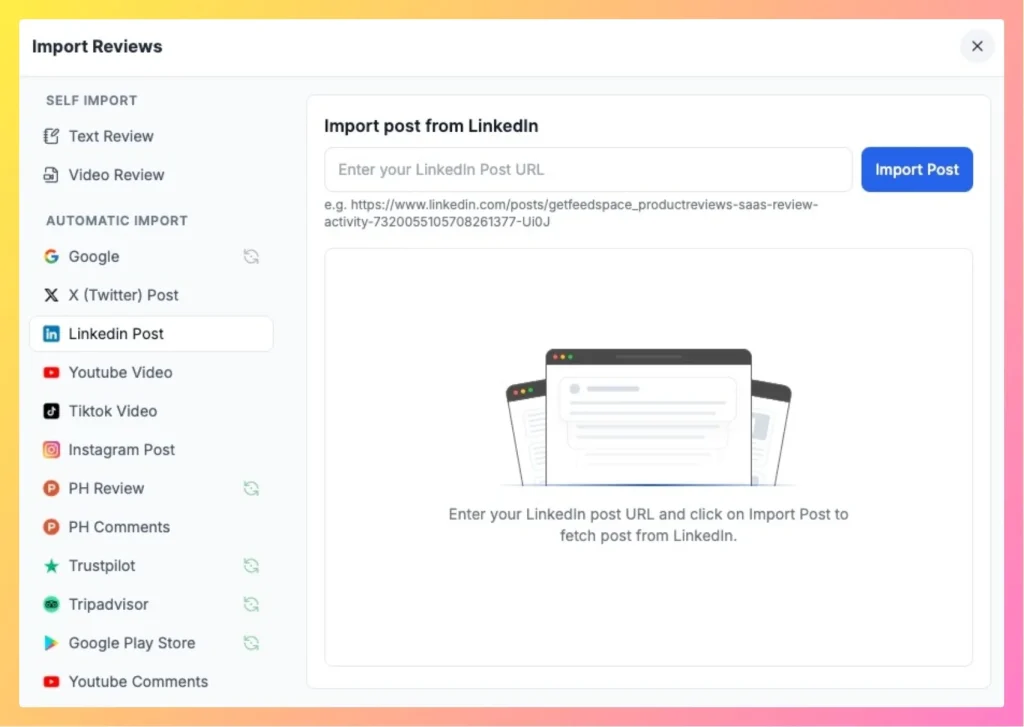
Step 2: Add the LinkedIn post link

Copy the URL of the LinkedIn post you want to import and paste it into the input field. Feedspace detects the platform automatically.

easily import LinkedIn post in Feedspace

Step 3: Fetch the reviews

Click Fetch Reviews to pull the available content from the LinkedIn post.

Step 4: Select and import

Select the reviews you want to keep, then click Import Review in the footer to save them to your Feedspace.

You might also find helpful

How to Import Reviews from LinkedIn Posts

Overview The Feedspace Chrome Extension makes it easy to capture testimonials from LinkedIn posts directly into your Feedspace workspace. Perfect for preserving praise, posts, or comments from LinkedIn without copying manually. Step 1 – Open the LinkedIn Post Go to the LinkedIn post you want to import as a testimonial or...

How to Import Reviews from LinkedIn Recommendations

Overview With the Feedspace Chrome Extension, you can easily import your LinkedIn Recommendations into Feedspace. Follow these steps: Step 1: Select Recommendation Go to your LinkedIn profile and navigate to the Recommendations section. Choose the recommendation you want to import. Step 2: Right-click & Import Right-click on the recommendation and...

How to Share a Testimonial Form on LinkedIn

Overview Collecting testimonials, reviews, and feedback on LinkedIn is a powerful way to build trust and credibility for your brand. With Feedspace, you can easily create testimonial forms (text, video, or audio) and share them directly with your LinkedIn connections. Follow this step-by-step guide to share your testimonial form on...