Feedspace makes it easy to import your Amazon product reviews directly into your account using the Feedspace Chrome Extension. You can import genuine customer reviews from your Amazon product pages and display them beautifully on your Wall of Love, widgets, or website pages.
Step 1 – Install Feedspace Chrome Extension
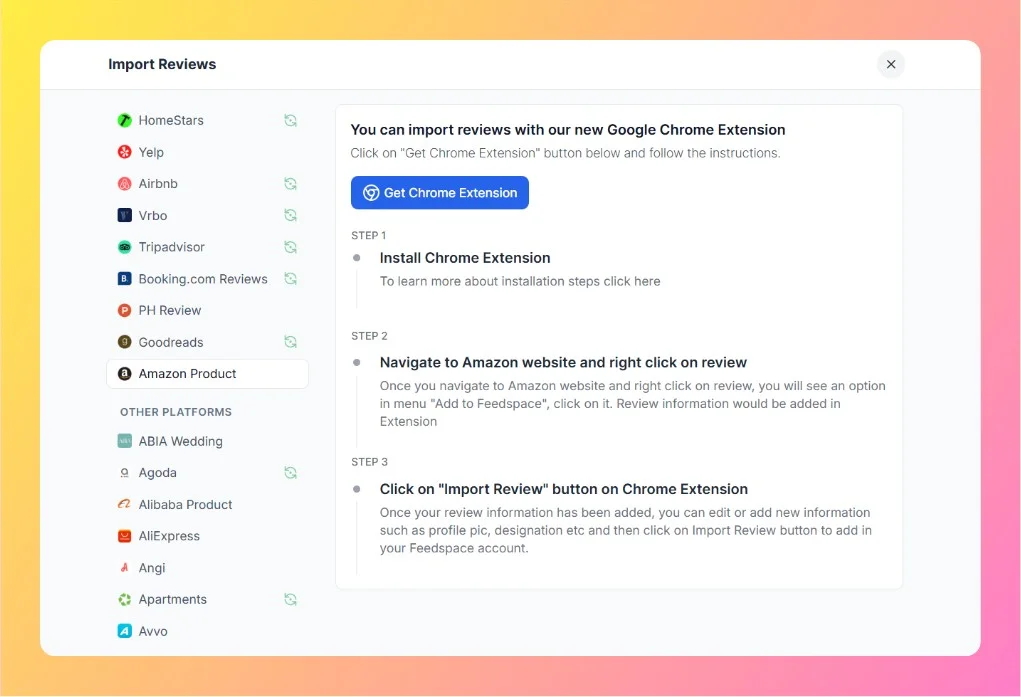
Click on the Get Chrome Extension button under the Amazon Product import section.
You’ll be redirected to the Chrome Web Store — install the official Feedspace Chrome Extension.
Once installed, you’ll see the Feedspace icon in your browser’s toolbar, confirming the extension is active.
Step 2 – Go to Amazon Product Page
Open Amazon and navigate to the product page whose reviews you want to import.
Scroll down to the Customer Reviews section to view all the available reviews.
Step 3 – Right-Click on a Review
Locate a review you want to import.
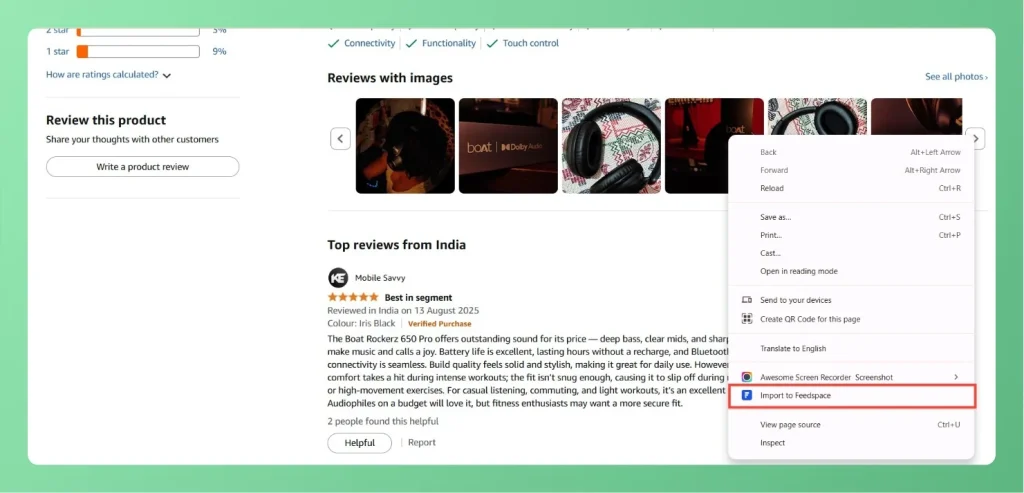
Right-click on the review text — you’ll see an option appear in the menu labeled “Import to Feedspace.”
Click on it to save the review data in the Chrome Extension.
Step 4 – Review Details in Chrome Extension
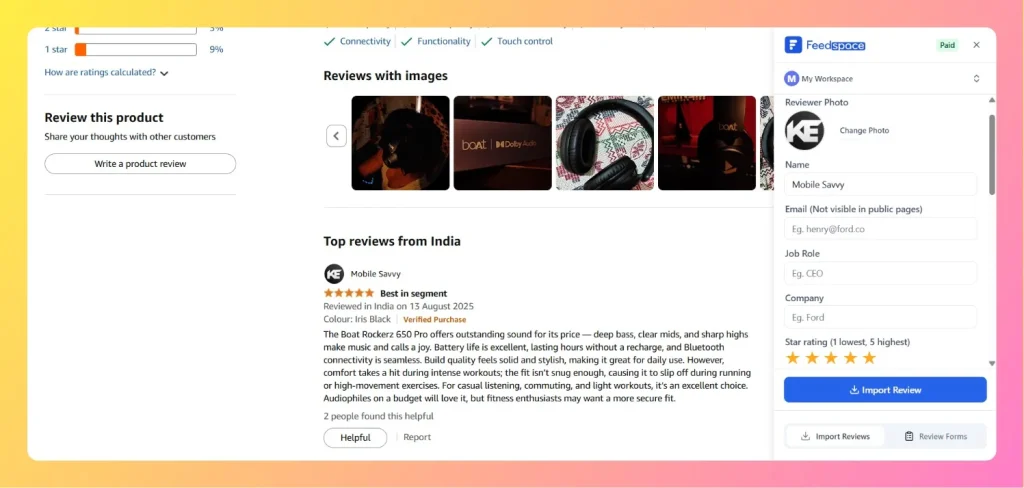
After adding a review, click on the Feedspace Chrome Extension icon from your browser toolbar. You’ll see the imported review details such as:
Reviewer’s name
Review content
Star rating
Reviewer image (if available)
You can also edit or add details like designation, profile picture, or any missing info before importing.
Step 5 – Click on “Import Review”
Once you’re satisfied with the review details, click on the Import Review button in the extension.
The selected review will instantly be added to your Feedspace account, visible in your Feedbox section.
You might also find helpful
How to Import Reviews from Amazon
Overview The Feedspace Chrome Extension lets you easily capture Amazon product reviews and import them directly into your Feedspace workspace. This is especially useful for showcasing authentic customer feedback on your website, landing pages, or marketing materials. Step 1 – Open the Amazon Review Go to Amazon and open the...
How to Import Reviews from G2
Overview The Feedspace Chrome Extension allows you to import G2 software reviews directly into your Feedspace workspace. This is a great way for SaaS companies and software vendors to showcase authentic customer reviews from G2 on websites, landing pages, or testimonial walls. Step 1 – Open the G2 Review Go...
How to Import Reviews from Product Hunt into Feedspace
Overview Product Hunt is a popular platform for discovering new products and gathering user feedback. Importing reviews from Product Hunt into Feedspace allows you to display authentic user opinions directly on your website. Currently, the import process for Product Hunt is handled manually by the Feedspace team — all you...