
Feedspace Home Dashboard

How to Import Reviews from Flipkart into Feedspace

Last updated on September 22, 2026

Overview

Feedspace allows you to import customer reviews directly from Flipkart, one of India’s leading e-commerce platforms. This feature helps online sellers and product manufacturers display verified customer feedback on their website or Wall of Love to enhance credibility and sales conversions.

Step 1: Open import reviews in Feedspace

  1. Log in to your Feedspace account.
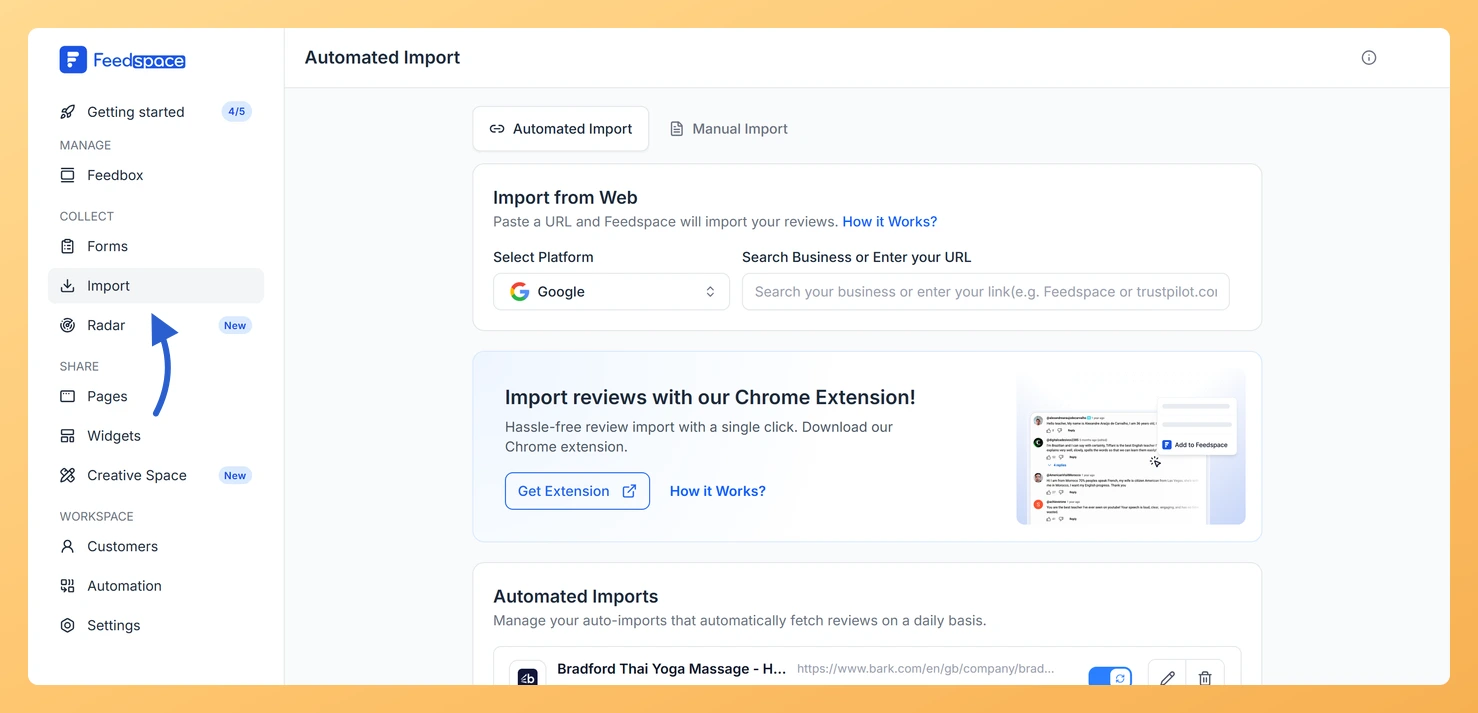
  2. From the left-hand sidebar, click Import.
The Import link in the Feedspace sidebar

Step 2: Enter your Flipkart product link

  1. Go to your Flipkart product page.
    Example: https://www.flipkart.com/titan-1-43-amoled-display-1000-nits-brightness-rotating-crown-bt-calling-smartwatch/p/itm6e5d8b0a63093
  2. Copy the full product URL.
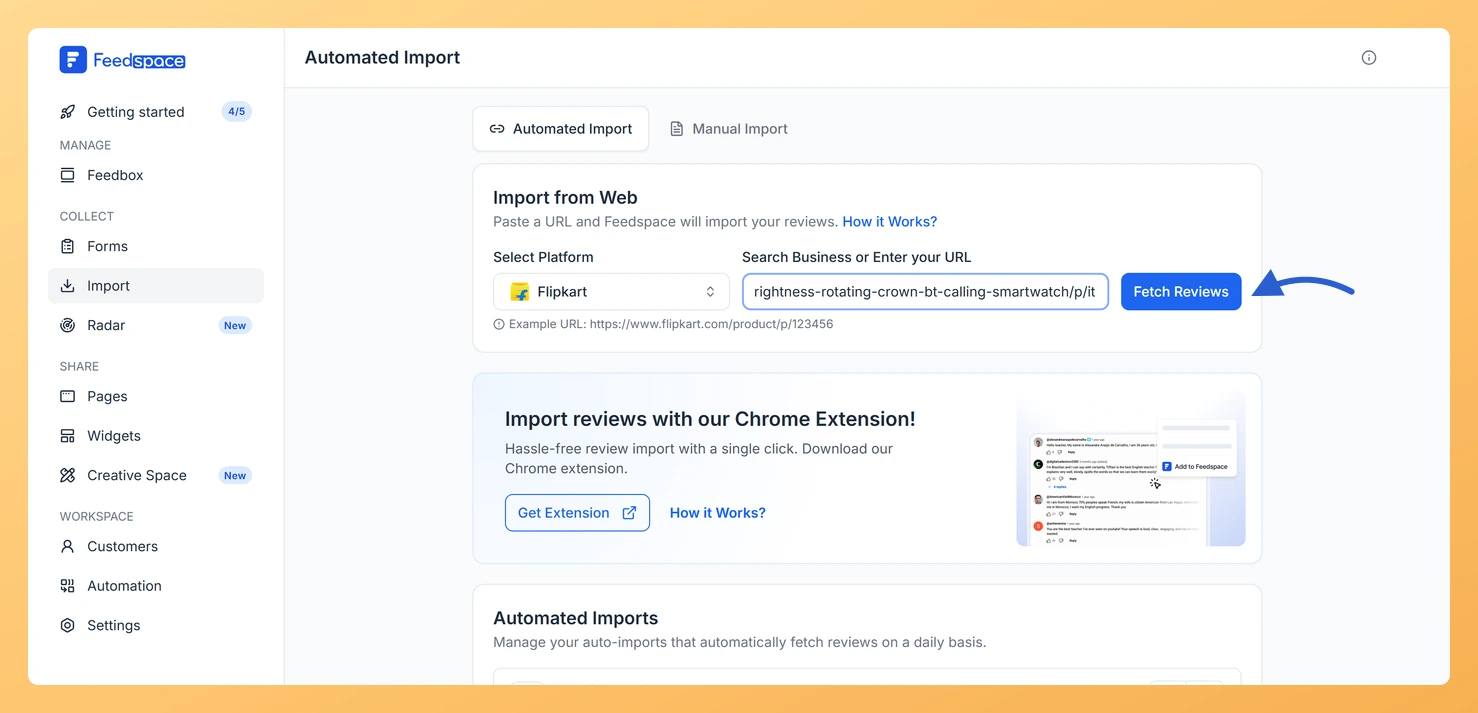
  3. Paste it into the input field in Feedspace. Feedspace detects the platform automatically.
  4. Click Fetch Reviews and wait while Feedspace retrieves the reviews.
The pasted URL and the action button on the Automated Import screen

Step 3: Select the reviews you want

  1. The fetched reviews appear in a list. Tick the ones you want, or use Select All to take them all.
  2. Click Import Review. The reviews land in your Feedbox straight away.

Step 4: Manage and display reviews

After reviews are imported, you can:

  • View and manage them in your Feedspace dashboard.
  • Use them to create a Wall of Love to display real customer feedback.
  • Embed those reviews directly on your website or product pages.

You might also find helpful

How to Import Reviews from Amazon

Overview The Feedspace Chrome Extension lets you easily capture Amazon product reviews and import them directly into your Feedspace workspace. This is especially useful for showcasing authentic customer feedback on your website, landing pages, or marketing materials. Step 1: Open the Amazon review Go to Amazon and open the product...

How to Import Reviews from eBay into Feedspace

Overview Feedspace lets you easily import reviews from your eBay store using the Feedspace Google Chrome Extension. This feature allows you to collect authentic product feedback and display it beautifully on your website or Wall of Love. Step 1: Install Chrome Extension Click the Get Chrome Extension button in your...

How to Import Reviews from Booking.com into Feedspace

Overview Booking.com is a widely used platform for hotels, accommodations, and travel experiences. Customer reviews on Booking.com provide valuable insights and credibility for businesses. By importing these reviews into Feedspace, you can showcase authentic feedback directly on your website. Displaying Booking.com reviews on your site can help potential customers make...