
Feedspace Home Dashboard

How to Import Videos from TikTok into Feedspace

Last updated on October 1, 2025

Overview

TikTok is one of the most popular platforms for short-form video content. Importing videos from TikTok into Feedspace allows you to highlight authentic customer reviews, fun content, or brand stories.

Steps to Import Videos from TikTok

Step 1 – Log into Feedspace

Access your account and log in.

Step 2 – Select Workspace

Choose the workspace for TikTok video import.

Step 3 – Navigate to the Import Page

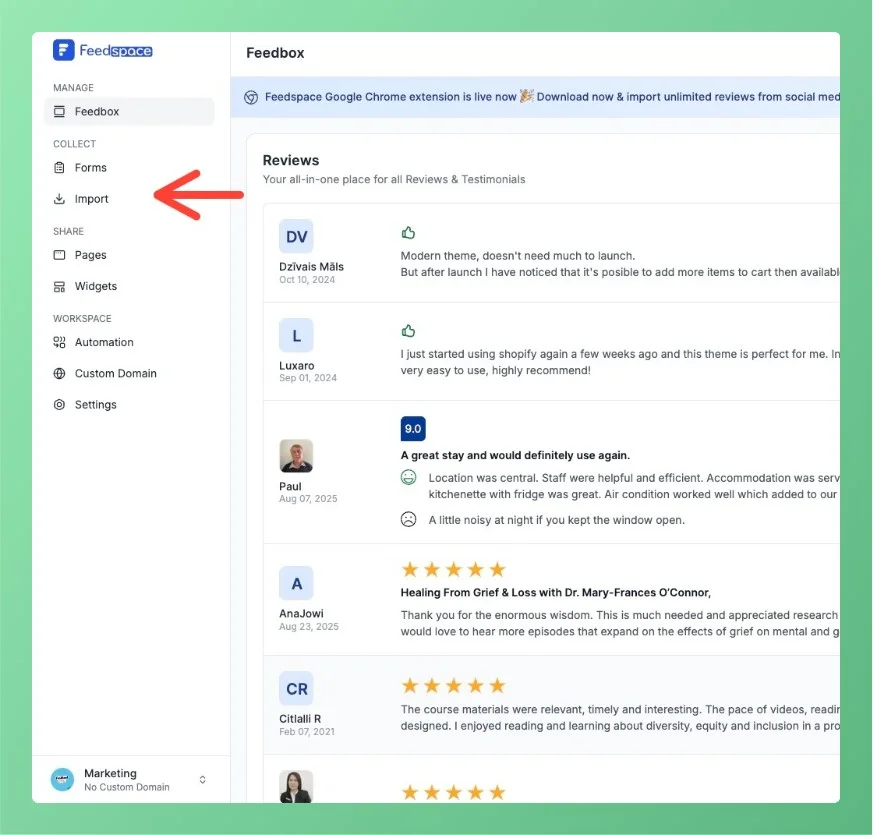
Next, Click on Import in the left sidebar to start the review import process.

Navigate to import page

Step 4 – Choose TikTok Import Option

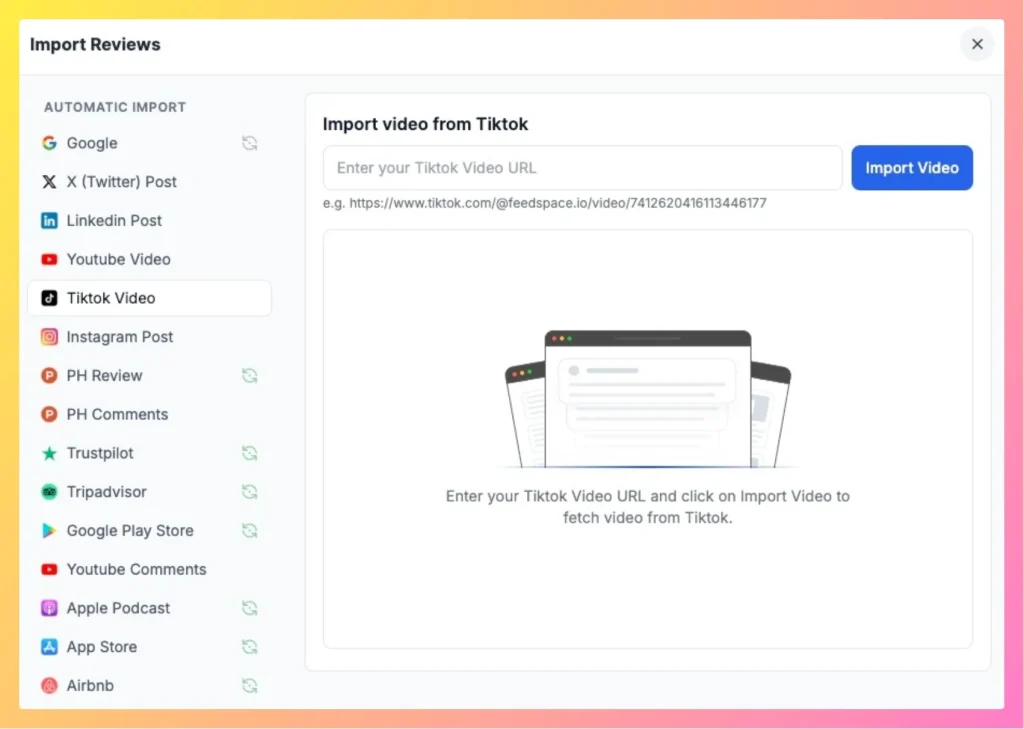
Select the TikTok option.

easily import Tiktok video using Feedspace

Step 5 – Add the TikTok Video Link

Copy the TikTok video link and paste it into the text box.

Step 6 – Import Video

Click on Import Video to fetch your TikTok content.

Displaying TikTok Videos on Your Website

Showcase imported TikTok videos on your Wall of Love, customizing the look to match your brand’s style.

Need Help? Book a Demo!

You might also find helpful

How to Import Reviews from YouTube Comments

Overview The Feedspace Chrome Extension makes it simple to import YouTube comments as testimonials or reviews directly into your Feedspace workspace. Follow the steps below to get started: Step 1 – Select the YouTube Comment Open the YouTube video containing the comment you want to import. Highlight or select the...

How to Import Videos from YouTube into Feedspace

Overview YouTube is the world’s leading video platform. Importing videos from YouTube into Feedspace allows you to highlight customer testimonials, demos, or brand stories on your website. Steps to Import Videos from YouTube Step 1 – Log into Feedspace Log in using your account credentials. Step 2 – Select Workspace...

How to Import Social Platform Reviews in Feedspace

Overview Bringing your reviews into Feedspace is quick and simple. Step 1 – Log in Open your Feedspace account and go to your workspace. Step 2 – Select Platform Click on Import from the sidebar and choose the platform you want to bring reviews from (Google, YouTube, X Twitter, LinkedIn,...