
Feedspace Home Dashboard

How to Import Videos from TikTok into Feedspace

Last updated on June 22, 2026

Overview

TikTok is one of the most popular platforms for short-form video content. Importing videos from TikTok into Feedspace allows you to highlight authentic customer reviews, fun content, or brand stories.

Steps to import videos from TikTok

Step 1: Log into Feedspace

Access your account and log in.

Step 2: Navigate to the import page

Next, Click on Import in the left sidebar to start the review import process.

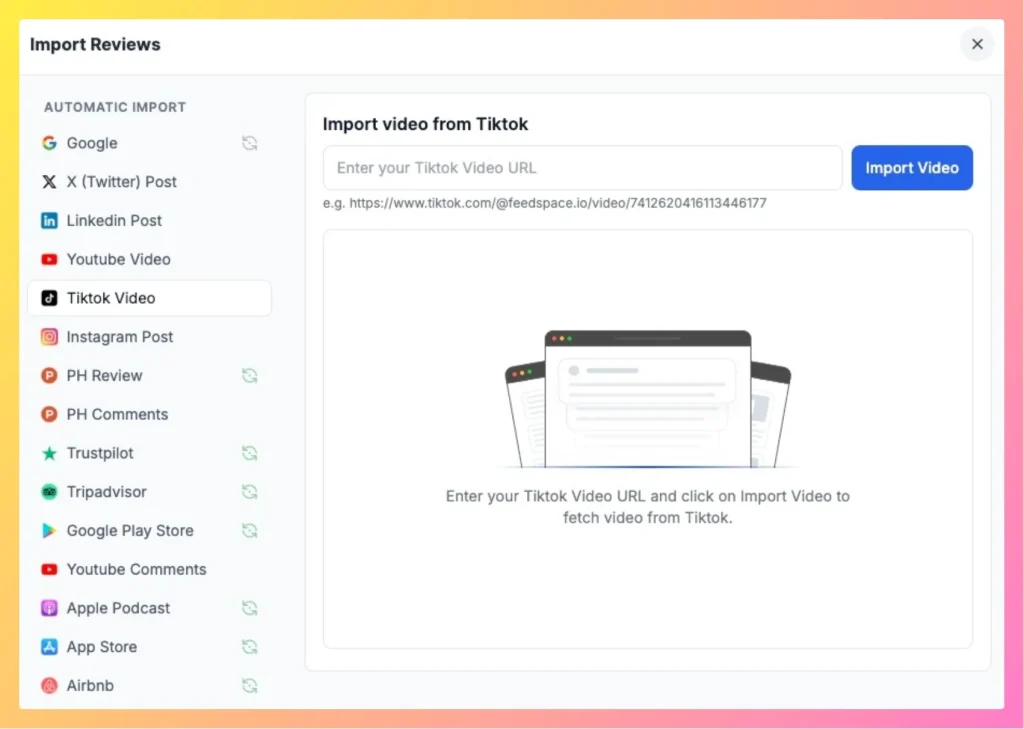
Step 3: Paste the TikTok video link

Copy your TikTok video link and paste it into the URL input field. Feedspace detects the platform automatically and shows the import action.

easily import Tiktok video using Feedspace

Step 4: Import video

Click on Import Video to fetch your TikTok content.

You might also find helpful

How to Import Reviews from YouTube Comments

Overview The Feedspace Chrome Extension makes it simple to import YouTube comments as testimonials or reviews directly into your Feedspace workspace. Follow the steps below to get started: Step 1 – Select the YouTube Comment Open the YouTube video containing the comment you want to import. Highlight or select the...

How Do I Import Videos from YouTube into Feedspace?

Overview Feedspace lets you import videos from YouTube and display them as testimonials on your website. You can use this to highlight customer video reviews, product demos, or brand stories without asking customers to re-submit anything. For example, if a customer published a video review of your product on YouTube,...

How to Import Social Platform Reviews in Feedspace

Overview Bringing your reviews into Feedspace is quick and simple. You import from one platform at a time. If your reviews are spread across Google, Facebook, Fresha, and Tripadvisor, import each one separately and they all collect together in your Feedbox. From there you can show them side by side...