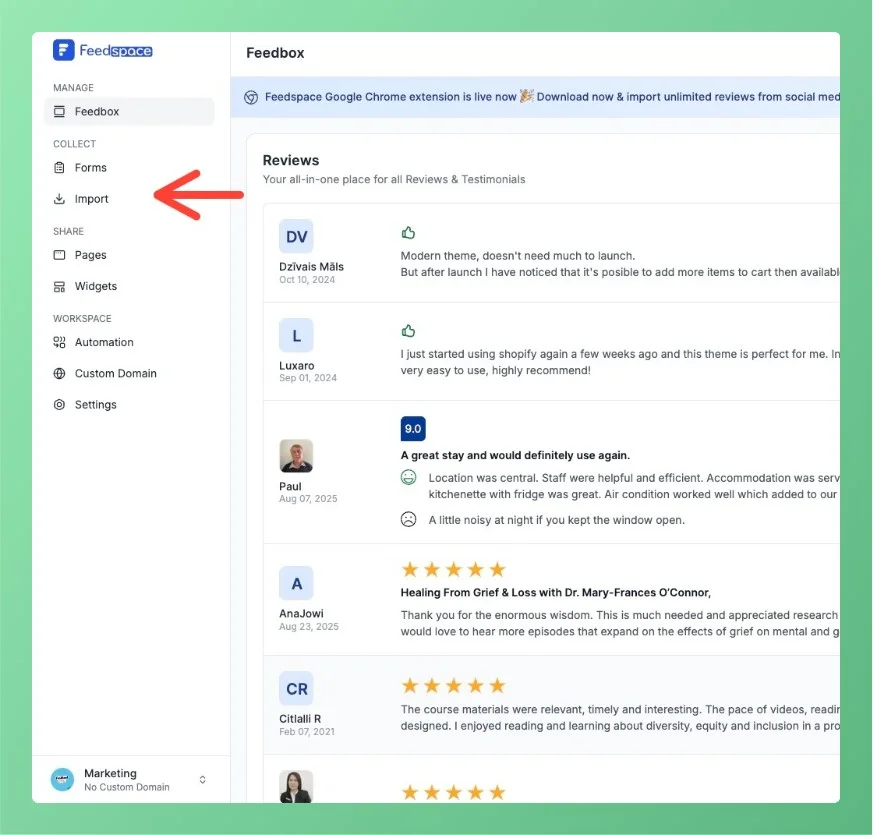
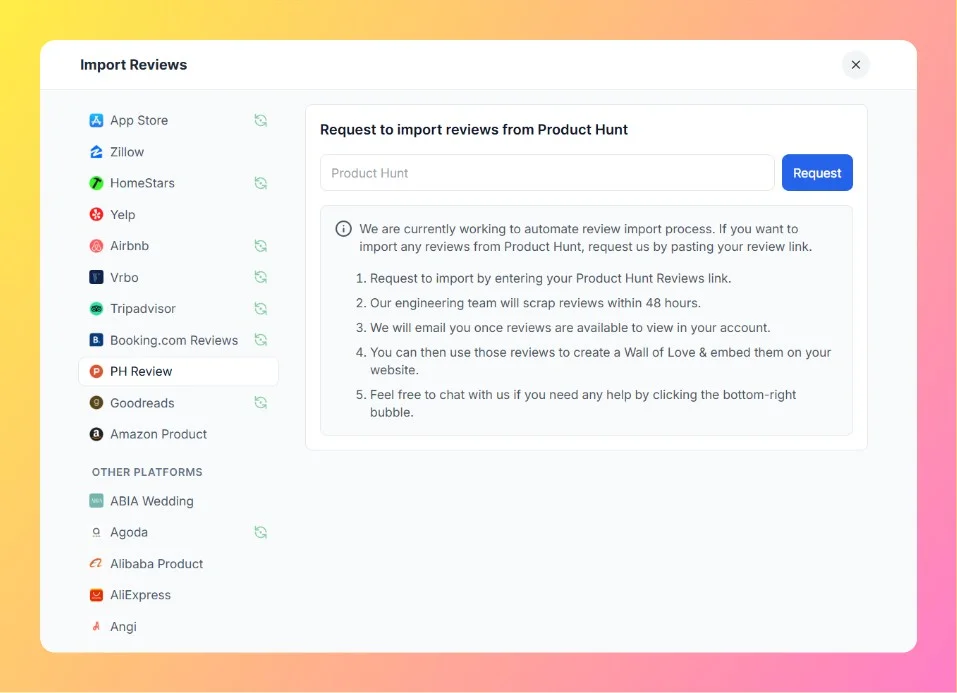
Product Hunt is a popular platform for discovering new products and gathering user feedback. Importing reviews from Product Hunt into Feedspace allows you to display authentic user opinions directly on your website.
Currently, the import process for Product Hunt is handled manually by the Feedspace team — all you need to do is submit your Product Hunt review link, and the reviews will be added to your account within 48 hours.
If you need additional guidance, book a demo with our team. We will walk you through the import process and help you present Product Hunt reviews exactly as you want.
If you face any issues or delays, click on the chat bubble at the bottom-right corner of your Feedspace dashboard to connect with support.
You might also find helpful
How to Import Comments from Product Hunt into Feedspace
Overview Product Hunt is a platform where users can share feedback, reviews, and comments about new products. Importing comments from Product Hunt into Feedspace allows you to showcase real user feedback directly on your website. Whether you want to display reviews about your product launch or highlight customer interactions, this...
How to Find Your Product Hunt Page URL
Overview If you want to easily import Product Hunt reviews into Feedspace, you’ll need to enter your Product Hunt page URL. This guide shows you how to easily find and copy your Product Hunt page URL to paste into Feedspace. Steps to Find Your Product Hunt Page URL Step 1...
Steps to Import Reviews from AppSumo
Overview AppSumo is a well-known platform for discovering software tools, and users often leave detailed reviews about their experiences with apps. Importing these reviews into Feedspace allows you to present authentic user feedback directly on your website. This can improve transparency and provide insights into how your products or services...