
Feedspace Home Dashboard

How to Tell if a Review is Positive or Negative in Feedspace

Last updated on June 5, 2026

Overview

Every review in Feedspace is automatically analyzed and assigned a sentiment Positive, Neutral, or Negative based on the content of the feedback. You can check this status instantly from inside the Review Details panel without needing to read the full review text.

Where to Find the Sentiment Status

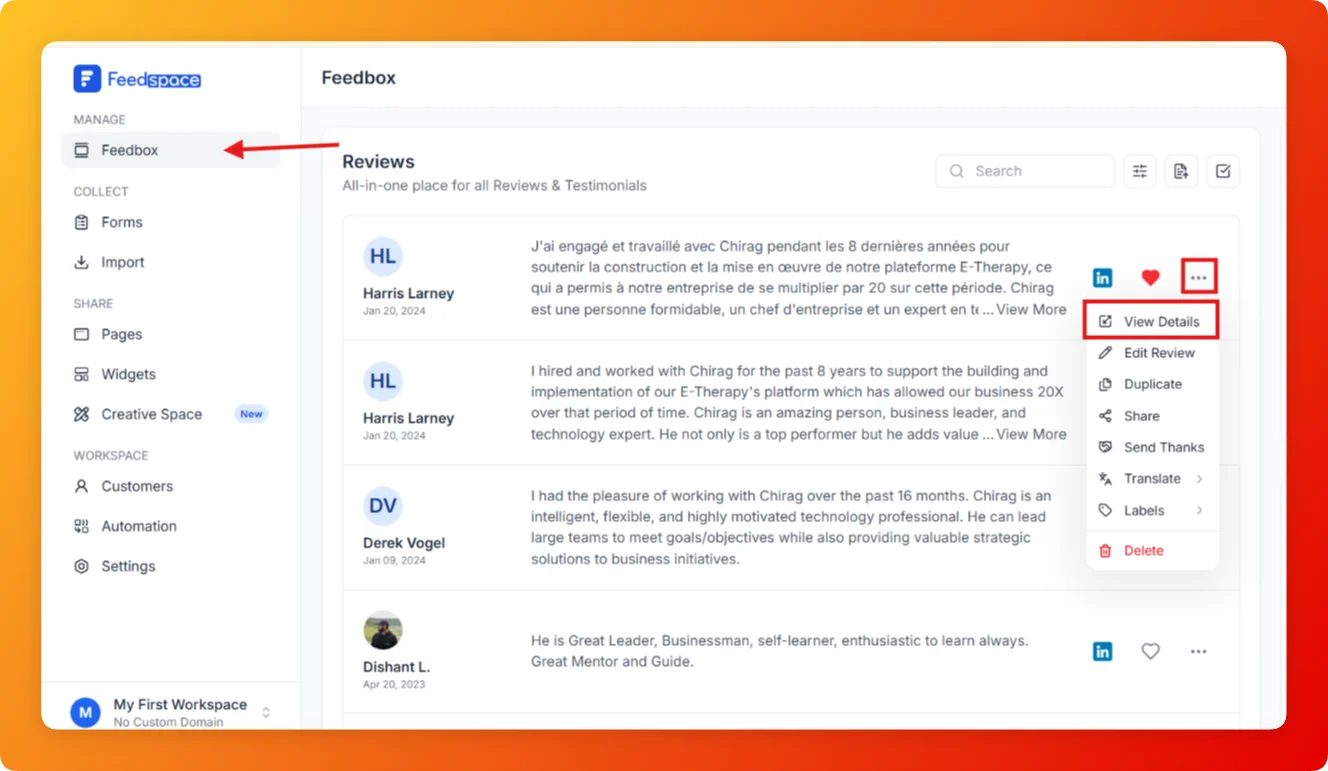
  1. Open Feedbox from the left sidebar under Manage.
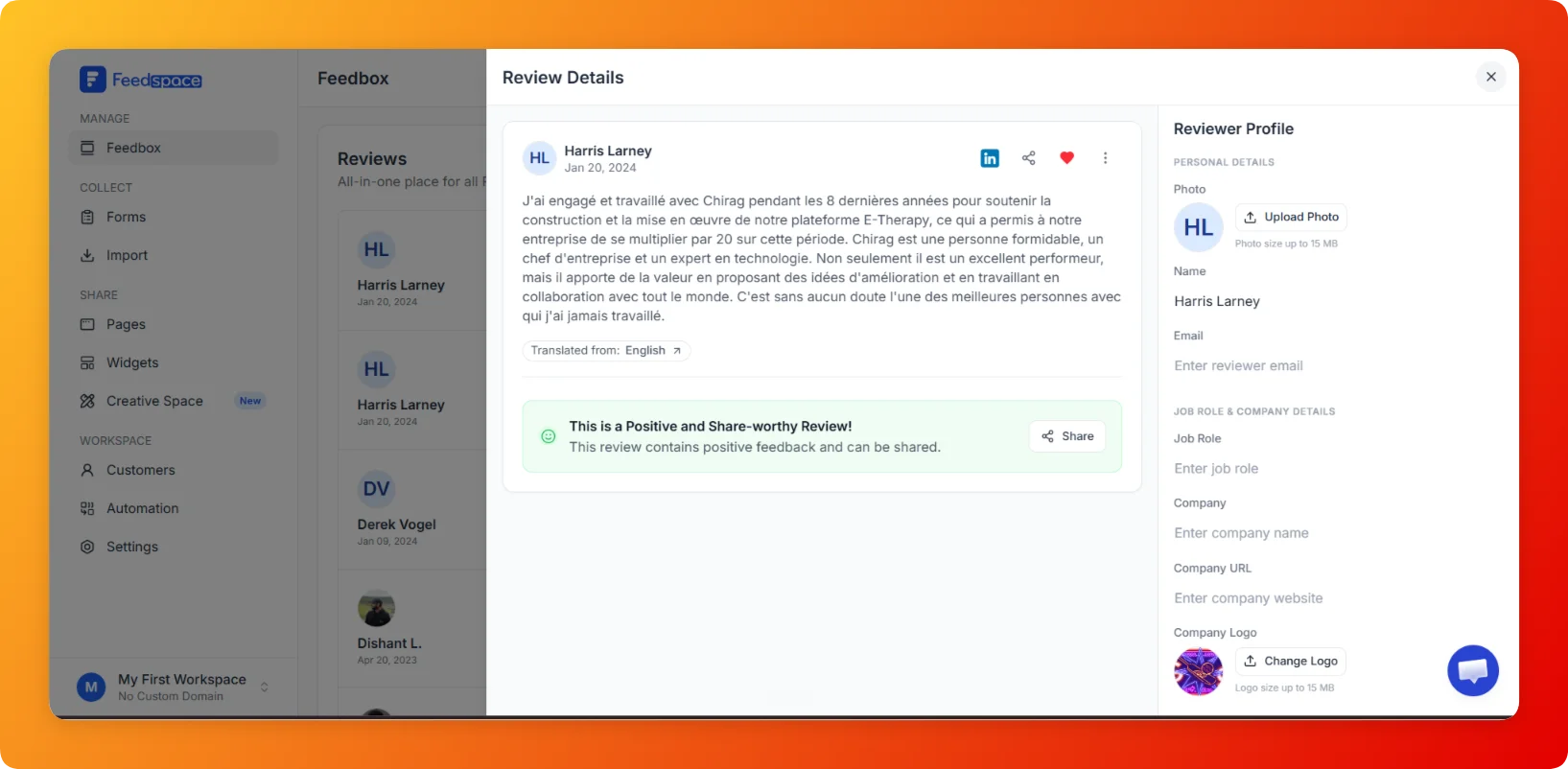
  2. Click on any review card to open its Review Details panel.

  • Scroll to the bottom of the review text area.

3. colored banner tells you the sentiment at a glance:

  • Green banner: This is a Positive and Share-worthy Review! the review contains positive feedback.
  • Yellow/neutral banner: the review is balanced or mixed.
  • Red banner: the review contains critical or negative feedback.

What the Sentiment Banner Tells You

  • Positive: The review is enthusiastic and suitable for sharing on your website or marketing materials. A Share button appears directly on the banner so you can act on it immediately.
  • Neutral: The feedback is balanced. It may highlight both strengths and areas for improvement.
  • Negative: The review contains critical feedback. Use this as an opportunity to follow up or improve your service.

How Sentiment is Assigned

Feedspace automatically analyzes the language and tone of each review when it is received or imported. You do not need to manually tag reviews. However, if you feel a sentiment label is inaccurate, you can update it manually from the review options menu.

Tips

  • Use the Share button on the positive banner to quickly share a great review without leaving the details panel.
  • Filter your entire review list by sentiment using the Sentiment filter in Feedbox Positive, Neutral, or Negative to view all reviews of a specific type at once.
  • Positive reviews with written comments make the strongest testimonials for Wall of Love pages and widgets.

You might also find helpful

How to Show Only Positive Reviews in Feedspace

Overview If you want to see only your positive reviews for example, to pick testimonials for marketing the Positive sentiment filter in Feedbox shows you only reviews that have been tagged as positive. Steps Tips

How to Show Only Negative Reviews in Feedspace

Overview Monitoring negative reviews helps you identify problems and respond before they affect your reputation. The Negative sentiment filter in Feedbox surfaces only reviews tagged as negative so you can address them quickly. Steps Tips

How to Show Only Neutral Reviews in Feedspace

Overview Neutral reviews are those that are neither clearly positive nor negative they offer balanced or mixed feedback. The Neutral sentiment filter in Feedbox lets you view only these reviews so you can understand areas that need attention. Steps Tips