Creating a video feed form in Feedspace allows you to collect impactful, visual feedback from your audience. Ideal for video testimonials, interviews, or in-depth responses, this feature helps you gain authentic insights. This guide walks you through building and customizing your video feed form with ease.
Choose the workspace where you’d like to create the video feed form.
Step 3: Go to Forms and click New Form
Navigate to the Forms section and click New Form in the top right.
Step 4: Generate the form with AI
In the Create Form window, describe the form you want in Enter form prompt to Feedspace AI. Optionally enter your website in Fetch Brand Asset so the AI matches your branding, then click Generate form.
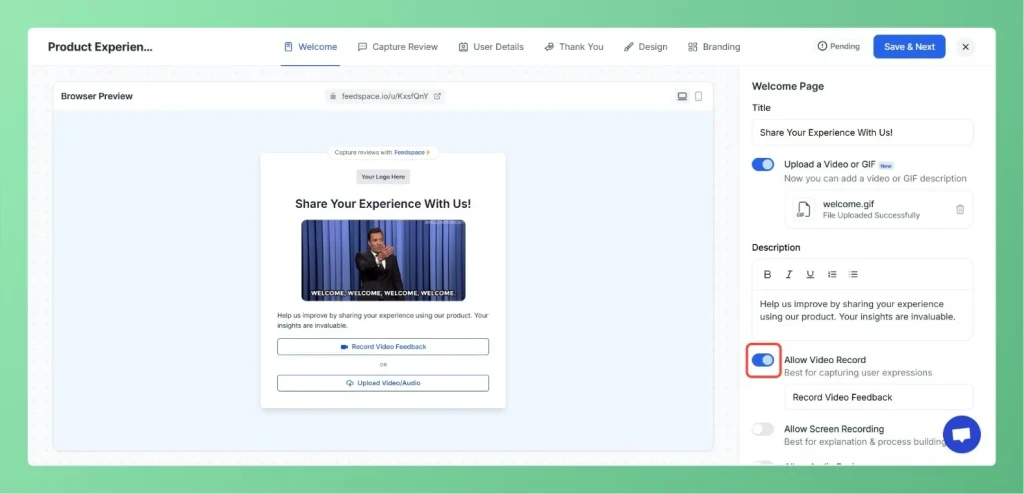
Step 5: Configure the Welcome Page
Turn on the “Allow Video Record” option
Turn on the “Allow Users to Upload File” option.
Turn off the text review option to make it a video-only form.
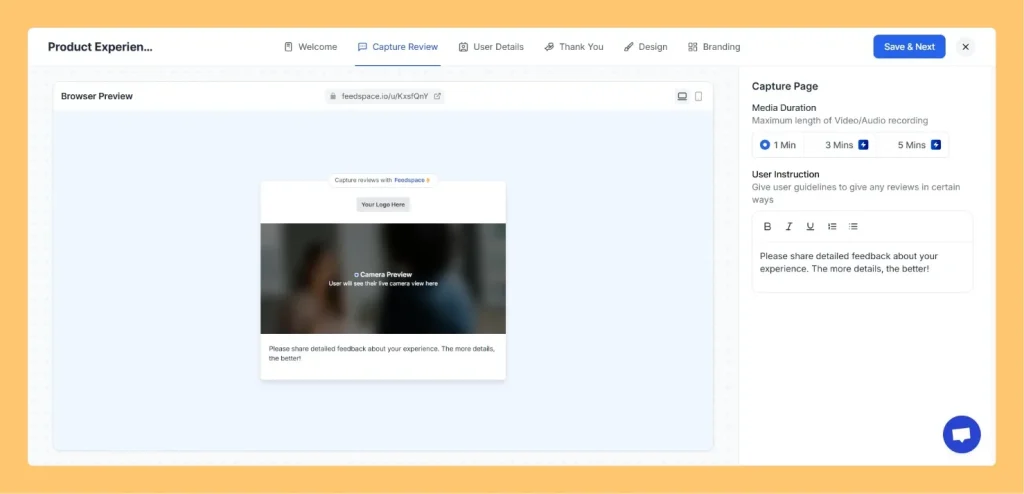
Step 6: Configure the Capture Review Section
Video Length: Set the desired duration (3 min, 5 min, or 10 min).
Prompt: Add guiding questions or instructions to help users know what to say in their video.
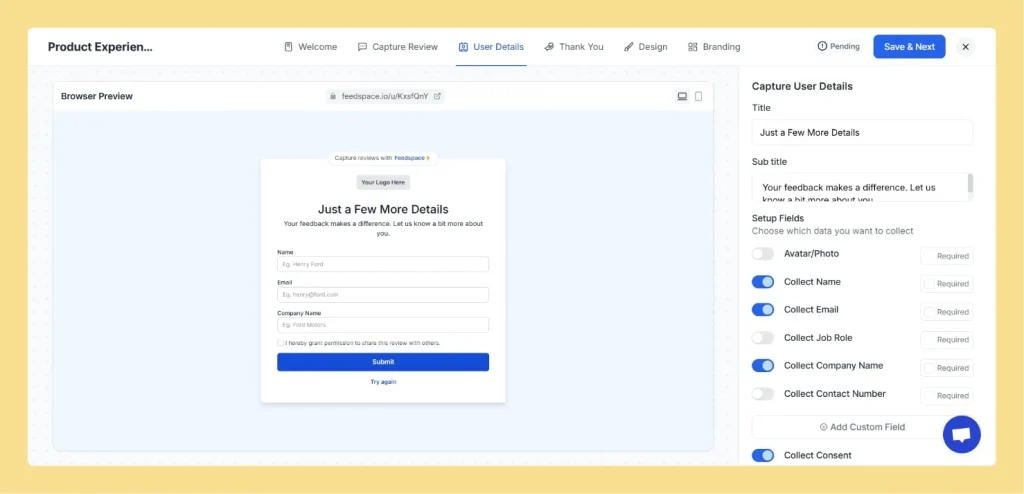
Step 7: Collect User Information
Enable the following fields to gather details from your users:
Avatar/Photo
Name
Email
Company/Role
Phone Number
Consent checkbox for public use of testimonial
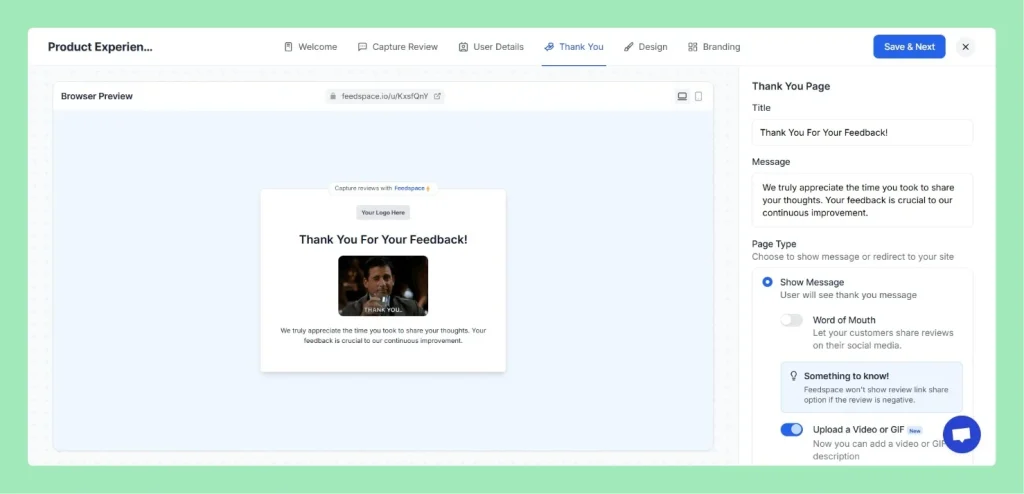
Step 8: Customize Thank You Page
Add a friendly thank you message and title.
Optionally enable “share link” so users can share their review after submission.
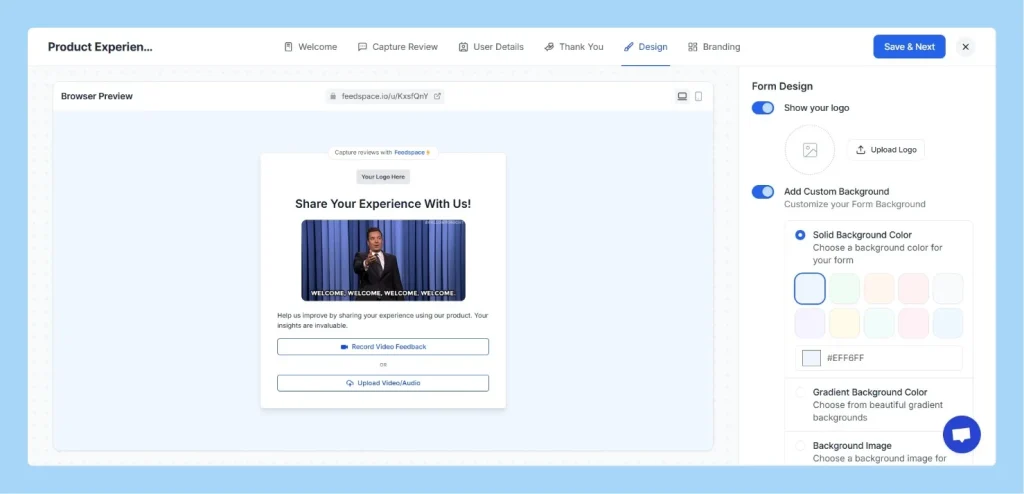
Step 9: Personalize the Design
Upload your logo
Set background and button colors that match your branding
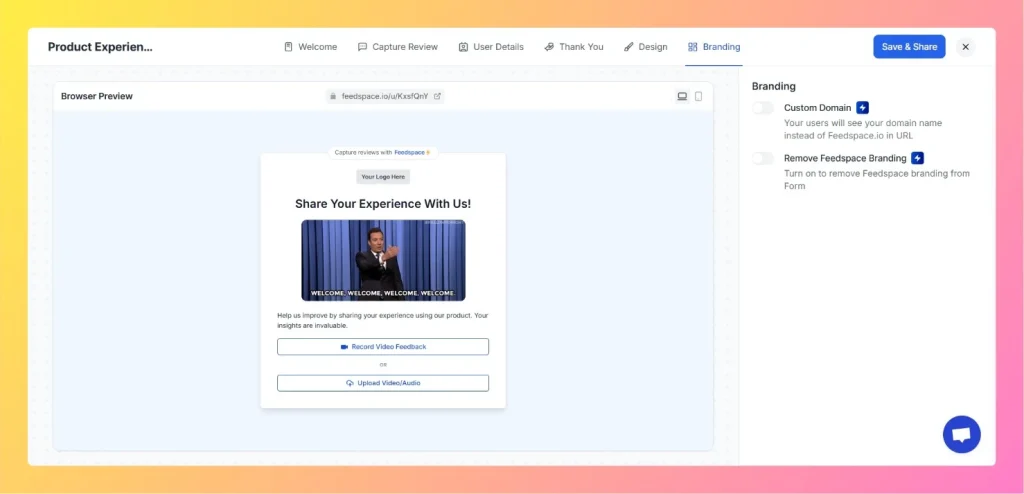
Step 10: Branding & Domain Settings
If on a paid plan, remove Feedspace branding
Set up a custom domain for a branded experience
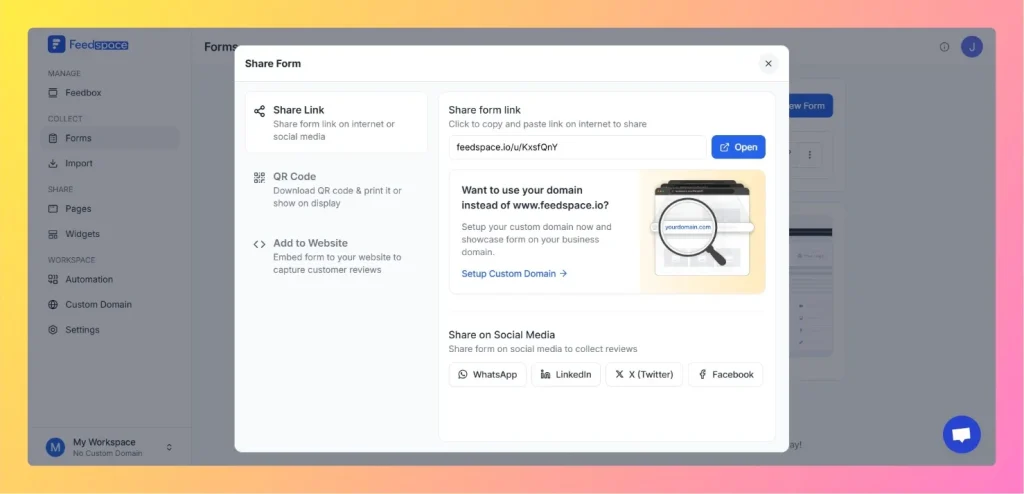
Step 11: Save and Share
Click Save and Share and your form is now ready! You can now share the form link or embed it on your website.
You might also find helpful
How Easy Is It to Get Video Testimonials?
Overview Collecting video testimonials might sound complicated – but with Feedspace, it’s actually very simple. Here’s how it works step by step: 1. Share a Link Just share your “Share Form Link” to customers. 2. Record in Seconds When someone clicks the link: 3. Collect & Organize Easily Once they’re...
How to Use Video Testimonials
Overview Video testimonials are a powerful way to showcase real customer experiences and build trust for your brand. Feedspace makes it easy to capture, manage, and share video testimonials for multiple purposes. Ways to Use Video Testimonials Social Media & Website Wall of Love Portfolio & Marketing Assets Recruitment &...
What Are the Benefits of Using Video Testimonials?
Overview Video testimonials are a powerful marketing tool that can transform how potential customers perceive your brand. With Feedspace, collecting, managing, and showcasing video testimonials is easy, allowing you to maximize their impact. Boost Credibility Build Trust Show Authenticity