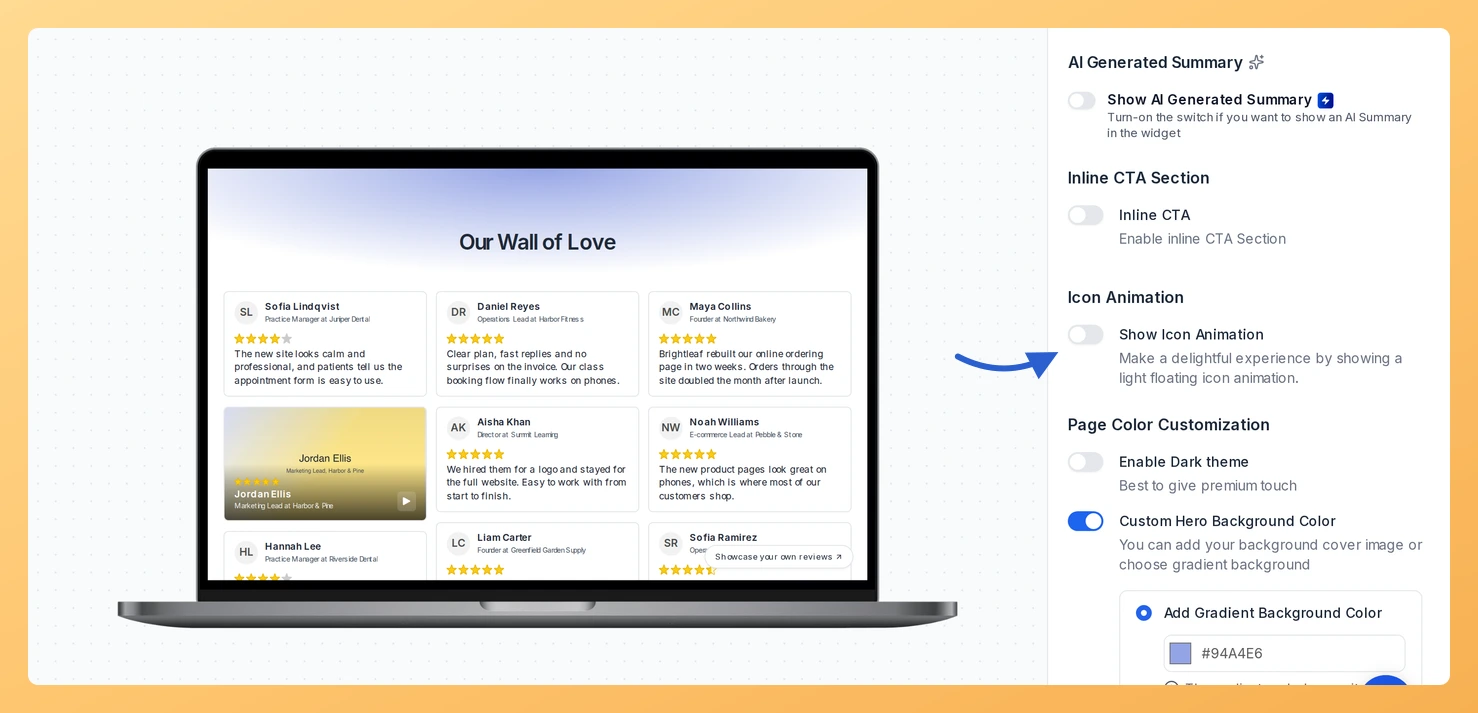
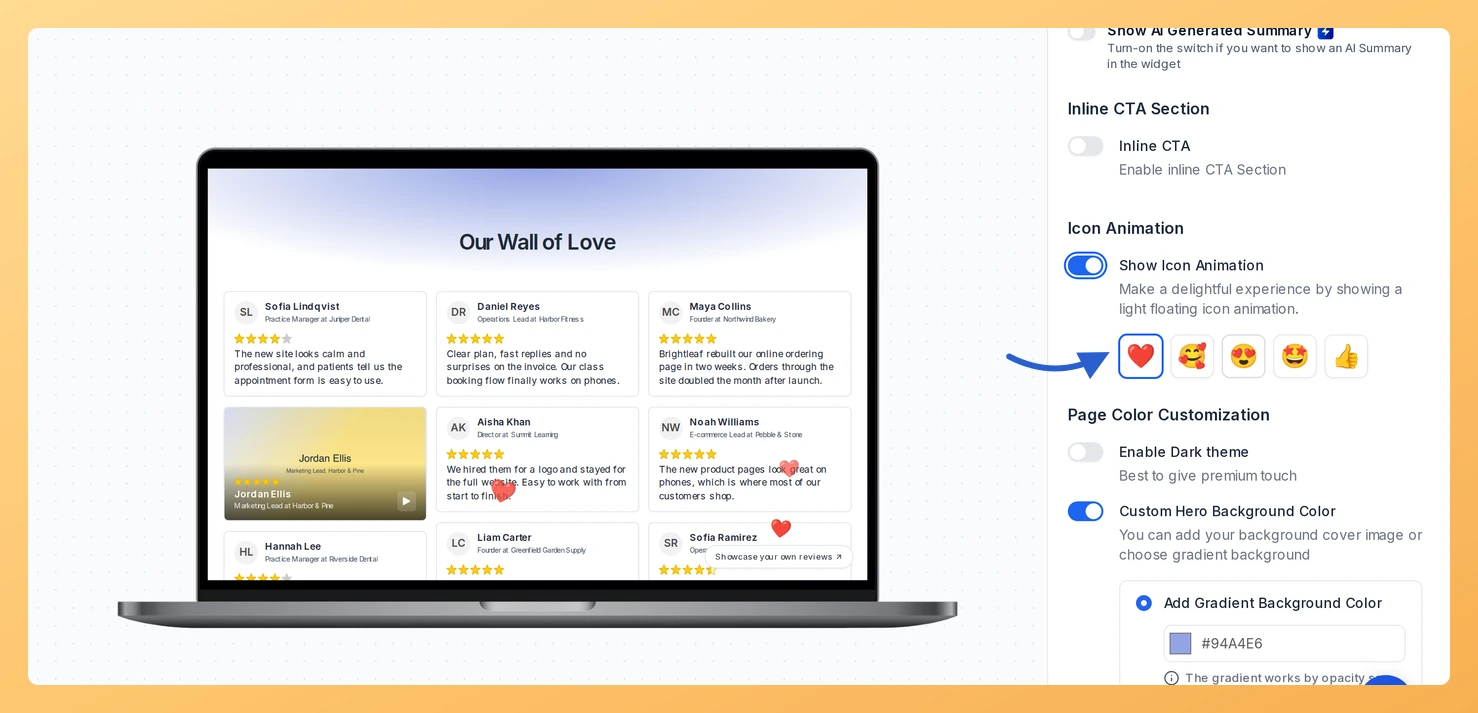
Show Icon Animation adds a light floating icon animation to a Feedspace widget or Wall of Love. You choose the icon from five: a heart, a smiling face with hearts, heart eyes, a star-struck face or a thumbs up.
It suits a review section meant to feel warm rather than formal, such as a Wall of Love you share after a launch or a wedding photographer’s testimonials, where a few drifting hearts set the tone before anyone reads a word.
Before you start
The Icon Animation section is on every Wall of Love and on these widget types: Carousel, Masonry, Avatar Slider, Vertical Scroll, Horizontal Scroll, Avatar Carousel Slider, Avatar Blocks and Review and Ratings.
Steps to add a floating icon animation
Step 1: Open the editor from Showcase
Go to Showcase in the left sidebar and click Edit on the card of the widget or Wall of Love you want to animate. Wall of Love cards carry the Pages pill.
Step 2: Turn on Show Icon Animation
Open the Design tab and scroll to the Icon Animation section. Switch on Show Icon Animation.
Step 3: Pick the icon
A row of five icons appears under the switch. Heart is selected the first time you turn the animation on; click any other icon to use it instead.
Step 4: Save your changes
Click Save & Next. If the widget or Wall of Love is already embedded on your site, the animation appears there without changing the embed code.
Why can’t I find Icon Animation on my widget’s Design tab?
The section only appears for the widget types listed in Before you start. Strip Slider, Avatar Group, Floating Cards, Cross Slider, Company Logo Slider, Floating Badge and Review Badge do not have it. To use the animation, show your reviews in one of the listed widget types or on a Wall of Love.
Will my existing widgets start showing the animation?
No. The animation is off for every widget and Wall of Love until you switch it on in that item’s own editor, so turning it on for one leaves the others as they are.
You might also find helpful
How to Create a Widget in Feedspace
Overview Widgets in Feedspace allow you to showcase your collected reviews directly on your website. They are easy to set up, customizable, and come in different layouts to match your site’s design. Every widget starts from a template, and each template below suits a different spot on your site, from...
How to Create a Wall of Love Page in Feedspace
Overview A Wall of Love is a page of your best reviews that Feedspace hosts for you, with its own link. You build it in four tabs: pick the reviews, design the page, set the branding, then share it. It suits anyone who wants one link to send when a...
Which Feedspace Widget is Best for My Website?
Overview Feedspace gives you twelve distinct widgets, and each one is built for a specific placement, content type, and audience moment. Choosing the right widget means your reviews appear exactly where visitors are most ready to trust them, turning social proof into action rather than background noise. Each widget below...