
Feedspace Home Dashboard

How Do I Change the Order of Reviews in My Horizontal Scroll Widget in Feedspace?

Last updated on June 12, 2026

Overview

The Horizontal Scroll widget in Feedspace displays your reviews as a continuously looping, ticker-style strip that scrolls across the page. Because the reviews loop seamlessly without pause, the sequence you choose has a direct impact on how visitors experience your social proof. A poorly ordered loop can cluster weak reviews together, while a thoughtfully arranged order keeps quality consistent throughout the entire cycle.

Feedspace gives you two ways to control that order inside the widget editor. The Change Order sub-tab lets you drag and drop individual reviews into any custom sequence you like. The Sort By dropdown offers quick one-click sorting by Newest First or Oldest First when recency is what matters most. This article walks you through both options.

How to Change the Order of Reviews for Your Horizontal Scroll Widget

Step 1: Open Your Horizontal Scroll Widget

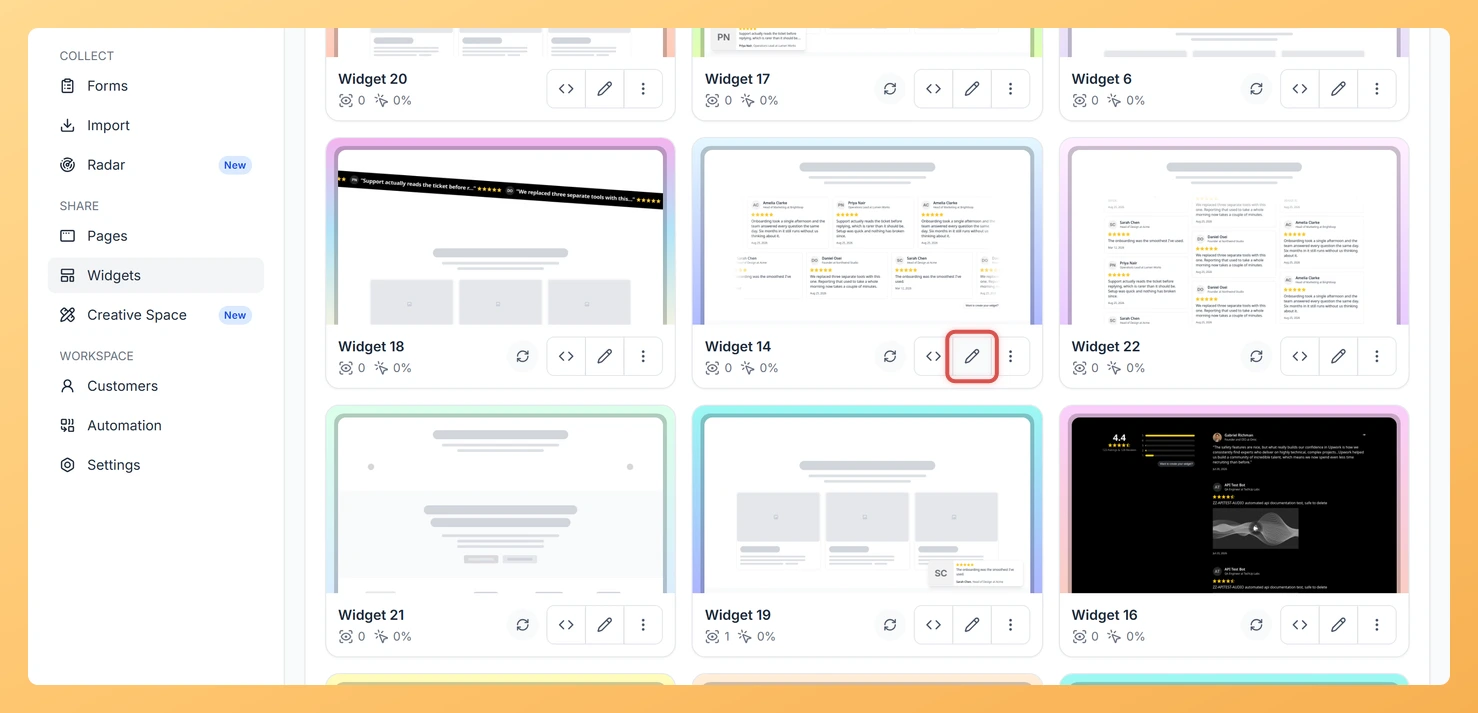
Log in to your Feedspace account and navigate to the Widgets section from the left sidebar. Locate the Horizontal Scroll widget you want to edit and click on it to open the widget editor.

Step 2: Go to the Reviews Tab

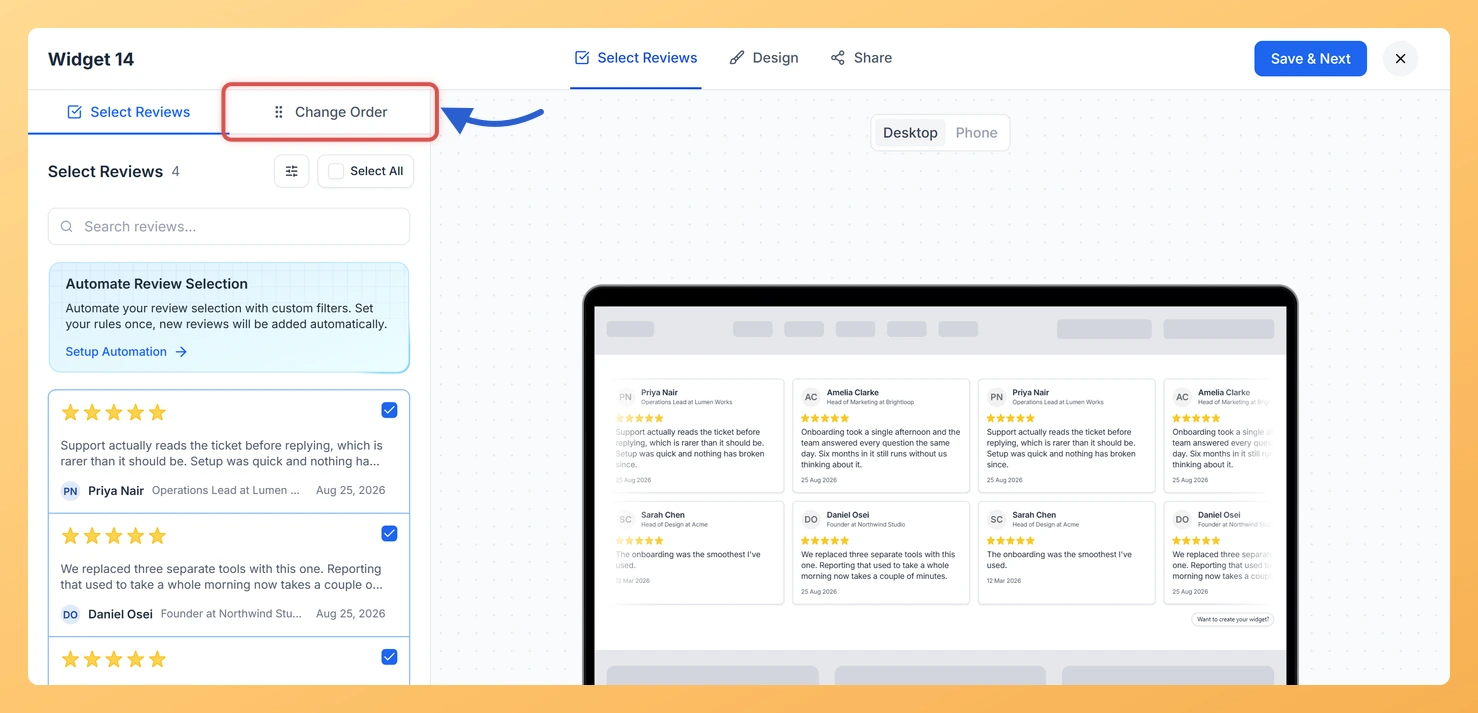
Inside the widget editor, click the Reviews tab. This tab contains all controls for selecting and ordering the reviews shown in your ticker strip.

Step 3: Click the Change Order Sub-tab

Within the Reviews tab, click the Change Order sub-tab. This view lists every review that has been selected for the widget, each as a draggable card.

Step 4: Drag Reviews into Your Custom Sequence

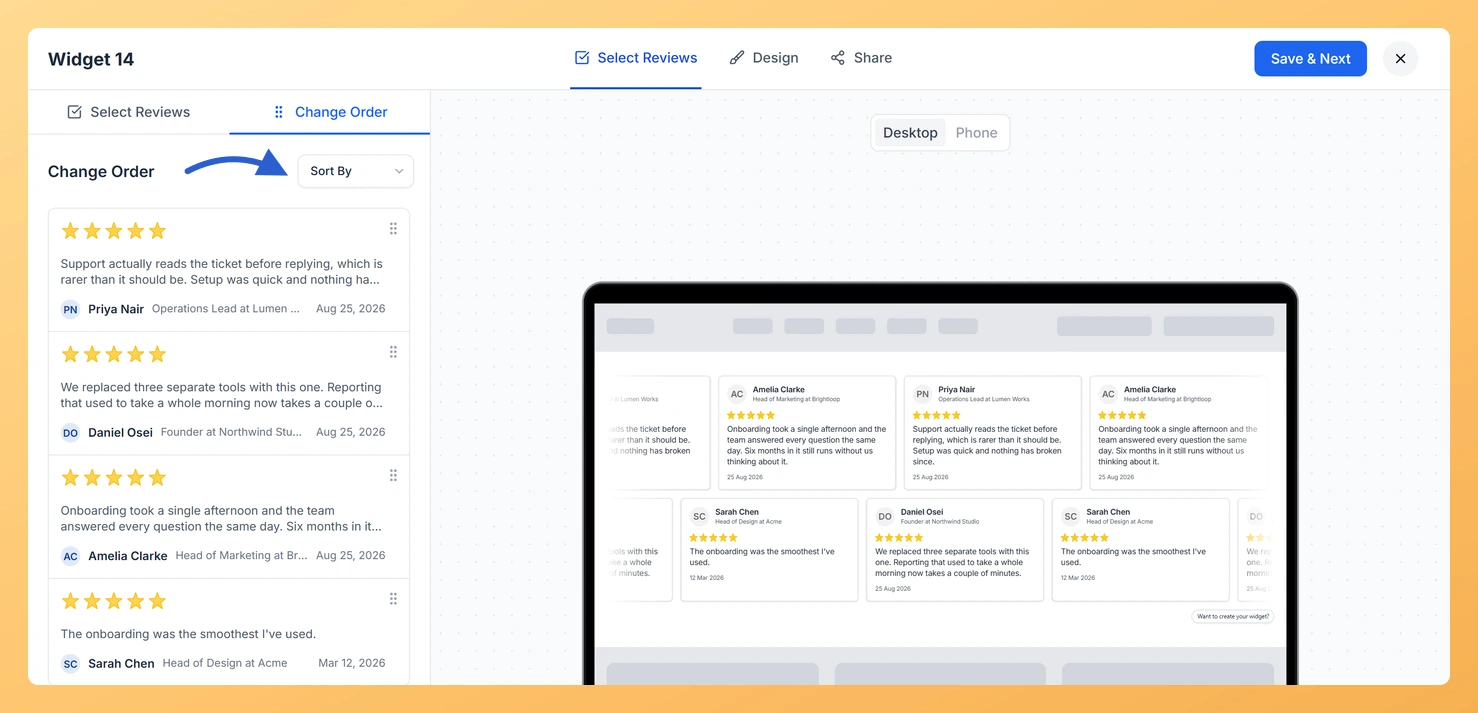
Click and hold the drag handle on any review card, then drag it up or down to reposition it in the list. Release the card when it is in the slot you want. Repeat for each review you need to move. Because the Horizontal Scroll loops continuously, spread your strongest testimonials evenly through the sequence rather than grouping them all at the start, so quality stays consistent as the ticker cycles.

Step 5: Sort by Date Instead (Optional)

If you prefer a date-based order rather than a fully custom sequence, use the Sort By dropdown available on the Change Order sub-tab. Select Newest First to lead with your most recent testimonials, or select Oldest First to display reviews in the order they were originally collected. Applying a sort order will rearrange the list automatically, replacing any manual drag-and-drop order you had set.

Step 6: Save Your Changes

Once you are satisfied with the review sequence, click Save to apply the new order to your widget. The Horizontal Scroll ticker will now loop through your reviews in the updated sequence wherever the widget is embedded.

What You Can Do Next

  • Add or remove reviews from the ticker strip using the Select Reviews sub-tab so your Horizontal Scroll always shows the most relevant testimonials.
  • Adjust the scroll speed and display settings in the widget editor to control how fast the ticker moves across the page.
  • Copy the widget embed code and place it in your website header or landing page so visitors see the looping review strip immediately on arrival.
  • Revisit the review order after collecting new testimonials to keep your strongest and most recent reviews spread evenly through the loop.

You might also find helpful

How Do I Select Reviews for My Horizontal Scroll Widget in Feedspace?

Overview The Horizontal Scroll widget in Feedspace displays your reviews in a continuous, looping ticker that moves horizontally across the page. Because the animation loops without pause, the quality and number of reviews you include directly affects how the widget feels to visitors. A sparse selection creates noticeable gaps and...

How to Create a Horizontal Scroll Widget in Feedspace

Overview The Horizontal Scroll widget in Feedspace showcases your reviews in a smooth side-by-side scrolling motion. It is perfect for sections where you want continuous movement and visual engagement, such as website headers, testimonial rows, or landing pages. How to Access Step 1 – Log in to Feedspace Go to...

What is a Widget in Feedspace?

Overview In Feedspace, a widget is a customizable display tool that allows you to showcase your collected reviews, testimonials, or feedback directly on your website. With widgets, you can turn customer voices into social proof, helping you build trust and credibility with visitors. Instead of just collecting reviews, widgets let...