
Feedspace Home Dashboard

How to Create an Avatar Blocks Widget in Feedspace

Last updated on May 26, 2026

Overview

Feedspace’s Avatar Blocks widget displays your reviews in bold, grid-based cards where the reviewer’s profile picture takes centre stage. It’s a strong, visually balanced layout that works well on testimonial pages, pricing pages, and anywhere you want reviews to feel authentic and human.

Step 1 – Log in to Feedspace

Go to your Feedspace Dashboard and log in using your credentials.

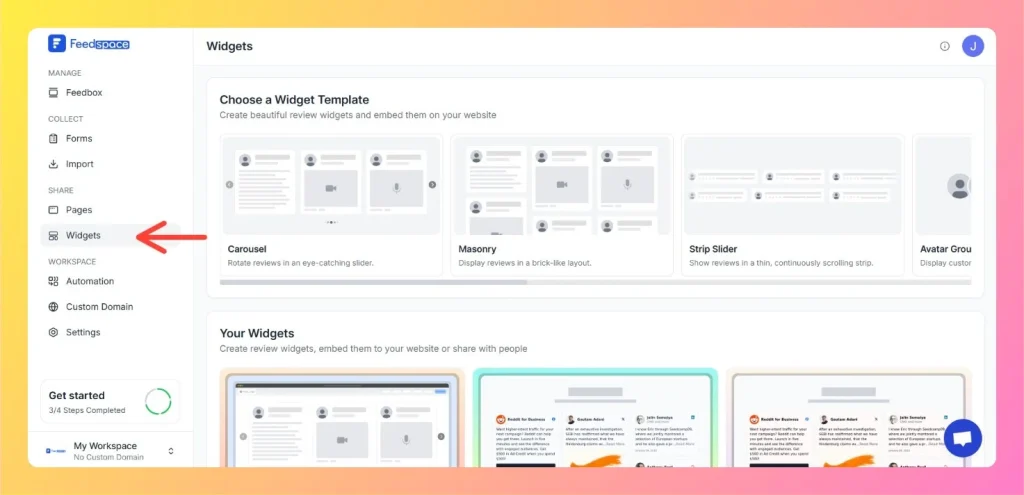
Step 2 – Navigate to Widgets

  • From the left sidebar, click on Share Reviews → Widgets.
  • Then select Avatar Blocks as your widget type.
Left Side Bar: Select Widgets

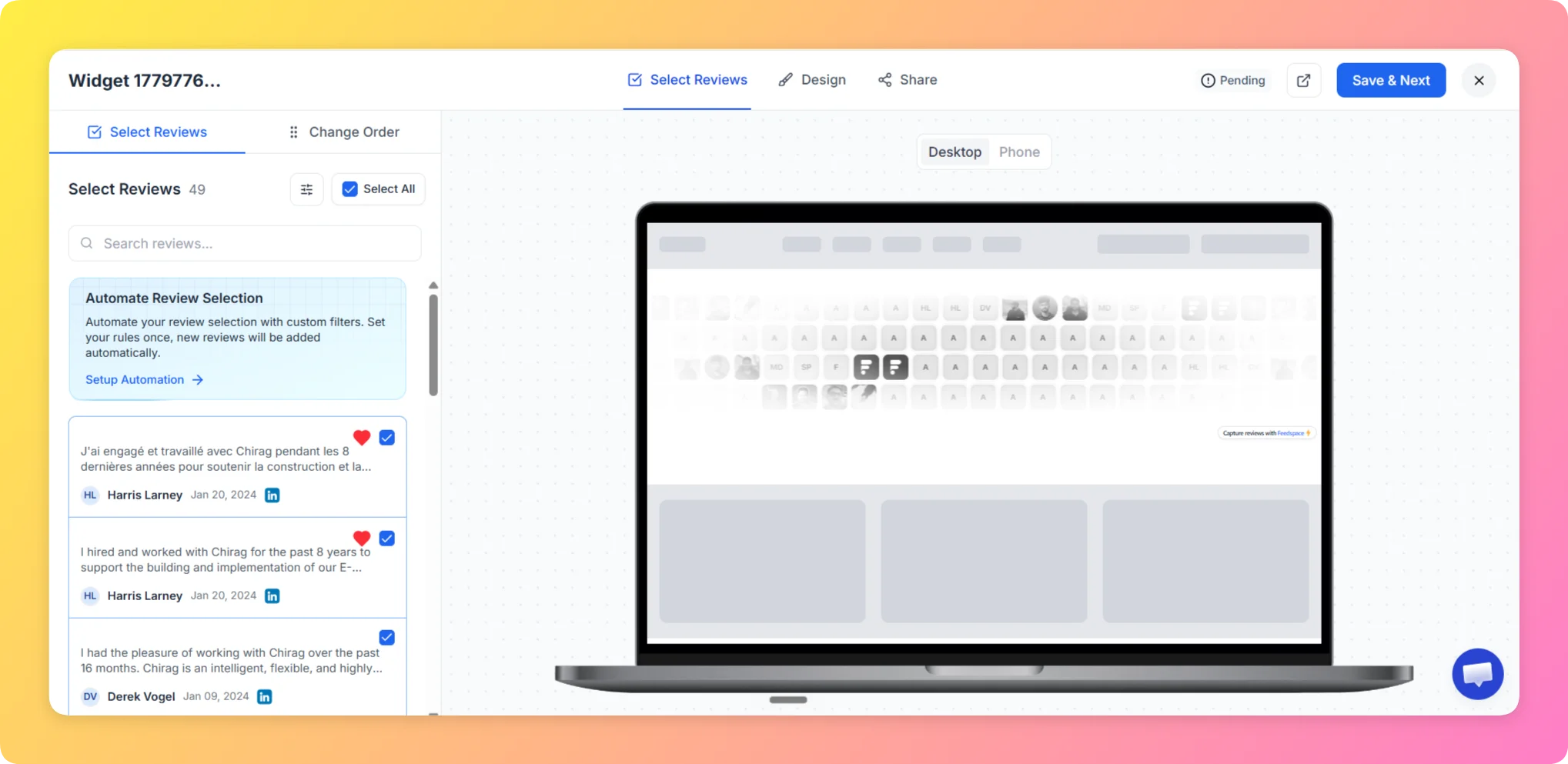
Step 3 – Select Reviews

Choose the reviews you want to display in your Avatar Blocks. You can filter by source or manually select individual reviews.

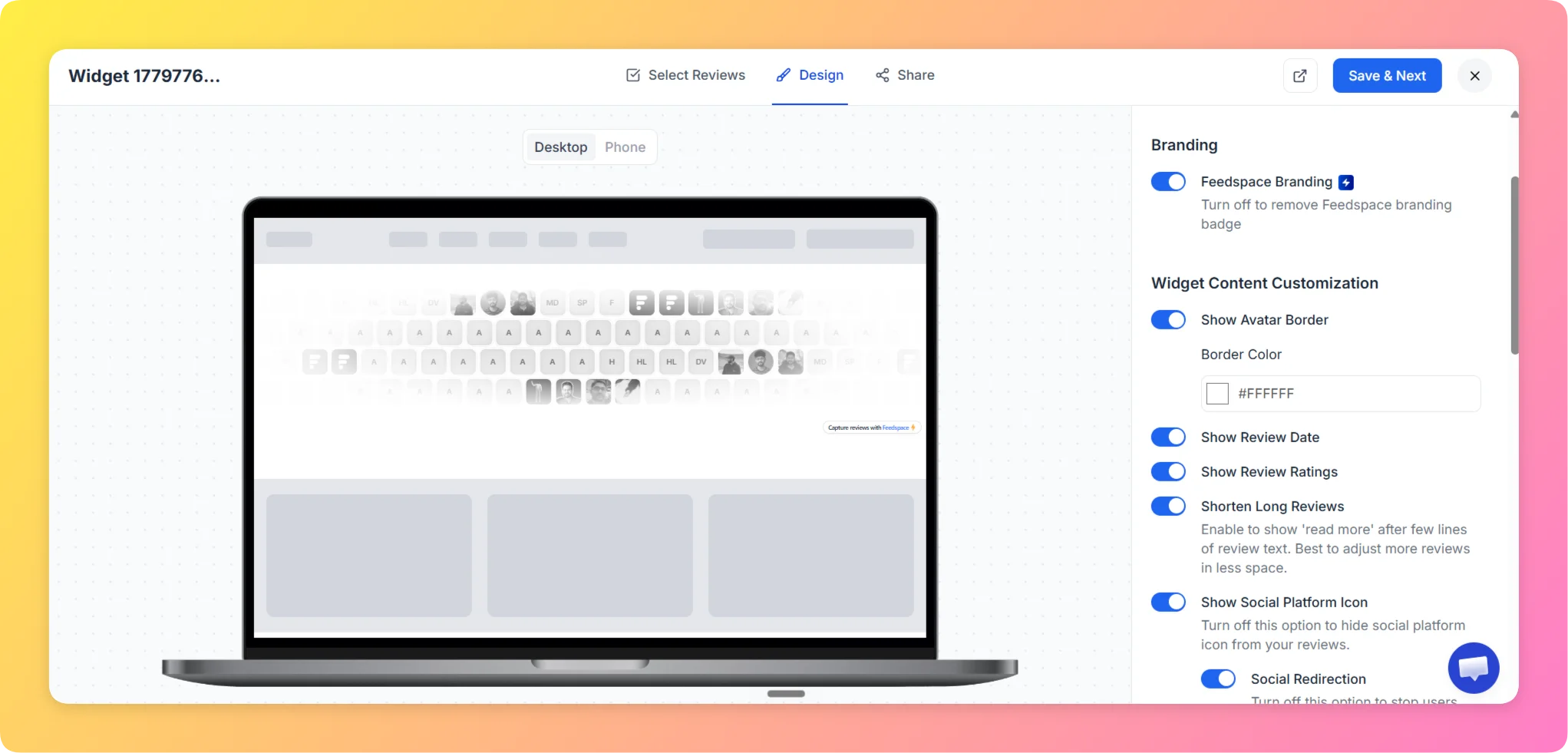
Step 4 – Customize the Design

  • In the Design tab, configure the block card appearance:
  • Adjust avatar size and card layout to control how prominent the profile pictures appear.
  • Set card background color, text colors, border, and shadow options to match your brand.
  • Toggle Show Star Ratings, Show Review Date, and Dark Mode as needed.
  • Optionally enable Custom CSS (Pro plan) for advanced styling.

Step 5 – Preview the Widget

  • Use the live preview on the left to check how the Avatar Blocks grid looks.
  • Switch between Desktop and Mobile views to ensure cards stack correctly on smaller screens.

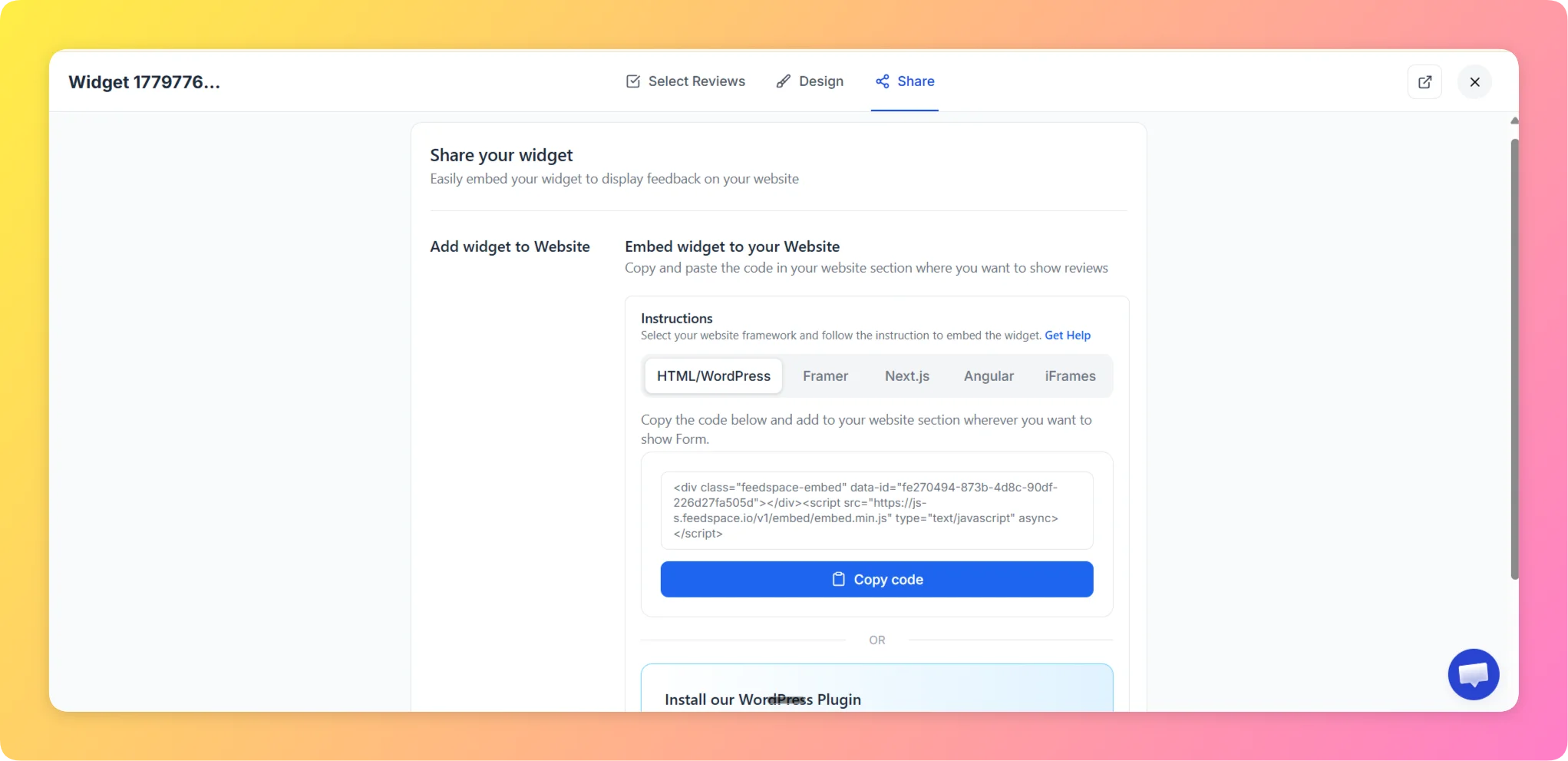
Step 6 – Save and Embed

  • Click Save & Next to reach the Share tab.
  • Select your website framework (HTML/WordPress, Framer, Next.js, Angular, or iFrames).
  • Copy the embed code and paste it into your website where you want the widget to appear.

Why Use the Avatar Blocks Widget?

  • Face-First Trust: Showing reviewer profile pictures alongside their words makes testimonials feel more genuine and harder to dismiss.
  • Grid Clarity: The block layout presents reviews in a clean, scannable format — visitors can take in multiple testimonials at a glance.
  • Versatile Placement: Works equally well on dedicated testimonials pages, product detail pages, and SaaS pricing sections.

That’s it! Your Avatar Blocks widget is live and presenting your reviews in a bold, avatar-driven grid that builds instant trust with visitors.

You might also find helpful

How to Create an Avatar Group Widget in Feedspace

Overview The Avatar Group widget in Feedspace displays the profile pictures (avatars) of your reviewers in a sleek and minimal circular layout. It’s ideal for showing social proof in a subtle, space-saving format on your homepage, footer, or testimonial sections. How to Access Step 1 – Log in to Feedspace...

How to Create an Avatar Slider Widget in Feedspace

Overview The Avatar Slider widget in Feedspace displays one review at a time with a reviewer’s avatar, name, and feedback. It includes smooth sliding transitions and navigation arrows for switching between reviews. This layout is ideal for minimal testimonial sections that highlight one review prominently. How to Access Step 1...

How to Create a Masonry Widget in Feedspace

Overview The Masonry widget in Feedspace arranges your reviews in an elegant grid layout of varying card sizes, similar to Pinterest-style walls. It’s perfect for showcasing multiple reviews together while maintaining a modern, responsive design that automatically adjusts across devices. How to Access Step 1 – Log in to Feedspace...