Your account email in Feedspace is the address you used to sign up and it serves as your login identity. It is displayed in your profile but cannot be changed directly from within the app, you’ll need to contact the Feedspace support team to request the update.
This comes up most often when you’ve changed companies and want your Feedspace account linked to a new work email rather than your old address.
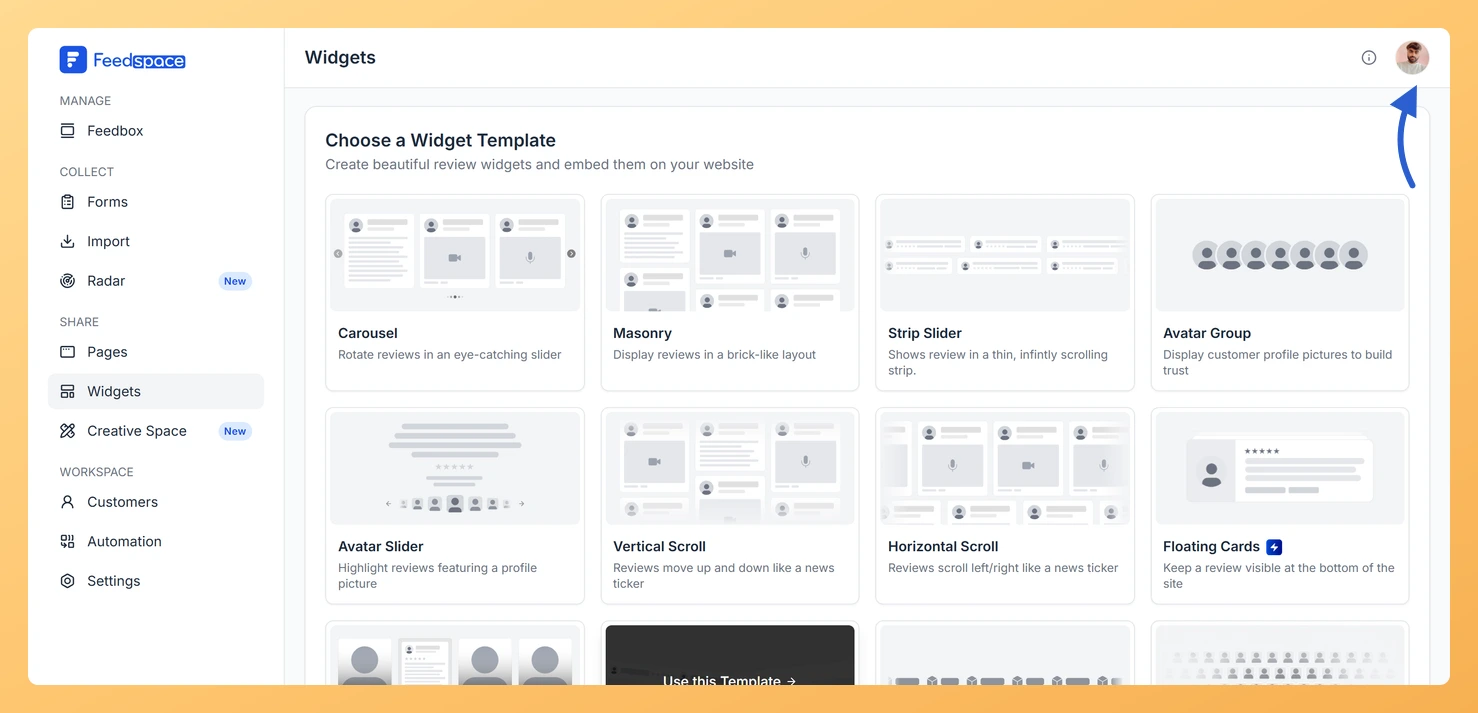
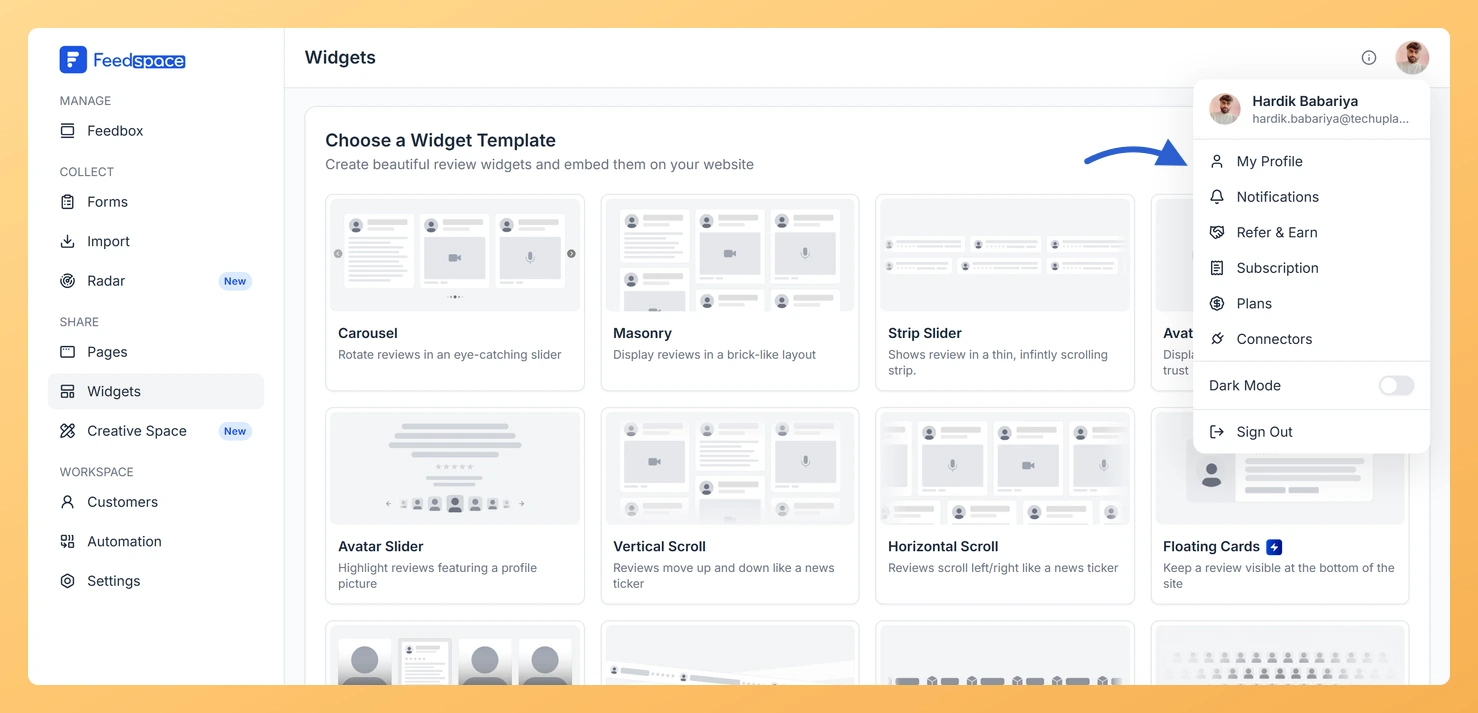
Click your profile avatar in the top-right corner of the header to open the profile dropdown.
Step 3: Open My Profile
Click My Profile in the dropdown. The My Account panel opens on the profile tab.
Step 4: Find the Email field
In the Account Details section, find the Email field. It has a grey background and cannot be edited.
Step 5: Contact support
Below the email field there is a hint linking to support. Use that link, or email support@feedspace.io directly, with your current email address and the new one you would like to use.
What’s next
Once the Feedspace team updates your email, sign in using the new address. If you use Google sign-in, make sure the new email is the one associated with your Google account. All your workspaces, review forms, collected reviews, and settings remain exactly as they were.
Common questions
How long does an email change request take?
Processing time depends on the support queue. Contact support@feedspace.io directly and the team will let you know the expected timeline for your request.
Will my reviews and workspaces stay the same after the change?
Yes. Changing your email is an update to your login identity only. All your workspaces, forms, reviews, widgets, and settings are tied to your account and are not affected by the email change.
Can I update my name or profile photo myself?
Yes. Your display name, profile photo, and role can all be updated directly from the My Profile tab without contacting support. Only the email address requires a support request.
You might also find helpful
How to Update Your Profile in Feedspace
Overview Updating your profile on Feedspace ensures your information is accurate and personalized. Follow the steps below to manage your profile. Step 1: Go to My Account Once logged into your dashboard, click on your profile icon (top right corner) and select My Account from the menu. Step 2: Open...
How Do I Log Out of All Devices in Feedspace?
Overview If you are concerned that your Feedspace account may be active on a device you no longer control, or if you simply want to sign out of all browsers and devices at once, you can use the Log Out All Devices option in My Profile. How to log out...
How Do I Reset My Feedspace Password?
Overview Feedspace does not use a password for signing in. Your account is accessed using Google sign-in or a one-time verification code sent to your email address. There is no password to reset. If you are having trouble signing in, the steps below explain how to access your account using...