
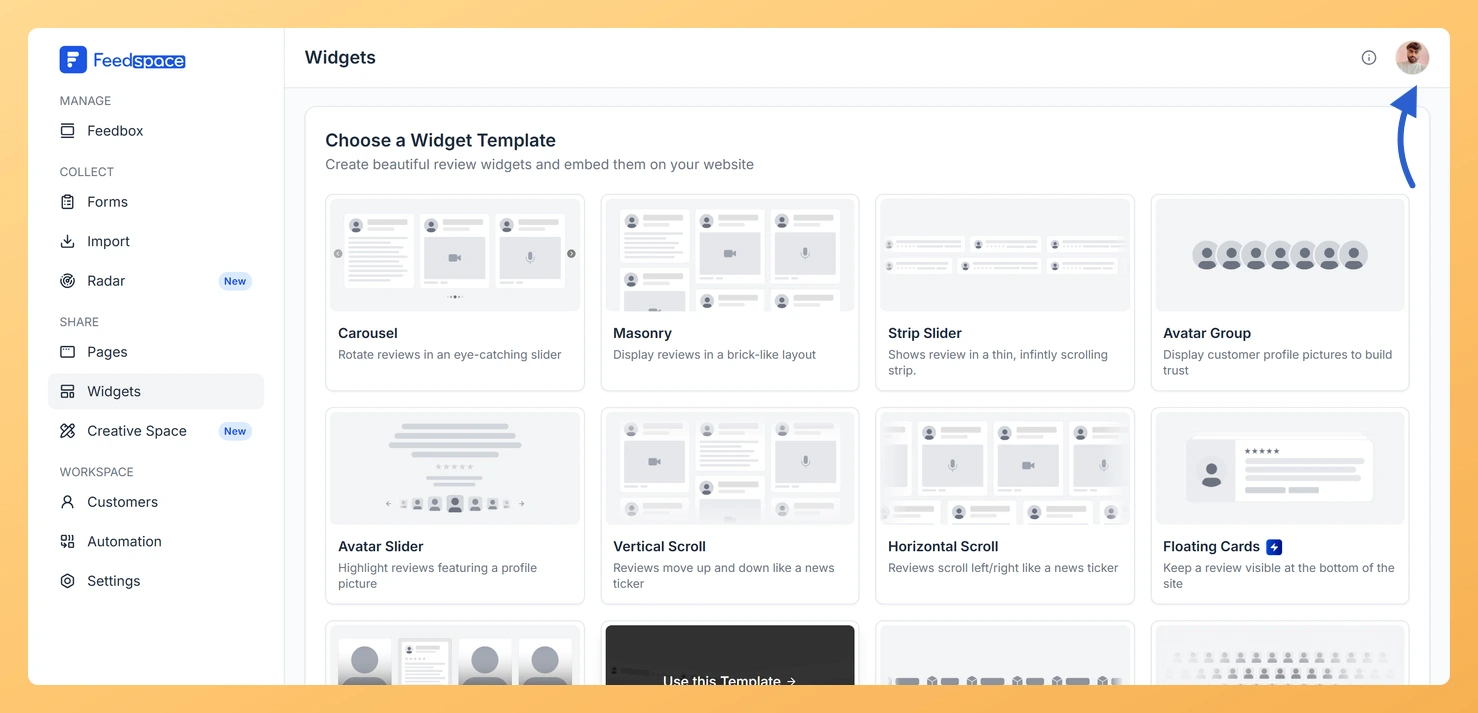
Feedspace Home Dashboard

How Do I View My Subscription in Feedspace?

Last updated on June 15, 2026

Overview

The Subscription tab in your Feedspace account shows your current plan, billing amount, usage across your workspaces and storage, and your full invoice history. You can also manage your subscription or upgrade from this tab.

How to Open the Subscription Tab

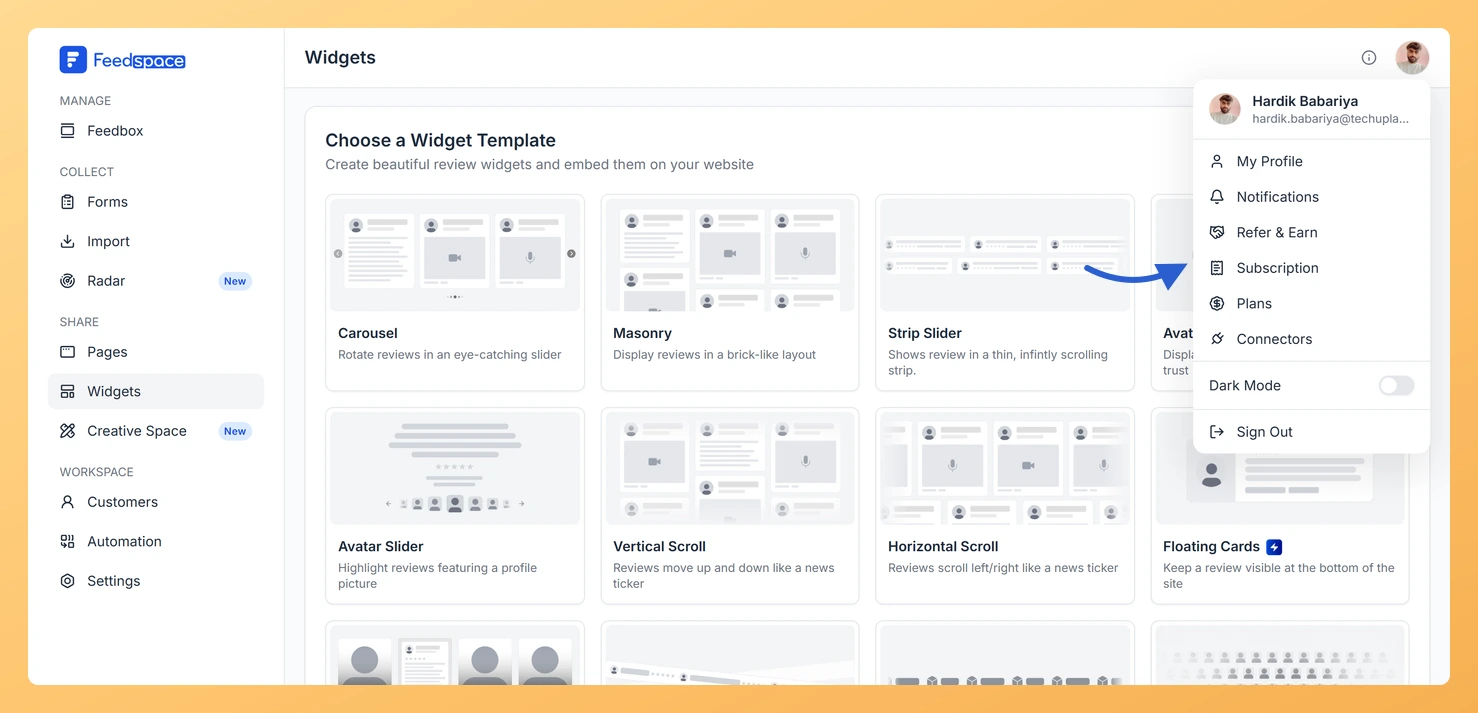
  1. Click your profile avatar or name at the bottom of the left sidebar.
  2. Click Subscription from the menu.

What the Subscription Tab Shows

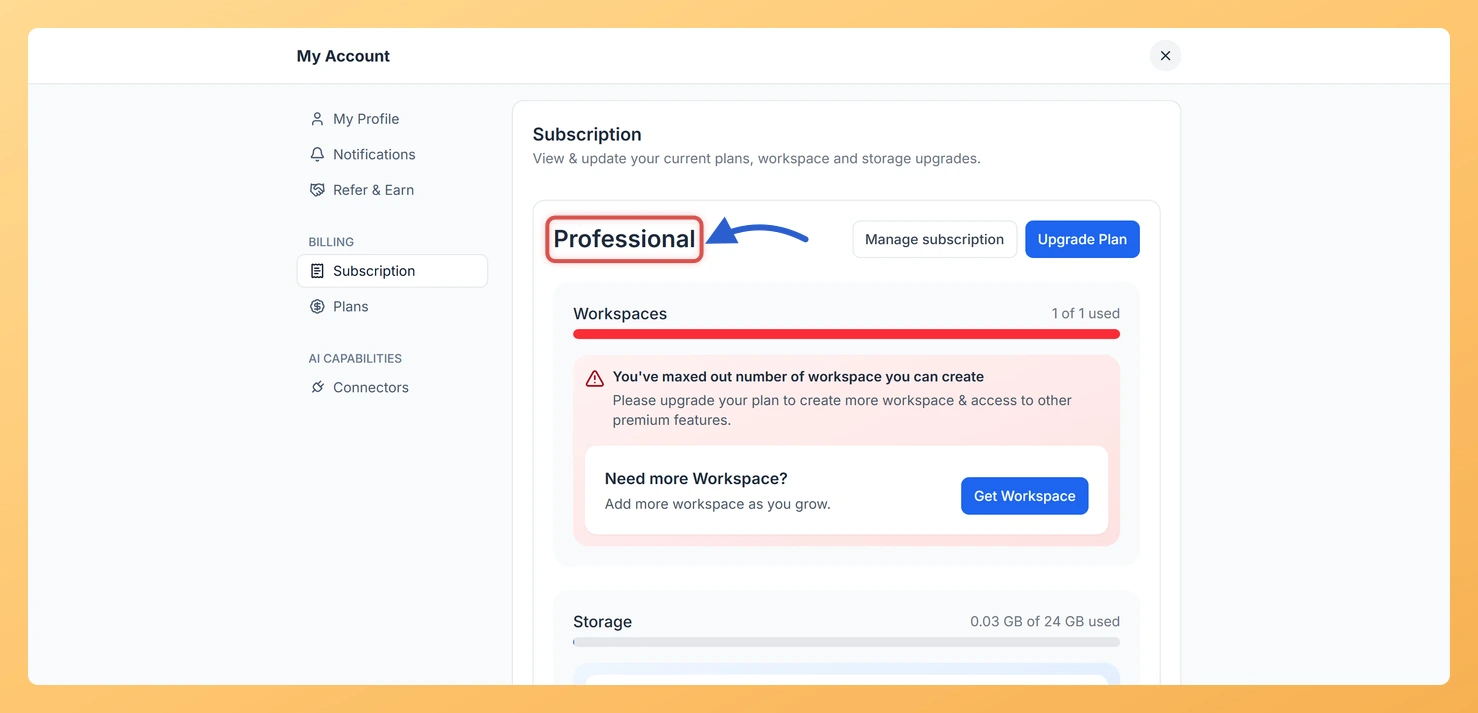
Current Plan

  • Plan name: For example, Professional Plan or Business Plan.
  • Billing amount: Shown as a price per billing period (monthly, yearly, or lifetime for AppSumo users).
  • Manage Subscriptions button: Opens the Stripe customer portal where you can update payment details or cancel. Only shown for monthly and yearly plans.
  • Upgrade Plan button: Takes you to the Plans tab if an upgrade is available.

Usage

  • Workspaces: Shows how many workspaces you have used out of your plan’s limit, with a progress bar. If you have reached the limit, an alert appears with an option to upgrade.
  • Storage: Shows how much storage you have used out of your plan’s allowance. Storage is used by video and audio reviews.

Billing History

Below the plan and usage section, a Billing History table shows all your past payments. Each row includes:

  • Invoice Number
  • Invoice Date
  • Amount Paid
  • Status
  • Download button to save the invoice as a PDF

Billing History is only shown for paid monthly and yearly subscriptions.

Common Questions

I do not see a Billing History section

Billing History is only available for monthly or yearly paid plans. AppSumo lifetime plan users and free plan users will not see this section.

The progress bar for workspaces or storage is red

A red progress bar means you have reached or are very close to the limit for that resource on your current plan. Click Upgrade Plan to increase your limits.

What You Can Do Next

  • Download a PDF invoice from the Billing History section for accounting purposes.
  • Click Upgrade Plan to compare plans and move to a higher tier.

You might also find helpful

How Do I Upgrade or Change My Plan in Feedspace?

Overview The Plans tab in Feedspace shows all available pricing tiers and lets you upgrade, downgrade, or switch your billing period. Your current plan is always highlighted so you can easily see what is included and what the next tier offers. How to Open the Plans Tab Choosing a Billing...

How Do I Download My Invoice in Feedspace?

Overview Feedspace provides PDF invoices for every payment made on a paid monthly or yearly plan. You can download them from the Billing History section inside the Subscription tab at any time. How to Download an Invoice Common Questions I do not see a Billing History section Billing History is...

What Happens When I Downgrade My Plan in Feedspace?

Overview When you downgrade your Feedspace plan, your account moves to a lower tier with reduced limits and features. Existing data (reviews, forms, workspaces) is not deleted, but some resources may become inaccessible if they exceed the limits of the new plan. What Changes After a Downgrade Workspaces If you...