The Plans tab in Feedspace shows all available pricing tiers and lets you upgrade, downgrade, or switch your billing period. Your current plan is always highlighted so you can easily see what is included and what the next tier offers.
How to open the Plans tab
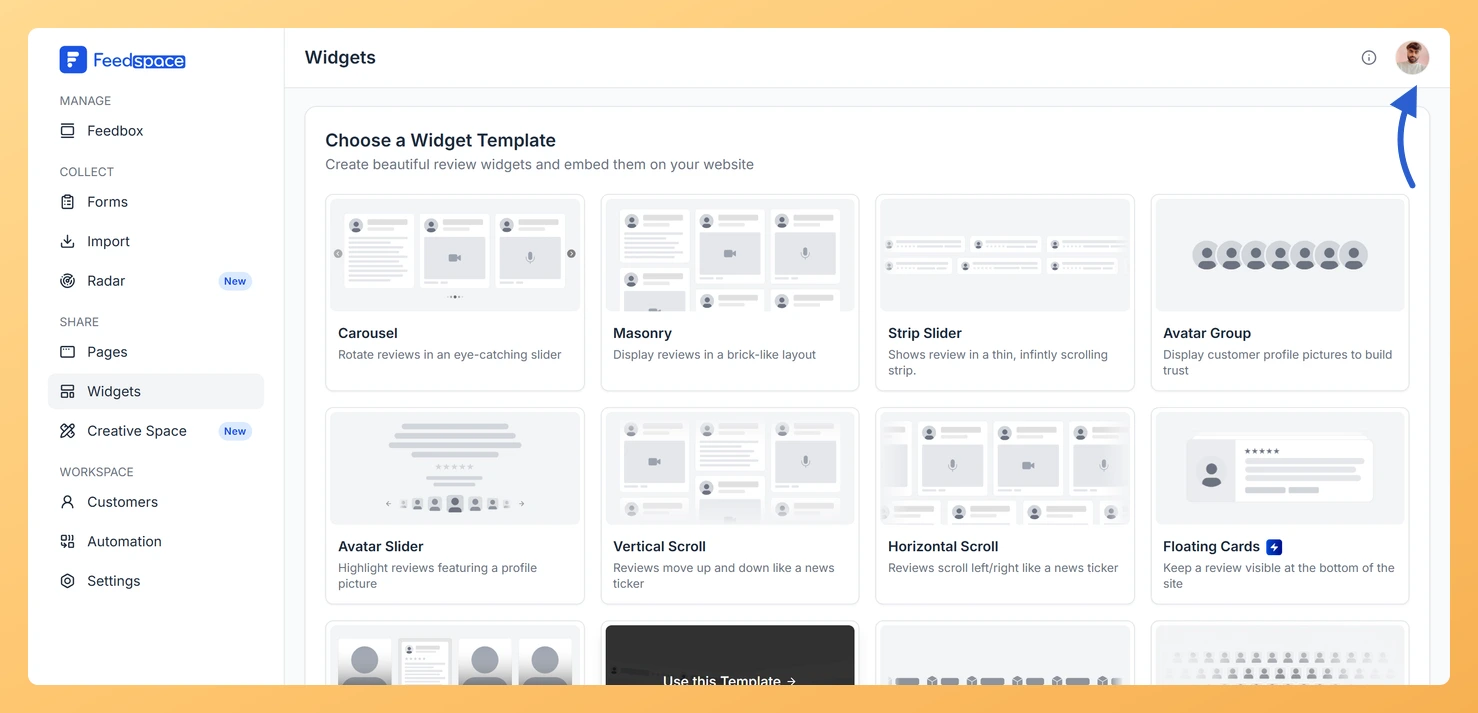
Step 1: Open the account menu
Click the circular avatar button at the top-right of the header.
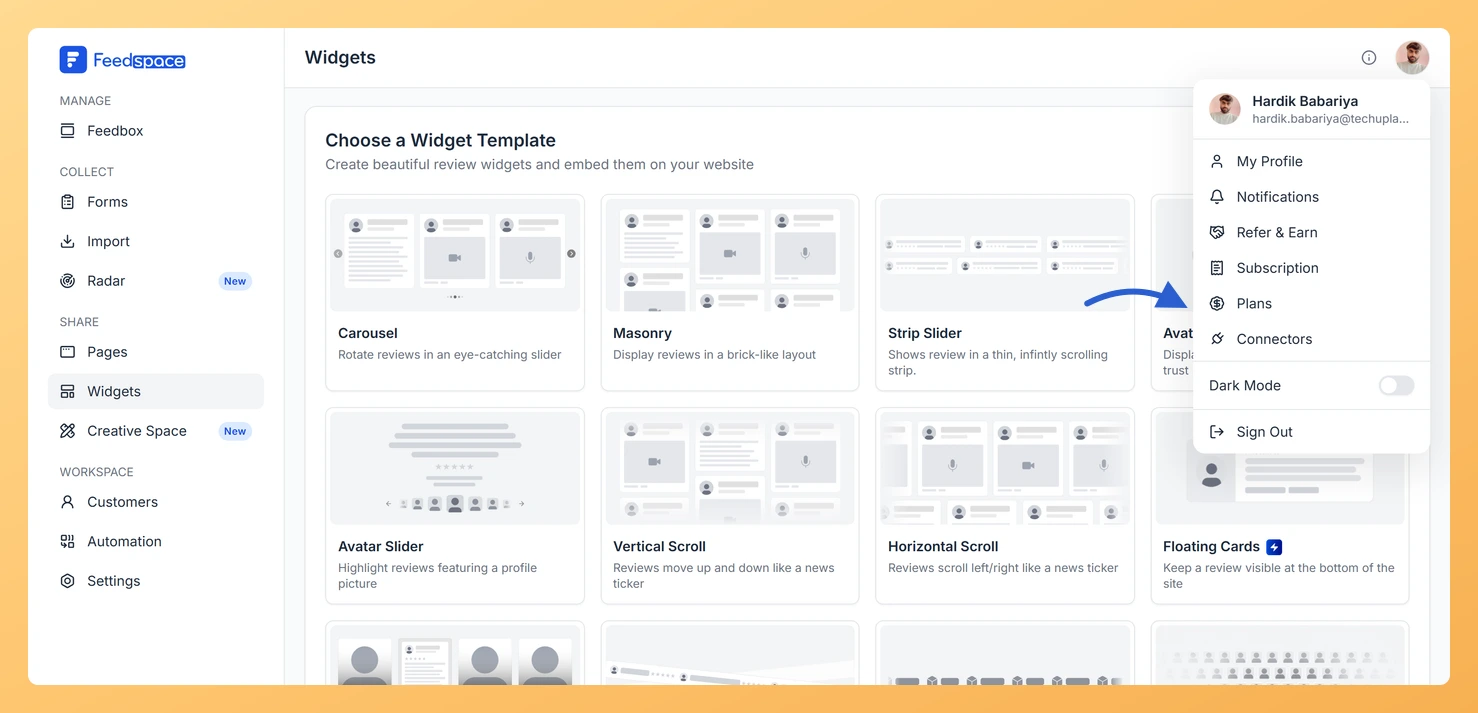
Step 2: Choose Plans
Click Plans in the profile dropdown.
Choosing a billing period
At the top of the Plans tab you will see a Monthly / Yearly toggle. Switch to Yearly to see the annual pricing, which includes a discount equal to 2 months free. Prices update immediately when you toggle between billing periods.
Complete the payment flow in the modal that appears. Your plan updates immediately after payment succeeds.
Upgrading an AppSumo lifetime plan
If you redeemed a lifetime deal, moving from one AppSumo tier to a higher one works differently from the standard in-app upgrade. The Feedspace support team handles lifetime tier changes, so reach out to them rather than using the Upgrade button on a regular plan card. For details, see how to redeem and manage your Feedspace AppSumo plan.
How to downgrade
To downgrade, click the Downgrade button on a lower-tier plan card. This opens a support chat so the Feedspace team can assist with the downgrade. Self-serve downgrade for paid plans is handled through the support team.
Custom plan
If none of the standard tiers match your needs, look for the Custom Plan section at the bottom of the Plans tab. Click Get a Quote to open a chat with the Feedspace team.
Common questions
My plan upgrade did not activate after payment
Refresh the page after completing payment. If the plan has not updated after a few minutes, contact support at support@feedspace.io with your payment confirmation.
Can I switch from monthly to yearly billing?
Yes. Use the Monthly/Yearly toggle at the top of the Plans tab to see yearly prices, then click Upgrade on your current plan to switch. Contact support if you need help mid-cycle.
Who controls the plan for a workspace I was invited to?
The workspace owner manages the plan and billing for that workspace. If you are a team member in a workspace someone else owns, you will not see upgrade controls for it, ask the owner to change the plan.
You might also find helpful
How Do I View My Subscription in Feedspace?
Overview The Subscription tab in your Feedspace account shows your current plan, billing amount, usage across your workspaces and storage, and your full invoice history. You can also manage your subscription or upgrade from this tab. How to open the Subscription tab Step 1: Open the account menu Click the...
What Happens When I Downgrade My Plan in Feedspace?
Overview When you downgrade your Feedspace plan, your account moves to a lower tier with reduced limits and features. Existing data (reviews, forms, workspaces) is not deleted, but some resources may become inaccessible if they exceed the limits of the new plan. What Changes After a Downgrade Workspaces If you...
How Do I Refer Feedspace to Someone?
Overview Feedspace has an affiliate program that lets you earn rewards by referring others to the platform. The Refer & Earn tab in your account menu is the starting point to join the program and get your unique referral link. How to access Refer and Earn Step 1: Open the...