AI credits are what the AI features in Feedspace run on. Each time you use one, such as a Radar scan or an AI image, it takes a set number of credits from your balance. There is one balance for each account owner, and every workspace you own shares it.
A common use is a business that translates reviews written in other languages and has Radar look for new mentions every week. Both draw on the same balance, and a credit pack tops it up before a busy month.
What uses AI credits
Radar: 1 credit per scan, including the scan Radar runs for you each week.
AI images in Creative Space: 2 credits per image.
Review translation: 1 credit per review, after any free translations your plan includes that month.
AI interviews: 6 credits per interview, taken when the interview starts. On the Free plan and lifetime plans, your first interview is free.
Voice on predefined questions: 1 credit each time a visitor goes through the form with voice.
AI Generated Summary on a widget: 1 credit per summary. A summary is made when you turn it on, when you click Regenerate summary, and when it refreshes after the widget’s reviews change.
Translating your form into another language and review sentiment don’t use credits. Importing reviews doesn’t either, unless you turn on Auto Translate for the import: each review it translates uses 1 credit, after any free translations your plan includes that month. The app also shows the cost next to features such as Radar and Creative Space.
Where your credits come from
Credits come with paid and lifetime plans, and Feedspace spends your plan credits first, then the credits you bought. The Free plan has no credits, though some AI uses are free on it, such as Radar scans and your first AI interview.
Plan credits
The Professional plan includes 250 credits a month, and the Business plan 2,150 a month. On a yearly plan you get the whole year’s credits at once: 3,000 on Professional and 25,800 on Business. Plan credits renew with each payment, and credits left over from one period don’t carry over to the next.
Credit packs
Credit packs are one-time purchases on paid and lifetime plans, and their credits never expire. Packs range from 200 credits for $20 to 12,500 credits for $1,000, and the larger packs give more credits for each dollar. The Plans tab lists every pack with its price in your currency.
Lifetime plans
Lifetime plans add credits through packs rather than a monthly amount. Tiers 3 to 6 also include 50 free review translations each month.
Check your balance and buy more credits
The AI Credits menu item and section appear on paid and lifetime plans.
Step 1: Open AI Credits
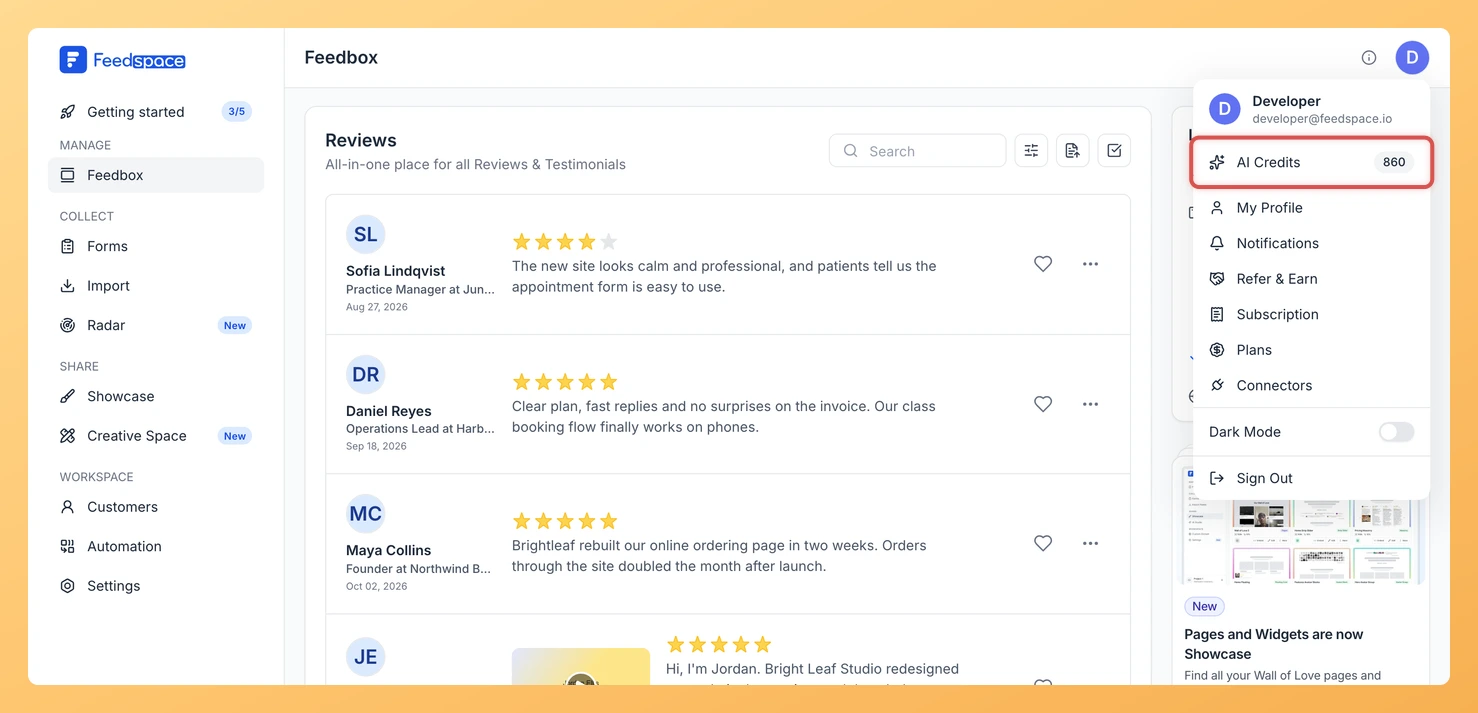
Click your avatar in the top right corner of the header, then click AI Credits, which shows your total beside it. The My Account window opens at the AI Credits section of the Subscription tab.
Step 2: See what your balance is made of
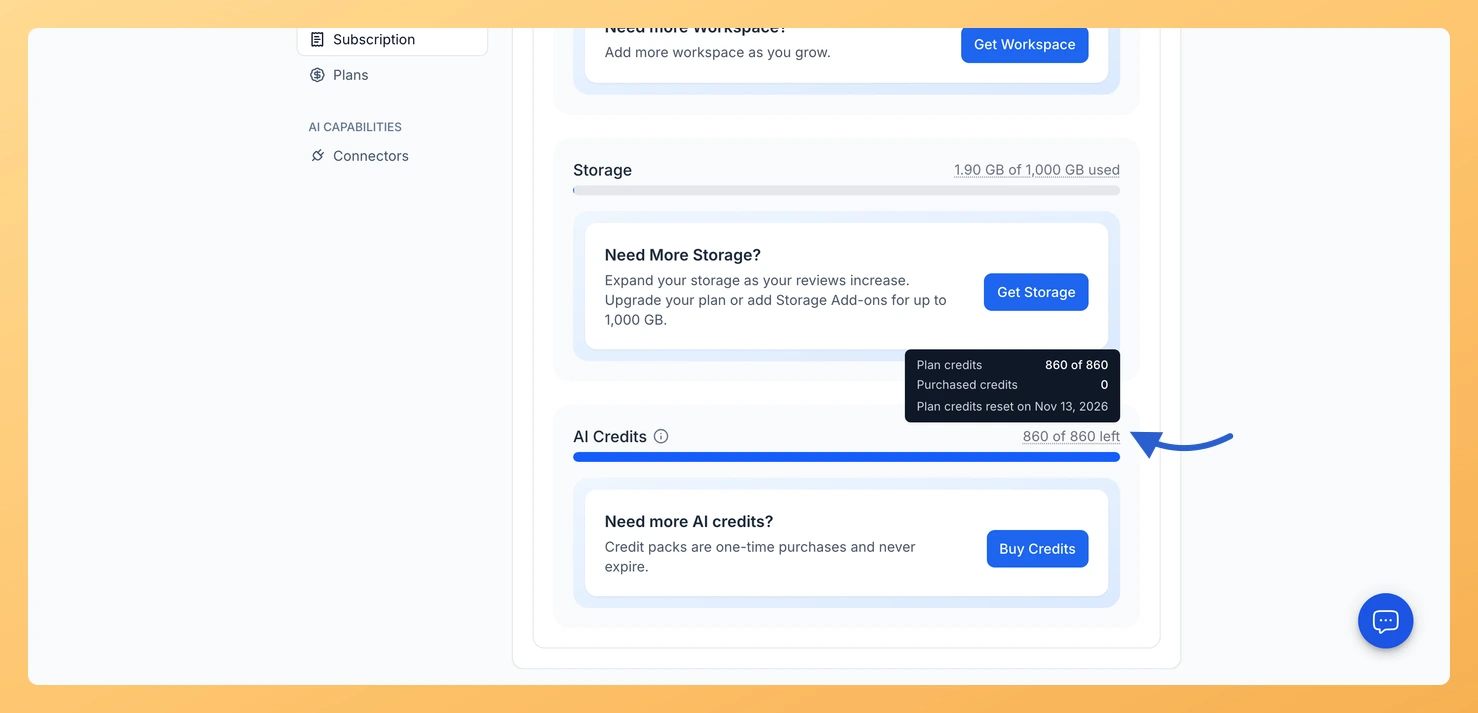
The section shows how many credits you have left. Hover over the total to see your plan credits and your purchased credits, and on a paid plan the date your plan credits reset.
Step 3: Buy a credit pack
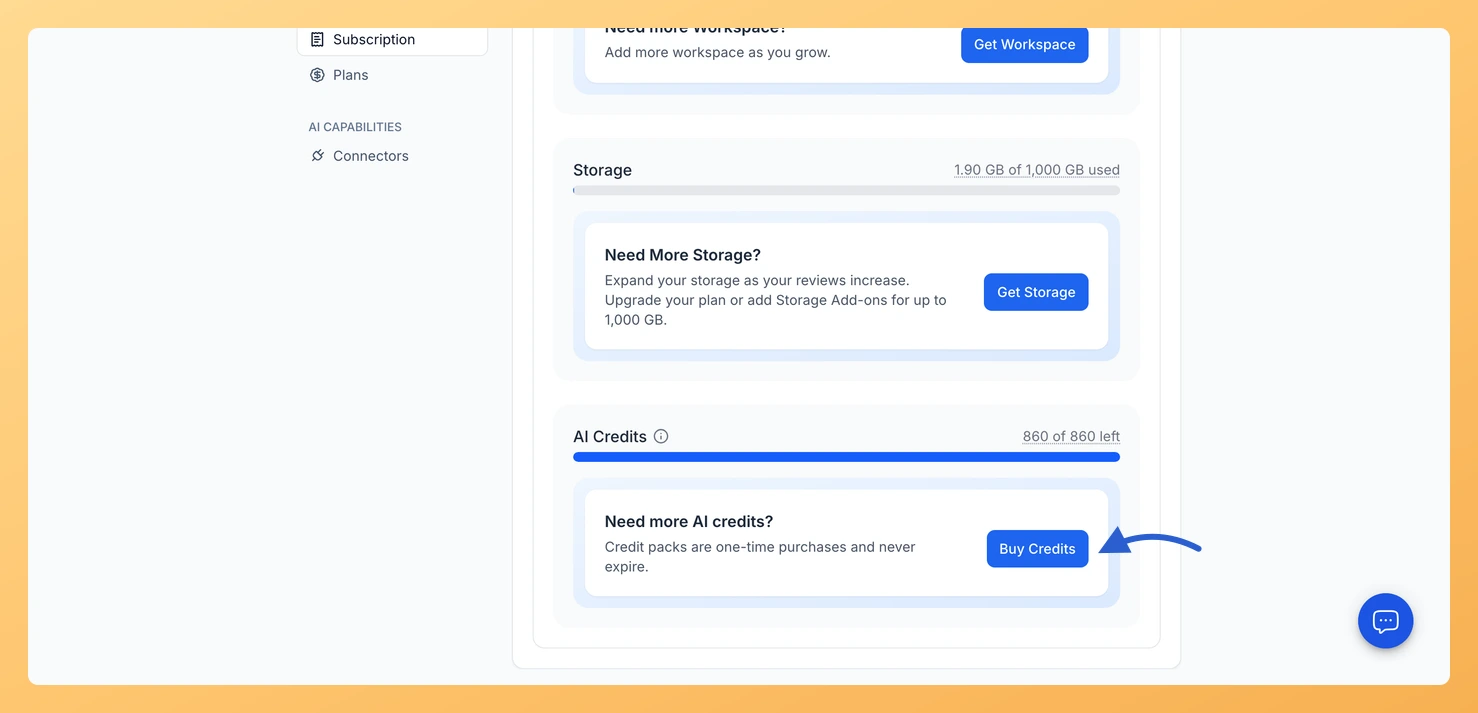
Click Buy Credits. The Plans tab opens at Plans with Add-ons. Choose a pack from the list under Get AI Credits and click Buy Now, then enter your card details and click Pay. The credits are added to your balance once the payment goes through.
The next time you use an AI feature, Feedspace shows you a credit pack, or a plan upgrade where a bigger plan is available. AI interview forms pause and open again on their own once credits are added, forms that use voice on predefined questions read those questions as text instead, and the weekly Radar scan is skipped until you have credits. Feedspace also emails you when your balance drops below a fifth of your plan’s credits for the period, or of the last pack you bought.
Can my team members use AI credits?
Yes. Team members in your workspaces use your balance and can see it. Only you, as the account owner, can buy credit packs.
You might also find helpful
How Do I Find Mentions of My Business with Radar in Feedspace?
Overview Radar finds mentions of your business on X and turns them into reviews you can import into your Feedbox. You give it your business name, it scans X, and it lists what it found so you can pick the mentions worth keeping. People post about your product without tagging...
How to Translate a Review in Feedspace
Overview Feedspace lets you translate any review into multiple languages directly from the Feedbox. This helps you display testimonials in your audience’s language and showcase reviews from international customers to a wider audience. Step 1 Go to Feedbox Navigate to your Feedbox from the left sidebar. Here, you’ll see the...
What Are the Feedspace Plans?
Overview Feedspace offers three pricing tiers so you can start for free and scale as your review collection needs grow. Each plan differs in the number of workspaces, storage allowance, video duration, and access to advanced features such as API and webhook integrations. You can compare plans side by side...