The Import Social Review Notification is an account-level email alert in Feedspace. When this toggle is on, Feedspace sends you an email each time a social review is imported into any workspace you have access to. This covers reviews brought in from platforms such as Google, Facebook, Trustpilot, and other sources via the Import Reviews feature.
This notification is enabled by default. It is designed to confirm that a bulk import completed successfully and to let you know when new reviews are ready to use in your workspace.
When you receive this notification
An email is sent to your account whenever social reviews are imported into a workspace. Common scenarios include:
Importing Google reviews into a workspace using the Import Reviews feature.
Bringing in reviews from Facebook, Trustpilot, or other supported platforms.
Running a bulk import that adds multiple reviews at once.
The notification applies across all workspaces in your account, not just your primary workspace.
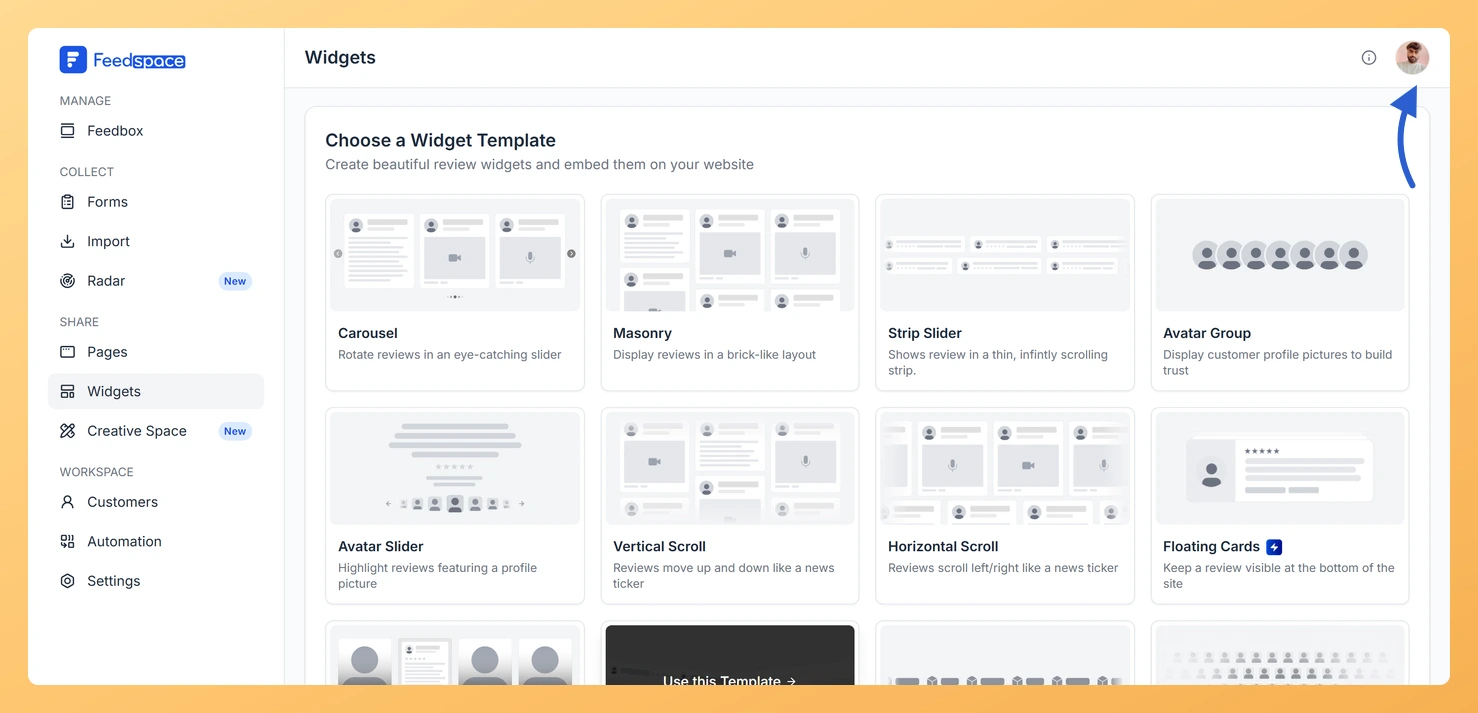
Click the profile avatar in the top right corner of your dashboard. The account menu drops down.
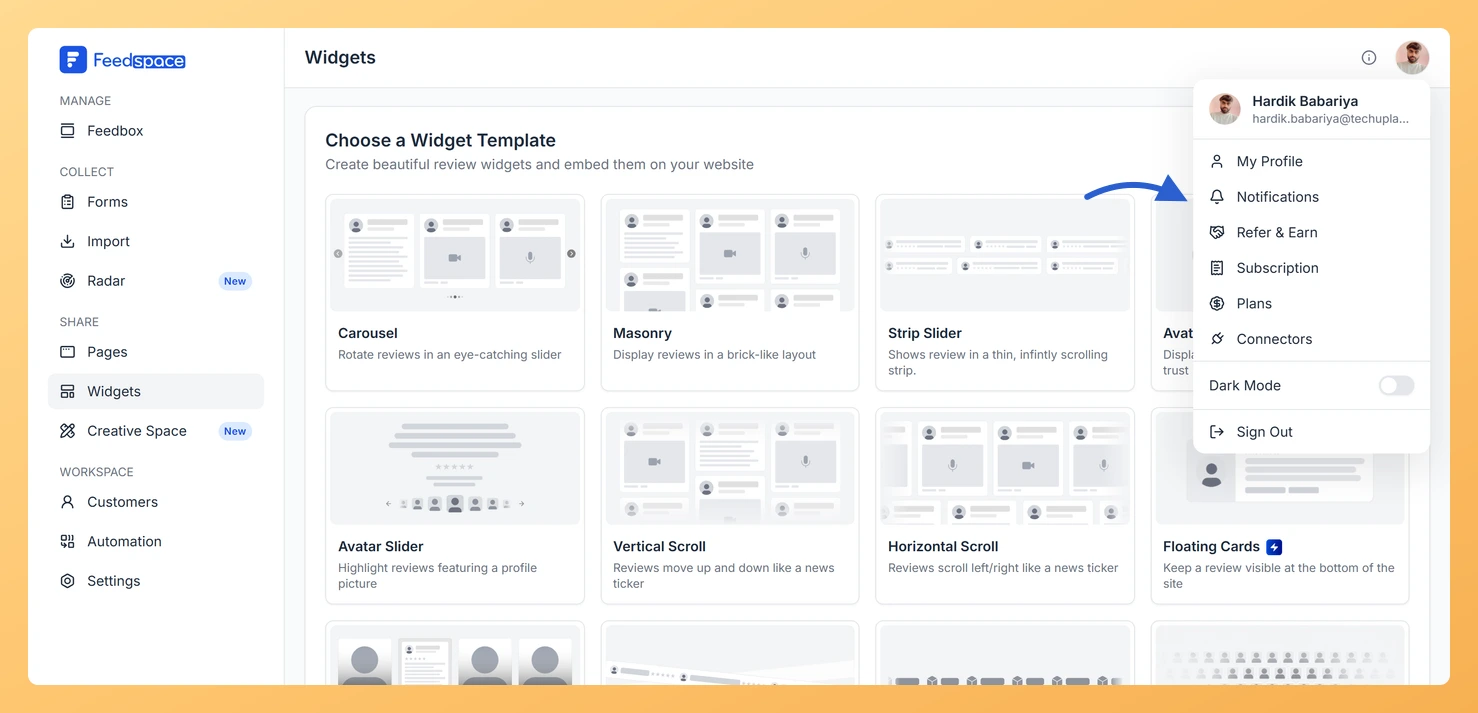
Step 3: Open the Notifications panel
Select Notifications. The My Account window opens on the Notification Preferences panel.
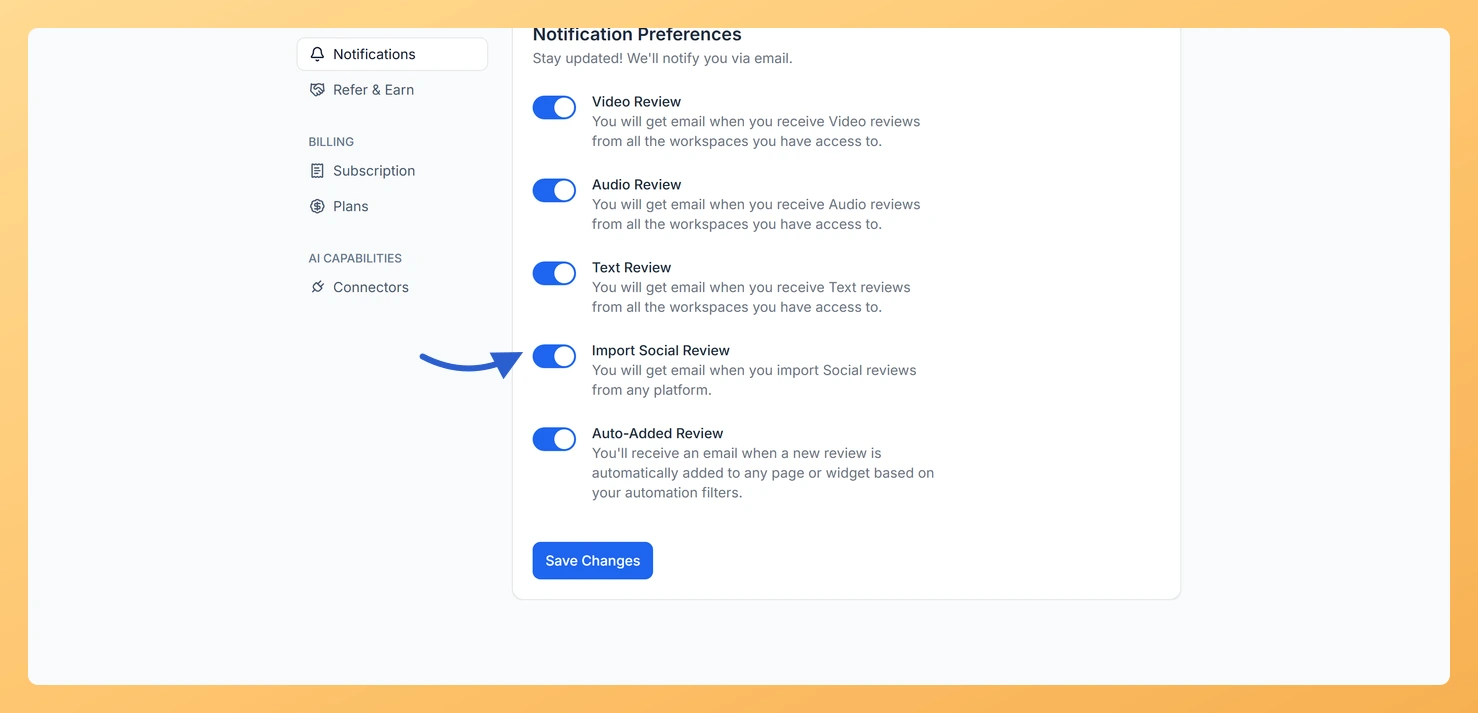
Step 4: Find the Import Social Review toggle
Find the Import Social Review toggle and switch it on or off.
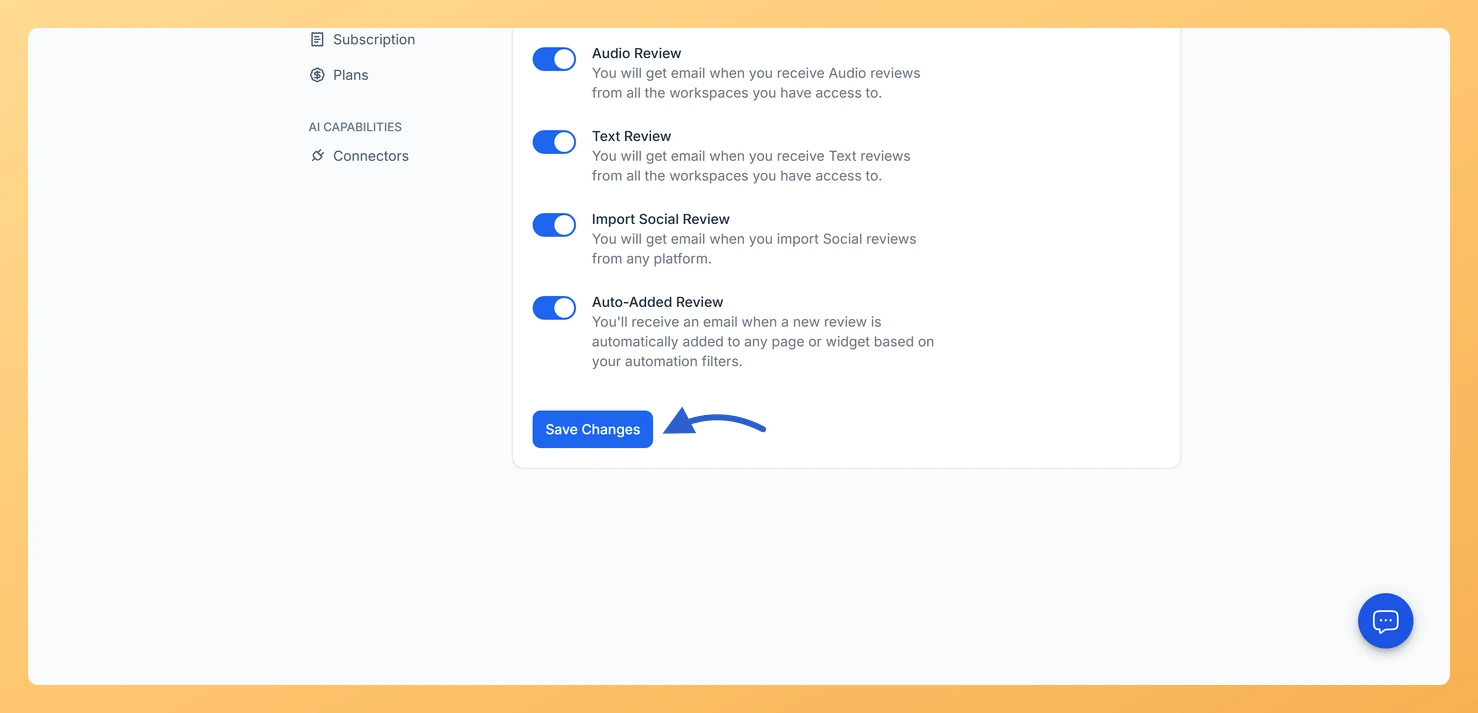
Step 5: Save your preference
Click Save Changes to apply your preference.
When to turn this notification off
This toggle is on by default because most users want confirmation that an import finished. However, there are situations where turning it off makes sense:
You run frequent or scheduled imports and do not need an alert for every batch.
Multiple team members are importing reviews and you are receiving too many emails.
You monitor review imports through another channel or tool.
Common questions
Does this notification cover all my workspaces?
Yes. The setting is at the account level, so it applies to every workspace you have access to. Toggling it off stops import emails for all workspaces at once.
I imported reviews but did not receive an email
Check that the Import Social Review Notification toggle is turned on and that you clicked Save Changes. Also check your spam or junk folder, as notification emails can occasionally be filtered there.
Does this notification affect review form submissions?
No. This toggle only covers social reviews imported through the Import Reviews feature. Notifications for video, audio, and text reviews submitted through your review forms are controlled by their own separate toggles on the same Notifications tab.
You might also find helpful
Learn More About Notification Settings in Feedspace
Accessing notification settings Log into Feedspace Sign in with your account credentials. Open the profile avatar menu Click your profile avatar at the top-right of the header to open the menu, then click Notifications. This opens the My Account modal on the Notifications tab. Notification preferences All notifications are sent...
What Is the Auto-Added Review Notification in Feedspace?
Overview The Auto-Added Review notification is an email alert in Feedspace that tells you whenever a review is automatically approved and added to a page or widget based on your automation filters. When you have set up rules that auto-approve reviews matching certain criteria, such as a minimum star rating...
What is Review Migration in Feedspace?
Overview Review Migration in Feedspace lets you import your existing customer reviews and testimonials from other platforms into your Feedspace workspace. Instead of starting from scratch, you can bring all your valuable feedback from platforms like Senja, Testimonial.to, Famewall, Shoutout, and others directly into Feedspace. This ensures your Wall of...