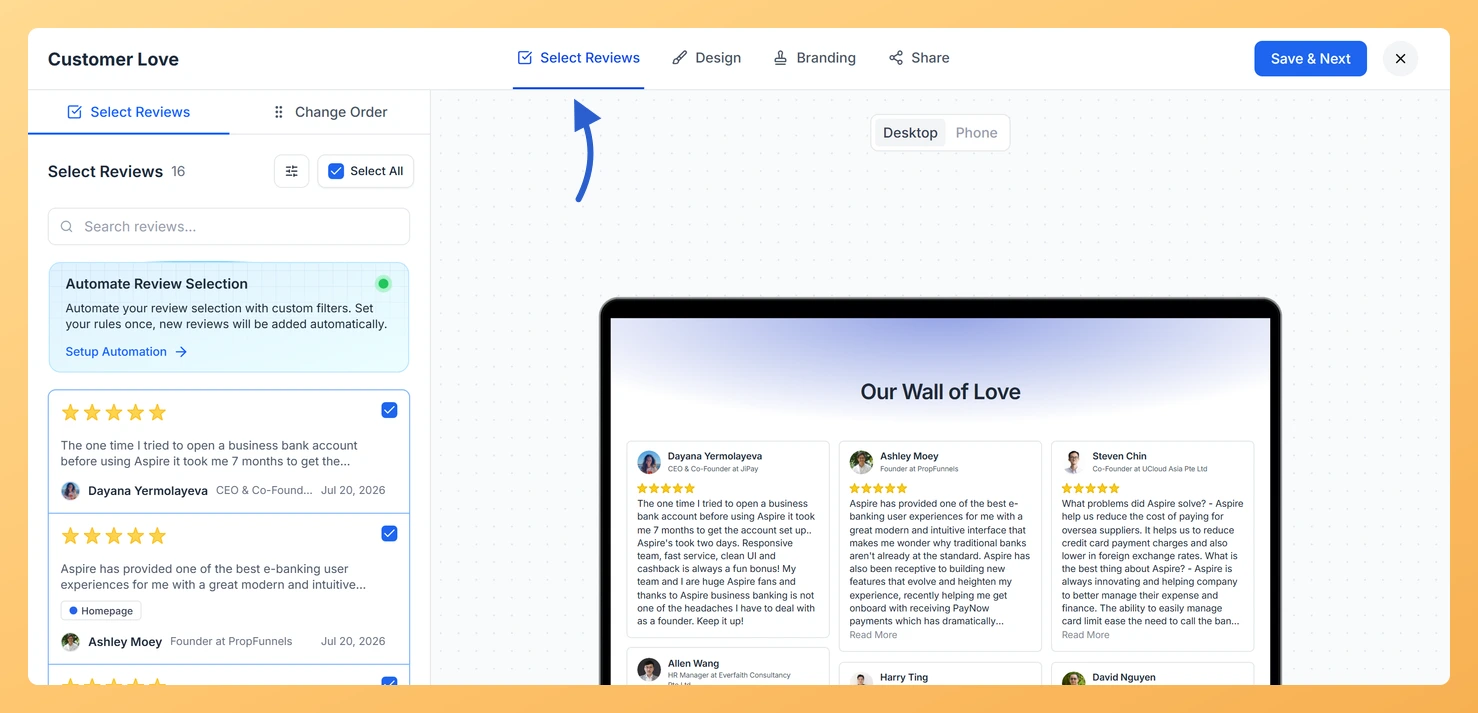
Your Wall of Love page only displays reviews that you have explicitly selected. Each review in your Feedspace workspace is a unique record, so the same review cannot appear on your page twice unless it exists as two separate entries in your workspace.
This comes up most often when someone uses automation or imports reviews from multiple sources and wants to make sure the same testimonial does not show up more than once on their public page.
How review selection prevents duplicates
In the page editor’s Select Reviews tab, each review from your workspace appears once as a checkbox. You select the ones you want to show and deselect the rest. Because each review has a single entry in the list, it is not possible to add the same review to the page more than once through manual selection.
How to check and manage which reviews appear on your page
Sign in at app.feedspace.io/signin and go to Pages in the left sidebar under the Share section.
Click the Edit (pencil) icon on your Wall of Love page card. The editor opens on the Select Reviews tab.
The left panel shows all reviews in your workspace. Selected reviews appear at the top of the list with their checkboxes ticked.
Use the search bar or filter icon to find specific reviews. Uncheck any review you do not want on the page.
Click Save and Next when you are done. Your changes save and the live preview on the right updates immediately.
If you use automation
If you have turned on Automate Review Selection for your page, Feedspace applies the filters you set to determine which new reviews are added automatically. Because automation uses your unique review records, a single review can only be auto-added once. If a reviewer submits the same review form twice, that creates two separate review entries in your workspace. Both entries could appear on the page if both match your automation filters.
What’s next
After reviewing your selection, use the Change Order sub-tab to arrange how reviews appear on your page. You can drag reviews into a preferred sequence or sort by newest or oldest. Keeping your selected reviews curated ensures your Wall of Love always shows the best testimonials.
Common questions
What if I imported the same review from two different sources?
If you imported a review from two different sources and both ended up in your workspace as separate records, they will appear as two separate checkboxes in the page editor. Uncheck one of them to show only the version you prefer. You can also delete the duplicate review from your Feedbox to keep your workspace clean.
Can the same review appear on more than one Wall of Love page?
Yes. You can select the same review for multiple Wall of Love pages. This is intentional, for example, a product testimonial could appear on both a general testimonials page and a product-specific page. Each page is managed independently in the editor.
Does my Wall of Love page update automatically when I get a new review?
Only if you have turned on Automate Review Selection in the page editor. Without automation, new reviews are added to your workspace but do not appear on the page until you manually select them. See the auto-update article for full details.
You might also find helpful
Does My Wall of Love Page Update Automatically When I Get New Reviews?
Overview It is a great question, and the answer depends on which display mode you have set up for your Wall of Love page. Feedspace gives you two distinct options: Manual selection, where you stay in full control of every review shown, and Automation mode, where new reviews that match...
Can I Automatically Add New Reviews to My Wall of Love or Widget?
Overview By default, the reviews on a Wall of Love or a widget are the ones you picked by hand on the Select Reviews tab. A new review you collect later does not add itself to that display, you would normally open the editor and check it. Both the Pages...
Can a Customer Submit More Than One Review on My Feedspace Form?
Yes, by Default Feedspace review forms do not block repeat submissions by default. If the same person opens your form link and submits again, a new review entry is created in your Feedbox. This is intentional for cases where you want to collect fresh feedback from the same customer over...