Your Wall of Love page can absolutely be dedicated entirely to video testimonials, and Feedspace gives you straightforward tools to make that happen. This article walks you through filtering your review list by type so only video testimonials appear on your page, and shows you how Automation can keep that list updated without any manual effort.
Yes, you can show only video reviews
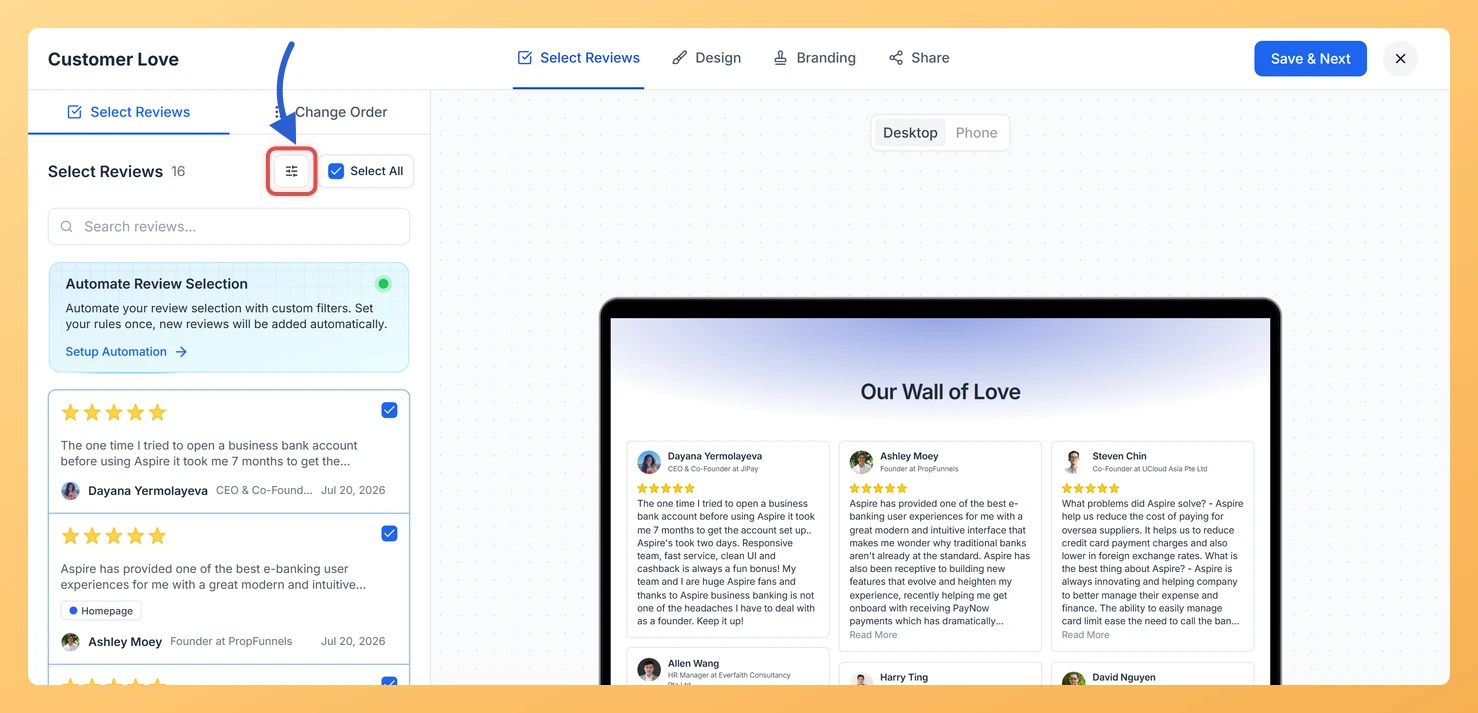
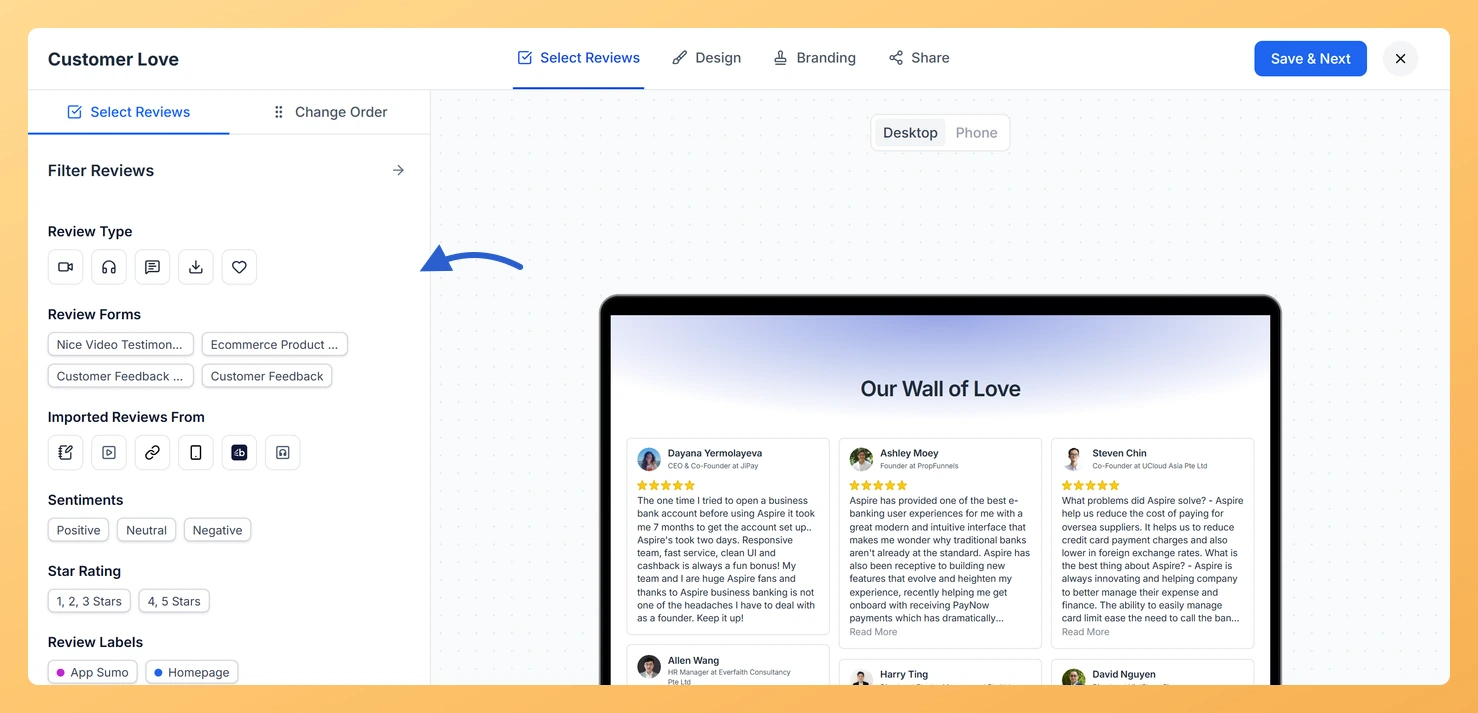
Feedspace lets you control exactly which reviews appear on your Wall of Love page through the Select Reviews tab in your page editor. Within that tab, the Search and Filter options let you narrow the review list by review type, making it easy to surface only video testimonials and add them to your page.
A Wall of Love page dedicated to video testimonials is a powerful trust asset, particularly for B2B sales. Video provides higher credibility than text alone, and visitors can watch real customers share their experiences directly on the page without navigating away.
Step 1: Open the Select Reviews tab
Open your Wall of Love page editor and navigate to the Select Reviews tab. This is where you choose which reviews are included on the page.
Step 2: Filter to video reviews
Use the Search and Filter options to filter your review list by type. Select the Video filter to display only video testimonials in the list. Once the filter is applied, you can select all visible reviews or choose individual ones to add to your Wall of Love page.
Step 3: Use automation to add video reviews automatically
If you want your page to stay current without manual updates, enable the Automation feature in the Select Reviews tab. Set the Automation filter to video testimonials so that all current video reviews are selected immediately, and every new video review collected in the future is added to your Wall of Love page automatically. This means your page grows with your social proof with no extra work required.
What’s next
Open your Wall of Love page editor and go to the Select Reviews tab to apply the video filter and select your video testimonials now.
Enable Automation with the video type filter so future video reviews are added to your page automatically as they come in.
The list comes back with a No Reviews Found message and Change Filter and Reset Filter buttons. Your other reviews still appear underneath, so you can clear the filter and pick from them instead.
You might also find helpful
How Do I Select and Filter Reviews for My Wall of Love Page?
Overview The Select Reviews tab is where you choose exactly which testimonials appear on your Wall of Love page. You can search by keyword, open the filter panel to narrow reviews by type, rating, form, source, label, and more, then tick the cards you want to include. This gives you...
How Do I Use Automation to Auto-Select Reviews on My Wall of Love Page?
Overview The automation feature on a Wall of Love page lets you define a set of filters once. After that, any new review in your account that matches those filters is automatically added to the page without any manual action needed. This keeps your page fresh and up to date...
What Is a Wall of Love Page in Feedspace?
Overview A Wall of Love page is a dedicated, standalone web page in Feedspace that collects and displays your customer reviews in one beautiful, shareable location. Unlike embedding reviews inside a website page, a Wall of Love page exists on its own unique URL that you can share with anyone,...