
Feedspace Home Dashboard

How Do I Use Automation to Auto-Select Reviews on My Wall of Love Page?

Last updated on June 11, 2026

Overview

The automation feature on a Wall of Love page lets you define a set of filters once. After that, any new review in your account that matches those filters is automatically added to the page without any manual action needed. This keeps your page fresh and up to date as new testimonials come in.

Steps to Set Up Automation

Step 1: Open the Page Editor

  1. Log in to your Feedspace account.
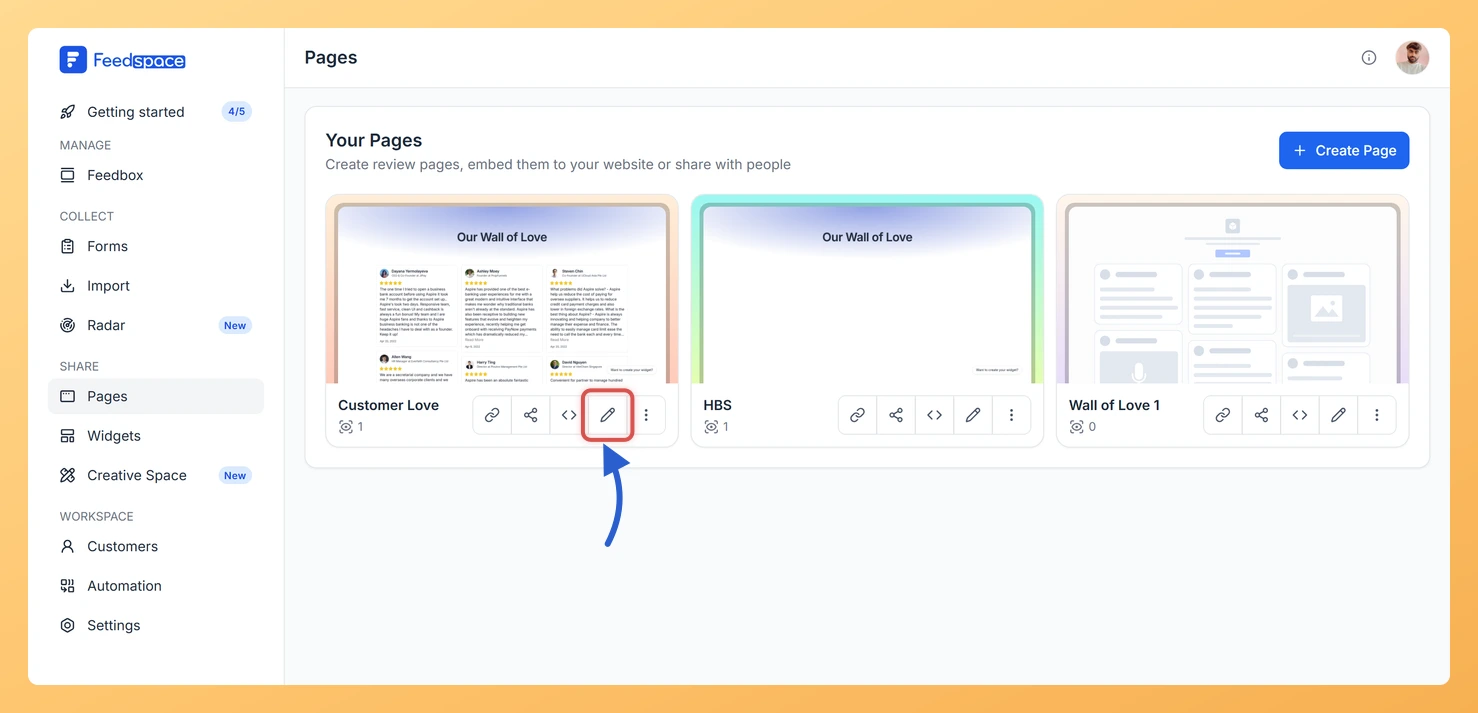
  2. Click Pages in the left sidebar.
  3. Click the pencil (edit) icon on the page you want to automate.
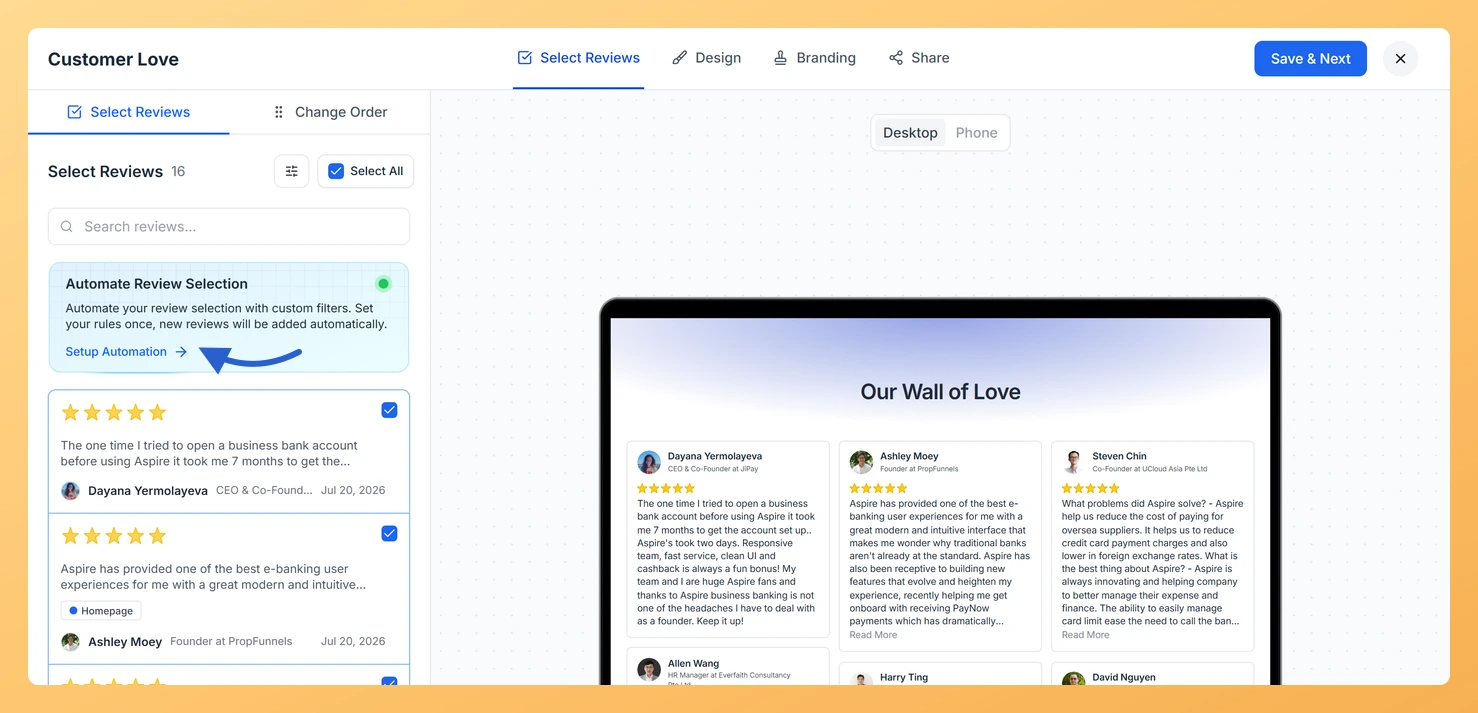
  4. Go to the Select Reviews tab.

Step 2: Enable Automation

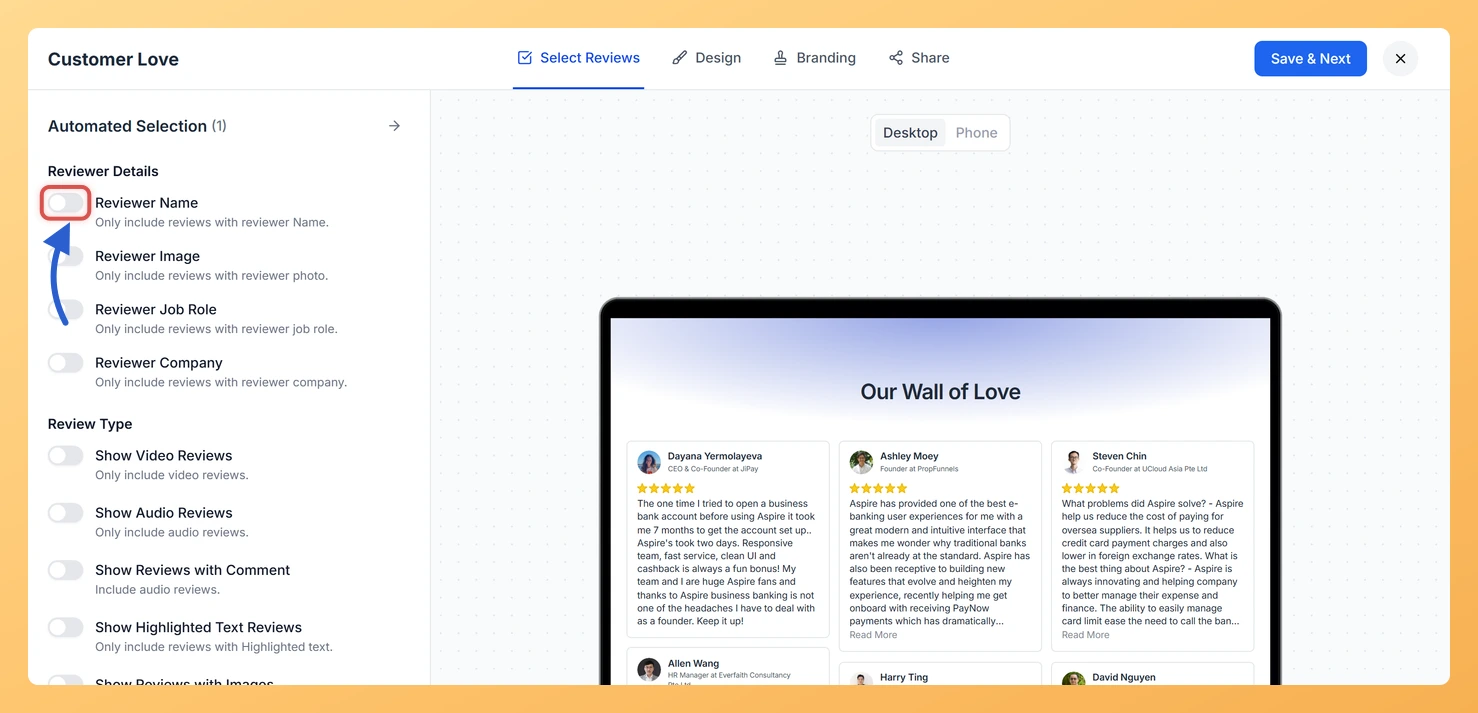
Click the Setup Automation button in the Select Reviews tab. The automation filter panel opens on the right side of the screen. Toggle automation on to activate it.

Step 3: Configure Your Filters

Select which types of reviews should be automatically added to the page. You can use one filter or combine several:

  • Reviewer Details: Only include reviews where the reviewer has a name, profile image, job role, or company.
  • Review Type: Video, audio, text comments, highlighted text, images, or favourites.
  • Star Ratings: Automatically include reviews with 1 to 3 stars or 4 to 5 stars.
  • Review Forms: Only pull reviews collected from a specific form.
  • Auto-Imported Sources: Include reviews from platforms connected to your auto-import.
  • Imported Review Sources: Filter by manually imported review platforms.
  • Review Sentiment: Positive, neutral, or negative.
  • Keywords: Include reviews that contain specific words, or exclude reviews with certain terms.

Step 4: Save Your Automation Rules

Click Save in the automation panel to store your filter configuration. Then click Save & Next in the editor header to apply the changes to the page. From this point, any review that matches your filters will be added to the page automatically.

Resetting Automation

To remove your automation rules, open the automation panel and click Reset. This clears all filters. You can then toggle automation off or set up a fresh configuration.

What You Can Do with Automation

  • Keep your Wall of Love always up to date without manually selecting new reviews each time.
  • Automatically surface only 5-star reviews so your best testimonials are always on display.
  • Run multiple pages for different audiences, each with its own automatic filter rules.
  • Combine filters to get precise results, for example only video reviews with a reviewer photo and a 4 or 5 star rating.

You might also find helpful

How to Create a Wall of Love Page in Feedspace

Steps to Create a Page Log into Feedspace Sign in with your account credentials. Go to Pages From the left sidebar, click Pages. Create Page Click Create Page. This opens the creation screen with some reviews auto-selected in the space. Select Reviews Go to the Select Review page and choose...

How Do I Select and Filter Reviews for My Wall of Love Page?

Steps to Select and Filter Reviews Step 1: Open the Page Editor Step 2: Search for Reviews Use the search bar at the top of the review list to find reviews by keyword. Type any word from the review text, the reviewer’s name, or their company name to narrow down...

Can you create multiple Walls of Love?

Yes, you absolutely can! With Feedspace.io, you’re free to create multiple Walls of Love for different purposes, all within a single account. This flexibility lets you showcase customer testimonials in targeted ways, for example, you could have one Wall highlighting product-specific feedback, another for feature-specific quotes, and even a separate...