Yes, you can use Feedspace to manage reviews for multiple clients or websites. The way to do this is through workspaces. Each workspace is a separate environment with its own review forms, imported reviews, widgets, and Wall of Love pages. You create one workspace per client and switch between them from a single Feedspace login.
How the workspace model works for agencies
When you create a workspace for a client, everything inside it belongs to that client: their review forms, reviews, widgets, and branding. Nothing spills over between workspaces. You can set up a custom domain per workspace (so the review form lives at reviews.yourclient.com), and brand each workspace with the client’s logo and colors.
Your clients don’t need their own Feedspace accounts. You manage everything on their behalf from your account. If you want to give a client or a team member access to a specific workspace, you can invite them as a team member on that workspace.
How many clients can you manage
The number of workspaces you can create depends on your plan. Each plan tier includes a set number of workspaces. You can see how many you’ve used and how many remain by clicking the circular avatar button at the top-right of the header, then opening Subscription. To create more workspaces than your plan allows, upgrade to a higher plan tier.
How to create a workspace for a new client
Step 1: Open the workspace switcher
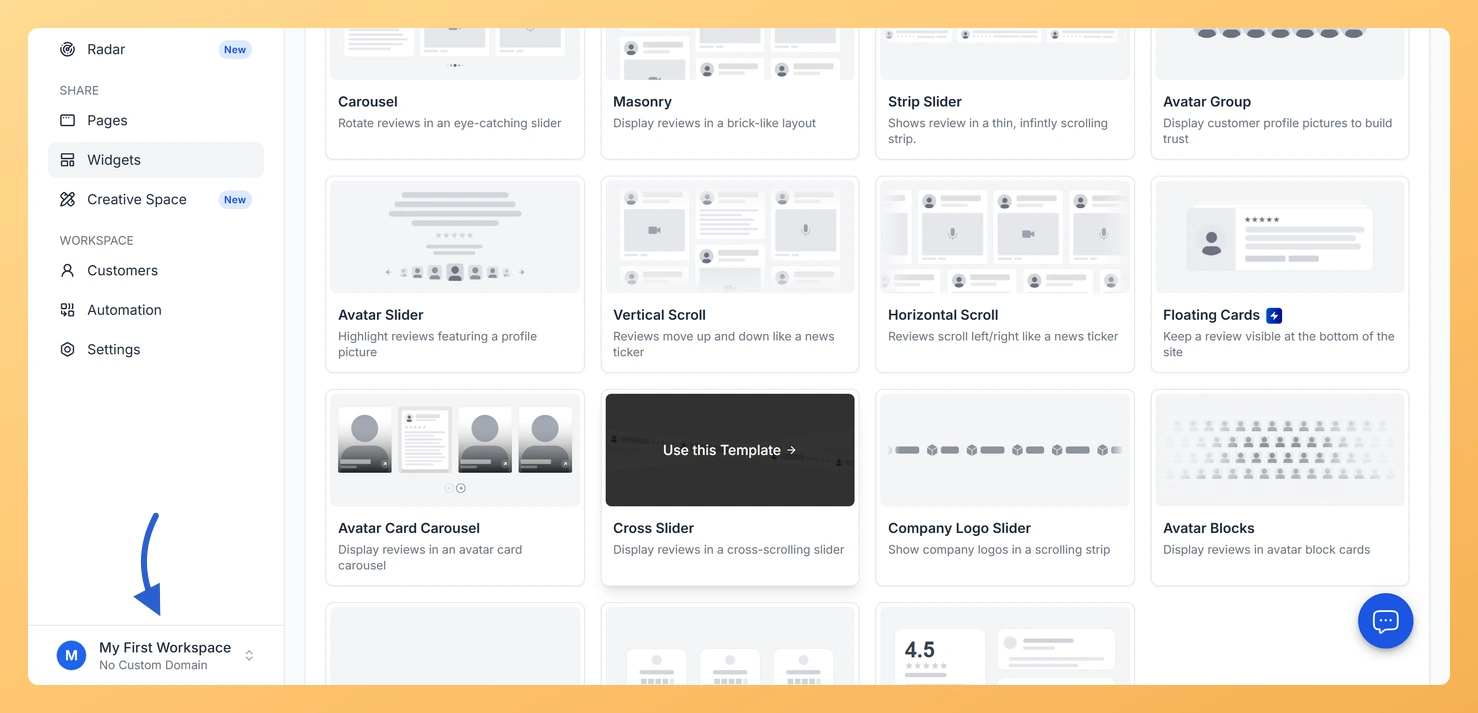
Click the workspace switcher button at the bottom of the sidebar. It shows your current workspace name and a chevron icon. A dropdown opens above it.
Step 2: Go to the workspaces page
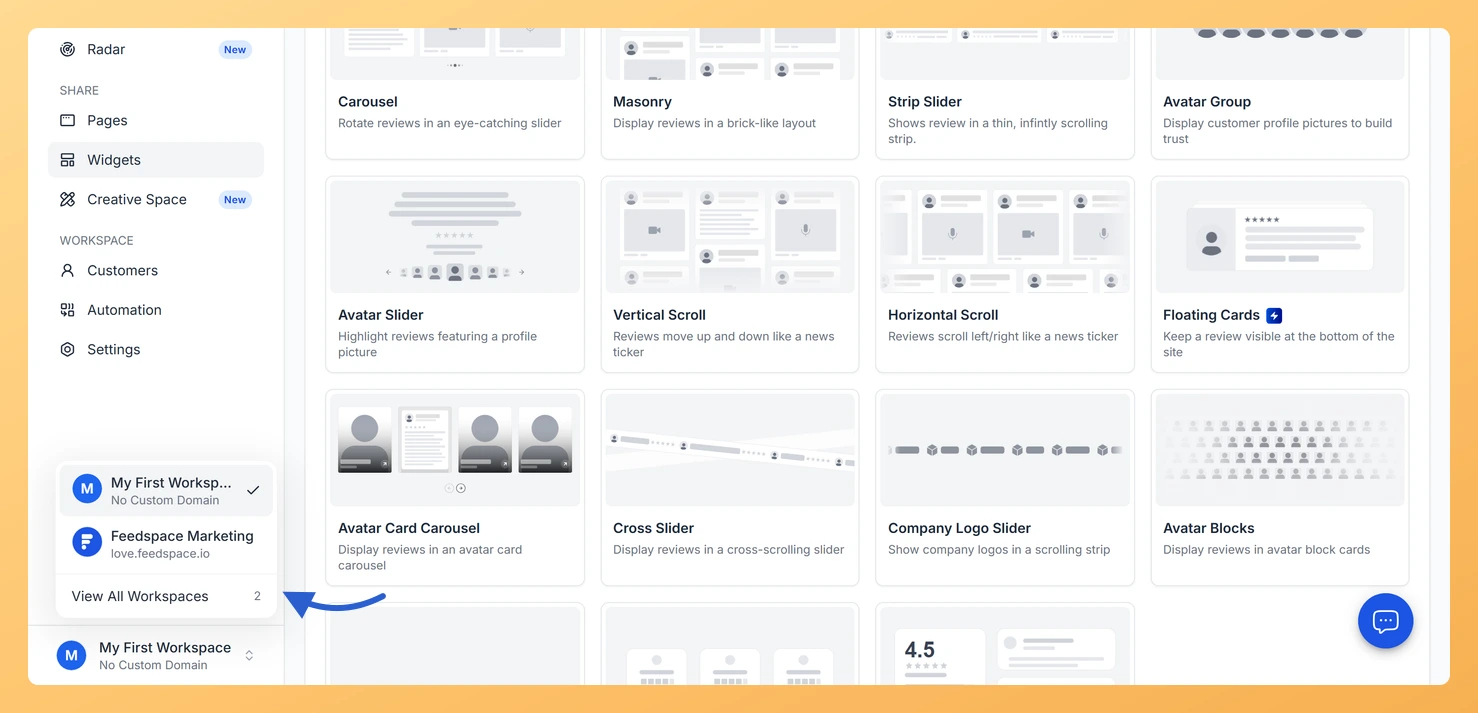
Click View All Workspaces at the bottom of the dropdown. You are taken to the /workspaces page.
Step 3: Create the workspace
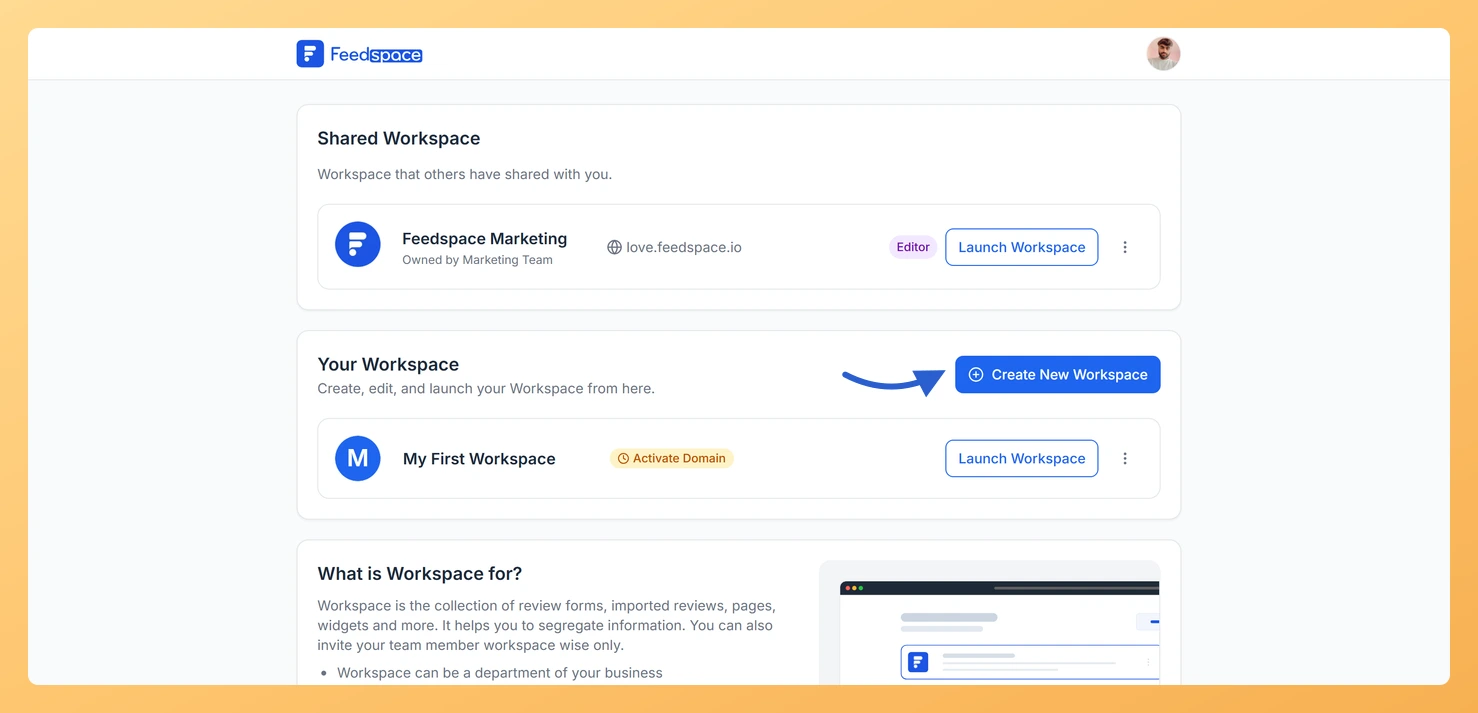
Click Create New Workspace. A modal opens.
Step 4: Name it after the client
Enter a workspace name, typically the client’s business name. The URL slug fills in automatically. Click Create Workspace.
Step 5: Set the client branding
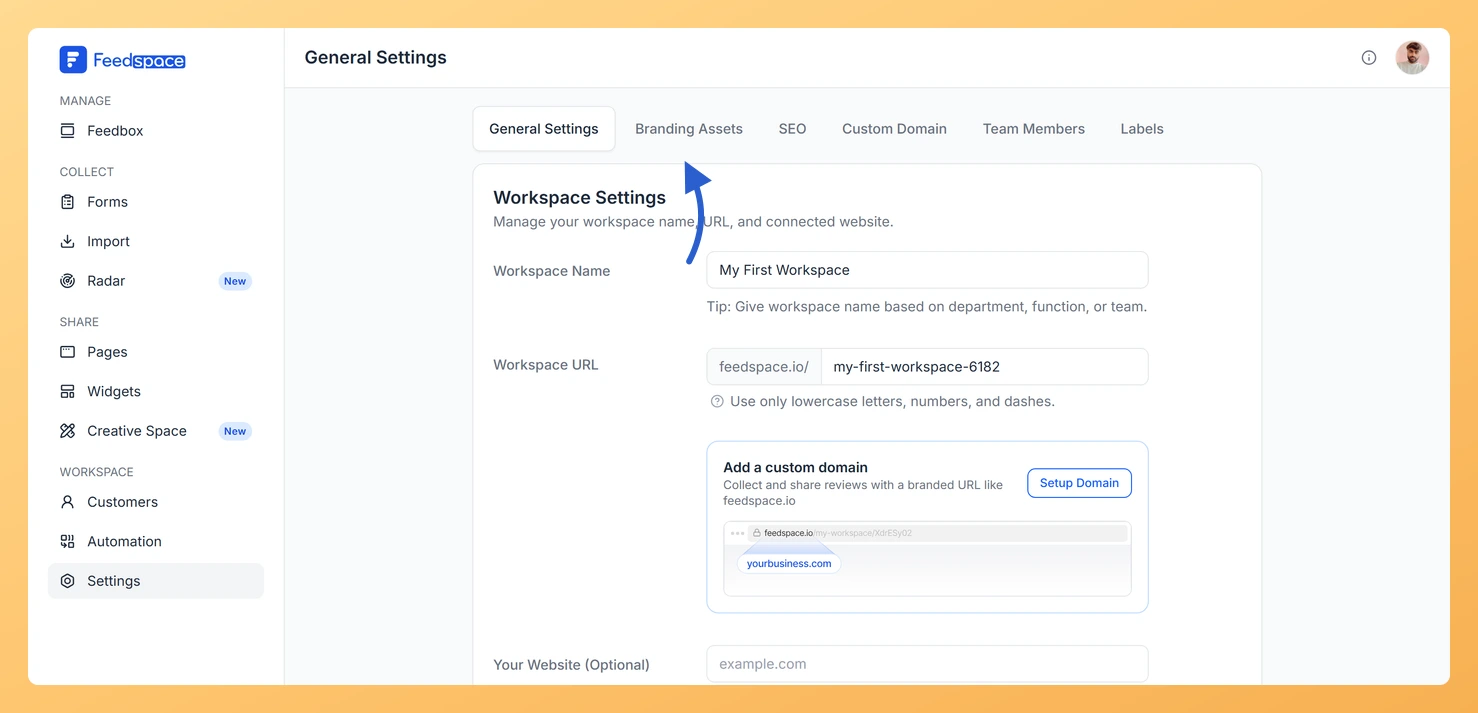
Inside the new workspace, set the client’s branding by clicking Settings in the left sidebar, then opening the Branding Assets tab. Set up a custom domain if needed.
What’s next
Once each workspace is set up, create a review form and share it with the client’s customers. For detailed guidance on the agency review collection workflow, see How Do I Use Feedspace Review Forms as an Agency?
Common questions
Does each client need their own Feedspace subscription?
No. All workspaces run under your single Feedspace subscription. You manage them all from your account. Your clients don’t interact with Feedspace directly unless you invite them as team members.
Can a client access only their workspace and not others?
Yes. When you invite a client as a team member, you add them to a specific workspace. They log in to Feedspace and only see the workspace they were invited to. They don’t have access to your other client workspaces.
You might also find helpful
How Do I Use Feedspace Review Forms as an Agency?
Agencies live and die by referrals and case studies. Feedspace gives agencies a structured way to collect client testimonials at the end of every engagement, video, audio, or text, and turn them into the kind of social proof that shortens sales cycles for new clients. What You Can Do Recommended...
Why Should I Use Multiple Workspaces in Feedspace?
Overview Feedspace supports multiple workspaces so you can keep different businesses, clients, departments, or projects fully separated. Each workspace has its own review forms, wall of love pages, widgets, customer list, team members, branding, and settings. Nothing is shared between workspaces. When to use separate workspaces Different clients or businesses...
How Do I Create a New Workspace in Feedspace?
Overview Organize your content effectively by creating separate workspaces, whether by project, client, or campaign. Here’s how to set one up: Step 1: Log into Feedspace Visit Feedspace and sign in using your account credentials. Step 2: Open the workspace switcher In the sidebar footer, click the workspace switcher. It...