
Feedspace Home Dashboard

How to Import Facebook Posts into Feedspace

Last updated on June 22, 2026

Overview

With Feedspace, you can import customer feedback, testimonials, or brand mentions directly from Facebook posts. This allows you to highlight authentic social proof and display it beautifully in your widgets, pages, or Wall of Love.

Steps to import reviews from Facebook posts

Step 1: Log into Feedspace

Begin by logging into your Feedspace account using your email and OTP. This ensures secure access to your account for importing reviews.

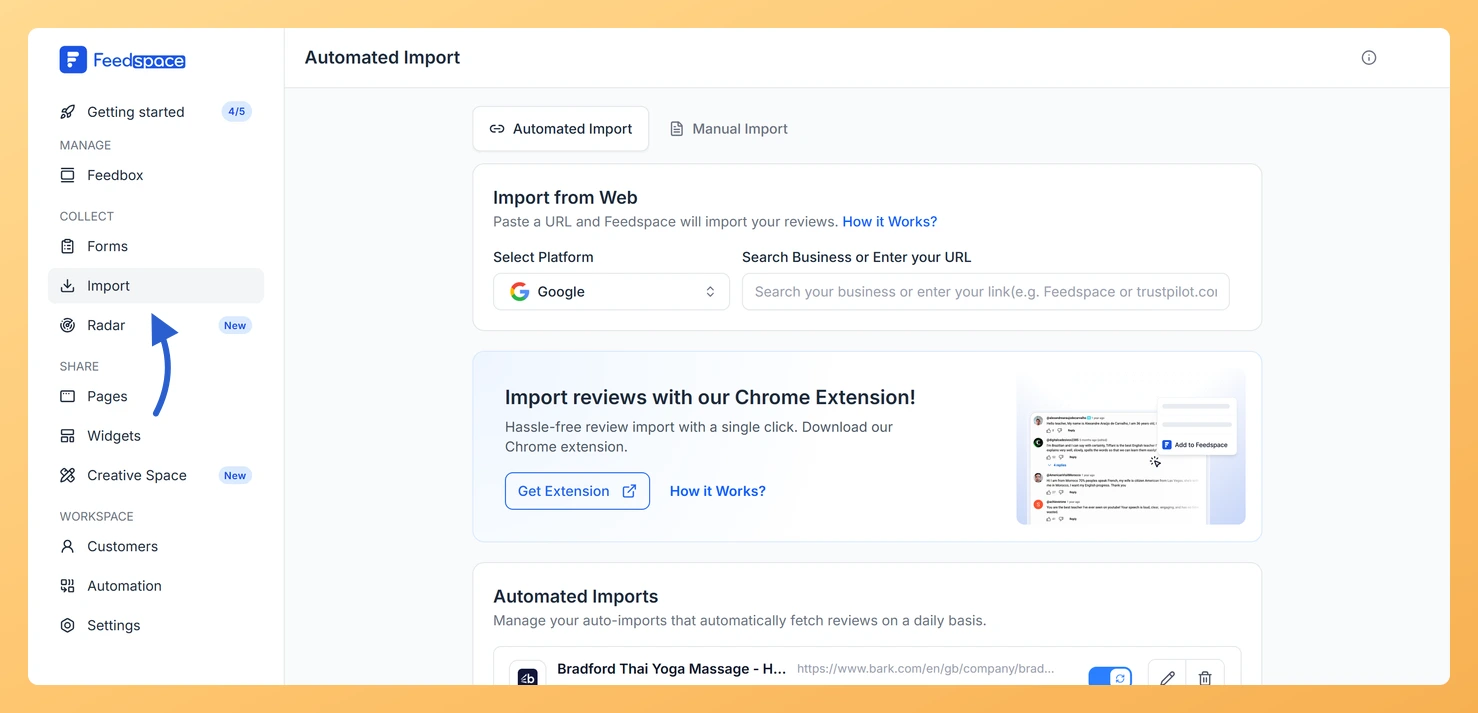
Step 2: Navigate to the import page

On the left sidebar, click Import to open the import page.

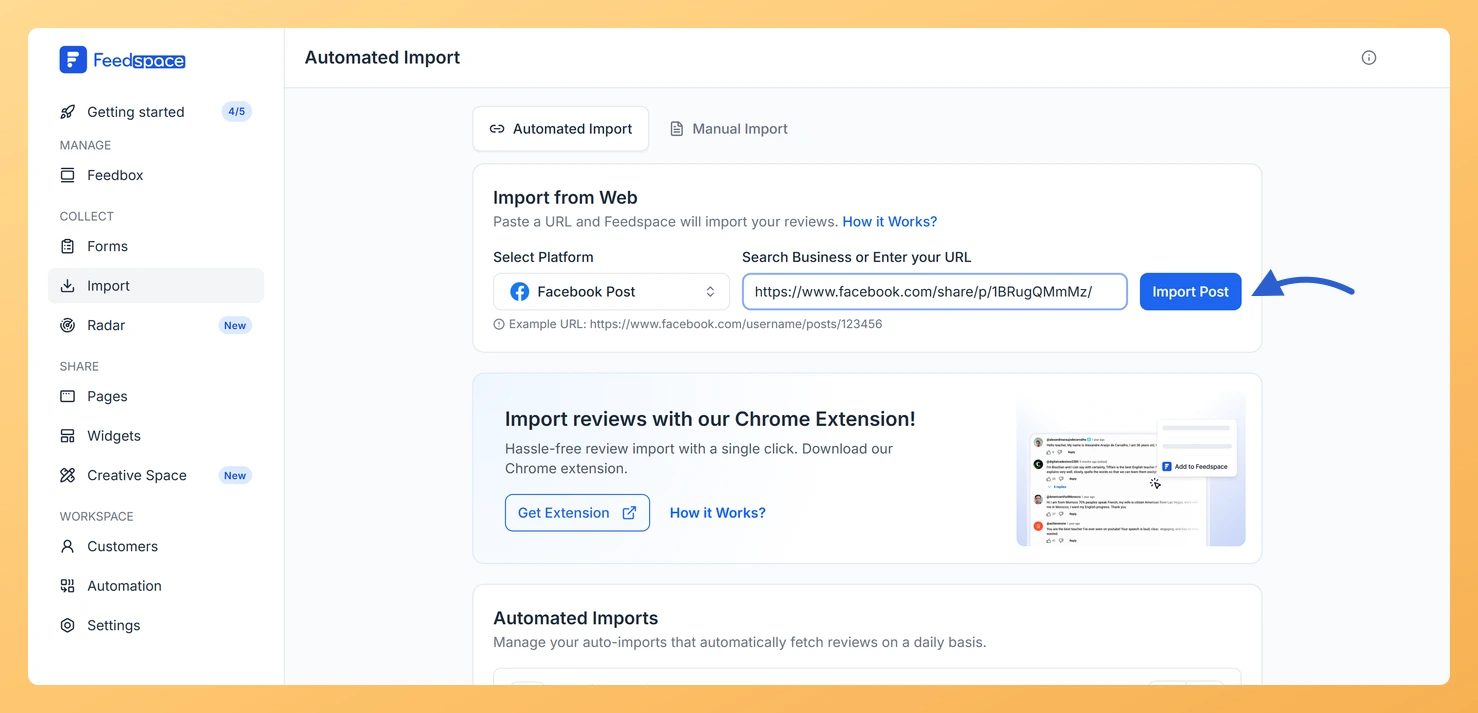
Step 3: Enter your Facebook post URL

  • Copy the URL of the Facebook post you want to import.
  • Example: https://www.facebook.com/share/p/1BRugQMmMz/
  • Paste this link into the input field. Feedspace detects Facebook automatically.
Import Reviews in Feedspace

Step 4: Fetch and import the post

  • Click Fetch Reviews.
  • Select the post you want to import.
  • Click Import Review in the footer to save it to your account.

You might also find helpful

How Do I Import Instagram Posts into Feedspace?

Overview Feedspace lets you import posts and reels from Instagram and display them as testimonials on your website. You can use this to showcase real customer mentions, product posts, and brand stories without asking customers to submit anything manually. For example, if a customer posts a reel showing your product...

How to Import Posts from X into Feedspace

Steps to import posts from X Step 1: Log into Feedspace Log in to your Feedspace account and click Import in the left sidebar. Step 2: Enter your X URL Paste your X URL into the input field. Feedspace detects the platform automatically. Step 3: Fetch reviews Click Fetch Reviews...

How to Import Posts from LinkedIn into Feedspace

Overview LinkedIn posts often feature professional reviews, shoutouts, and thought leadership. Importing LinkedIn posts into Feedspace lets you highlight these valuable moments on your website. Steps to import posts from LinkedIn Step 1: Log into Feedspace Log in with your Feedspace credentials, then click Import in the left sidebar. Step...