Your profile on BetterHelp shows reviews alongside your details. Feedspace reads the reviews straight off that profile, and you tick the ones to bring into your account.
Therapists with a private practice add these reviews to their own practice website, where someone looking for support can read them before booking a first session.
Steps to import reviews from BetterHelp
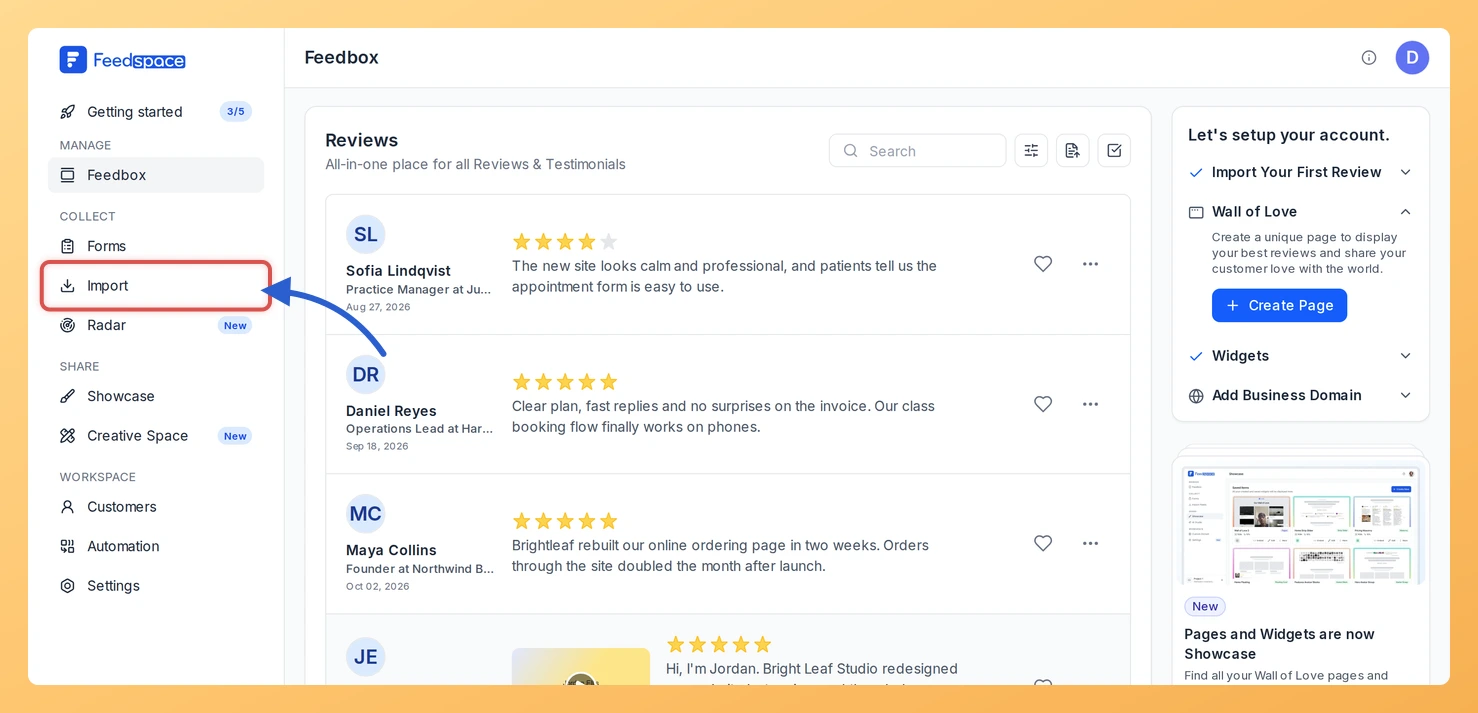
Step 1: Go to Import
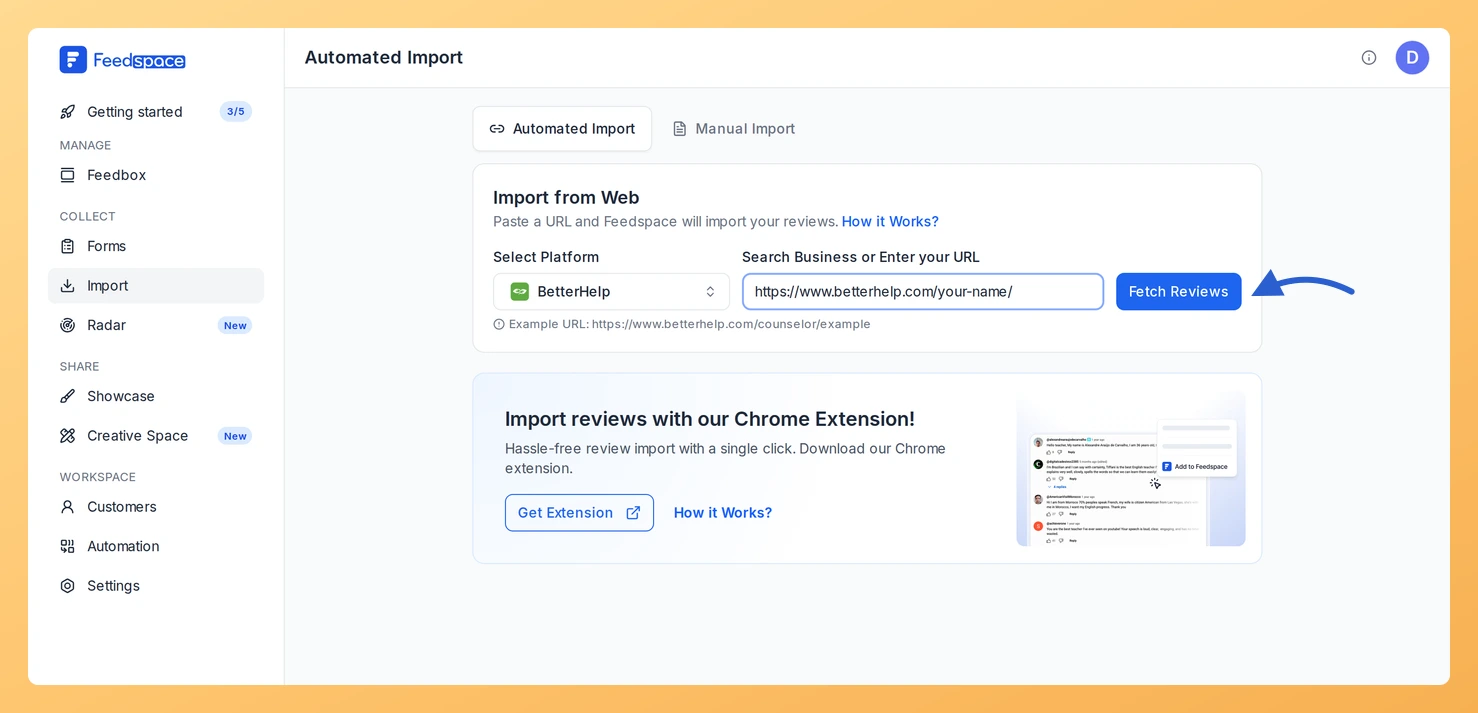
Head to the sidebar in Feedspace and choose Import. Everything that follows happens in the Import from Web card on the Automated Import tab.
Step 2: Copy your BetterHelp profile link
Open your profile on BetterHelp and copy its address, for example https://www.betterhelp.com/your-name/.
Step 3: Paste the link and click Fetch Reviews
Paste it into Search Business or Enter your URL. Check that BetterHelp shows under Select Platform, then click Fetch Reviews.
Step 4: Choose the reviews and import them
Reviews appear under Fetched Reviews from BetterHelp. Select the ones you want with their checkboxes, or click Select All, and click Import Review. The Import Reviews with Customization dialog lets you attach labels before you click Import Reviews.
What’s next
Place client reviews on your practice website with a widget, or link to a Wall of Love page from your booking page.
They can. When the link has no active auto import, a Setup Auto Import banner sits above the fetched reviews. Click it, pick any options in the dialog that opens and confirm with Setup Auto-Sync. Feedspace will then import new BetterHelp reviews every day. If auto import is not in your plan, or your plan’s auto imports are all in use, Feedspace shows the upgrade options instead.
You might also find helpful
How to Import Reviews from Psychology Today into Feedspace
Overview Feedspace enables businesses to showcase customer feedback by importing reviews from Psychology Today. Psychology Today is a leading mental health platform that connects individuals with therapists, counselors, and mental health professionals. By integrating Psychology Today reviews into your Feedspace dashboard, you can display authentic customer experiences on your website,...
How to Import Reviews from RateMDs into Feedspace
Overview Feedspace allows healthcare professionals and clinics to import reviews from RateMDs: one of the leading platforms for patient feedback on doctors and medical services. By displaying RateMDs reviews on your website, you can build trust and credibility with potential patients using authentic testimonials. Step 1: Open import in Feedspace...
How to Import Reviews from Heal.me into Feedspace
Overview Heal.me is a popular platform where clients share feedback about health and wellness practitioners. Importing reviews from Heal.me into Feedspace allows you to showcase these reviews directly on your website, helping to build trust and highlight customer satisfaction. Whether you are a health practitioner or wellness service provider, displaying...