
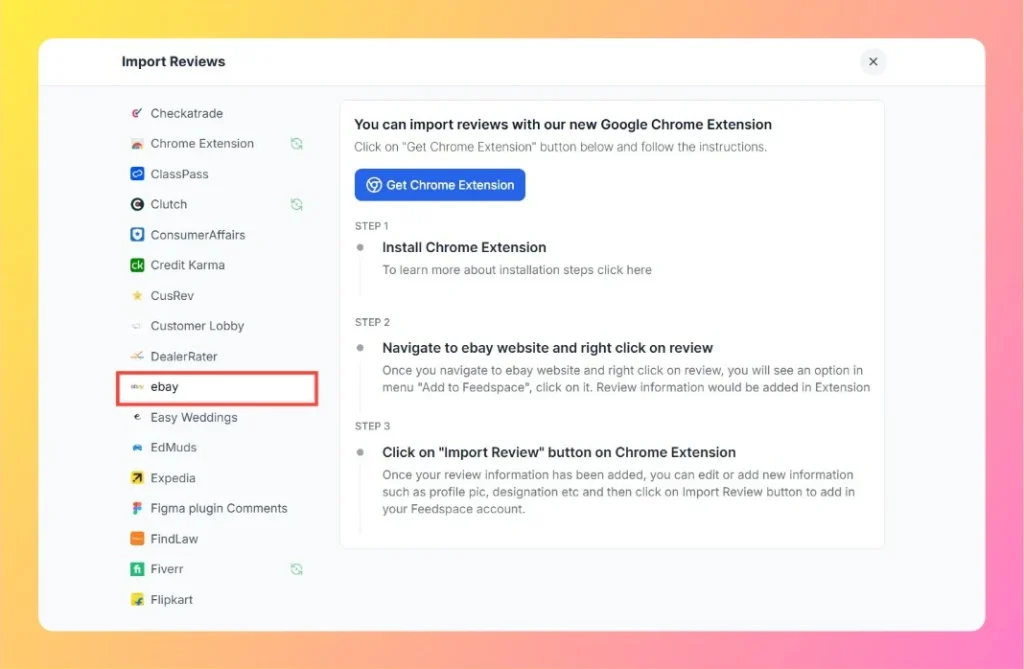
Feedspace Home Dashboard

How to Import Reviews from eBay into Feedspace

Last updated on October 30, 2025

Overview

Feedspace lets you easily import reviews from your eBay store using the Feedspace Google Chrome Extension. This feature allows you to collect authentic product feedback and display it beautifully on your website or Wall of Love.

Step 1 – Install Chrome Extension

  1. Click the Get Chrome Extension button in your Feedspace account.
  2. Follow the on-screen steps to install the extension on your Chrome browser.
  3. For detailed setup guidance, click the installation help link below the button.
Import Review With Chrome Extension

Step 2 – Navigate to eBay Website and Right-Click on a Review

  1. Visit your eBay store or product review page.
  2. Locate the review you want to import.
  3. Right-click on the review and select Add to Feedspace from the context menu.
  4. The review information (text, author details, rating, etc.) will be captured automatically in the Feedspace Chrome Extension.

Step 3 – Click on “Import Review” Button in Chrome Extension

  1. Open the Feedspace Chrome Extension.
  2. Review the imported data and make edits if needed (such as adding profile images or names).
  3. Click on the Import Review button to send the review to your Feedspace account.

Step 4 – Display Imported Reviews

Once the review appears in your account, you can:

  • Add it to your Feedbox.
  • Display it on your website using Feedspace widgets.
  • Feature it in a Wall of Love to build trust and credibility.

Step 5 – Support

Need help setting up or troubleshooting? Click the chat bubble at the bottom-right corner of your Feedspace dashboard to contact support.

You might also find helpful

How to Import Reviews from Amazon

Overview The Feedspace Chrome Extension lets you easily capture Amazon product reviews and import them directly into your Feedspace workspace. This is especially useful for showcasing authentic customer feedback on your website, landing pages, or marketing materials. Step 1 – Open the Amazon Review Go to Amazon and open the...

How to Import Reviews from Zomato into Feedspace

Overview Zomato is a well-known platform for discovering restaurants and reading customer reviews. Importing Zomato reviews into Feedspace allows you to display authentic customer feedback directly on your website. By doing so, you can showcase guest experiences, highlight popular menu items, or provide social proof for your restaurant or business....

How to Import Reviews from Shopify App Store into Feedspace

Overview Shopify App Store reviews give details on app performance, user experiences, and features for online store tools. Importing these reviews into Feedspace allows you to show them on your website or Wall of Love. Here’s a quick guide on how to import Shopify App Store reviews into Feedspace: Steps...