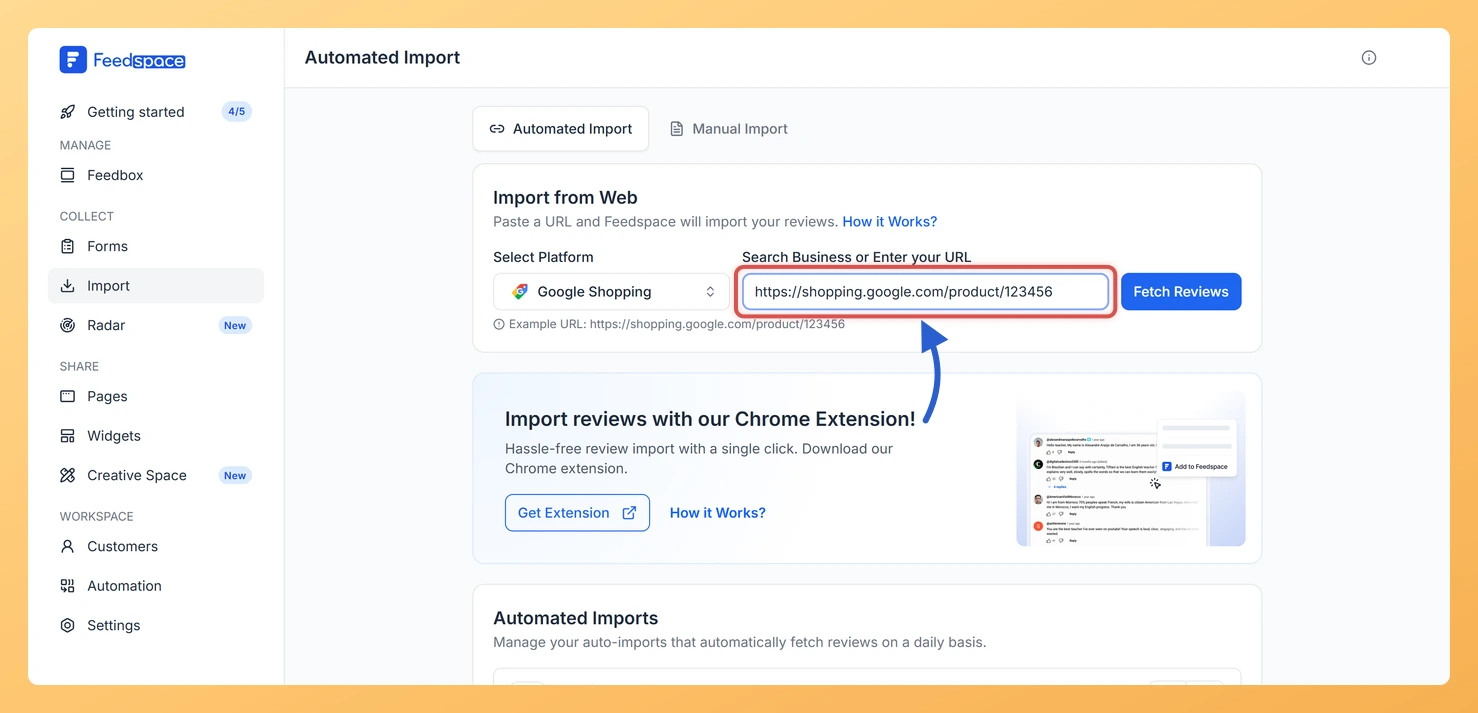
Feedspace can import product reviews from a Google Shopping product page. You paste the product link, fetch its reviews, and choose which ones to bring into your workspace.
A typical use: an online store selling headphones pulls the Google Shopping reviews for its best seller into Feedspace and shows them in a widget on that product’s page, so shoppers read what other buyers said before they add it to the cart.
Click Import in the sidebar. The Automated Import tab opens first.
Step 2: Paste your Google Shopping product link
Open your product’s page on Google Shopping and copy the link from your browser’s address bar.
Paste it into the input field in Feedspace.
Click Fetch Reviews.
Step 3: Select and import your reviews
Tick the reviews you want to bring in, or use Select All.
To tag the reviews with labels or translate them as they come in, click Customized Import in the footer bar first and choose your options (Auto Translate is a premium feature).
Click Import Review in the footer bar to add the selected reviews to your workspace.
What’s next
Your product reviews are now in your workspace. Show them next to the product by adding them to a widget or a Wall of Love page, or see what to do after importing reviews.
Common questions
How do I import reviews for a different product?
Click the back arrow at the top left of the review list. Feedspace clears the link and the fetched reviews, so you can paste the next product’s Google Shopping link and fetch again.
What if Feedspace does not recognise my product link?
Feedspace shows a card asking if you are trying to import reviews from that platform, with an example link in the correct format. Compare your link with the example, copy the product link again from Google Shopping, and retry.
You might also find helpful
How to Import Reviews from Amazon Product into Feedspace
Overview Feedspace makes it easy to import your Amazon product reviews directly into your account using the Feedspace Chrome Extension.You can import genuine customer reviews from your Amazon product pages and display them beautifully on your Wall of Love, widgets, or website pages. Step 1: Install Feedspace Chrome Extension Click...
How to Import Reviews from Flipkart into Feedspace
Overview Feedspace allows you to import customer reviews directly from Flipkart, one of India’s leading e-commerce platforms. This feature helps online sellers and product manufacturers display verified customer feedback on their website or Wall of Love to enhance credibility and sales conversions. Step 1: Open import reviews in Feedspace Log...
How to Import Reviews from eBay into Feedspace
Overview Feedspace lets you easily import reviews from your eBay store using the Feedspace Google Chrome Extension. This feature allows you to collect authentic product feedback and display it beautifully on your website or Wall of Love. Step 1: Install Chrome Extension Click the Get Chrome Extension button in your...