Groupon deal pages carry customer reviews. Feedspace fetches the reviews from your Groupon deal page so you can import the ones you choose.
A spa or restaurant that runs Groupon deals can bring those customer reviews onto its own site, where regular customers book.
Steps to import reviews from Groupon
Step 1: Start in Import
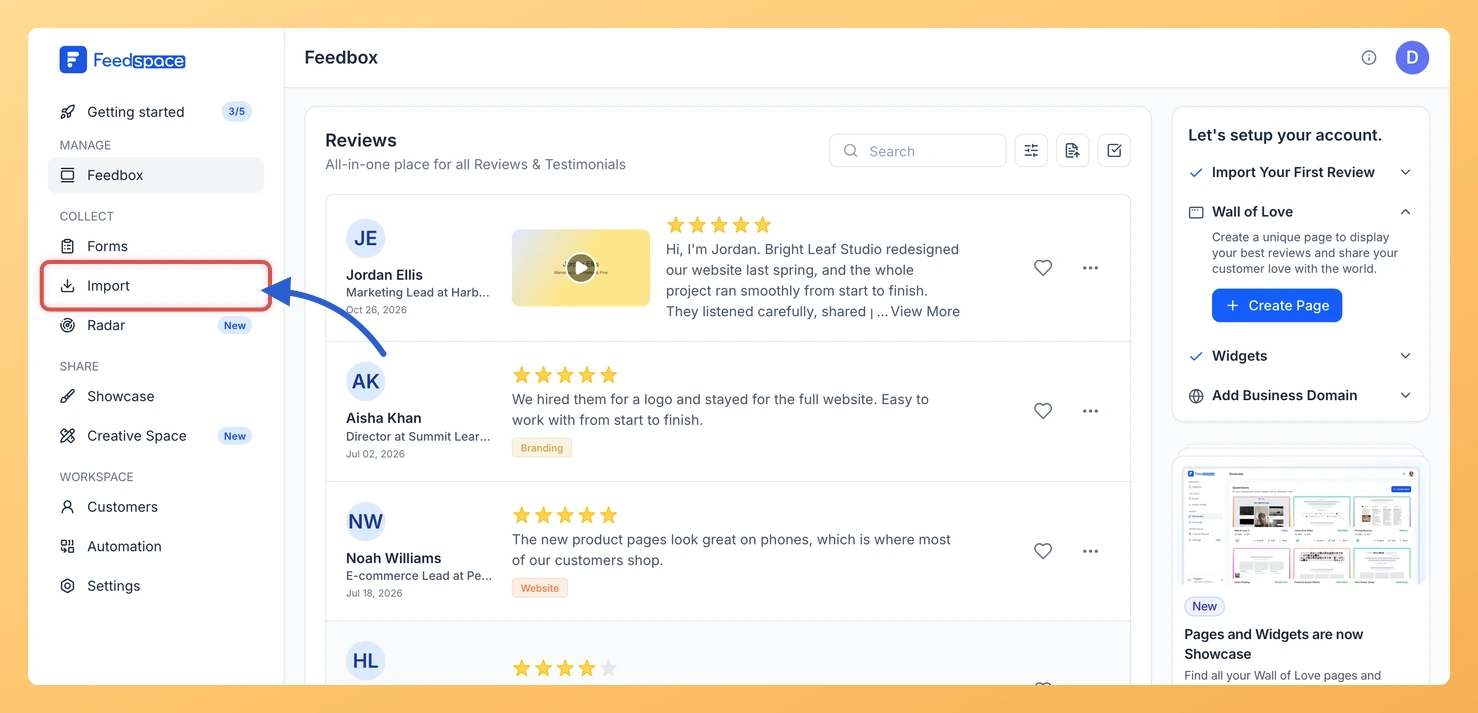
Sign in to Feedspace and open Import from the sidebar. On the Automated Import tab, the Import from Web card takes your link.
Step 2: Copy your Groupon deal link
Open your deal on Groupon and copy its address, which looks like https://www.groupon.com/deals/your-deal.
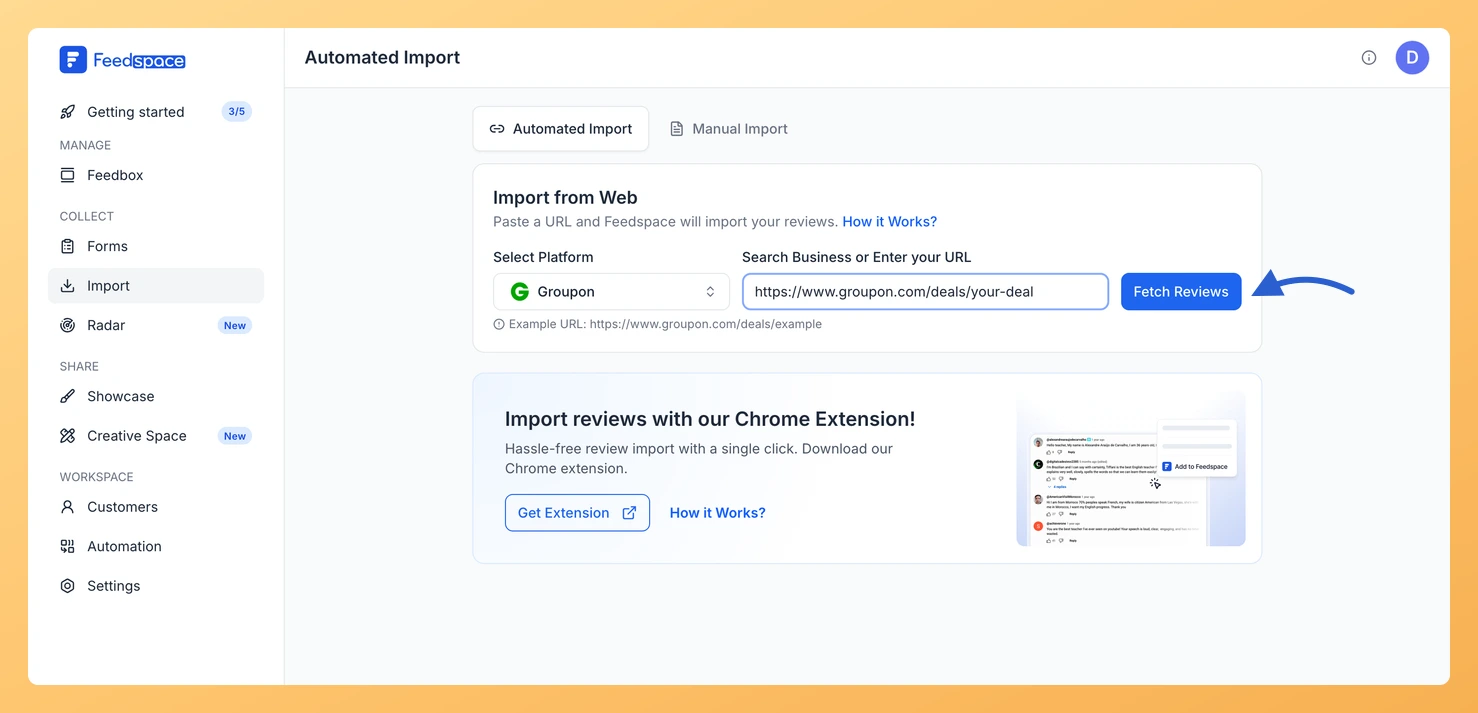
Step 3: Paste the link and click Fetch Reviews
Paste the deal link into Search Business or Enter your URL. Feedspace selects Groupon under Select Platform. Click Fetch Reviews.
Step 4: Choose the reviews and import them
Tick the reviews you want under Fetched Reviews from Groupon, or click Select All. Click Import Review, then Import Reviews in the dialog that follows, where labels are optional.
What’s next
Bring Groupon reviews onto your own booking page with a widget, or show them on a Wall of Love page.
Yes. When the link has no active auto import, a Setup Auto Import banner sits above the fetched reviews. Click it, pick any options in the dialog that opens and confirm with Setup Auto-Sync. Feedspace will then import new Groupon reviews every day. If auto import is not in your plan, or your plan’s auto imports are all in use, Feedspace shows the upgrade options instead.
You might also find helpful
How to Import Reviews from Sitejabber into Feedspace
Overview Sitejabber, which now goes by SmartCustomer, collects reviews of online businesses from their customers. Feedspace fetches the reviews for your business so you can pick the ones to import. Online shops use these reviews at checkout or on product pages, where a first-time buyer is deciding whether to trust...
How to Import Reviews from Yelp into Feedspace
Overview Yelp reviews tell people what it is like to visit a local business, from restaurants to repair shops. Feedspace fetches them from your Yelp business page so you can import the ones you want. A typical use: a cafe shows its best Yelp reviews on its own website, so...
How to Import Reviews from OpenTable into Feedspace
Overview Diners review restaurants on OpenTable. Feedspace fetches the reviews from your restaurant’s OpenTable page and lets you choose which to import. A restaurant can put recent diner praise on its own website, next to the menu or the booking button, where people decide whether to reserve. Steps to import...