Your mentor profile on GrowthMentor shows the reviews you have received. Feedspace fetches them from the profile link so you can choose the ones to import.
Coaches and consultants put these reviews on their booking or services page, where a founder looking for advice sees what past mentees said.
Steps to import reviews from GrowthMentor
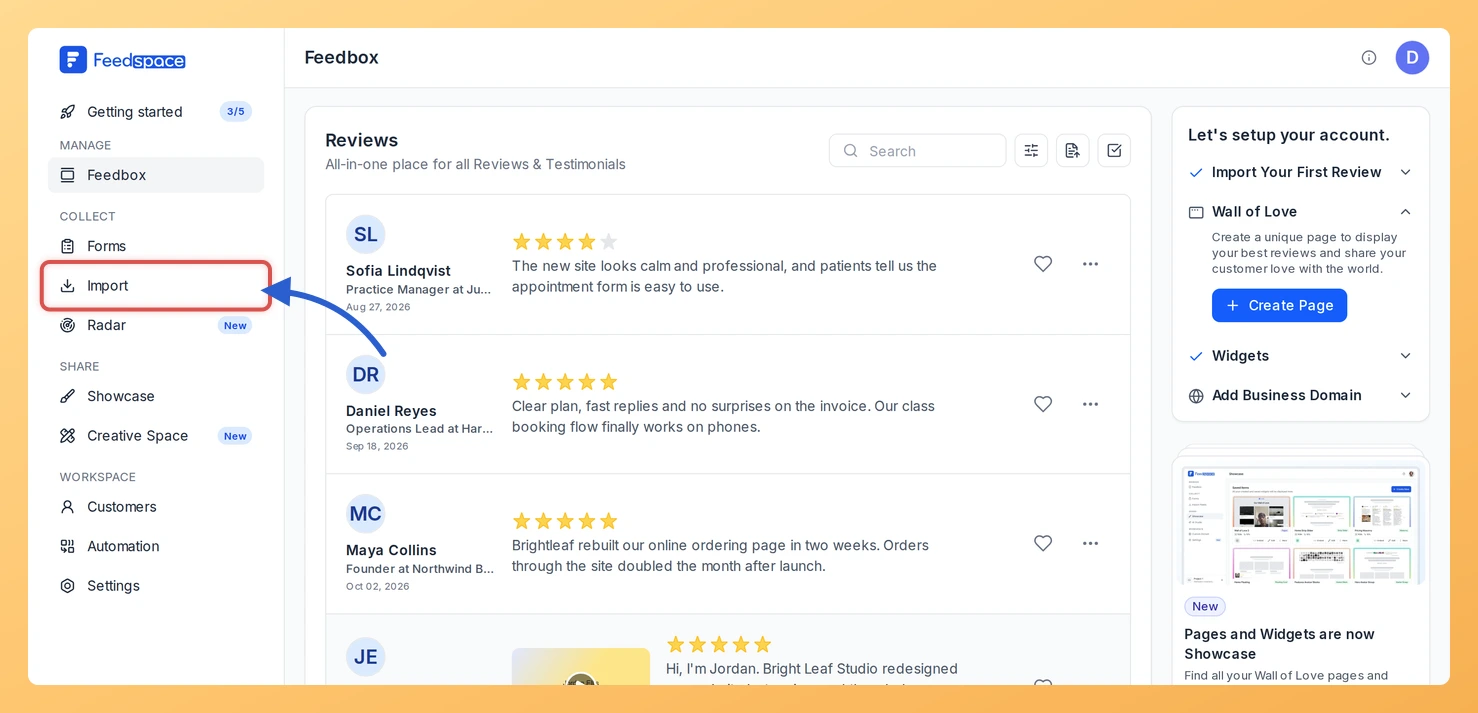
Step 1: Select Import
From any page in Feedspace, select Import in the sidebar. You will work in the Import from Web card on the Automated Import tab.
Step 2: Copy your mentor profile link
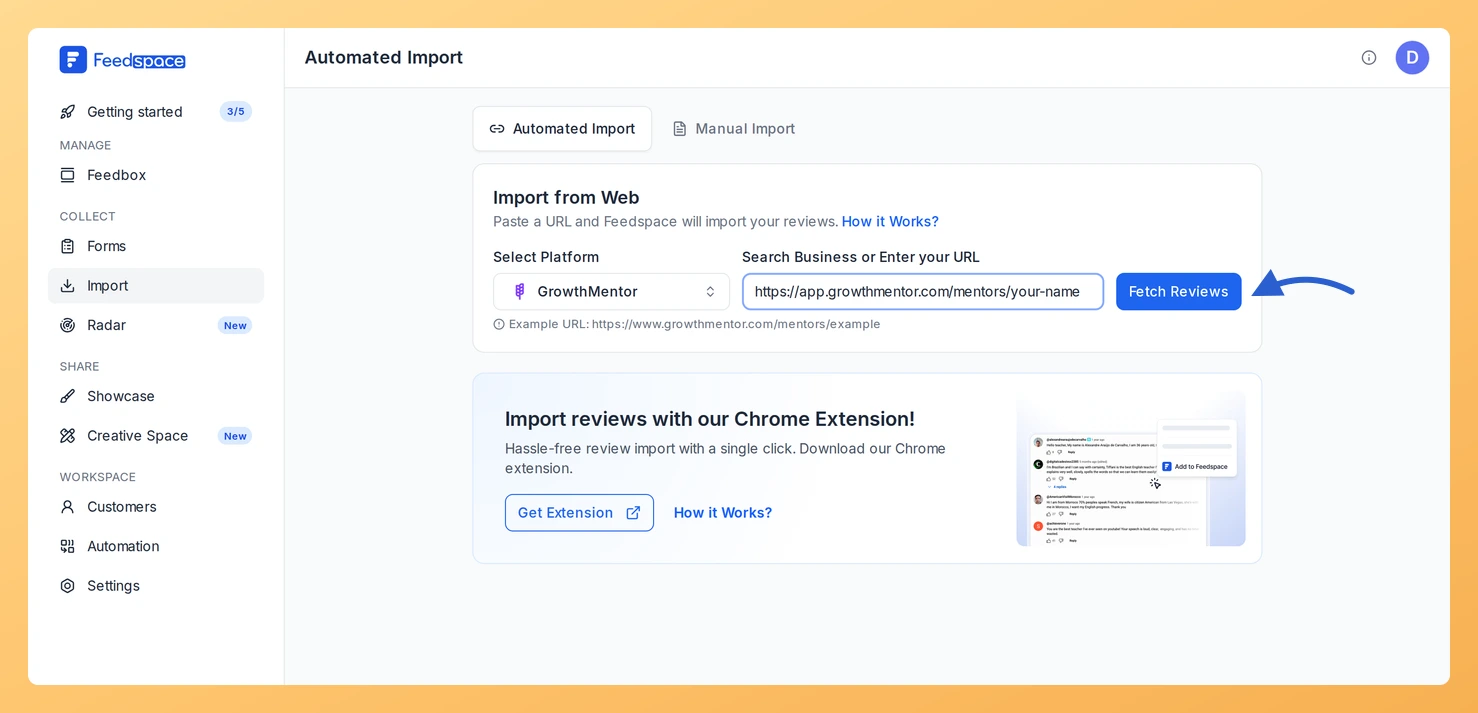
Open your mentor profile on GrowthMentor and copy the address. It looks like https://app.growthmentor.com/mentors/your-name.
Step 3: Paste the link and click Fetch Reviews
Paste it into Search Business or Enter your URL. Feedspace detects GrowthMentor and shows it under Select Platform. Click Fetch Reviews.
Step 4: Choose the reviews and import them
Your profile’s reviews load as Fetched Reviews from GrowthMentor. Check the boxes beside the ones to keep, or click Select All, and click Import Review. Confirm with Import Reviews in Import Reviews with Customization, adding labels there if they help.
What’s next
Show mentee feedback on your coaching site with a widget, or send a Wall of Love page to potential clients.
Does a www.growthmentor.com profile link work too?
Yes. Feedspace recognises links on both www.growthmentor.com and app.growthmentor.com as GrowthMentor.
Can new GrowthMentor reviews import automatically?
Yes. Look for the Setup Auto Import banner above the fetched reviews; it appears when this link has no active auto import. Click it, set your options in the Setup Auto-Sync dialog, then click Setup Auto-Sync to save. From then on Feedspace brings in new GrowthMentor reviews daily. On a plan without auto import, or once you reach the number of auto imports your plan allows, you see the upgrade options instead.
You might also find helpful
How to Import Reviews from Maven into Feedspace
Overview A course page on Maven has a reviews section. From the course link, Feedspace loads those reviews and you decide which ones join your collection. Instructors put them on the landing page for their next cohort, where someone deciding whether to enrol reads what earlier students said about the...
How to Import Reviews from Contra into Feedspace
Overview Your Contra profile gathers the reviews people have written about working with you. Feedspace fetches them from your profile link, and you decide which to import. Freelancers place these reviews on their portfolio site or in a proposal, so a prospective client reads them alongside the work itself. Steps...
How to Import Reviews from Upwork into Feedspace
Overview Feedspace enables businesses to showcase customer feedback by importing reviews from Upwork into your dashboard. Upwork is the world’s largest freelancing platform where clients and freelancers connect for projects and share verified reviews. By bringing Upwork reviews into your Feedspace dashboard, you can display authentic customer experiences on your...