HubSpot customers review apps and service partners on the HubSpot Marketplace. Feedspace fetches the reviews from your listing so you can choose which to import.
App makers and HubSpot partners use these reviews on their own sites, where prospects who use HubSpot want to see what other HubSpot customers say.
Steps to import reviews from HubSpot
Step 1: Open Import in your dashboard
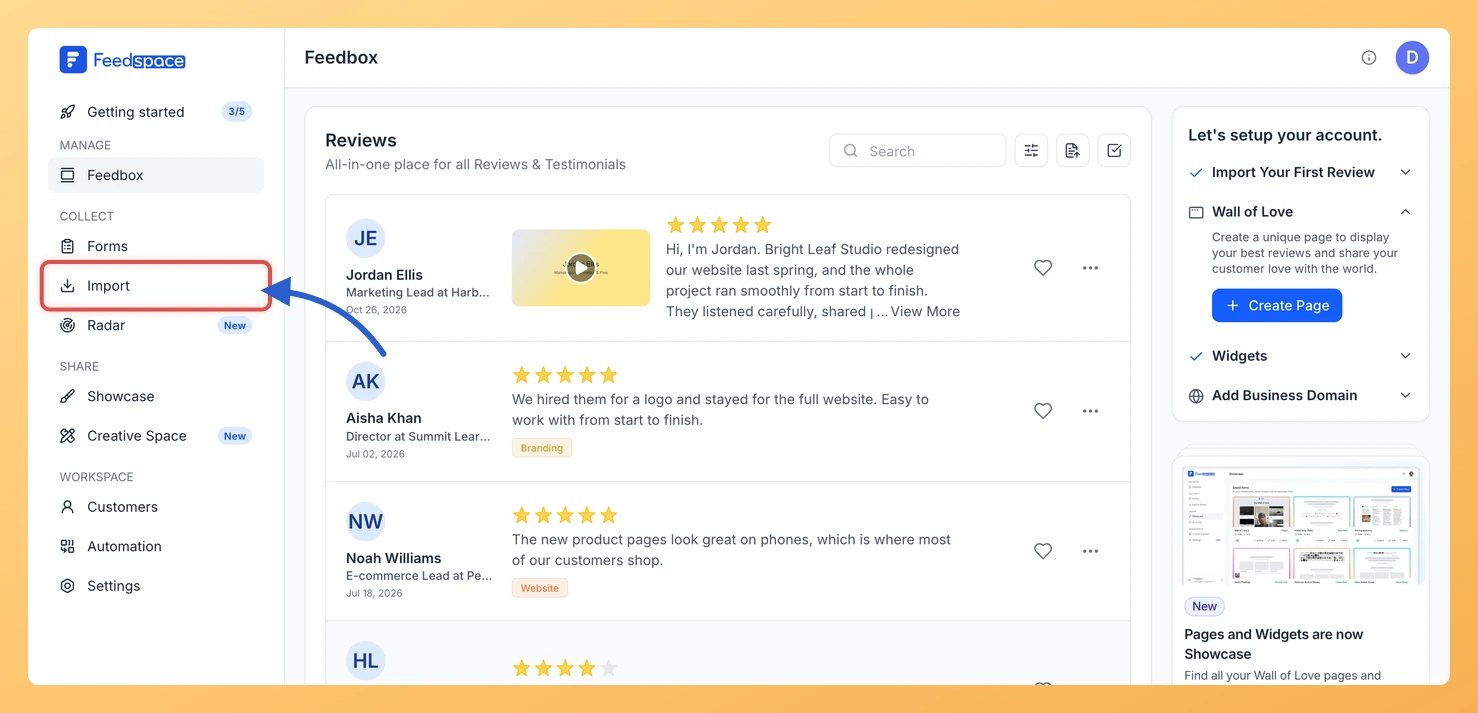
From Feedspace, click Import in the sidebar. The Import from Web card sits at the top of the Automated Import tab.
Step 2: Copy your HubSpot listing link
Open your app or partner listing on the HubSpot Marketplace and copy the address, for example https://ecosystem.hubspot.com/marketplace/apps/your-app.
Step 3: Paste the link and click Fetch Reviews
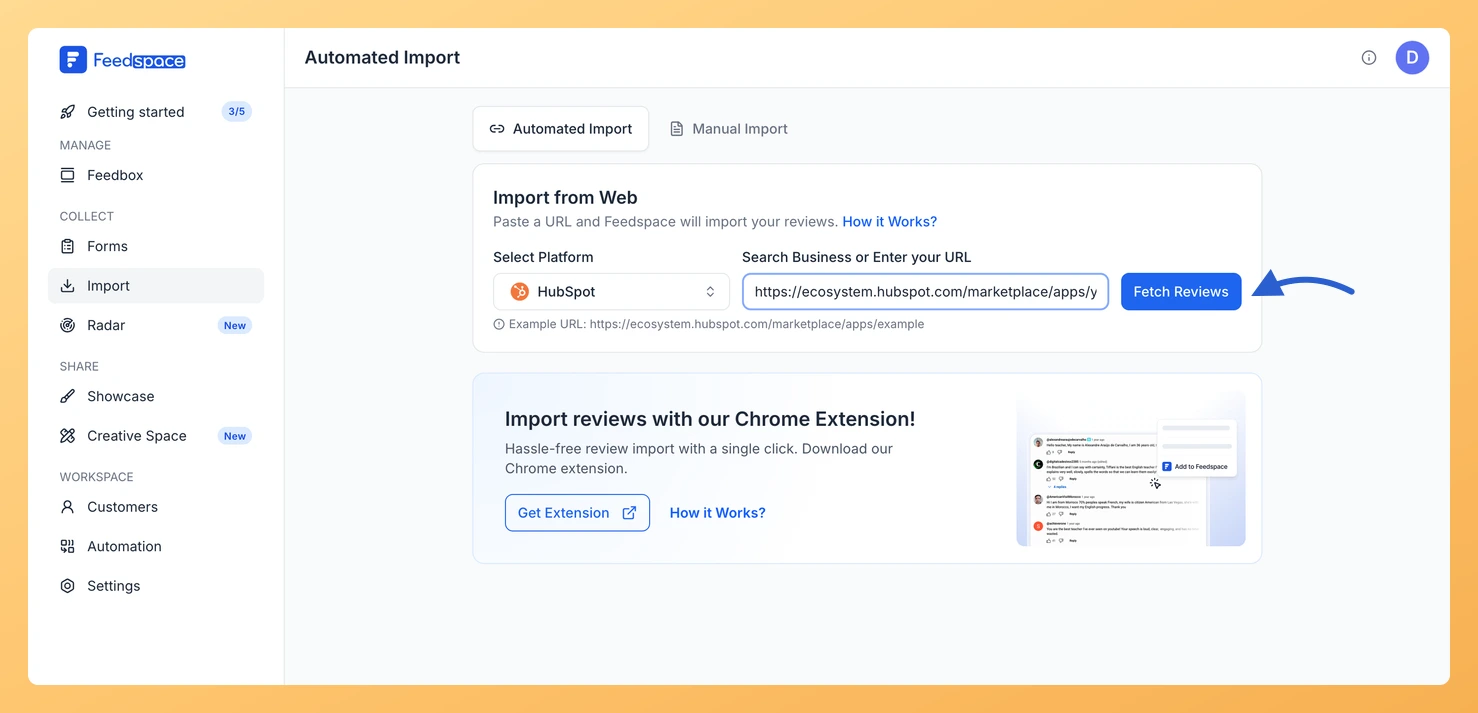
Paste it into Search Business or Enter your URL. Feedspace recognises the link and shows HubSpot under Select Platform. Click Fetch Reviews.
Step 4: Choose the reviews and import them
Once Fetched Reviews from HubSpot loads, tick the reviews you want or click Select All. Click Import Review, then Import Reviews in the customization dialog, adding labels if you like.
What’s next
Show HubSpot customers what others say on your landing page with a widget, or on a Wall of Love page.
Can I import reviews of my HubSpot partner listing?
Yes. Partner listings on the HubSpot Marketplace, such as https://ecosystem.hubspot.com/marketplace/solutions/your-agency, are recognised the same way as app listings.
Will new HubSpot reviews import automatically?
They can. If this link has no active auto import yet, a banner above the fetched reviews shows Setup Auto Import. Click it, choose your options in the Setup Auto-Sync dialog and click Setup Auto-Sync. Feedspace then imports new HubSpot reviews every day. If your plan does not include auto import, or you have used all the auto imports it allows, Feedspace shows the upgrade options instead.
You might also find helpful
How to Import Reviews from G2 into Feedspace
Overview Feedspace imports reviews from your G2 product page directly. You paste the link to your product’s reviews on G2, and Feedspace fetches them so you can pick which ones to bring in. A common case: a software company wants the G2 reviews that win deals to sit on its...
How to Import Reviews from Capterra into Feedspace
Overview Capterra reviews come from people who use your software. Feedspace can fetch them straight from your Capterra product page, so you can choose the ones worth showing and import them in one go. Buyers comparing tools often read Capterra before they ever visit your site. Putting those same reviews...
How to Import Reviews from Google Workspace into Feedspace
Overview Apps and add-ons on the Google Workspace Marketplace collect reviews on their listing pages. Feedspace fetches the reviews from your app’s listing so you can choose which to import. Add-on makers show these reviews on their own website, where a team admin is deciding whether to install the app...