Each professor on Rate My Professors has a page of ratings and comments. Feedspace collects the reviews from your professor page link, and you select the ones to keep.
Lecturers who also tutor or run their own courses show these reviews on their tutoring site or course page, where a new student can see how others found their teaching.
Steps to import reviews from Rate My Professors
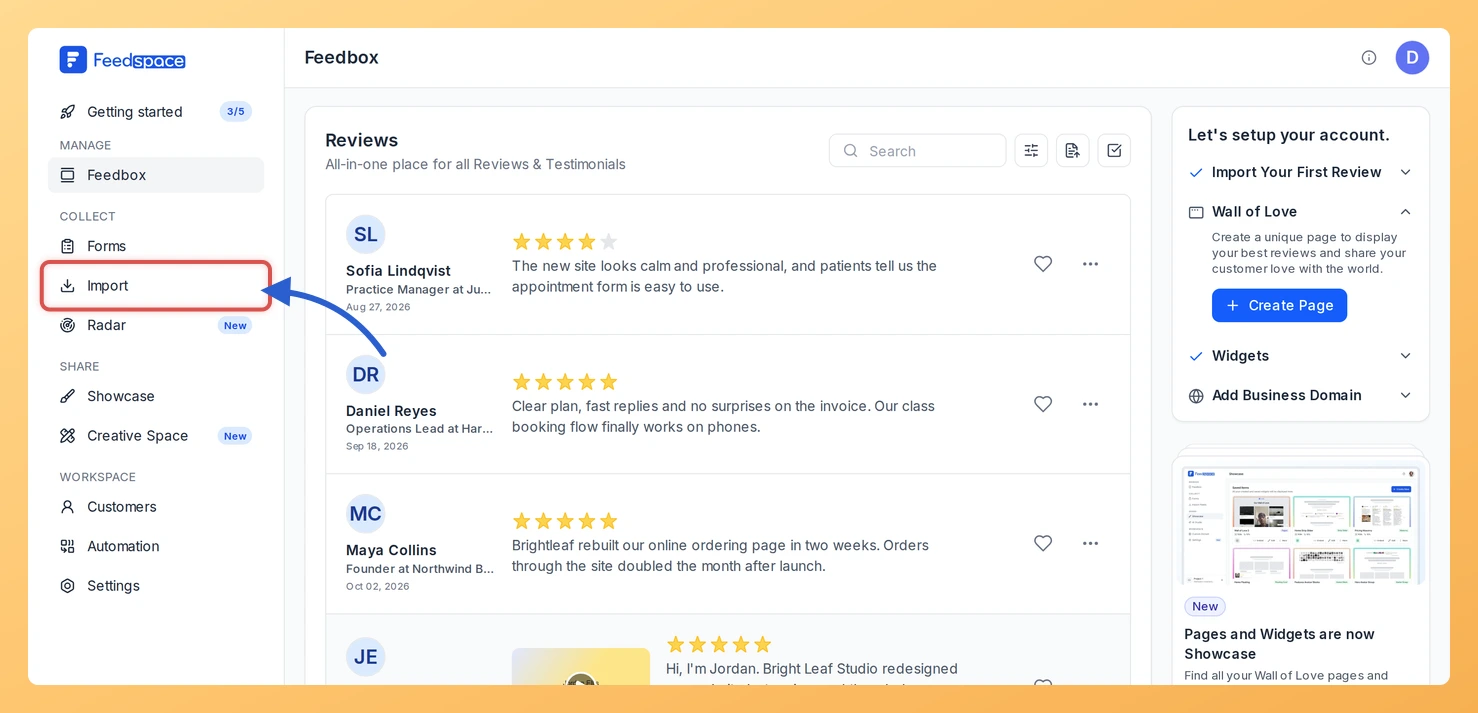
Step 1: Open Import
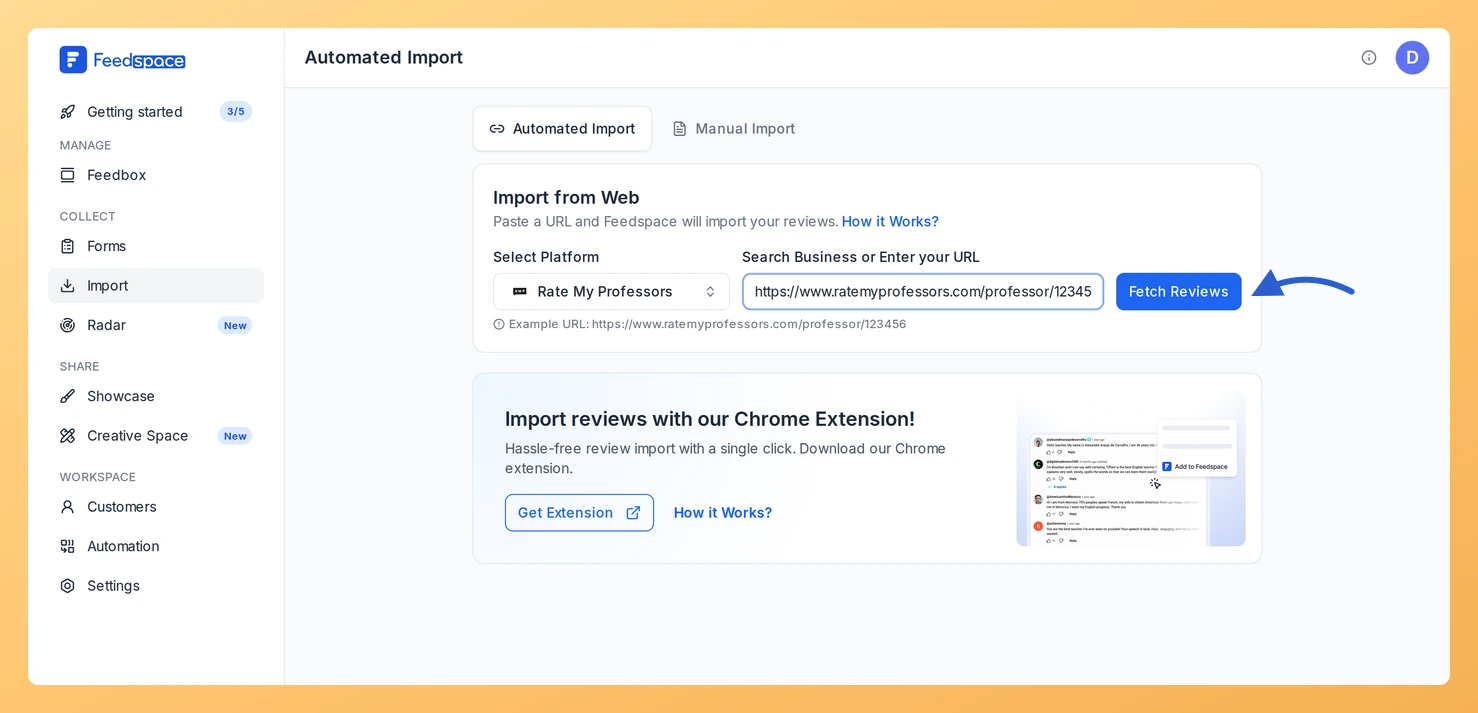
Click Import in the sidebar of Feedspace. The Import from Web card on the Automated Import tab is where the link goes.
Step 2: Copy your professor page link
Find your professor page on Rate My Professors and copy its address, which has the form https://www.ratemyprofessors.com/professor/12345678.
Step 3: Paste the link and click Fetch Reviews
Paste it into Search Business or Enter your URL. When Rate My Professors appears under Select Platform, click Fetch Reviews.
Step 4: Choose the reviews and import them
Read through Fetched Reviews from Rate My Professors and check the reviews to bring in, or use Select All. Click Import Review; the Import Reviews with Customization dialog opens, where labels are optional, and Import Reviews completes it.
What’s next
Embed student reviews on your tutoring or course site with a widget, or link a Wall of Love page from your teaching profile.
Can new Rate My Professors reviews import automatically?
They can. When the link has no active auto import, a Setup Auto Import banner sits above the fetched reviews. Click it, pick any options in the dialog that opens and confirm with Setup Auto-Sync. Feedspace will then import new Rate My Professors reviews every day. If auto import is not in your plan, or your plan’s auto imports are all in use, Feedspace shows the upgrade options instead.
You might also find helpful
How to Import Reviews from Niche into Feedspace
Overview Feedspace enables businesses to showcase customer feedback by importing reviews from Niche. Niche is a comprehensive school and college review platform helping students find the right educational institution. By integrating Niche reviews into your Feedspace dashboard, you can display authentic customer experiences on your website, build credibility, and attract...
How to Import Reviews from GreatSchools into Feedspace
Overview Feedspace allows you to import school reviews from GreatSchools, a trusted platform for parent and community ratings on educational institutions. This integration helps schools, education consultants, or community organizations display authentic feedback directly on their websites or Walls of Love to build credibility and trust. Step 1: Open import...
How to Import Reviews from Italki into Feedspace
Overview Italki is a leading platform for language learning, where students can leave reviews about teachers and courses. Importing reviews from Italki into Feedspace allows you to present authentic feedback directly on your website. Displaying these reviews can help visitors understand the quality of lessons and teachers. This guide will...