The end of a project is the single best moment to ask for a testimonial. The work is done, the client has seen the results, and goodwill is at its highest. This guide shows you exactly how to structure that request using Feedspace so you get a specific, useful testimonial, not a vague one-liner.
What you can do
Collect specific, result-focused testimonials using guided custom questions
Get video, audio, or text reviews depending on what your client prefers
Use the testimonial immediately on your portfolio, website, or LinkedIn profile
Automate a single follow-up reminder so no client is forgotten
The right way to ask
Most freelancers and agencies get weak testimonials because they ask too broadly: “Would you leave us a review?” A Feedspace form changes this by giving the client a structured experience with specific prompts, resulting in testimonials that mention real results, not just “great to work with.”
Step-by-Step Workflow
Step 1: Send the form with the finished work
Include the Feedspace form link in the same email or message where you deliver the final work. Frame it naturally: “I’d love to capture your experience working together while it’s fresh, it takes about two minutes. [Link]”. Clients are most open to giving feedback when they have just received the finished product.
Step 2: Add fields that guide the answer
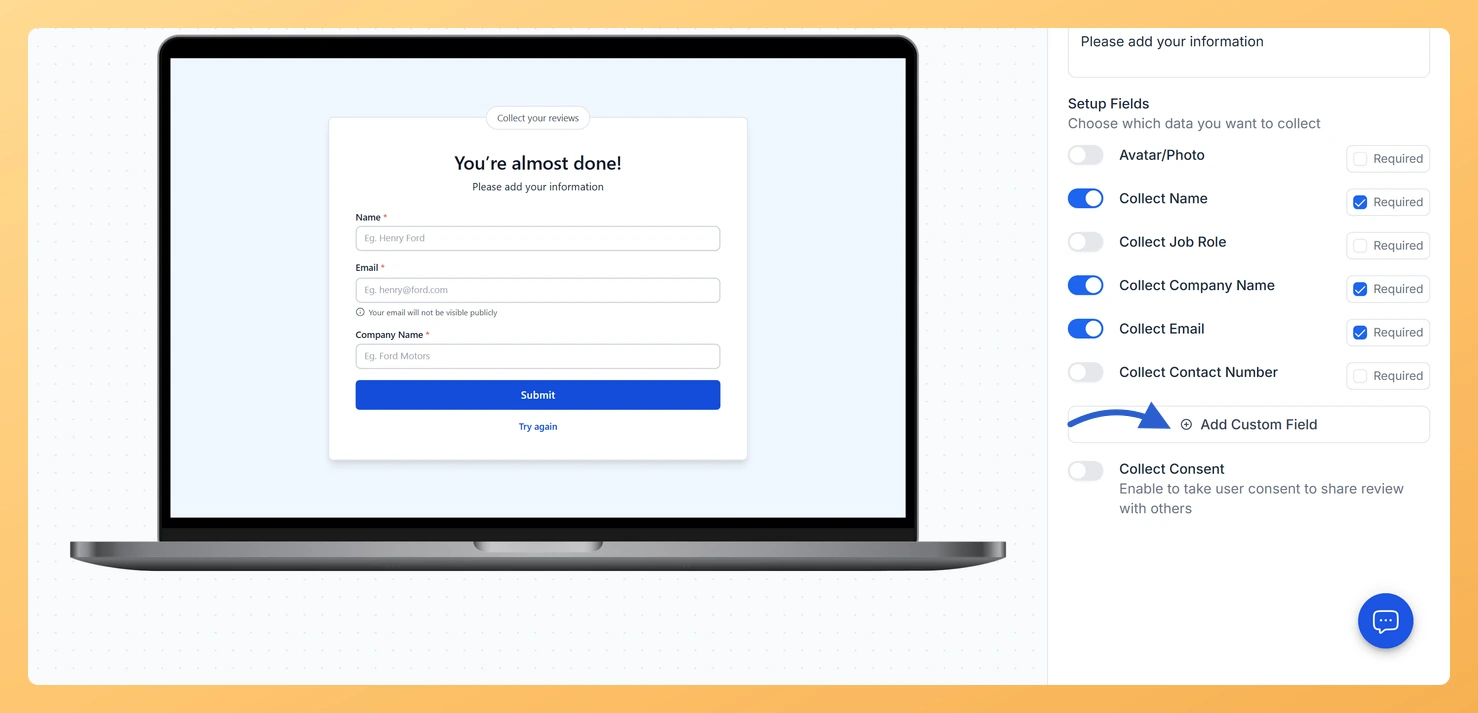
Open the form editor, go to the User Details tab and use Add Custom Field to ask two or three specific things before you send it:
“What was the main challenge you needed to solve with this project?”
“What result or outcome are you most pleased with?”
“What would you say to someone considering working with us?”
Clients who answer these questions naturally produce a before-and-after story that is far more compelling than a generic rating.
Step 3: Offer Video as the Primary Option
Enable video recording on the form. Many clients who would not write a long paragraph will happily talk for sixty seconds on camera. Make video the first option shown and text a secondary fallback so every client finds a format they are comfortable with.
Step 4: Send One Reminder if Needed
If the client has not submitted after five to seven days, send a single personal follow-up: “Just checking in, I wanted to make sure the review link worked for you. [Link]”. Keep it friendly and low-pressure. Most clients who intend to submit simply forgot.
Step 5: Approve and Use the Testimonial
Once the review arrives in your Feedspace workspace, approve it and use it: add it to your portfolio site, share it on LinkedIn, or embed it on a service page. A testimonial that mentions a specific result (“increased our website traffic by 40% in two months”) is worth far more than a generic quote.
Common Questions
What if the project ended on a difficult note?
Only send the review form to clients where the project ended well and the client expressed satisfaction. Sending to a dissatisfied client is unlikely to yield a useful testimonial and risks a negative response.
What if the client replies with a one-line testimonial anyway?
Ask again with one specific question rather than a general one. A field asking what changed after the project gets a concrete answer where “any feedback?” gets “great to work with”.
Can I reuse the same form for every client?
Yes. One form collects from everyone, and each submission arrives in Feedbox tagged with whoever filled it in, so there is no need to build a form per project.
You might also find helpful
How Do I Use Feedspace Review Forms as a Freelancer?
As a freelancer, your reputation is everything. A single video testimonial from a happy client does more to win new business than any portfolio piece. Feedspace lets you collect those testimonials automatically, without awkward manual follow-up, and display them anywhere prospects can see them. What You Can Do Recommended Setup...
How Do I Use Feedspace Review Forms as an Agency?
Agencies live and die by referrals and case studies. Feedspace gives agencies a structured way to collect client testimonials at the end of every engagement, video, audio, or text, and turn them into the kind of social proof that shortens sales cycles for new clients. What You Can Do Recommended...
How Do I Ask Customers for a Review After They Buy from Me?
The best time to ask a customer for a review is right after they buy from you. They are excited, expectations are clear, and goodwill is at its highest. This guide shows you exactly how to get your Feedspace review form in front of customers at that moment, whether you...