An AI Generated Summary sits at the top of a Feedspace widget and sums up its reviews in a one-line headline and up to five things customers like, along with the number of reviews it is based on. Feedspace writes it from the reviews selected for the widget and writes it again when those reviews change.
Few visitors read fifty reviews. A software company with a long Masonry widget on its pricing page can switch the summary on, so a visitor takes in the main reasons customers chose the product at a glance and then scrolls into the reviews behind them.
Before you start
The summary is available on Carousel, Masonry, Vertical Scroll, Horizontal Scroll and Avatar Carousel Slider widgets, and on Wall of Love pages.
Each summary Feedspace writes uses 1 AI credit. The summary is part of paid and lifetime plans; on the Free plan, switching it on opens an upgrade window.
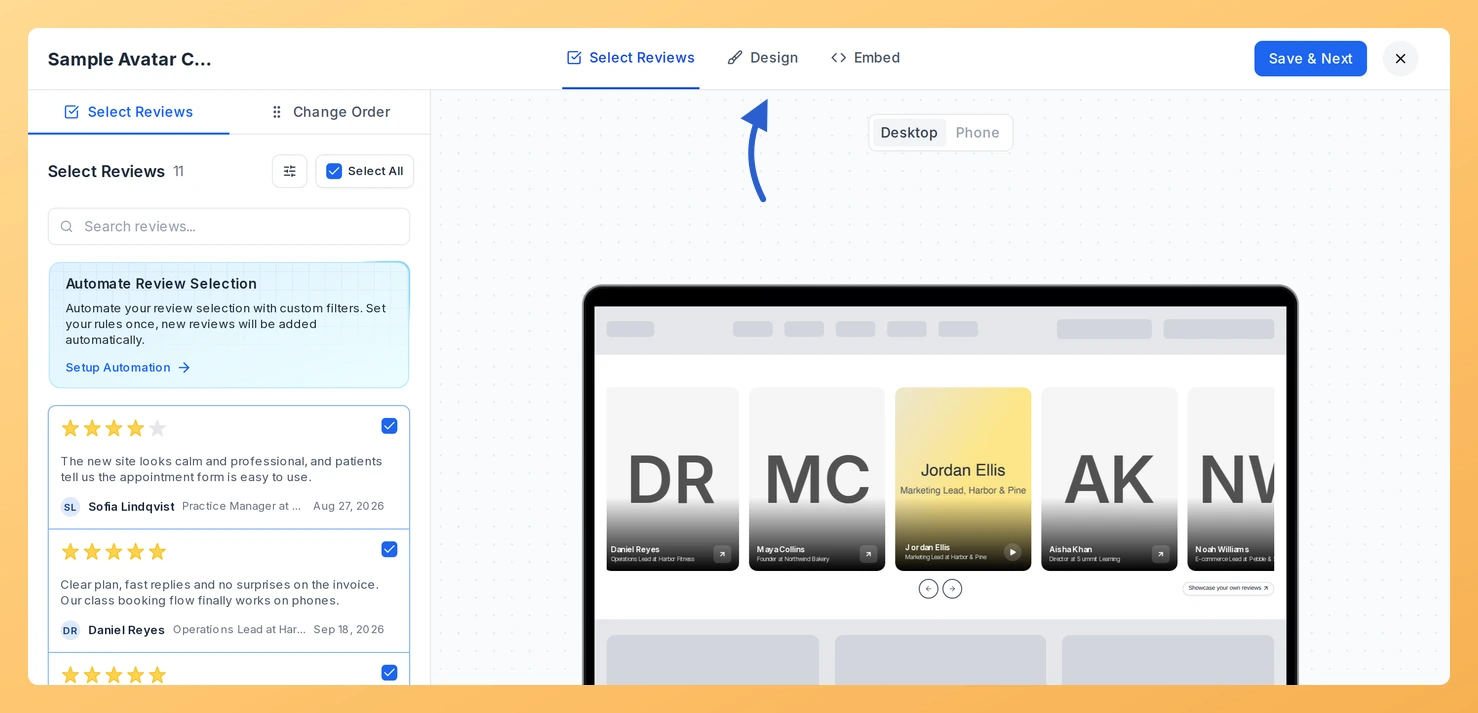
On the card of a widget of one of the types above (the pill on the card names its type), click Edit.
Step 2: Go to the Design tab
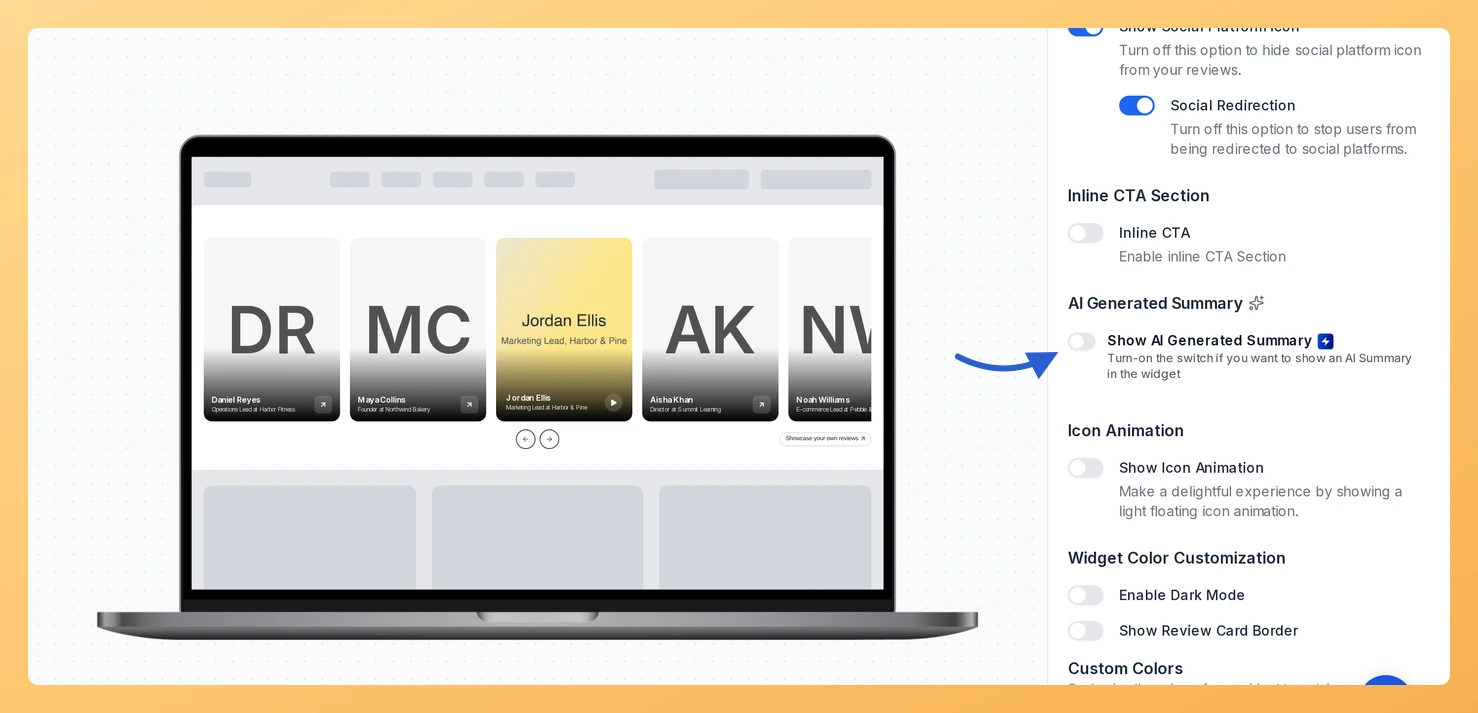
Click Design at the top of the editor, then scroll the settings on the right down to the AI Generated Summary section.
Step 3: Turn on the summary
Turn on Show AI Generated Summary. Feedspace starts writing the summary straight away and shows “Summary generated. Visitors will see it on the live version.” when it is ready.
To match the summary card to your site, change AI Icon Color, and, when Enable Dark Mode is off, Card Color and Card Border Color. With Dark Mode on, only the icon colour can be changed.
Step 4: Add a button for new reviews (optional)
Turn on Allow Review Collect, below the Regenerate summary button.
Pick the form visitors should use under Review Collection Form.
Change Button Label if you want different words from “Leave your Review”, and set the Button Color.
Step 5: Save the widget
Click Save & Next. Where the widget is already on your website, the summary appears there without any change to the embed code.
Put a summary on your Wall of Love too: the page editor’s Design tab has the same AI Generated Summary section, below Review Content Customization. New to pages? Start with how to create a Wall of Love page.
Common questions
Does the summary update when I add or remove reviews?
Yes. When the widget’s reviews change, Feedspace writes a new summary on its own, and you can ask for one at any time with Regenerate summary. Each new summary uses 1 AI credit. If your workspace has no credits left, the summary stops refreshing and visitors keep seeing the last one.
Why does it say it couldn’t generate a summary yet?
The selected reviews do not have enough written text to sum up. Add more reviews with text on the Select Reviews tab, then click Regenerate summary. An attempt that produces no summary uses no credit.
You might also find helpful
What Are AI Credits in Feedspace?
Overview AI credits are what the AI features in Feedspace run on. Each time you use one, such as a Radar scan or an AI image, it takes a set number of credits from your balance. There is one balance for each account owner, and every workspace you own shares...
How to Create a Widget in Feedspace
Overview Widgets in Feedspace allow you to showcase your collected reviews directly on your website. They are easy to set up, customizable, and come in different layouts to match your site’s design. Every widget starts from a template, and each template below suits a different spot on your site, from...
How to Create a Wall of Love Page in Feedspace
Overview A Wall of Love is a page of your best reviews that Feedspace hosts for you, with its own link. You build it in four tabs: pick the reviews, design the page, set the branding, then share it. It suits anyone who wants one link to send when a...