
Feedspace Home Dashboard

How Do I Delete a Wall of Love Page in Feedspace?

Last updated on June 11, 2026

Before You Delete

  • Reviews are not deleted: all testimonials shown on the page remain in your Reviews section and can be used on other pages or widgets.
  • The page link stops working: anyone visiting the old URL will see a blank or error page.
  • Embed code breaks: if you embedded this page on any website, those embeds will stop displaying content after deletion.
  • Deletion is permanent: there is no undo or recycle bin. If you want to stop sharing the page temporarily, remove the link instead of deleting the page.

Steps to Delete a Page

Step 1: Go to Pages

  1. Log in to your Feedspace account.
  2. Click Pages in the left sidebar.

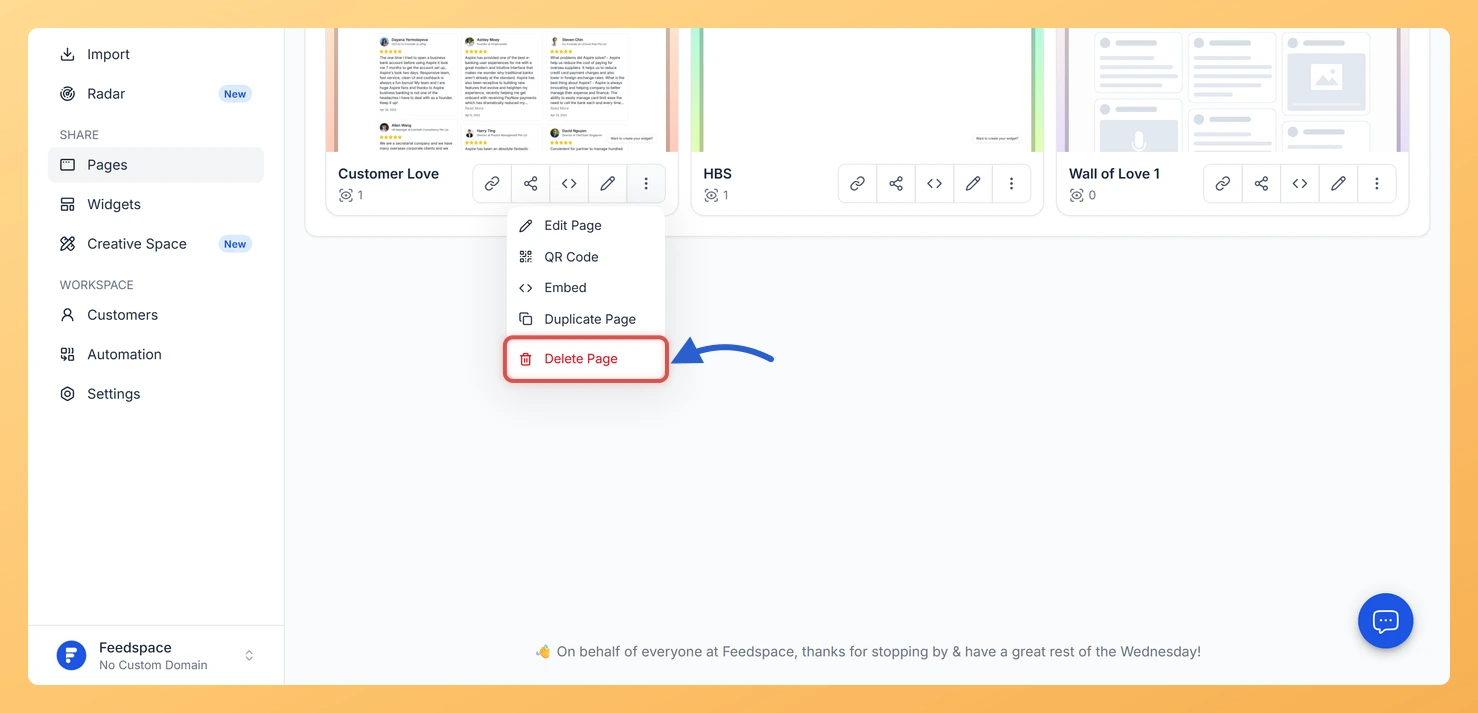
Step 2: Open the Three-Dot Menu

  1. Hover over the page card you want to remove.
  2. Click the three-dot menu (โ‹ฎ) at the bottom of the card.
  3. Select Delete Page from the dropdown.

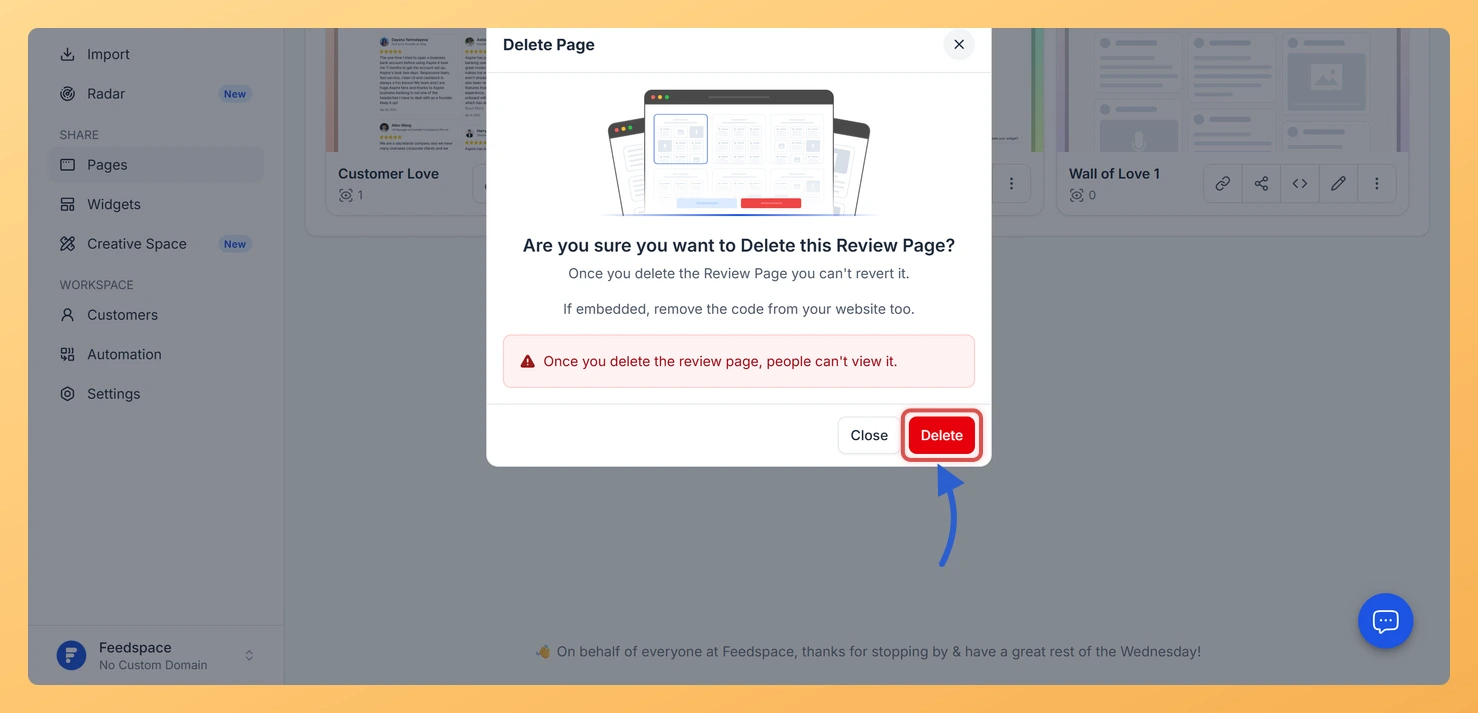
Step 3: Confirm Deletion

A confirmation modal opens showing the page statistics: total views, button clicks, and any websites where the page is currently embedded. If the page has been viewed, you will be asked to type a confirmation phrase before the Delete button becomes active. Review the information, type the phrase, and click Delete.

When to Delete vs. Keep a Page

  • Delete when the page is no longer needed and no live websites depend on its embed code.
  • Keep the page but stop promoting the link if you want to pause sharing without losing the design.
  • Use Duplicate Page first if you want to save a backup copy before making major changes to the original.
  • Remove all embed code from your websites before deleting to avoid broken sections on those pages.

You might also find helpful

How to Create a Wall of Love Page in Feedspace

Steps to Create a Page Log into Feedspace Sign in with your account credentials. Go to Pages From the left sidebar, click Pages. Create Page Click Create Page. This opens the creation screen with some reviews auto-selected in the space. Select Reviews Go to the Select Review page and choose...

How Do I Duplicate a Wall of Love Page in Feedspace?

Steps to Duplicate a Page Step 1: Go to Pages Step 2: Open the Three-Dot Menu Step 3: Select Duplicate Page Click Duplicate Page from the dropdown. Feedspace instantly creates a copy of the page. The new page appears in your list with (Copy) appended to its name and contains...

Can you create multiple Walls of Love?

Yes, you absolutely can! With Feedspace.io, youโ€™re free to create multiple Walls of Love for different purposes, all within a single account. This flexibility lets you showcase customer testimonials in targeted ways, for example, you could have one Wall highlighting product-specific feedback, another for feature-specific quotes, and even a separate...